kfconcept

KENTFAITH
K&F Concept    Blog >

Enjoy Your Selected Digital Life

Recently Viewed
  • Recently Viewed
  • Recently Viewed list is empty.

Compare (0) 0
  • Compare
  • You have not chosen any products to compare.

  • Compare
Currency: USD
  • Currency
Shop by Scene Shop by Rank

Log Into Your Account

Account

Order History

Wish List

Login

Forgotten Password?

Or connect with

Register Account

Already have an Account?Log In

  • Shopping Cart
  • Your shopping cart is empty!

  • Register/Login to purchase, earn points
  • Favorite
  • Your wish list is empty.

  • Register/Login to like, earn points
  • Activities
  • Guide
    • Filter Guide
    • Lens Adapter
    • Product Review
  • News & Reviews
    • Camera Reviews
    • Sample Gallery
    • News
  • Tutorials
    • Solar eclipse photography
    • Photography Basics
    • Landscape Photography
  • Inspiration
    • Travel
    • Travel Stories
  • Home
  • Blog
  • How To Allow Access To Camera And Microphone On Android ?

How To Allow Access To Camera And Microphone On Android ?

Kentfaith 2023-05-19 10:02:43 0 Comments

In today's digital age, cameras and microphones play an important role in our daily lives. From video calling and video recording to live streaming and audio recording, they have a wide range of applications. In this article, we will explain in detail how to use camera and microphone on Android devices and solve the problems you may encounter in the process of using them.

Understanding how to use camera and microphone on Android

The main ways to use camera and microphone on Android devices include the following:

Through the application that comes with the system

Camera: Open the camera app that comes with the system to take photos and record videos.

Microphone: Open the Recorder app that comes with the system to record audio.

Through third-party applications

Video Calls and Meetings: Use applications such as Zoom, Skype, Google Meet, etc. to make video calls and meetings.

Video recording and live streaming: Use apps such as YouTube, Instagram, TikTok, etc. to record and live stream videos.

Through social media apps

Video calls: Video calls can be made using social media apps such as WhatsApp, Facebook Messenger, etc.

Audio Messaging: Using social media apps like WeChat, LINE, etc., you can send audio messages.

Solve the connection problems of camera and microphone on Android devices

During the process of using, you may encounter the problem that the camera and microphone are not connected properly. Here are some common problems and their solutions:

The application cannot access the camera or microphone

Check permission settings: Make sure the app has been granted access to the camera and microphone. Go to Settings -> Apps -> Select Apps -> Permissions to make sure the camera and microphone permissions are enabled.

Restart the app: Close and reopen the app to request permissions again.

The camera or microphone is not working properly

Check Device Status: Make sure the camera and microphone are not physically blocked or damaged.

Reboot device: Reboot the Android device and clear the cache.

App crashes or fails to start

Update apps: Make sure the apps are up to date to avoid compatibility issues.

Clear app cache: Go to Settings -> Apps -> Select Apps -> Storage -> Clear Cache.

Common Troubleshooting of Camera and Microphone on Android Devices

Even if the connection is successful, sometimes you may encounter some faults affecting the use, the following are common problems and solutions:

Poor video quality

Optimize settings: Adjust the video resolution and frame rate in the app settings and choose the appropriate quality settings.

Check lighting conditions: Ensure that the camera is used in good lighting conditions and avoid low-light environments.

Poor sound quality

Adjust microphone position: Ensure that the microphone is close to the source of the sound to avoid it being blocked.

Check for background noise: Try to use the microphone in a quiet environment to minimize background noise interference.

Video and audio out of sync

Restart the application: Close and reopen the application to resynchronize the audio and video.

Check network connection: Make sure the network connection is stable to avoid network delays resulting in desynchronization.

Detailed steps and settings for using camera and microphone on Android

Here are the detailed steps and settings:

Use the system camera app

Open the camera app and select the photo or video mode.

Adjust the camera settings, such as resolution, flash, etc., and start shooting.

Use the system recorder app

Open the Sound Recorder app and tap the Record button to start recording audio.

After finishing recording, save the audio file for playback and sharing.

Use third-party video call apps

Download and install video calling apps, such as Zoom, Skype, etc.

Register and log in to your account, enter the call interface, and make sure the camera and microphone permissions are turned on.

Adjust video and audio settings to ensure call quality.

Use third-party video recording and live streaming apps

Download and install video recording or live streaming apps, such as YouTube, TikTok, etc.

Register and log in to your account, enter the recording or live streaming interface, and make sure the camera and microphone permissions are turned on.

Adjust the video and audio settings to start recording or live streaming.

Improve the quality and stability of camera and microphone on Android devices

In order to get a better using experience, here are some suggestions to improve the quality and stability:

Keep your device clean

Clean the camera lens and microphone holes regularly to ensure they are free of dust and dirt.

Use high-quality accessories

Use quality camera and microphone accessories to improve recording quality.

Optimize network connection

Make sure to use it in a stable WiFi or mobile network environment to avoid problems caused by unstable network.

Regular Updates

Regularly update the application and operating system to ensure compatibility and performance optimization.


In conclusion, using camera and microphone on Android devices to enhance multimedia experience is not complicated. I hope this article can provide practical reference and help for users to enjoy the convenience and fun of smart technology.

Leave your comment
Cancel reply
Note: HTML is not translated!
Related products
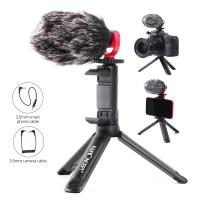
Camera Microphone, Supercardioid 3.5mm Shotgun Mic for Camera, DSLR, iPhone and Android Smartphones, with Shock Mount & Noise Reduction, Compatible with Canon EOS, Nikon, and Sony Cameras, Kentfaith
7
$87.49 $69.99
67mm Clip-on CPL Phone Camera Lens Filter Kit Applicable to All Mobile Phone Models
40
$18.99
67mm Clip-on ND2-32 Phone Camera Lens Filter Kit Applicable to All Mobile Phone Models
NEW Arrival
67mm Clip-on ND2-32 Phone Camera Lens Filter Kit Applicable to All Mobile Phone Models
13
$37.99
67mm Clip-on Black Mist 1/4 Phone Camera Lens Filter Kit Applicable to All Mobile Phone Models
7
$29.99
52mm Clip-on CPL Phone Camera Lens Filter Kit, Circular Polarizer Polarizing Filter Applicable to All Mobile Phone Models
24
$19.99
Camera Video Microphone Kit for YouTube, Vlog Windscreen 3.5mm for Phone and Camera
45
$34.99 $19.99
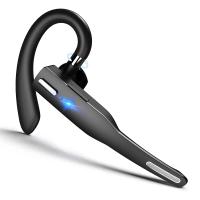
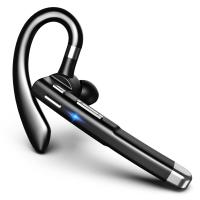
Bluetooth Headset for Mobile Phone Wireless Headset with Microphone Bluetooth Headset 5.1 Hands-free Headset CVC8.0 Compatible with iPhone Android Business Office Driving
43
$14.99
67mm Clip-on CPL&Black Mist 1/4 2-in-1 Phone Camera Lens Filter Kit Applicable to All Mobile Phone Models
3
$29.99
Mobile Phone Bluetooth Earphones Bluetooth V5.1 Earphone Hands-free Single Ear Earphone with CVC8.0 Noise-cancelling Microphone for Office/driving Compatible with Android/iPhone/laptop
1
$29.99
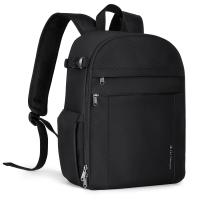
K&F Concept 13L Camera Backpack Nature Wander 12 Black, Lightweight Photography Bag with Quick Access Front Opening, Tripod Strap & Dual-Purpose Design for Travel and Daily Use
52
$71.99 $49.99
Products You May Like
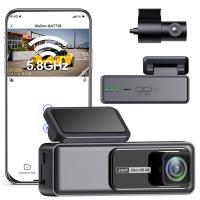
4K Dash Cam Front and Rear with WiFi 170° Wide Angle G-Senosr Kentfaith
13
$124.99 $99.99
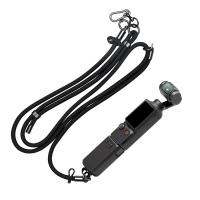
K&F Concept Neck Lanyard Shoulder Strap with a 1/4" Screw for Pocket 3, Crossbody Strap for DJI OSMO Pocket 3 Accessories, Black
45
$17.99
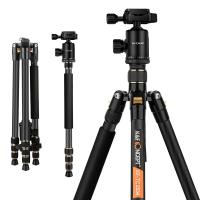
Lightweight Carbon Fiber Camera Tripod Professional Travel Tripod 66"/168cm 22lbs Load Capacity for DSLR Cameras Ship to EU&AU Only (TC2534)
63
$239.99 $123.99
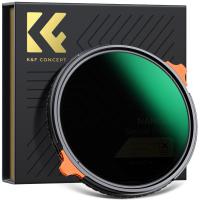
40.5mm True Color  Variable ND2-32 (1-5 Stops) and CPL Circular Polarizing Lens Filter 2 in 1 for Camera Lens Neutral Density Polarizer Filter Nano-X Series
40.5mm True Color Variable ND2-32 (1-5 Stops) and CPL Circular Polarizing Lens Filter 2 in 1 for Camera Lens Neutral Density Polarizer Filter Nano-X Series
52
$110.99 $82.99
small trail camera
small trail camera
10
$135.99 $106.99
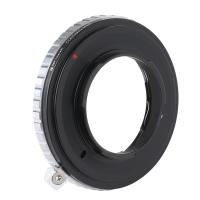
Contax G Lenses to M43 MFT Lens Mount Adapter K&F Concept M26121 Lens Adapter
104
$87.99 $45.99
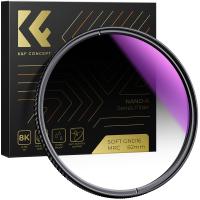
55mm Soft Graduated GND16 (4 Stop) Lens Filter Ultra-Clear Optical Glass Multi-Coated Nano-Xcel series
1
$58.99 $30.99
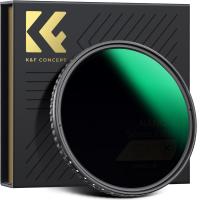
K&F Concept 67mm Variable ND Filter ND8-128 (3-7 Stop) HD Hydrophobic VND Filter for Camera Lens No X Cross Nano-Xcel
40
$82.99 $66.95
58mm MCUV Protection Filter with 28 Multi-Layer Coatings HD/Hydrophobic/Scratch Resistant/Ultra-Slim UV Filter for 58mm Camera Lens Nano-X Series
$33.99 $23.99
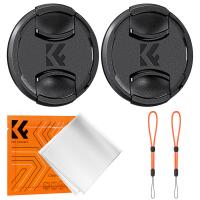
37mm Snap-On Center Pinch Lens Cap 5 in 1 with Anti-Loss Keeper Leash Compatible with Nikon, Canon, Sony, Fujifilm Camera Lenses
$15.99 $7.99
Related articles
How To Allow Camera And Microphone In Fb Messendger ?
How To Enable Camera And Microphone On Instagram ?
How To Turn On Microphone And Camera On Hp Laptop ?
How To Turn On Camera And Microphone On Dell Laptop ?
Can T Access Microphone On Iphone?
How To Use External Microphone Android Camera App ?
How To Find Camera App On Android?
How To Use Microphone On Mac?
How To Clean Microphone On Iphone?
How To Make Your Eyes Flash On Camera?
Blog You May Like
How To Search For Cameras In Your House?
Where To Get Camera Lens Cleaned?
How To Use Microphone On Mac?
Can You Use A Projector On The Ceiling?
Is There A Universal Wifi Camera App ?
How To Find Game Cameras?
What Does The Flash Do On A Camera?
Does A Trail Camera Flash At Night?
How To Transfer Photos On Sd Card Android?
What Are Polarized Filters?
Related categories
C mount lens adapter m4/3 adapter On-Dash Camera streaming video camera phone camera lens camera and lens cleaning kit lens adapters
Popular products
microphone with foam cover mic bluetooth wireless microphone high quality condenser microphone remote access trail camera iphone wireless microphone for video Polarize Filter For Mobile Phone background noise cancelling microphone lapel microphone wireless iphone clip on phone camera lens wireless microphone transmitter receiver
Related searches
Bluetooth Microphone For Android External Microphone Android Phone Android Tablet With Camera And Wifi Best Camera And Microphone Bluetooth Camera And Microphone Pc Camera And Microphone Streaming Camera And Microphone Camera Bag With Side Access Camera Backpack With Side Access Security Camera With Remote Access
Popular searches
Wireless Camera Remote Control Nikon D5300 Camera Battery Iphone 16 Pro Max Polarizing Filter Minolta Md To Sony A Mount Adapter Canon Ef Adaptor Glass Solar Filter Leica R To M42 Adapter Fx30 Camera Bag Best Binoculars For Hiking And Bird Watching Phone Camera Gimbal
Blog Category
  • Activities
  • Guide
    • Filter Guide
    • Lens Adapter
    • Product Review
  • News & Reviews
    • Camera Reviews
    • Sample Gallery
    • News
  • Tutorials
    • Solar eclipse photography
    • Photography Basics
    • Landscape Photography
  • Inspiration
    • Travel
    • Travel Stories
Search Article
Latest from the Blog
Which Binoculars To Buy?
What Does A Uv Camera Filter Do?
Pressure In Ear When Wearing Headphones?
Which Ring Camera Is Wireless?
How To Take Great Photos With Digital Camera?
What Is A Good Quality Dash Cam?
Which Night Vision Monocular Is Best?
How Do Cellular Trail Cameras Work? – The Complete Guide for Hunters and Wildlife Enthusiasts
How Fast Is A Camera Flash?
Which Memory Card For Dash Cam?
  • Easy Payment Multilple Payment Options

  • Free Shipping Global WareHouse Shipment

  • No Risk 30-Day No Reason Return

  • Limited Deals Buy More, Save More

  • Tax Free No any surcharges or tax fee

Information
  • About us
  • Contact Us
  • Site Map
  • Blog
  • Video
  • Gallery
  • VIP Membership Rewards
Service
  • Privacy Policy
  • Terms & Conditions
  • Shipping & Delivery
  • Payment Info
  • Warranty, Return & Refund
  • Intellectual Property Rights
  • Ambassador
  • Affiliates
  • Wholesale
Support
  • My account
  • Order History
  • FAQs
  • Extend Warranty
  • Logistics Tracking
Follow us
NewsLetter

Get the latest product, K&F Concept respects your privacy.
Powered By KENTFAITH © 2026