Can I Use Gopro As Security Camera?
When it comes to security cameras, many homeowners and business owners are exploring innovative ways to get the most out of their existing devices. One creative solution that often comes up is using a GoPro as a security camera. It’s natural to wonder whether your portable action camera can double as a device to monitor your property. The short answer is yes, you can use a GoPro as a security camera, but it’s not quite the same as using a device designed specifically for surveillance purposes. In this article, I’ll delve into the practicalities, challenges, and benefits of using a GoPro as a security camera, providing useful insights and tips for anyone considering this approach.
Why Consider a GoPro for Security Purposes?

GoPro cameras are lightweight, portable, and capable of capturing high-quality video footage, making them appealing candidates for security uses. Their versatility — from functioning in extreme weather conditions to capturing wide-angle shots — makes them suitable for scenarios where homeowners or businesses want a quick, makeshift security solution without investing in traditional systems. For temporary setups or in environments where mobility is important, a GoPro may indeed shine.
Moreover, GoPro cameras come equipped with Wi-Fi and Bluetooth capabilities, which means they can be remotely managed, potentially making it more convenient for monitoring purposes. Plus, their capability to continuously record in high definition offers a level of detail that’s often superior to basic security cameras. However, they were not originally designed for security-like functions, meaning you might face specific limitations.
Essential Steps to Turn Your GoPro Into a Security Camera

If you’re keen on using a GoPro as a security camera, here are steps you can take to set it up effectively:
1. Continuous Power Supply

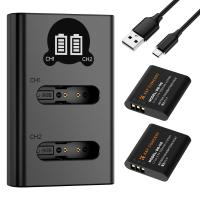
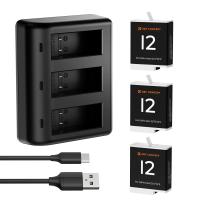
Unlike dedicated security cameras, GoPro batteries aren’t designed for prolonged use — they typically last just a few hours on a full charge. To ensure uninterrupted operation, you’ll need to connect your GoPro to a continuous power source. Most GoPro models support being powered via USB while recording, but it’s important to choose reliable power accessories and ensure the camera doesn’t overheat.
2. Mounting the Camera

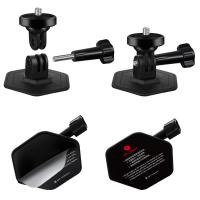
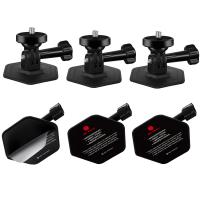
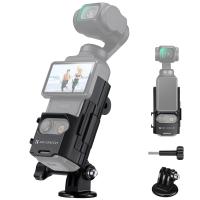
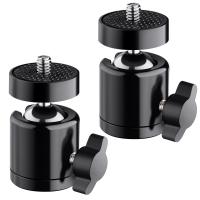
A proper mounting setup is key for maximizing coverage. GoPro devices offer a variety of mounting options, from suction cups to clips and adhesive mounts. Select a mount that allows you to position the camera at an optimal angle for monitoring your intended area.
3. Connecting the GoPro to a Smartphone or Computer
Most GoPro models come with Wi-Fi or Bluetooth capabilities. By connecting the camera to the GoPro app on your smartphone or linking it to software on your computer, you can stream footage in real-time. While this isn’t the same as professional-grade security monitoring software, it can still provide visual access.
4. Activating Motion Detection
GoPro cameras typically don’t come with built-in motion detection, a common feature in dedicated security cameras. You can partially work around this limitation by customizing settings or using external apps. Some third-party software designed for recording with action cameras can add this functionality, though it may not be as precise as dedicated systems.
5. Storing Video Footage
You’ll need to make arrangements for storage since GoPros rely on microSD cards for data. If you plan to record continuously, you’ll quickly fill up storage space, especially at higher resolutions like 4K. Consider setting lower resolution options or integrating cloud storage systems via external apps to avoid running out of space.
The Pros and Cons of Using a GoPro as a Security Camera
Advantages
1. Portability and Flexibility
GoPros can be placed virtually anywhere due to their compact size and mounting versatility. This is especially useful in situations where you need to monitor a temporary space.
2. High-Quality Video
Few budget security cameras can match a GoPro’s video quality. With resolutions as high as 4K and wide-angle capabilities, you'll capture more detailed footage.
3. Durability
GoPros are designed to withstand wear and tear, harsh weather conditions, and even shock or underwater use. This makes them suitable for outdoor monitoring or environments where durability is a concern.
4. Easy Setup
If you already own a GoPro, you can repurpose it quickly and without the expense of purchasing new equipment, making it a frugal option for those on a budget.
Disadvantages
1. Battery Life
A GoPro doesn’t possess the same long-lasting battery capabilities as regular security cameras. Regular use will require it to stay connected to an external power source.
2. No Built-In Security Features
Unlike security cameras, GoPros lack features like facial recognition, motion detection, night vision, or activity alerts. These limitations could significantly hamper its effectiveness when used for security purposes.
3. Limited Monitoring Software
Security cameras come with management software that allows you to oversee multiple cameras, set schedules, and receive activity alerts. Using a GoPro means depending on third-party apps or manual streaming connections, which might lack real security camera functionality.
4. Price
GoPros are typically more expensive than entry-level dedicated cameras, and you may need to invest even more in accessories like mounts, chargers, or microSD cards to make them functional for surveillance.
When Is It Practical to Use a GoPro as a Security Camera?
Using a GoPro is best suited for temporary or highly specific scenarios. For example:
Event-based Monitoring: You’re hosting a party or outdoor event and want a camera to record or monitor activities temporarily.
Travel Security: While on vacation, you want a portable solution for keeping an eye on your hotel room or rental property.
Outdoor Use in Extreme Conditions: If durability and weather resistance are your highest priorities, a GoPro might be a good choice for protecting a specific outdoor space for short periods.
If you’re looking for a long-term, budget-friendly security system that provides advanced, automated features, a dedicated security camera system may still be the better investment.
Alternatives and Recommendations
If you find yourself in need of a cost-effective security solution, there are alternatives that might be worth considering:
1. Dedicated Budget Security Cameras
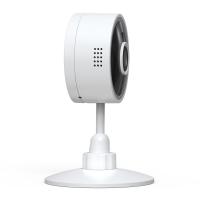
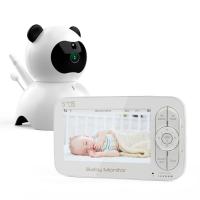
Brands like Wyze, Blink, or TP-Link offer entry-level cameras with features like motion detection, night vision, and app integration that outperform a GoPro in terms of security functionality — all at significantly lower prices than buying a GoPro for this purpose.
2. DIY Smart Home Setup
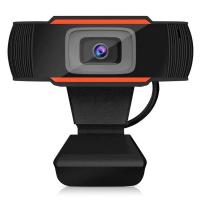
You can pair a regular webcam with software like iSpy or use a Raspberry Pi to create a DIY security camera system, offering more features than a repurposed GoPro would.
3. Smartphone Security Cam Apps
If versatility and portability are your priorities, using an old smartphone as a security camera might be a better alternative to using a GoPro. Many apps allow you to set up motion detection, notifications, and remote monitoring.
Conclusion: Is a GoPro Right for Your Security Needs?
While it is possible to use a GoPro as a security camera, its lack of specialized features and requirement for continuous power and storage makes it less than ideal for long-term or robust surveillance. That said, if you already own a GoPro and want a quick, temporary solution for security monitoring, it can be a workable solution in particular use cases.
However, if your goal is a reliable and fully-featured security system, investing in dedicated security cameras is likely your best option. Specialized cameras are more affordable, easier to manage, and offer features that go beyond the GoPro’s capabilities. For temporary or niche uses, though, a GoPro remains a doable option — as long as you’re aware of its limitations and plan accordingly.
Ultimately, the decision comes down to your specific needs, budget, and willingness to work around the inherent limitations of using a device that wasn’t built for security purposes.