How To Stream Live From Surveillance Camera?
How to Stream Live from a Surveillance Camera
Streaming live footage from a surveillance camera has become an essential practice in both personal and professional settings. Whether you're a homeowner looking for enhanced security or a business owner checking your operations remotely, live-streaming surveillance footage allows you to monitor your property or assets from anywhere in real time. However, achieving this goal requires having the right equipment, setup, and knowledge to ensure seamless functionality and security. In this article, we will walk you through the complete process of streaming live surveillance camera footage—including equipment considerations, setup details, and best practices.
1. Understand Your Surveillance Camera Type

The first step in setting up live streaming for a surveillance camera is identifying your setup and determining whether your camera supports this feature. Modern cameras generally fall into one of these categories:
a. IP Cameras

IP (Internet Protocol) cameras are designed for network streaming. These are the most commonly used cameras for live surveillance due to their ability to transfer video data via the internet directly. They often come with built-in software features to facilitate remote viewing.
b. Analog Cameras with DVR System

DVR (Digital Video Recorder) systems are used to connect analog cameras. While analog cameras don’t have direct network capabilities, a DVR system can convert video signals and stream them online.
c. Wi-Fi-enabled Cameras

Wi-Fi cameras simplify live streaming by connecting wirelessly to your home or office network without the need for extensive wiring.
d. NVR System
NVR (Network Video Recorder) systems are designed for IP cameras. If you have multiple cameras integrated into an NVR system, you can use this device to manage live streaming efficiently.
Knowing your surveillance camera’s type will help you determine whether additional hardware or software is required for live streaming.
2. Check Your Internet Connection
Live streaming from surveillance cameras is heavily dependent on your internet connection. High-resolution video streams consume considerable bandwidth, especially when multiple cameras are being streamed simultaneously. Evaluate the following factors:
a. Upload Speed
Ensure that your internet upload speed can support video streaming. A resolution of 720p typically requires 1–2 Mbps upload speeds, whereas 1080p may require 3–5 Mbps.
b. Network Reliability
A stable internet connection is critical to avoid interruptions during streaming. Implement a wired Ethernet connection for your camera rather than relying solely on Wi-Fi for more stable data transmission.
c. Network Configuration
If you're streaming live footage to viewers, either within your network or over the internet, you'll need a properly configured router. Adjust port forwarding or set up Dynamic DNS (DDNS) to ensure external access.
3. Set Up Streaming Software
Most surveillance cameras come with built-in software or apps that provide live-feed access. However, additional third-party software or services may be required if you need advanced streaming features, such as simultaneous recording, multi-camera feeds, or remote hosting.
Popular software options for live-streaming surveillance cameras include:
OBS Studio (Open Broadcaster Software): Ideal for users who want fine-grained control over a live stream, including overlays, filters, and audio configuration. OBS can stream to multiple platforms like YouTube, Twitch, and Facebook.
VLC Media Player: A versatile tool for accessing live video streams using camera IP addresses.
Blue Iris: A feature-rich software solution for managing and streaming multiple cameras.
If you have a camera-specific app provided by the manufacturer, leverage its user-friendly interface to configure cameras effortlessly.
4. Configure Your Camera for Live Streaming
To stream your surveillance camera live, camera configuration is essential. Complete the following steps:
a. Access Camera Settings
Log into the camera’s interface using its IP address (found using your router’s admin panel). You may need installation instructions or credentials provided by the manufacturer.
b. Enable Live Streaming
Most cameras allow you to configure video and audio streaming settings. Set up RTSP (Real-Time Streaming Protocol) or other relevant protocols to enable streaming. RTSP URLs are often provided by the camera and look something like:
```
rtsp://IPaddress/stream
```
c. Adjust Resolution and Frame Rates
Configure the video quality for optimal performance based on your upload speed. Lower resolutions consume less bandwidth, while higher resolutions provide better visual clarity.
d. Set Access Permissions
Make sure you enable authentication or passwords for secure access to your stream. Avoid broadcasting public video streams without securing them to prevent security breaches.
e. Test Your Camera Output
Ensure that the camera is recording and streaming correctly by testing the live feed on your local network.
5. Embed and Stream Your Camera Feed
Once your camera is set up, the next step involves embedding or broadcasting the live feed. Depending on your requirements, here are several options:
a. Stream to Social Media Platforms
Platforms like YouTube or Facebook Live can be used for sharing live footage publicly or privately. You’ll need to input the RTSP feed into the software (e.g., OBS Studio) and configure the streaming output settings to these platforms.
b. Embed in a Website
Some businesses or individuals may want to showcase live footage on their websites. You can integrate the RTSP feed into your website using HTML or external hosting services.
c. App Access
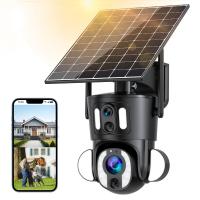
Most IP and Wi-Fi-enabled cameras come with an app that allows users to directly access live feeds from their smartphones or desktops. You can configure notifications for motion detection or other alerts.
6. Maintain Security During Live Streaming
Cybersecurity should be a top priority when streaming from surveillance cameras. Unsecured cameras can be vulnerable to hacking, exposing your private property or business operations to prying eyes. Follow these safety practices:
Change Default Passwords: Always replace factory-set passwords with unique and complex ones.
Secure Your Network: Use secure Wi-Fi login credentials and consider setting up a WPA3 encryption protocol.
Update Firmware: Regularly update your camera firmware to protect against recent vulnerabilities.
Use Encryption: Implement end-to-end encryption on your streams if possible.
Monitor Access: Restrict access to authorized users only. Use IP whitelisting or setup two-factor authentication.
7. Troubleshooting Common Issues
Live webcam streaming isn’t always flawless, and users may encounter issues such as delays, quality degradation, or disconnections. Here are common problems and solutions:
a. Lagging or Pixelated Feed
Cause: Insufficient bandwidth.
Solution: Lower the video resolution or upgrade to a higher-speed internet plan.
b. Stream Not Loading
Cause: Incorrect RTSP URL or networking issues.
Solution: Double-check your camera's IP addresses, port settings, and ensure proper firewall configurations.
c. Unauthorized Access
Cause: Insecure setups or unchanged default passwords.
Solution: Set strong passwords and monitor access logs.
d. Camera Disconnecting Frequently
Cause: Poor connectivity or physical obstructions in Wi-Fi signals.
Solution: Use an Ethernet connection or reposition the Wi-Fi router for better coverage.
8. Advanced Features to Explore
Modern surveillance streaming setups come with advanced features to enhance usability and security:
a. Motion Alerts
Configure notifications for movement detection in specific areas to stay informed of potential activity.
b. Cloud Storage Integration
Many cameras offer direct cloud recording to ensure stream archives are readily retrievable.
c. Multi-Camera Feeds
If you need to monitor multiple cameras, ensure your setup supports real-time multi-camera streaming.
d. AI Analytics
Some cameras offer AI-driven insights, such as facial recognition, license plate readers, or tracking suspicious individuals.
Live streaming from surveillance cameras provides an efficient way to safeguard locations, monitor activities, and enhance operational awareness. By carefully setting up your camera, configuring software, and protecting your network security, you can unlock seamless real-time access to your camera feeds. Remember to regularly update software and firmware while prioritizing safety.
Live-streaming technology is a powerful tool, but only when implemented correctly. With the right hardware, software, and security measures, you can ensure a robust surveillance system that supports your safety and peace