How To Make Camera Quality Better?
Resolution and Image Detail
The quality and composition of a digital camera is mainly defined by four quantities: resolution, lens aperture, lens focal length / zoom range, lens quality, sensor sensitivity, and camera software.
The resolution is the number of pixels in the captured image. Computer images are divided into little dots called pixels. The more pixels, the more detailed the image can be.
- Today, a camera's resolution is that last thing you should be worried about.
- Virtually all digital cameras have resolutions of more than 10 megapixels.
- With such resolution, your image detail will only be limited by sensor resolution if you have everything else about your shot absolutely perfect: a great lens, held very steady, precisely focused, on a subject that is stationary.
- So do not make camera resolution a decision point in your camera selection.
If your camera allows it, set the resolution to the highest option available. Higher resolution means more detail in your photos, which is especially useful for printing or cropping later. Images taken at a higher resolution will look sharper and more vibrant.
Keep in mind that higher-quality images take up more storage space on your device. So, if you’re planning to take a lot of high-resolution photos, make sure you have enough space.
The standard 4:3 ratio is great for general photography, providing a balanced view that works well for portraits and landscapes.
The 16:9 ratio, on the other hand, is ideal for videos and panoramic shots, making your scenes appear wider and more cinematic.
Selecting the right aspect ratio helps frame your subject better and enhances the overall composition of your photos.
Lens Aperture and Zoom Range
The aperture of a lens is its maximum opening. The bigger the aperture, the more light is gathered, and the less light you need to take a good photo.
This is the most overlooked lens specification, but it very important, especially if you like to take photos indoors without flash or from a reasonable distance.
- Lens aperture
- Lens aperture is measured in f/numbers, such as f/2.0 or f/3.5.
- Smaller f/numbers
- Smaller numbers mean bigger lens openings.
- Fast lens
- A large aperture lens also gives you the option of having a shallow depth of field.
You would rather have a lens that is f/2.0 than a lens that is f/4.0.
A large aperture lens gives you that option. Depth of field is the range of distances for which objects are in reasonable focus.
Sometimes you want everything in focus, but sometimes you would like a shallow depth of field to separate the (sharp) subject from the (blurry) background.
- A zoom lens has a variable focal length.
- The focal length determines the magnification of the lens.
- A short focal length is a wide-angle lens, great for taking in large vistas.
- A long focal length is a telephoto lens, allowing you to get a tight photo of a distant object or person.
- A zoom lens lets you combine both of these and everything in between into a single adjustable lens.
Only pay attention to optical zoom. Digital zoom is of no value. All it does is crop the image in the camera. You can always crop an image in software after you have transferred it to your computer.
Instead of relying on this feature, try to physically move closer to your subject for a clearer shot. If your phone has optical zoom capabilities, use that instead, as it maintains image quality and delivers sharper photos.
Sensor Sensitivity and Light
In low light conditions, nothing affects image quality more than the sensitivity of the sensor. With low light, images can be noisy.
The most important determinant of the noise in a sensor is the size of individual pixels. So for lower noise, you want a big sensor and fewer pixels.
Cramming tens of megapixels into tiny sensors means very tiny pixels, which in turn means noisy images in low light.
- With any camera, having abundant light intensity improves quality.
- With light you can shoot at low iso to reduce random noise.
- With light you can shoot at a lens’ ideal sharpest aperture setting.
- With light you can shoot at a blur free high shutter speed.
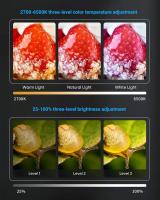
A lower iso is ideal for bright environments, reducing the chance of grainy images.
In contrast, a higher iso is beneficial for low-light situations, allowing your camera to capture more light. However, be cautious—while a high iso can brighten your images, it may also introduce noise (graininess), so, use it when needed but be careful.
Turn on hdr mode for high-contrast scenes, especially when shooting in bright conditions. This setting combines multiple exposures—capturing details in both the bright and dark areas of the image—to create a more balanced photo.
HDR is particularly helpful in outdoor settings, like landscapes or cityscapes, where you might have bright skies and dark shadows.
You’ll notice that enabling hdr results in more vibrant colours and clearer details, making your photos look more professional.
Setting the correct white balance is crucial for ensuring that colours appear natural in your photos.
Properly adjusting white balance helps avoid unwanted colour casts and enhances the overall look of your images.
Focus, Stability, and Shutter Speed
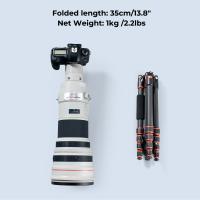
Get a tripod and a remote release for your camera. Not only will it give you steady photos, it will allow you to concentrate on your composition.
You are responsible for everything in the picture. What is happening in the background? What is showing at the corners? Would your viewpoint be better a little left or right? Up or down?
- Long focal lengths present challenges for photographers.
- It is hard to hold a camera sufficiently stable at a focal length of 300 mm.
- Bright sunlight helps, and a tripod or monopod can do wonders.
- Better cameras have a stabilized lens, that compensates for camera shake.
- Good stabilization can make a remarkable difference in sharpness of handheld shots at extreme focal lengths.
Many smartphones come with optical or electronic image stabilisation features. Make sure this option is turned on to reduce shake and blur in your images.
Stabilisation is particularly important when shooting in low light or during movement, helping to keep your photos steady and clear.
If your camera app has manual controls, tweaking the iso can significantly enhance image quality in various lighting conditions.
If your camera allows it, experiment with shutter speeds to influence how motion is captured in your photos.
- Slower shutter speeds
- Slower shutter speeds are great for low-light photography, allowing more light to hit the sensor and brightening the image.
- Motion blur
- Be mindful that slow shutter speeds can lead to motion blur if your subject is moving.
- Faster shutter speeds
- Faster shutter speeds freeze motion, making them ideal for capturing fast action.
If your camera app offers a manual focus option, take advantage of it to ensure your subject is sharp and in focus.
Manual focus can also help in challenging situations where auto-focus might struggle, such as low-light environments or busy backgrounds.
Image Format and Camera Processing
Taking a digital photo means a fair amount of computation. When you snap a digital photo, the camera first grabs a “pre-photo” to determine the brightness and color balance of the scene. It then shoots the real picture, based on the earlier information.
This is an important calculation. The importance of brightness is obvious.
With digital photography, you want the camera to do all of this color compensation for you.
- If you are reading this page, you are likely serious about getting the most from your photos.
- If so, be sure to get a camera that support raw file types, as well as jpg.
- Jpg's are fine for point-and-shoot images, but if you wish to tweak your images at all, raw gives you much more potential.
- Much of the shadow and highlight details of your photos are discarded with saving as jpg.
- Raw retains this information.
If your camera offers it, consider shooting in raw format instead of jpeg. Raw files contain more data, allowing for greater flexibility in post-processing without sacrificing image quality.
This format is particularly beneficial for serious photographers who want to edit their images extensively, as it preserves more detail and dynamic range.
Keep in mind that raw files take up significantly more storage space than standard jpeg files, so be sure you have enough memory available on your device.
Log doesn't give you higher quality. It just gives you more potential for colorgrading if you know what you're doing.
Try to get the look you want in camera. Once you start grading it and trying to change the look you'll bring in artifacts. That goes for basics like exposure and white balance also, gotta nail those.
Don't underestimate adding a tiny amount of sharpening in post. It's really easy to overdo it so start small.
Camera Controls and Composition
One of the most important attribute of nearly all such cameras is the degree of control they allow the photographer.
- They will have a “program” mode, that sets aperture and shutter speed for you.
- Aperture priority: you set the aperture and the camera chooses the shutter speed.
- Shutter priority: you pick the shutter speed, and the camera chooses the aperture.
- Completely manual, where you set everything yourself.
ISO may be automatic or manual, depending on mode. Such modes give great creative contorl to the photographer.
There are two problems to solve when creating a quality photograph. The first is having a quality idea and subject to photograph. The second is technical, getting the best quality from the equipment available.
The technical issue often requires compromise in the service of art. That compromise is where a photographer’s knowledge and judgement is useful.
- Another thing i haven't seen mentioned is composition.
- You know how critical lighting is, and you're confident with exposure, so it makes sense to me to talk about what you're putting in frame & why if you're looking for improvements.
- One of my favorite tricks for cinematic composition is use of space.
- It's also trickier to compose thoughtfully for foreground/midground/background than it is to shoot canted, leading lines, reveals, etc.
- Why not keep composition in mind while looking at your fave videographers' work?
Your goal here is to have well-lit subjects with interesting frame lines. Note that shooting outdoor scenes during early morning or evening hours puts the sun at a better angle for interesting shots. Also, indoor lighting must be taken seriously.
Understanding a camera’s technical limitations will insure you maintain the technical quality needed to make quality photographs. The rest is up to your ability to generate good ideas for visual compositions.