kfconcept

KENTFAITH
K&F Concept    Blog >

Enjoy Your Selected Digital Life

Recently Viewed
  • Recently Viewed
  • Recently Viewed list is empty.

Compare (0) 0
  • Compare
  • You have not chosen any products to compare.

  • Compare
Currency: USD
  • Currency
Shop by Scene Shop by Rank

Log Into Your Account

Account

Order History

Wish List

Login

Forgotten Password?

or connect with

Register Account

Already have an Account?Log In

  • Shopping Cart
  • Your shopping cart is empty!

  • Register/Login to purchase, earn points
  • Favorite
  • Your wish list is empty.

  • Register/Login to like, earn points
  • Activities
  • Guide
    • Filter Guide
    • Lens Adapter
    • Product Review
  • News & Reviews
    • Camera Reviews
    • Sample Gallery
    • News
  • Tutorials
    • Solar eclipse photography
    • Photography Basics
    • Landscape Photography
  • Inspiration
    • Travel
    • Travel Stories
  • Home
  • Blog
  • Can I Use A Video Camera For Zoom?

Can I Use A Video Camera For Zoom?

Kentfaith 2024-09-13 01:02:23 0 Comments

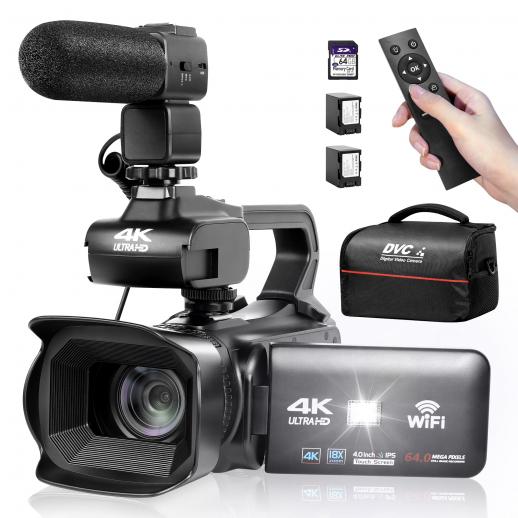
In today's digital age, video conferencing has become an essential tool for both personal and professional communication. With the rise of platforms like Zoom, people are constantly seeking ways to enhance their video quality and overall experience. One common question that arises is whether a video camera can be used for Zoom meetings. The short answer is yes, but there are several factors to consider to ensure a seamless integration and optimal performance. This article will delve into the practical aspects of using a video camera for Zoom, covering compatibility, setup, benefits, and potential challenges.

Understanding Compatibility

The first step in using a video camera for Zoom is to ensure compatibility. Not all video cameras are designed to function as webcams, so it's crucial to check if your camera supports this feature. Many modern video cameras, especially those designed for vlogging or streaming, come with a USB or HDMI output that can be connected to a computer. However, older models may lack this functionality.

USB vs. HDMI

- USB Connection: If your video camera has a USB output, it can often be directly connected to your computer. The computer should recognize it as a webcam, making the setup process straightforward. This is the most user-friendly option and is ideal for those who are not tech-savvy.

- HDMI Connection: If your camera only has an HDMI output, you'll need an HDMI capture card. This device converts the HDMI signal into a format that your computer can recognize as a webcam input. While this adds an extra step to the setup process, it often results in higher video quality.

Setting Up Your Video Camera for Zoom

Once you've confirmed that your video camera is compatible, the next step is setting it up for Zoom. Here’s a step-by-step guide to help you through the process:

1. Connect the Camera: Use the appropriate cable (USB or HDMI) to connect your video camera to your computer. If you're using an HDMI connection, ensure that the capture card is properly installed and connected.

2. Power On the Camera: Turn on your video camera and set it to the appropriate mode. Some cameras have a specific "webcam" mode, while others may require you to switch to "video" or "record" mode.

3. Install Necessary Drivers: Some video cameras may require specific drivers or software to function as a webcam. Check the manufacturer's website for any required downloads and install them on your computer.

4. Configure Zoom Settings: Open Zoom and navigate to the settings menu. Under the "Video" tab, select your video camera from the list of available devices. You should see a live preview of your camera feed.

5. Adjust Camera Settings: Depending on your camera model, you may have the option to adjust settings such as resolution, frame rate, and focus. Fine-tune these settings to achieve the best possible video quality.

Benefits of Using a Video Camera for Zoom

Using a video camera for Zoom offers several advantages over a standard webcam. Here are some of the key benefits:

Superior Video Quality

Video cameras are designed to capture high-quality footage, often surpassing the capabilities of built-in or standalone webcams. This results in clearer, more professional-looking video during your Zoom meetings.

Enhanced Features

Many video cameras come with advanced features such as optical zoom, image stabilization, and manual focus. These features allow you to customize your video feed to suit your needs, whether you're presenting to a large audience or having a one-on-one conversation.

Flexibility and Versatility

Video cameras are typically more versatile than webcams, offering a wider range of mounting options and angles. This flexibility allows you to position the camera in the most flattering or practical location, enhancing your overall video conferencing experience.

Potential Challenges and Solutions

While using a video camera for Zoom has its benefits, there are also potential challenges to be aware of. Here are some common issues and their solutions:

Compatibility Issues

As mentioned earlier, not all video cameras are compatible with Zoom. If you encounter compatibility issues, check the manufacturer's website for firmware updates or additional software that may resolve the problem. Alternatively, consider investing in a capture card if your camera only has an HDMI output.

Power Supply

Video cameras typically consume more power than webcams, which can be an issue during long meetings. To avoid interruptions, ensure that your camera is fully charged or connected to an external power source.

Audio Quality

While video cameras excel in capturing high-quality video, their built-in microphones may not offer the best audio quality. Consider using an external microphone or a dedicated audio interface to ensure clear and professional-sounding audio during your Zoom meetings.

Practical Tips for Optimal Performance

To get the most out of your video camera during Zoom meetings, consider the following practical tips:

1. Lighting: Good lighting is crucial for high-quality video. Position yourself in a well-lit area, preferably with natural light. If natural light is not available, use soft, diffused artificial lighting to avoid harsh shadows.

2. Background: Choose a clean, uncluttered background to maintain a professional appearance. Virtual backgrounds can also be used, but ensure that your camera and lighting setup are compatible with this feature.

3. Camera Positioning: Position the camera at eye level to create a natural and engaging perspective. Avoid placing the camera too high or too low, as this can result in unflattering angles.

4. Test Before Meetings: Always test your setup before important meetings to ensure that everything is functioning correctly. This includes checking the video feed, audio quality, and internet connection.

Using a video camera for Zoom can significantly enhance your video conferencing experience, offering superior video quality and advanced features. By ensuring compatibility, following the proper setup steps, and addressing potential challenges, you can achieve a professional and polished appearance during your Zoom meetings. Whether you're a business professional, educator, or content creator, investing in a high-quality video camera can make a noticeable difference in your online interactions.


Leave your comment
Cancel reply
Note: HTML is not translated!
Related products
Gift Certificate: $200 Value - Can Use with Any Discounts
$200.00 $190.00
Gift Certificate: $300 Value  - Can Use with Any Discounts
Gift Certificate: $300 Value - Can Use with Any Discounts
$300.00 $285.00
Gift Certificate: $1000 Value  - Can Use with Any Discounts
Gift Certificate: $1000 Value - Can Use with Any Discounts
$1,000.00 $950.00
Gift Certificate: $500 Value  -Can Use with Any Discounts
Gift Certificate: $500 Value -Can Use with Any Discounts
$500.00 $475.00
Gift Certificate: $800 Value - Can Use with Any Discounts
$800.00 $760.00
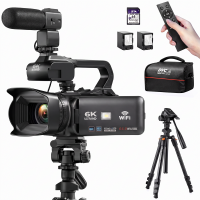
4K Video Camera Professional 60FPS for Filmmaking, Movie & Photography, Video Recorder Camera with 18X Zoom, Digital Camera for Video Recording, 4in Flip Touchscreen, Lightweight Tripods, 64GB, Kentfaith
$449.99 $299.99
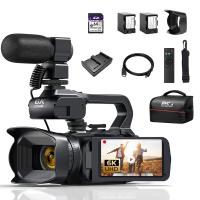
4K Video Camera Professional 60FPS UHD for Filmmaking, Movie & Photography, Video Recorder Camera with 18X Zoom, Digital Camera for Video Recording, 4.0" Flip Touchscreen, 64GB Card, Up To 6 Hours Work Time
TOP Best
4K Video Camera Professional 60FPS UHD for Filmmaking, Movie & Photography, Video Recorder Camera with 18X Zoom, Digital Camera for Video Recording, 4.0" Flip Touchscreen, 64GB Card, Up To 6 Hours Work Time
508
$404.99 $239.99
75MP 4K Digital Camera for Photography, 12X Optical Zoom, 180° Flip Screen, WiFi Vlogging Camera for Video, YouTube, Kentfaith
15
$269.99 $229.99
4K Video Camera, 64MP Photos, WiFi Connect, 28X Zoom, Wireless Mic, Full Color NV, Kentfaith
18
$212.49 $169.99
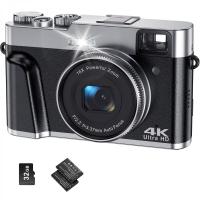
4K Digital Camera for Photography & Video [Autofocus and Stabilisation] 48MP 16X Digital Zoom 3” 180° Flip Screen Vlog Camera with 32G SD Card, Flash
661
$191.99 $118.99
Products You May Like
Hidden Camera Detector, Spy Camera Finder, Pocket Camera Finder with Mini LED Flashlight, Personal Emergency Security Sound Alarm Black
19
$20.99
K&F Concept TC3134C Professional Carbon Tripod Monopod Kit for DSLR Camera Ball Head 4 Sections
$327.99
Nikon DK-23 Camera Viewfinder Eyecup*2+Hot Shoe Level*2+Vacuum Cleaning Cloth*1 for Nikon D7100, D7200, D300, D300s
$15.99 $7.99
4.3" Screen Digital Microscope 50X-1000X Magnification with 8 Adjustable LED Lights, for Adults and Children Outdoor and Home Use
23
$77.99 $59.99
wildlife trail camera
10
$135.99 $74.99
49mm ND8+ND64+ND1000 Lens Filter Kit with 3 Vacuum Cleaning Cloths and Filter Pouch, 24 Layer Multi-coated HD Optical Glass, Nano-Dazzle Series
87
$62.99 $49.99
62mm Variable ND2-32 (1-5 Stops) & Circular Polarizing Filter CPL & Black Mist 1/4 3 in 1 HD Lens Filter with 28 Multi-Coated for Camera Lenses Nano-Xcel Series
NEW Arrival
62mm Variable ND2-32 (1-5 Stops) & Circular Polarizing Filter CPL & Black Mist 1/4 3 in 1 HD Lens Filter with 28 Multi-Coated for Camera Lenses Nano-Xcel Series
33
$112.99 $89.99
4G Solar Security Camera with Triple Lenses, Dual PIR Sensors, 2K Live View, 15X Hybrid Zoom, 12000mAh Battery, 6W Solar Panel, For Outdoor Large Area Monitor, Kentfaith
$737.49 $589.99
Leica M LM L/M Mount Lens to Fujifilm FX Mount Camera Adapter for FX Mount Camera FIT Pro K&F Concept Lens Mount Adapter
20
$45.99 $23.99
67mm ND2-32 Filters Brass Frame  Adjustable HD Ultra-Thin 36-Layer Anti-Reflection Green Film Nano-Xcel Pro Series
67mm ND2-32 Filters Brass Frame Adjustable HD Ultra-Thin 36-Layer Anti-Reflection Green Film Nano-Xcel Pro Series
40
$171.99 $136.99
Related articles
What Camera Should I Buy For Video?
Where Can I Sell My Video Camera?
Can I Use Alexa As A Microphone?
How To Use A Nd Filter For Video?
Can You Use A Camera Tripod For Binoculars?
Can I Download A Microphone For My Computer?
Can I Use Uv Camera Filter Eclipse?
Can I Use Gopro As Security Camera?
Can You Use A Camcorder For Skype?
How To Put On Fuji Camera Strap?
Blog You May Like
How To Build A Camera Lens?
How To Know If A House Has Cameras?
What Type Of Lens Mount Nikon D3300?
What Is A Step Up Adapter Ring?
Can Camera Flash Damage Baby's Eyes?
Why Uv Filter For Lens?
What Are The Uses Of A Compound Microscope?
What Filter Effect Can You Use Camera?
What Size Sd Card For Game Camera?
When Not To Use Cpl Filter?
Related categories
streaming video camera A Mount Lens Adapter digital camera for beginner Sony A Mount Lens Adapters tripod light stand Video Shooting minolta a mount lenses
Popular products
mini web camera wifi 4k digital camera for photography and video camera with flip screen for vlogging 4K Camera For Streaming 8K Camcorder 4k digital camera digital camera with flip screen pink point and shoot camera video camera for filming best digital night vision monocular
Related searches
External Video Camera For Zoom Best Camera For A Music Video Ring Light For Zoom Video Video Camera With Big Zoom Compact Video Camera With Zoom Video Camera With Optical Zoom Usb Video Camera With Zoom Small Video Camera With Zoom Video Camera On A Stick Leica Panorama Adapter For A Mini Zoom
Related Scenes
Best Camera For Outdoor Use Best Batteries For A Trail Camera Best Digital Camera For Zoom Best Digital Camera With Zoom Best Compact Point And Shoot Camera With Zoom Best Tripod For Video Best Video Camera For Sports Best Camera For Video Recording Best Sony Camera For Video Best Power Binoculars For Hunting
Blog Category
  • Activities
  • Guide
    • Filter Guide
    • Lens Adapter
    • Product Review
  • News & Reviews
    • Camera Reviews
    • Sample Gallery
    • News
  • Tutorials
    • Solar eclipse photography
    • Photography Basics
    • Landscape Photography
  • Inspiration
    • Travel
    • Travel Stories
Search Article
Latest from the Blog
How To Put More Bass In Your Headphones?
How To Get Metal Detector?
How Long To Charge Bluetooth Headphones?
What Lenses Are In A Microscope?
How To Allow Camera And Microphone?
What Is The Best Smartwatch For A Woman?
How Fast Is A Camera Flash?
Can You Drive With Headphones?
How To Build Security Camera System?
How To Pair Tws Bluetooth Earbuds?
  • Easy Payment Multilple Payment Options

  • Free Shipping Global WareHouse Shipment

  • No Risk 30-Day No Reason Return

  • Limited Deals Buy More, Save More

  • Tax Free No any surcharges or tax fee

Information
  • About us
  • Contact Us
  • Site Map
  • Blog
  • Video
  • Gallery
  • VIP Membership Rewards
Service
  • Privacy Policy
  • Terms & Conditions
  • Shipping & Delivery
  • Payment Info
  • Warranty, Return & Refund
  • Intellectual Property Rights
  • Ambassador
  • Affiliates
  • Wholesale
Support
  • My account
  • Order History
  • FAQs
  • Extend Warranty
  • Logistics Tracking
Follow us
NewsLetter

Get the latest product, K&F Concept respects your privacy.

Powered By KENTFAITH © 2026