Which Smartwatch Is Most Accurate For Calories?
If you’re asking which smartwatch is most accurate for calories, the honest answer is: Apple Watch is usually the safest pick for most people, especially for everyday activity and mixed workouts. Garmin is often the better choice for serious training, especially running, cycling, hiking, and longer outdoor sessions. Fitbit is decent for daily calorie trends, but I wouldn’t treat its numbers as precise.
The bigger truth: no smartwatch measures calories directly. They estimate them using heart rate, movement, age, sex, height, weight, GPS pace, workout type, and their own algorithms. Even the best watch can be noticeably wrong, especially during strength training, cycling indoors, carrying loads, pushing a stroller, or doing stop-start activities.
So the better question is not “which watch gives the true calorie number?” It’s more like: which watch gives the least-bad estimate, consistently enough to be useful?
For most people, that’s Apple Watch.
Why calorie tracking is so hard
Smartwatches are good at measuring some things. Heart rate? The better models are surprisingly solid during steady cardio. Steps? Usually close enough. GPS distance? Good outdoors with a clear sky.
Calories are different.
Your watch does not know how efficiently your body moves. Two people can run the same pace at the same weight and burn different amounts of energy. Fitness level, muscle mass, running economy, temperature, stress, sleep, caffeine, and even how tightly the watch sits can affect the estimate.
The watch is basically making an educated guess from signals it can measure. If the signal is clean — steady run, good heart-rate reading, accurate profile data — the estimate gets better. If the signal is messy — wrist flexing, gripping weights, interval training, poor sensor contact — the estimate gets worse.
This is why people often see strange results like:
- a hard lifting session showing fewer calories than expected
- a long walk showing surprisingly high calories
- cycling calories being way off unless paired with extra sensors
- two watches giving wildly different numbers for the same workout
- a watch “rewarding” high heart rate from heat, stress, or poor sleep
That doesn’t always mean the watch is broken. It means calorie estimation is a rough model.
The most accurate smartwatch for calories overall
For general use, Apple Watch tends to be the most reliable calorie-tracking smartwatch for the average person.
The reason isn’t that Apple has some magic calorie sensor. It’s that Apple usually does well in the areas that feed into calorie estimates: wrist heart-rate accuracy, workout detection, clean software design, and tight integration with personal health data.
Apple Watch is especially strong for:
- walking
- running
- general gym workouts
- mixed daily movement
- casual cardio
- people who want simple active calorie tracking
Its “active calories” system is also easier to understand than many competitors. Apple separates active calories from total calories, which helps avoid confusion. Active calories are what you burn through movement and exercise above your resting needs. Total calories include your baseline daily burn.
In real use, Apple Watch tends to be consistent. If you do the same route or workout several times, the calorie estimate usually behaves predictably. That consistency matters more than chasing a supposedly perfect number.
The downside? Apple Watch battery life is still average compared with fitness-focused watches. If you do multi-day hikes, ultramarathons, long bike rides, or want deep recovery/training metrics, Garmin starts to make more sense.
Garmin: better for athletes, not always better for calories
Garmin watches are excellent fitness tools. For runners, cyclists, triathletes, hikers, and people who care about training load, recovery, GPS accuracy, and battery life, Garmin is often the better device.
For calorie accuracy, Garmin can be very good during structured endurance exercise, especially if you use the right workout mode and pair extra sensors. A Garmin watch with a chest strap for heart rate, or a cycling power meter on a bike, can produce much better estimates than wrist-only tracking.
Garmin is particularly strong for:
- outdoor running
- cycling with sensors
- hiking
- long workouts
- endurance training
- users who want detailed fitness data
Where Garmin can feel less convincing is daily lifestyle calorie tracking. Some people find Garmin’s all-day calorie estimates a bit aggressive or inconsistent depending on the model, settings, and activity profile. It’s still useful, but I’d trust Garmin more for training trends than for deciding exactly how much extra food I “earned” after a workout.
If you’re training seriously, Garmin may be the more practical choice even if Apple Watch is slightly better for casual calorie estimates. The watch you wear consistently and use correctly will beat the technically “best” option you don’t like using.
Fitbit: useful for trends, less convincing for precision
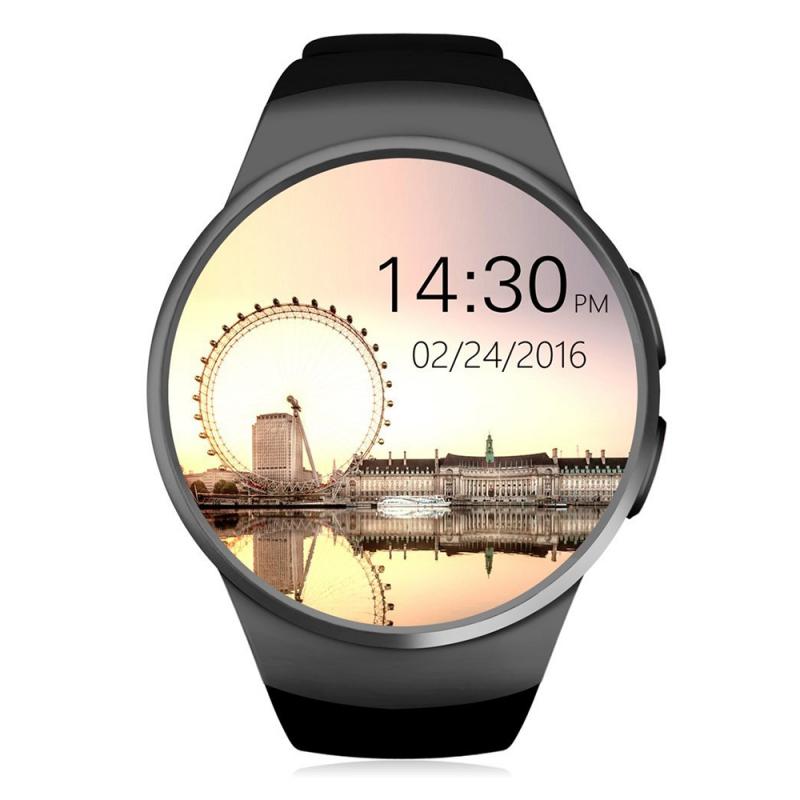
Fitbit built its reputation around activity and calorie tracking, and for many people it still does a good job of showing daily movement patterns. If your goal is to become more active, walk more, and watch general calorie trends over time, a Fitbit can work well.
Fitbit’s calorie burn estimates can sometimes feel high, especially for people using it as part of a weight-loss plan. Some users eat back all the calories Fitbit says they burned and then wonder why progress stalls. That’s not unique to Fitbit, but it’s a common complaint.
Fitbit is best treated as a trend device:
- Did you move more this week than last week?
- Are your active days meaningfully different from your sedentary days?
- Are your workouts becoming more consistent?
- Is your estimated burn stable enough to guide adjustments?
For exact calorie counting, I’d be cautious. If Fitbit says you burned 700 calories during a workout, I would not automatically eat 700 extra calories and assume everything balances out.
What about Samsung, Polar, Whoop, and others?
Samsung Galaxy Watch models are good smartwatches, especially for Android users, but calorie tracking is not usually the main reason I’d choose one. They can be fine for everyday activity, but wrist heart-rate accuracy during workouts can vary more than Apple or Garmin depending on the model and fit.
Polar has a strong background in heart-rate training, and some of its devices are respectable for workouts. Polar’s chest straps are excellent. If you care about workout calorie estimates, using a Polar chest strap with compatible apps or devices may beat relying on a watch alone.
Whoop focuses more on strain, recovery, and behavior change than classic smartwatch features. Its calorie estimates can be controversial. Some users love the recovery insights; others find the calorie numbers too unreliable for nutrition decisions.
For most buyers, I’d narrow the choice this way:
- iPhone user who wants the best all-around calorie estimate: Apple Watch
- Runner, cyclist, hiker, or endurance athlete: Garmin
- Android user who wants a smartwatch first: Samsung Galaxy Watch
- Budget-friendly daily activity tracking: Fitbit
- Best workout heart-rate data: watch plus chest strap
The biggest mistakes people make with smartwatch calories
The most common mistake is treating the number as a receipt.
Your watch says you burned 540 calories in a workout. That does not mean your body definitely burned 540 calories. It might be 400. It might be 650. For some activities, the error can be large.
The second mistake is eating back all exercise calories during weight loss. If fat loss is the goal, a safer approach is to eat back only part of them, or better, use your body-weight trend over two to four weeks to judge whether your intake matches your real expenditure.
Another mistake: leaving your profile data wrong. If your weight, height, age, or sex are outdated, your calorie estimates get worse. If you’ve lost 25 pounds and never updated your watch, the numbers may be inflated.
Watch fit matters too. A loose watch bouncing around your wrist can ruin heart-rate readings. For workouts, wear it snugly, slightly above the wrist bone. Not painfully tight, just secure enough that the optical sensor gets steady contact.
Also, choose the correct workout mode. A strength session logged as “indoor walk” or a bike ride logged as “other” will use the wrong assumptions. The watch is already guessing; don’t make it guess from the wrong category.
Best setup for more accurate calorie estimates
If you want the most realistic results from any smartwatch, start with your personal details. Update your weight regularly. Make sure your age, height, and sex are correct. Wear the watch consistently for a week or two so it has enough background data.
During workouts, use the correct activity mode. Outdoor running should use GPS. Cycling is much better with a power meter if you’re serious about accuracy. For gym work, accept that the estimate will be rough, because wrist movement and gripping interfere with optical heart-rate sensors.
For cardio workouts, a chest strap can make a real difference. Watches often struggle during intervals, rowing, lifting circuits, and anything where your wrist bends or tenses. A chest strap reads heart rate more directly and usually responds faster to intensity changes.
Even then, calories are still an estimate. Better heart-rate data improves the input, but the device still doesn’t know your exact metabolic efficiency.
The practical answer
If you want the most accurate smartwatch for calories and you use an iPhone, buy an Apple Watch. It’s the best fit for most people who want reliable daily calorie and workout estimates without fiddling with settings.
If your exercise life is more serious — long runs, cycling, trail work, training plans, battery demands — choose a Garmin, and consider adding a chest strap for cleaner workout data.
If you already own a Fitbit, Samsung, or another watch, don’t panic. You can still use it well. Just stop treating calorie burn as an exact number. Watch the trend, compare similar days, and adjust based on your real results.
The best way to use smartwatch calories is as a compass, not a scale. If your watch says your activity is rising and your body-weight trend matches your goal, the estimate is doing its job. If the watch says you’re burning plenty but your weight is not moving the way you expect, trust the real-world trend over the wrist number.