kfconcept

KENTFAITH
K&F Concept    Blog >

Enjoy Your Selected Digital Life

Recently Viewed
  • Recently Viewed
  • Recently Viewed list is empty.

Compare (0) 0
  • Compare
  • You have not chosen any products to compare.

  • Compare
Currency: USD
  • Currency
Shop by Scene Shop by Rank

Log Into Your Account

Account

Order History

Wish List

Login

Forgotten Password?

Or connect with

Register Account

Already have an Account?Log In

  • Shopping Cart
  • Your shopping cart is empty!

  • Register/Login to purchase, earn points
  • Favorite
  • Your wish list is empty.

  • Register/Login to like, earn points
  • Activities
  • Guide
    • Filter Guide
    • Lens Adapter
    • Product Review
  • News & Reviews
    • Camera Reviews
    • Sample Gallery
    • News
  • Tutorials
    • Solar eclipse photography
    • Photography Basics
    • Landscape Photography
  • Inspiration
    • Travel
    • Travel Stories
  • Home
  • Blog
  • How To Turn On Screen Record Audio?

How To Turn On Screen Record Audio?

Kentfaith 2024-07-31 08:39:23 0 Comments

Screen recording has become an essential feature for many users, whether for creating tutorials, capturing gameplay, or saving video calls. However, one common challenge is ensuring that the audio is also recorded. This article will guide you through the steps to turn on screen record audio across various devices and platforms, addressing common issues and providing practical solutions.

Understanding Screen Recording and Audio Capture
how to turn on screen record audio 1

Screen recording involves capturing the visual output of your device's screen. When combined with audio recording, it can create comprehensive and engaging content. Audio can be captured from different sources, such as system sounds, microphone input, or both. The process and options available can vary depending on the device and operating system you are using.

Screen Recording on Different Devices
how to turn on screen record audio 2

1. Windows PC

Windows 10 and later versions come with a built-in screen recording tool called Xbox Game Bar. Here’s how to enable audio recording:

1. Open Xbox Game Bar: Press `Win + G` to open the Xbox Game Bar.

2. Settings: Click on the settings icon (gear icon) in the Game Bar.

3. Capturing: Navigate to the "Capturing" section.

4. Audio to Record: Choose the audio source you want to record. You can select "All" to capture both system sounds and microphone input.

5. Start Recording: Press `Win + Alt + R` to start recording. Ensure your microphone is enabled if you want to capture external audio.

For more advanced features, third-party software like OBS Studio or Camtasia can be used. These tools offer more control over audio sources and quality.

2. Mac

Mac users can utilize the built-in QuickTime Player for screen recording with audio:

1. Open QuickTime Player: Launch QuickTime Player from the Applications folder.

2. New Screen Recording: Go to `File > New Screen Recording`.

3. Microphone Options: Click the arrow next to the record button to select the audio source. Choose "Internal Microphone" to capture external audio or "None" if you only want system sounds.

4. Start Recording: Click the record button to start capturing your screen and audio.

For more advanced needs, tools like ScreenFlow or Camtasia for Mac can be used to capture multiple audio sources and provide editing capabilities.

3. iPhone/iPad

iOS devices have a built-in screen recording feature that can capture audio:

1. Enable Screen Recording: Go to `Settings > Control Center > Customize Controls`, then add "Screen Recording" to the Control Center.

2. Open Control Center: Swipe down from the upper-right corner of the screen (iPhone X or later) or swipe up from the bottom (iPhone 8 or earlier).

3. Microphone Audio: Long press the screen recording button and tap the microphone icon to turn on external audio recording.

4. Start Recording: Tap "Start Recording" and wait for the countdown to begin capturing your screen and audio.

4. Android

Screen recording on Android devices can vary depending on the manufacturer and Android version. However, most modern Android devices have a built-in screen recording feature:

1. Enable Screen Recording: Swipe down from the top of the screen to access the Quick Settings panel.

2. Screen Recorder: Tap the "Screen Recorder" icon.

3. Audio Source: Choose the audio source. Options typically include "No Sound," "Media Sounds," and "Media Sounds and Mic."

4. Start Recording: Tap "Start" to begin recording your screen and audio.

For older devices or more advanced features, third-party apps like AZ Screen Recorder or Mobizen can be used.

Common Issues and Troubleshooting
how to turn on screen record audio 3

1. No Audio in Recordings

If your screen recordings lack audio, check the following:

- Permissions: Ensure the screen recording app has permission to access the microphone.

- Audio Source: Verify that the correct audio source is selected in the recording settings.

- Volume Levels: Check that the system and microphone volumes are not muted or too low.

2. Poor Audio Quality

To improve audio quality:

- Use an External Microphone: External microphones often provide better sound quality than built-in ones.

- Reduce Background Noise: Record in a quiet environment to minimize background noise.

- Audio Settings: Adjust the audio settings in your recording software to optimize quality.

3. Sync Issues

If the audio is out of sync with the video:

- Update Software: Ensure your operating system and recording software are up to date.

- Edit Post-Recording: Use video editing software to manually sync the audio and video tracks.

Advanced Tips for Professional Screen Recording

how to turn on screen record audio 4

For those looking to create professional-quality screen recordings, consider the following tips:

1. Use Dedicated Software

While built-in tools are convenient, dedicated screen recording software like OBS Studio, Camtasia, or ScreenFlow offers advanced features such as multiple audio tracks, custom resolutions, and extensive editing capabilities.

2. Plan Your Recording

Before starting, plan your recording session. Outline the key points you want to cover and prepare any necessary materials. This will help ensure a smooth and coherent recording.

3. Edit Your Recordings

Post-production editing can significantly enhance the quality of your recordings. Use video editing software to trim unnecessary parts, add annotations, and improve audio quality.

4. Test Your Setup

Perform a test recording to check the audio and video quality. This allows you to make any necessary adjustments before the actual recording session.

Turning on screen record audio is a straightforward process, but it requires attention to detail to ensure high-quality results. By following the steps outlined for your specific device and addressing common issues, you can create effective and engaging screen recordings. Whether you are a content creator, educator, or professional, mastering screen recording with audio will enhance your ability to communicate and share information effectively.


Leave your comment
Cancel reply
Note: HTML is not translated!
Related products
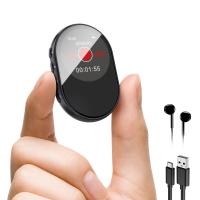
128G Mini Digital Voice Recorder with Color Screen Bluetooth Call Record 3072kbps Kentfaith
HOT Seller
128G Mini Digital Voice Recorder with Color Screen Bluetooth Call Record 3072kbps Kentfaith
15
$119.99 $83.99
Instant Cross-APP Translator Device for Business & Trade, Video Call Translation, Record, & Transcription, Kentfaith AI Translator Devices
12
$124.99 $99.99
5K Video Camera with 75MP Photos, 8X Optical Zoom, WiFi Transfer, Wireless Mic, Dual Batteries, Support PIP Record, Kentfaith
16
$274.99 $239.99
67mm Clip-on CPL Phone Camera Lens Filter Kit Applicable to All Mobile Phone Models
40
$18.99
5K Video Camera with 75MP Photos, 8X Optical Zoom, WiFi Transfer, Foldable Tripod, Wireless Mic, Dual Batteries, Support PIP Record, Kentfaith
$312.49 $249.99
67mm Clip-on ND2-32 Phone Camera Lens Filter Kit Applicable to All Mobile Phone Models
NEW Arrival
67mm Clip-on ND2-32 Phone Camera Lens Filter Kit Applicable to All Mobile Phone Models
13
$37.99
AI Translator Device for Business & Trade, 142 Languages Real-Time Online & Offline, Smart Office/Cross-App/Video/Photo Translation, Record & Transcription, Kentfaith
15
$182.49 $145.99
67mm Clip-on Black Mist 1/4 Phone Camera Lens Filter Kit Applicable to All Mobile Phone Models
7
$29.99
52mm Clip-on CPL Phone Camera Lens Filter Kit, Circular Polarizer Polarizing Filter Applicable to All Mobile Phone Models
24
$19.99
67mm Clip-on CPL&Black Mist 1/4 2-in-1 Phone Camera Lens Filter Kit Applicable to All Mobile Phone Models
3
$29.99
Products You May Like
OM to Micro 4/3 Adapter, Manual Lens Mount Adapter Olympus Zuiko OM Mount Lens to Micro Four Thirds MFT M4/3 Mount Cameras K&F Concept Lens Adapter
120
$53.99 $27.99
HB-E2 2.7K 20MP Trail Camera 0.2s Fast Trigger Speed IP66 Waterproof Sturdy Hunting Camera with 120° Wide Flash Range for Wildlife Monitoring
297
$189.99 $51.99
Security Camera Solar Powered 4G Camera 2.5K Night Color Photography Infrared Camera P66 Waterproof and Dustproof Long Running Time With Solar Panel With SIM Card JP Version
14
$279.99 $241.99
Lens Mount Adapter Compatible with M42 Lens to NEX E-Mount Camera Compatible with Sony Alpha NEX-7 NEX-6 NEX-5N NEX-5 NEX-C3 NEX-3
177
$36.99 $19.99
128G MIni Voice Recorder with Ultra-long 1600H Recording, Voice-Activated & DSP Noise Reduction, Conference/Lecture/Classroom Learning, Keychain Portable Gifts, Kentfaith
17
$144.99 $115.99
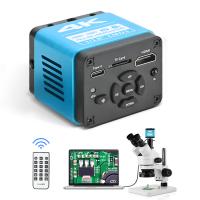
Microscope Camera 4K 30fps Clarity HDMI + Type C Output Sony 1/1.8" Color CMOS Kentfaith
$212.49 $169.99
4G Low Power Consumption LTE Hunting Camera Solar and Battery Powered 2K Hunting Camera with 4W Solar Panel US Version
59
$209.99 $157.99
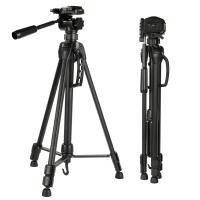
K&F Concept TL2023 Lightweight DSLR Camera Aluminum Tripod
38
$29.99
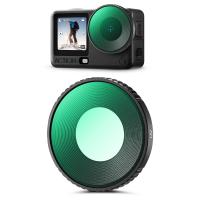
K&F CONCEPT UV Filter Compatible with DJI Osmo Action 6, Lens Protection Filter HD Optical Glass with 28-layer Nano-coating
53
$19.99
67mm Camera UV + Polarizing Lens Filters + Lens Cap Kit, 3pcs of Cleaning Cloths and a Filter Pouch Included, K&F Concept Nano-Klear Series
30
$46.99 $37.99
Related articles
How To Screen Record Audio On Youtube?
How To Record Audio During Screen Recording?
How To Record Screen With System Audio?
How To Record Your Ipad Screen With Audio?
How Record Audio On Pc?
When Screen Recording Does It Record Audio?
How To Record Voice Audio On Mac?
How To Record Discord Audio On Xbox?
How To Record External Audio On Pc?
How Do I Find My Camera's Shutter Count?
Blog You May Like
Can I Sleep With Earbuds?
Does The Speed Camera Always Flash?
How Bright Is A Camera Flash?
How To Hide Security Camera?
How To Detect A Wireless Camera Signal?
Can Hidden Camera Have A Live Feed?
How To Use Earphone Microphone On Laptop?
How To Draw A Camera Flash?
How To Check Real Sd Card Capacity?
How To Put Sd Card In Camera?
Related categories
On-Dash Camera trail camera with screen C mount lens adapter m4/3 adapter canon m mount lenses Camera Accessories detachable camera flash Color Filters ring adapter kit
Popular products
Mini Digital Voice Recorder​ one for all remote control video recording camera for youtube Polarize Filter For Mobile Phone sony camera with microphone video camera for monitor baby monitor with screen wireless video monitor for camera infrared hd video camera clip on phone camera lens
Related searches
Cheap Camera To Record Videos Portable Screen Recorder With Audio Best Camera To Record Time Lapse Turn Canon 50mm Fd Mount To Ef Adapter To Turn Lens Around For Macro Microphone For Recording Audio On Computer Night Vision Binoculars That Record Turn I Kit Iphone Lens Adapter Audio Video Cable To Hdmi Usb Microphone To Audio Interface
Popular searches
Canon Xf100 Dc Adapter Sony A7iii Ef Adapter Nikon Z50 Dx Lens Adapter Sony New Lens Adapter Tripod For Camera Solar Security Lights With Camera Backpack With Built In Power Bank Adapt Sony Lens To Sigma Sd Quattro Canon Xl2 Ef Adapter Canon Eos 630 Lens Mount
Blog Category
  • Activities
  • Guide
    • Filter Guide
    • Lens Adapter
    • Product Review
  • News & Reviews
    • Camera Reviews
    • Sample Gallery
    • News
  • Tutorials
    • Solar eclipse photography
    • Photography Basics
    • Landscape Photography
  • Inspiration
    • Travel
    • Travel Stories
Search Article
Latest from the Blog
How To Place Cameras Around Your House?
How Much Storage For Security Camera?
Best Metal Detector for Kids in 2025
Dash Cam That Can Connect To Phone?
Camera That Can Wifi Photos To Phone?
How Do Metal Detectors Work? A Complete Guide for Beginners and Pros
How To Find A Good Digital Camera?
Black Friday 2025 Special at Kentfaith
How To Make Your Eyes Flash On Camera?
What Does A Uv Camera Filter Do?
  • Easy Payment Multilple Payment Options

  • Free Shipping Global WareHouse Shipment

  • No Risk 30-Day No Reason Return

  • Limited Deals Buy More, Save More

  • Tax Free No any surcharges or tax fee

Information
  • About us
  • Contact Us
  • Site Map
  • Blog
  • Video
  • Gallery
  • VIP Membership Rewards
Service
  • Privacy Policy
  • Terms & Conditions
  • Shipping & Delivery
  • Payment Info
  • Warranty, Return & Refund
  • Intellectual Property Rights
  • Ambassador
  • Affiliates
  • Wholesale
Support
  • My account
  • Order History
  • FAQs
  • Extend Warranty
  • Logistics Tracking
Follow us
NewsLetter

Get the latest product, K&F Concept respects your privacy.
Powered By KENTFAITH © 2026