kfconcept

KENTFAITH
K&F Concept    Blog >

Enjoy Your Selected Digital Life

Recently Viewed
  • Recently Viewed
  • Recently Viewed list is empty.

Compare (0) 0
  • Compare
  • You have not chosen any products to compare.

  • Compare
Currency: USD
  • Currency
Shop by Scene Shop by Rank

Log Into Your Account

Account

Order History

Wish List

Login

Forgotten Password?

Or connect with

Register Account

Already have an Account?Log In

  • Shopping Cart
  • Your shopping cart is empty!

  • Register/Login to purchase, earn points
  • Favorite
  • Your wish list is empty.

  • Register/Login to like, earn points
  • Activities
  • Guide
    • Filter Guide
    • Lens Adapter
    • Product Review
  • News & Reviews
    • Camera Reviews
    • Sample Gallery
    • News
  • Tutorials
    • Solar eclipse photography
    • Photography Basics
    • Landscape Photography
  • Inspiration
    • Travel
    • Travel Stories
  • Home
  • Blog
  • How To Reset Headphones?

How To Reset Headphones?

Kentfaith 2024-10-11 01:28:49 0 Comments

Resetting headphones can be a common requirement, whether you’re dealing with connectivity issues, audio problems, or other malfunctions. While the process may vary depending on the brand and model, the general steps to reset headphones are quite similar. This guide aims to provide you with a comprehensive understanding of how to reset your headphones effectively, ensuring that they function properly once again.

Understanding the Need to Reset
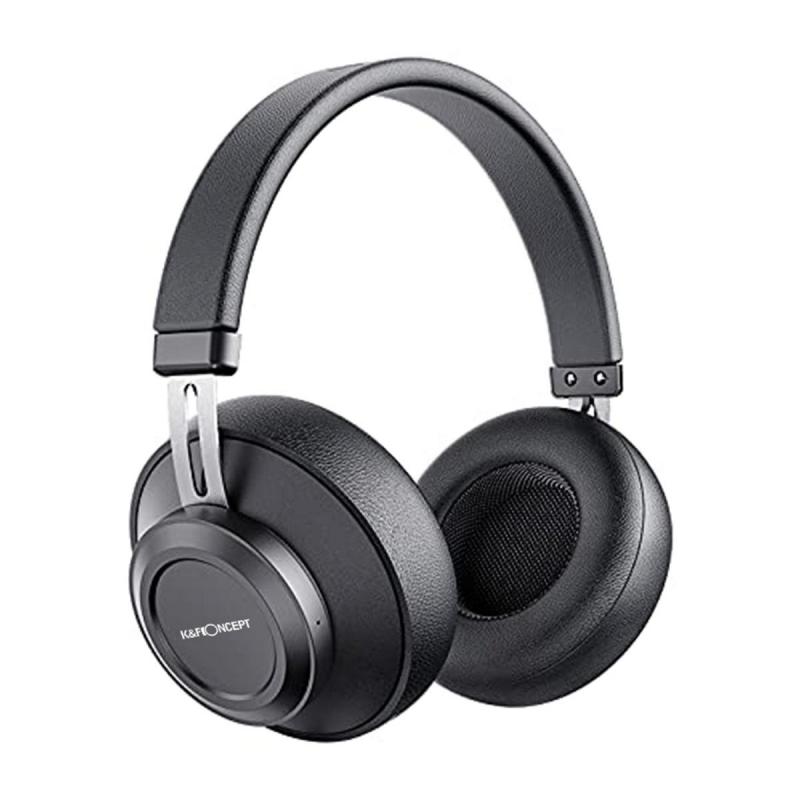
how to reset headphones 1

Before diving into the mechanics of resetting your headphones, it’s crucial to comprehend why resetting can be beneficial:

1. Connectivity Issues: Your headphones may struggle to maintain a stable connection with your device.

2. Audio Problems: Issues like unbalanced sound, stuttering, or no sound at all can be resolved with a reset.

3. Battery Problems: If your headphones aren't charging correctly, a factory reset can sometimes resolve the issue.

4. Software Updates: Post-update glitches can often be fixed by resetting your headphones.

By resetting your headphones, you can restore them to their default settings, potentially resolving these issues and improving performance.

Steps to Reset Different Types of Headphones

Bluetooth Headphones

1. Turn Off the Headphones: Ensure your Bluetooth headphones are powered off.

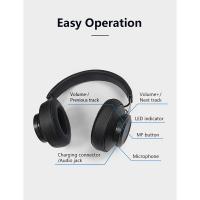
2. Locate the Reset Button: This is usually a small, recessed button. It could be located on one of the ear cups or within the battery compartment.

3. Press and Hold: Use a pin or paperclip to press and hold the reset button for 10-30 seconds. You might see the LED indicator light flashing, which signifies that the headphones are resetting.

4. Pair Again: After the reset, you will need to re-pair the headphones with your device.

Wired Headphones

For wired headphones, the reset procedure is generally more straightforward, focusing primarily on fixing hardware-related issues.

1. Disconnect and Reconnect: Sometimes, merely unplugging and replugging the headphones can temporarily fix problems.

2. Check for Firmware Updates: For models that support it, updating the firmware could resolve underlying issues.

3. Contact Manufacturer: If connectivity or audio issues persist, contacting the manufacturer may be necessary for a detailed reset process.

Noise-Cancelling Headphones

1. Turn Off Noise Cancellation: Switch off the noise-cancellation feature if it's on.

2. Reset Button: Similar to Bluetooth headphones, locate the reset button and hold it for a specific duration, often indicated in the user manual.

3. Power Cycle: Turn the headphones off, then on again to complete the reset process.

Manufacturer-Specific Instructions

Each headphone manufacturer has its own unique steps to perform a reset. Below are some brand-specific guidelines:

Sony

1. Turn Off: Ensure the headphones are turned off.

2. Hold Power Button: Press and hold the power button for about 7 seconds until the blue indicator light begins flashing.

3. Re-Pairing: After resetting, re-pair the headphones with your device.

Bose

1. Turn Off and On: Physical toggle switches on the headphones should be turned off and then back on.

2. Bluetooth Button: Press and hold the Bluetooth button for about 10 seconds until you hear “Bluetooth device list cleared.”

3. Re-Pairing: Reconnect your headphones to your device.

Apple (AirPods)

1. Hold Setup Button: Press and hold the small button on the back of the case for about 15 seconds until the LED indicator flashes amber a few times, then white.

2. Re-Pairing: Open the case near your Apple device to initiate the re-pairing process.

Troubleshooting Post-Reset Issues

Re-Pairing Difficulties

After a reset, you might encounter problems with re-pairing. Here’s how to troubleshoot:

1. Cleared Device List: Ensure that your device’s saved Bluetooth connections have been cleared.

2. Reboot Devices: Sometimes, simply rebooting both your headphones and the connecting device can solve pairing issues.

3. Manual Pairing Mode: Some headphones require you to manually enter pairing mode post-reset. Consult your user manual for more details.

Sound Quality Issues

If resetting doesn’t resolve your sound quality issues:

1. Drivers: Ensure device drivers are up to date.

2. Firmware Update: Check for any available firmware updates for your headphones.

3. Volume Levels: Check and adjust individual volume levels on your device and app settings.

Battery Life Problems

A reset should ideally resolve most battery-related issues. If problems persist:

1. Battery Replacement: Consider checking if the battery needs replacement.

2. Power Source: Ensure you are using the correct power source and charging cable recommended by the manufacturer.

Preventive Measures

1. Regular Updates: Keep your headphones updated with the latest firmware.

2. Proper Maintenance: Clean your headphones regularly and store them safely when not in use.

3. Periodic Resets: Conducting periodic resets can help in maintaining the optimal performance of your headphones.

Practical Tips and Common Mistakes

While resetting headphones can be a seemingly straightforward task, there are practical tips and common mistakes that users should be aware of:

1. Read the Manual: Always refer to the user manual for specific reset instructions tailored to your headphone model.

2. Don’t Overlook Updates: Firmware updates often come with patches for known issues. Don’t skip them.

3. Avoid Hard Resets: Only perform a hard reset if a soft reset doesn’t work, as this will erase all custom settings.

4. Battery Precaution: Ensure that the headphones have adequate battery life before performing a reset.

Resetting your headphones is a fundamental troubleshooting step that can resolve a range of issues including connectivity, audio problems, and software glitches. By understanding the specific reset procedures for your headphone model and adhering to preventive maintenance practices, you can ensure consistent and optimal performance. Armed with this knowledge, you can confidently address and fix common headphone problems, thus enhancing your overall listening experience.


Leave your comment
Cancel reply
Note: HTML is not translated!
Related products
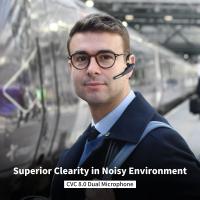
Cell Phone Bluetooth Headphones Bluetooth V5.1 Headphones with Charging Case Hands-Free Single Ear Headphones with CVC8.0 Noise Cancelling Microphone for Office/Driving Compatible with Android/iPhone/Laptop
HOT Seller
Cell Phone Bluetooth Headphones Bluetooth V5.1 Headphones with Charging Case Hands-Free Single Ear Headphones with CVC8.0 Noise Cancelling Microphone for Office/Driving Compatible with Android/iPhone/Laptop
57
$26.99
Wireless Earbuds Bluetooth Headphones TWS Waterproof with Microphone
66
$31.99
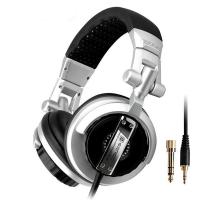
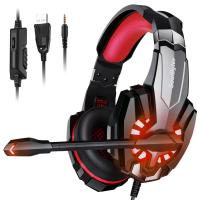
Over Ear Headphones 7.1 Surround Sound Gaming Headset Works with PC, PS4 PRO, Xbox One S, Cell Phone SOMIC Active Noise Canceling with Mic HI-FI USB Jack Game Earphones
23
$65.99
K&F Concept M42 to FX Lens Mount Adapter M42 Lens to Fujifilm X-Series Mirrorless Camera Adapter
6
$56.99 $31.99
LM to NEX Adapter Compatible with Leica M Lens to Sony Alpha Nex E-Mount Camera Lens Mount Adapter
147
$45.99 $24.99
Lens Mount Adapter FD to NEX Copper Adapter Compatible with Canon FD FL Lens to NEX E-Mount Camera
151
$56.99 $29.99
M42 to Fuji X Lens Mount Adapter for M42 Screw Mount Lens to Fujifilm Fuji X-Series X FX Mount Mirrorless Cameras with Matting Varnish Design K&F Concept M42 to Fuji X Lens Mount Adapter
83
$64.99 $35.99
M42 Lens to Micro 4/3 Lens Adapter,M42 Screw Mount to Micro Four Thirds M43 MFT Fits for Olympus PE, Panasonic Lumix
151
$45.99 $24.99
Canon EOS EF Lenses to Sony E Lens Mount Adapter with Tripod Mount K&F Concept M12102 Lens Adapter (Shipped Only to the USA)
151
$53.99 $27.99
Camera Light LED Video Light Panel for Camera Camcorder Lighting in Studio or Outdoors 3200K to 5500K Variable Color Temperature (Only ship to us)
26
$44.99 $39.99
Products You May Like
K&F Concept Camera Alpha Backpack Air 25L, Camera Bags for Photographers Large Capacity with Raincover - Backpack 25L Nature Wander 01 (Black + Red)
110
$161.99 $105.99
STARTRC DJI DJI Mini 3 PRO Remote Control with Screen (DJI RC) / DJI RC Pro Remote control with Screen Special Strap
48
$19.99
Business Bluetooth Headset with Mic, V5.0 Wireless Bluetooth Headset, Bluetooth Headset with Mic, Phone Headset, Headset for VOIP, Skype, Call Center, Office, Truck Driver Black
$25.99
58mm Circular Polarizer Filter with 24 Multi-Layer Green Coatings HD/Hydrophobic/Scratch Resistant CPL Filters Nano-Dazzle
39
$29.99 $27.99
M48 Bluetooth 5.3 True Wireless Earbuds, Environment Noise Cancelling Earbuds, IPX7 Waterproof (Silver)
$32.49 $25.99
Language Translator Earbuds Real-Time 150 Languages Voice Video Call Translation Kentfaith
HOT Seller
Language Translator Earbuds Real-Time 150 Languages Voice Video Call Translation Kentfaith
13
$137.49 $109.99
37mm Variable ND Filter (1-5 Stop)  and CPL Filter 2 in 1 for Camera Filter Lens Nano-Klear Series
37mm Variable ND Filter (1-5 Stop) and CPL Filter 2 in 1 for Camera Filter Lens Nano-Klear Series
25
$46.99 $37.49
82mm CPL Filter Circular Polarizers Filter Super Slim with 36 Multi-Layer Coatings Camera Lens Filter (Nano-Xcel Pro Series)
100
$131.99 $119.99
deer trail cameras
deer trail cameras
10
$135.99 $106.99
4G Security Camera with 4K Clarity, 180° Panoramic View with Dual Lens, Solar Powered, 360° Live View, Color Night Vision, 3 Packs, Kentfaith
$999.99 $799.99
Related articles
How To Reset Your Smart Watch?
How To Reset Battery Indicator On Blink Camera ?
How To Put Headphones In Pc?
Where To Buy Apple Headphones?
How To Stop Crackling Noise In Headphones ?
How To Play Switch Docked With Headphones ?
How To Change Language On Bluetooth Headphones ?
How To Connect Hisense Tv To Bluetooth Headphones ?
How To Listen With 2 Headphones On Pc ?
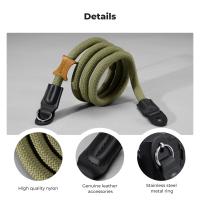
Professional Photographers Use What Camera Strap?
Blog You May Like
How To Download Games On A Smart Watch?
Why Does My Camera Keep Flashing?
How To Do A Voice Recording Text?
What Mount For Digital Slr?
Cpl Camera Filter What Does It Do?
What Are The 2 Types Of Microscopes?
Which Nd Filter Is Best For Mavic Pro?
Can I Set Up One Outdoor Security Camera?
How To Buy A Car Dash Camera?
Camera Which Will Connect By Wifi To Pc?
Related categories
C mount lens adapter 82mm variable nd filter ND100000 solar filter​ Tamron Adaptall 2 Lens Adapters Camera Parts | Studio Camera Accessories light pollution filter for astrophotography nd100000 filter Exakta Mount Lens Adapters
Popular products
on the ear headphones wireless earbuds with charging case noise cancelling microphone earbuds bluetooth headphones with mic wireless bluetooth earbuds for the right ear wireless headphones and tv bluetooth headphones to tv bluetooth headphones noise cancelling over ear bluetooth earphone red tws earbuds
Related searches
Headphones With Case Earphone Bluetooth Headphones Headphones With Bluetooth Headphones One Ear Ear Bluetooth Headphones Single Ear Headphones Non Bluetooth Wireless Headphones The Best Tv Headphones Sony Headphones Airline Adapter Sony Headphones Airplane Adapter
Popular searches
Camera Filter Case Canon Dslr Camera Bag Sound System With Microphone 49mm For Filter Lens Cap Olympus 35 Sony 50mm 2.8 Macro A Mount Dji Black Mist Filter Wifi Inspection Camera Extension To Make E Mount Lens Macro Reflex Korelle Lens Mount Sony Np F970 Aa Battery Adapter
Blog Category
  • Activities
  • Guide
    • Filter Guide
    • Lens Adapter
    • Product Review
  • News & Reviews
    • Camera Reviews
    • Sample Gallery
    • News
  • Tutorials
    • Solar eclipse photography
    • Photography Basics
    • Landscape Photography
  • Inspiration
    • Travel
    • Travel Stories
Search Article
Latest from the Blog
What Is Surveillance Camera Control System?
Is the Sony A7M5 worth buying?
What Is The Difference Between Binoculars And Telescope?
How To Make Your Eyes Flash On Camera?
Kentfaith x Citadel Season 2
What is A Variable ND Filter? The Complete Guide to Mastering Exposure Control
Dash Cam That Can Connect To Phone?
How Much Does It Cost For Security Cameras?
Camera That Can Wifi Photos To Phone?
What Tripod To Buy?
  • Easy Payment Multilple Payment Options

  • Free Shipping Global WareHouse Shipment

  • No Risk 30-Day No Reason Return

  • Limited Deals Buy More, Save More

  • Tax Free No any surcharges or tax fee

Information
  • About us
  • Contact Us
  • Site Map
  • Blog
  • Video
  • Gallery
  • VIP Membership Rewards
Service
  • Privacy Policy
  • Terms & Conditions
  • Shipping & Delivery
  • Payment Info
  • Warranty, Return & Refund
  • Intellectual Property Rights
  • Ambassador
  • Affiliates
  • Wholesale
Support
  • My account
  • Order History
  • FAQs
  • Extend Warranty
  • Logistics Tracking
Follow us
NewsLetter

Get the latest product, K&F Concept respects your privacy.
Powered By KENTFAITH © 2026