kfconcept

KENTFAITH
K&F Concept    Blog >

Enjoy Your Selected Digital Life

Recently Viewed
  • Recently Viewed
  • Recently Viewed list is empty.

Compare (0) 0
  • Compare
  • You have not chosen any products to compare.

  • Compare
Currency: USD
  • Currency
Shop by Scene Shop by Rank

Log Into Your Account

Account

Order History

Wish List

Login

Forgotten Password?

Or connect with

Register Account

Already have an Account?Log In

  • Shopping Cart
  • Your shopping cart is empty!

  • Register/Login to purchase, earn points
  • Favorite
  • Your wish list is empty.

  • Register/Login to like, earn points
  • Activities
  • Guide
    • Filter Guide
    • Lens Adapter
    • Product Review
  • News & Reviews
    • Camera Reviews
    • Sample Gallery
    • News
  • Tutorials
    • Solar eclipse photography
    • Photography Basics
    • Landscape Photography
  • Inspiration
    • Travel
    • Travel Stories
  • Home
  • Blog
  • How To Repair Mobile Camera Lens?

How To Repair Mobile Camera Lens?

Kentfaith 2025-08-10 01:03:07 0 Comments

Mobile phones have become an indispensable part of our lives, and their cameras are one of the most frequently used features. Whether for capturing memories, scanning documents, or video calling, a functional camera lens is essential. However, accidents happen, and a damaged or malfunctioning mobile camera lens can be frustrating. If you're dealing with a scratched, cracked, or otherwise impaired camera lens, this guide will walk you through the steps to repair or replace it.

Understanding the Problem: Diagnosing the Issue
how to repair mobile camera lens 1

Before diving into repairs, it's important to identify the exact problem with your mobile camera lens. Here are some common issues:

1. Scratches on the Lens: These can cause blurry or distorted images.

2. Cracked or Shattered Lens: This can completely obstruct the camera's view.

3. Dust or Debris Inside the Lens: This can lead to spots or smudges in photos.

4. Fogging or Moisture: Condensation inside the lens can affect image quality.

5. Camera Not Focusing Properly: This could be due to lens damage or internal hardware issues.

Once you've identified the issue, you can decide whether to repair the lens yourself or seek professional help. For minor issues like scratches or dust, DIY solutions may suffice. For more severe damage, such as a cracked lens, you may need to replace the lens or consult a technician.

---

DIY Solutions for Minor Camera Lens Issues
how to repair mobile camera lens 2

1. Removing Scratches from the Lens

If your camera lens has minor scratches, you can try the following methods:

- Toothpaste Method: Apply a small amount of non-gel toothpaste to a microfiber cloth and gently rub it on the lens in a circular motion. Wipe it clean with a damp cloth. This can help reduce the appearance of scratches.

- Baking Soda Paste: Mix baking soda with water to form a paste. Apply it to the lens using a soft cloth and rub gently. Clean the lens with a damp cloth afterward.

- Screen Polishing Kits: These kits, designed for phone screens, can also work on camera lenses. Follow the instructions provided with the kit.

*Note*: Be cautious when using these methods, as excessive rubbing can damage the lens further.

2. Cleaning Dust or Debris

Dust or debris on the lens can be cleaned using:

- Compressed Air: Use a can of compressed air to blow away dust particles. Hold the can upright and avoid spraying too close to the lens.

- Lens Cleaning Solution: Apply a few drops of lens cleaning solution to a microfiber cloth and gently wipe the lens.

- Soft Brush: Use a soft-bristled brush to remove debris from the lens surface.

3. Dealing with Fogging or Moisture

If moisture has entered the lens, try these steps:

- Silica Gel Packets: Place your phone in a sealed bag with silica gel packets. These will absorb the moisture over time.

- Rice Method: As a last resort, you can place your phone in a bag of uncooked rice. While not as effective as silica gel, it can help draw out moisture.

- Hair Dryer: Use a hair dryer on a low heat setting to gently warm the phone and evaporate the moisture. Be careful not to overheat the device.

---

Replacing a Cracked or Shattered Camera Lens
how to repair mobile camera lens 3

If your camera lens is cracked or shattered, a replacement is often the only solution. Here's how you can replace it:

Tools You'll Need:
how to repair mobile camera lens 4

- Replacement camera lens (specific to your phone model)

- Precision screwdriver set

- Plastic opening tools or guitar picks

- Tweezers

- Adhesive (double-sided tape or glue)

- Microfiber cloth

Steps to Replace the Lens:

1. Purchase the Replacement Lens: Ensure you buy a lens compatible with your phone model. These can be found online or at repair shops.

2. Power Off the Phone: Turn off your phone and remove the SIM card and memory card (if applicable).

3. Remove the Back Cover: Use a plastic opening tool to carefully pry off the back cover of your phone. Some phones may require heating the edges with a hair dryer to loosen the adhesive.

4. Access the Camera Module: Locate the camera module and remove any screws or components blocking access to the lens.

5. Remove the Damaged Lens: Use tweezers to carefully remove the cracked lens. Be cautious of broken glass shards.

6. Clean the Area: Wipe the camera module and surrounding area with a microfiber cloth to remove dust or adhesive residue.

7. Install the New Lens: Place the replacement lens in position and secure it with adhesive. Ensure it is aligned properly.

8. Reassemble the Phone: Reattach the back cover and any components you removed earlier. Power on the phone to test the camera.

*Note*: If you're not confident in your ability to replace the lens, it's best to seek professional help. Improper handling can damage the camera module or other internal components.

---

When to Seek Professional Help

While DIY solutions can be effective for minor issues, some situations require professional assistance:

- The camera module itself is damaged, not just the lens.

- The phone is under warranty, and attempting repairs yourself may void it.

- You lack the tools or expertise to safely replace the lens.

Professional repair services can ensure the job is done correctly and may offer a warranty on their work. Contact your phone manufacturer or a trusted repair shop for assistance.

---

Preventing Future Damage to Your Camera Lens

Once your camera lens is repaired or replaced, take steps to protect it from future damage:

1. Use a Protective Case: Choose a case with a raised edge around the camera to prevent direct contact with surfaces.

2. Apply a Camera Lens Protector: These are small, transparent covers that shield the lens from scratches and cracks.

3. Avoid Placing Your Phone Face Down: Always place your phone on its back to protect the camera lens.

4. Clean the Lens Regularly: Use a microfiber cloth to keep the lens free of dust and smudges.

5. Handle with Care: Be mindful of where you place your phone and avoid dropping it.

---

Repairing a mobile camera lens can range from a simple cleaning to a full replacement, depending on the severity of the damage. While minor issues like scratches or dust can often be resolved with DIY methods, more serious problems may require professional intervention. By following the steps outlined in this guide, you can restore your camera's functionality and continue capturing life's moments.

Remember, prevention is always better than repair. Invest in protective accessories and handle your phone with care to avoid future damage. If you're ever in doubt about repairing your camera lens, don't hesitate to consult a professional. A functional camera is worth the effort, ensuring you never miss a shot.


Leave your comment
Cancel reply
Note: HTML is not translated!
Related products
67mm Clip-on CPL Phone Camera Lens Filter Kit Applicable to All Mobile Phone Models
40
$18.99
67mm Clip-on ND2-32 Phone Camera Lens Filter Kit Applicable to All Mobile Phone Models
NEW Arrival
67mm Clip-on ND2-32 Phone Camera Lens Filter Kit Applicable to All Mobile Phone Models
13
$37.99
67mm Clip-on Black Mist 1/4 Phone Camera Lens Filter Kit Applicable to All Mobile Phone Models
7
$29.99
52mm Clip-on CPL Phone Camera Lens Filter Kit, Circular Polarizer Polarizing Filter Applicable to All Mobile Phone Models
24
$19.99
67mm Clip-on CPL&Black Mist 1/4 2-in-1 Phone Camera Lens Filter Kit Applicable to All Mobile Phone Models
3
$29.99
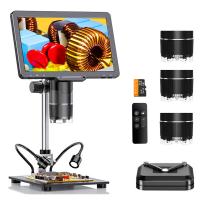
Digital Microscope with 10.1" Screen & 3 Lenses, 1000X, 1500X, 2500X for Coin, Soldering, Electronics Repair, Biology, Kentfaith Microscope
79
$362.49 $299.99
K&F Concept Folding Hex Key Set with Screwdrivers, Portable Screwdriver Set Folding Tool for Assembly of Photographic Equipment Repair of Bicycles.

33
$37.99 $23.99
 4.5" Suction Cup Camera Mount with Double Ball Head Magic Arm, Mobile Phone Clamp, Gopro Adapter Accessories, 3/8" to 1/4" Adapter Screw, MS45
NEW Arrival
4.5" Suction Cup Camera Mount with Double Ball Head Magic Arm, Mobile Phone Clamp, Gopro Adapter Accessories, 3/8" to 1/4" Adapter Screw, MS45
52
$59.99 $39.99
Flexible Magnetic Mobile Phone Holder, with Magnetic Guide, Bluetooth Remote Control, Mobile Phone Lanyard, Gopro Adapter, MS35
20
$27.99
67mm Universal Screw-type Mobile Phone Filter Clamp
28
$9.99
Products You May Like
SJCAM SJ10X Gyro Remote Action Camera Supersmooth Novatek 96683 Chipset + 4K / 24FPS WiFi DV Sports Camera
76
$126.99
62mm Snap-On Center Pinch Lens Cap 5 in 1 with Anti-Loss Keeper Leash Compatible with Nikon, Canon, Sony, Fujifilm Camera Lenses
$17.99 $8.99
Camera Battery SD Card Holder for 4 SD Cards, 2 Camera Batteries, 6 TF Cards, 2 CF Cards or 2 XQDs, Water-resistant and Anti-shock Case, Camera Accessories
5
$26.99 $13.99
K&F Concept 24" x36”(60x90cm) 5-in-1 Oval Foldable Reflector with Carrying Bag, Gold, Silver, Black, White Reflective Fabric and Translucent Soft Fabric for Studio Lighting
13
$28.99
4G Cellular Security Camera with 15X Hybrid Zoom, Triple Lens, 6MP, Dual Views, Solar Powered, 360° Live View, Color Night Vision, 3-Cam Pack, Kentfaith
$607.49 $485.99
Live Streaming Trail Camera
10
$162.99 $106.99
72mm Colorful Streak Filter Starlight Dreamy Creative Special Effects Optical Glass Lens Filters Nano-B Series
16
$36.99 $28.99
62mm Filter Kit MCUV + CPL Circular Polarizer Filter & MCUV Protection Filter HD Ultra-thin with 18 Multi Layer Coatings Nano-Klear Series (Shipped only to the USA)
45
$36.99 $28.99
Gimbal Cover Camera Lens Protector Cap for DJI Osmo Pocket 3
NEW Arrival
Gimbal Cover Camera Lens Protector Cap for DJI Osmo Pocket 3
38
$9.99
62mm Blue Streak Filter (2mm) Optical Glass Ultra-clear Waterproof Anti-Scratch Anti-Reflection Green Film Nano-Xcel Series
21
$49.99 $39.99
Related articles
How To Repair Camera Lens Scratches ?
How Much To Repair A Camera Lens?
How To Clean Mobile Camera Lens Glass?
How Much Does Camera Lens Repair Cost?
How To Repair Endoscope?
How To Repair Foam Inside Camera Bag?
How To Repair Cctv Camera No Video?
How To Connect Mobile Smart Watch?
How To Record Audio In Discord Mobile?
How Can I Connect A Microphone To A Bluetooth Speaker ?
Blog You May Like
How To Connect Bluetooth Tripod?
Best Metal Detector for Kids in 2025
Type C Earphones How To Use?
How To Change Sd Card In Switch?
Camera Strap Can Hold?
Where Can I Buy Hidden Surveillance Camera?
How To Wear Earbuds?
What To Look For In A Dash Cam?
How To Connect Canon Camera To Mac Through Wifi ?
What Does Earphones Do To Your Ears?
Related categories
C mount lens adapter m4/3 adapter camera lens adapter Magnetic Lens Filter lens CPL filter camera lens filters Lens Filter Holder camera lens accessories camera and lens cleaning kit
Popular products
Polarize Filter For Mobile Phone microscope mobile camera mobile edge trail camera clip on phone camera lens t mobile compatible trail camera large magnifying glass with light t mobile trail cameras gopro camera suction cup mount silicone lanyard phone holder handheld usb digital microscope
Related searches
Microscope For Mobile Repair Nikon Lens Mount Repair Canon Lens Mount Repair Fuji Lens Mount Repair Lens Filter Thread Repair Tool Nikon Lens Mount Repair Kit Canon Lens Mount Repair Cost Canon Screw Mount Lens Repair Nikon Lens Mount Repair Cost Mobile Camera Lens With Tripod
Popular searches
Nikon P1000 Sun Filter Kodak Anastigmat F1.9 25mm C Mount Lens In Car Video Camera Mount Olympus Tg5 Lens Adapter Nikon 2-pin 10-pin Adapter Drive Hd Dual View Dash Cam Wireless Camera For Car Sigma 14mm Canon Mount Cameras With Leica M Mount Live Voice Recorder Device
Blog Category
  • Activities
  • Guide
    • Filter Guide
    • Lens Adapter
    • Product Review
  • News & Reviews
    • Camera Reviews
    • Sample Gallery
    • News
  • Tutorials
    • Solar eclipse photography
    • Photography Basics
    • Landscape Photography
  • Inspiration
    • Travel
    • Travel Stories
Search Article
Latest from the Blog
Pressure In Ear When Wearing Headphones?
What Does A Uv Camera Filter Do?
How Do Metal Detectors Work? A Complete Guide for Beginners and Pros
What is A Variable ND Filter? The Complete Guide to Mastering Exposure Control
Can A Tripod Fit Any Camera?
Is the Sony A7M5 worth buying?
How Much Storage For Security Camera?
What Tripod To Buy?
ND Filter: The Complete Guide to Neutral Density Filters for Photography and Video
how to clean microfiber cloth?
  • Easy Payment Multilple Payment Options

  • Free Shipping Global WareHouse Shipment

  • No Risk 30-Day No Reason Return

  • Limited Deals Buy More, Save More

  • Tax Free No any surcharges or tax fee

Information
  • About us
  • Contact Us
  • Site Map
  • Blog
  • Video
  • Gallery
  • VIP Membership Rewards
Service
  • Privacy Policy
  • Terms & Conditions
  • Shipping & Delivery
  • Payment Info
  • Warranty, Return & Refund
  • Intellectual Property Rights
  • Ambassador
  • Affiliates
  • Wholesale
Support
  • My account
  • Order History
  • FAQs
  • Extend Warranty
  • Logistics Tracking
Follow us
NewsLetter

Get the latest product, K&F Concept respects your privacy.

Powered By KENTFAITH © 2026