kfconcept

KENTFAITH
K&F Concept    Blog >

Enjoy Your Selected Digital Life

Recently Viewed
  • Recently Viewed
  • 67mm Star Filter 4-8 Points Variable Starburst Filter Cross Screen, 18 Layer Coating Ultra Slim Optical Glass, with 3 Pcs Cleaning Cloths Nano-Klear
    67mm Star Filter 4-8 Points Variable Starburst Filter Cross Screen, 18 Layer Coating Ultra Slim Optical Glass, with 3 Pcs Cleaning Cloths Nano-Klear
    $37.99 $29.99
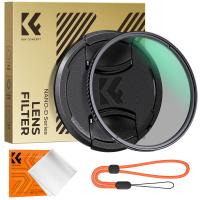
    67mm Circular Polarizer Filter with Lens Cap Optical Glass Ultra Slim 18 Multi-Layer Coatings Polarizing Filter for Camera Lens Nano-Klear Series
    67mm Circular Polarizer Filter with Lens Cap Optical Glass Ultra Slim 18 Multi-Layer Coatings Polarizing Filter for Camera Lens Nano-Klear Series
    $14.99
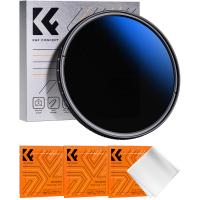
    82mm Variable ND Filter ND32-ND512 (5-9 Stops) Neutral Density Lens Filter with 28 Multi-Layer Coatings Hydrophobic/Scratch Resistant Nano-Xcel
    82mm Variable ND Filter ND32-ND512 (5-9 Stops) Neutral Density Lens Filter with 28 Multi-Layer Coatings Hydrophobic/Scratch Resistant Nano-Xcel
    $99.99
    J20 One-two Wireless Lavalier Microphone Charging Case, one-touch Noise Cancellation, for Youtube, Recording, Video Blogging, Facebook Live, for Type-C, Lightning, Camera Interface
    J20 One-two Wireless Lavalier Microphone Charging Case, one-touch Noise Cancellation, for Youtube, Recording, Video Blogging, Facebook Live, for Type-C, Lightning, Camera Interface
    $43.99
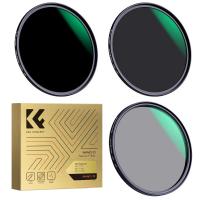
    58mm Black Diffusion Mist Effect 1/4 & Variable ND2-32(1-5 Stops) & Circular Polarizing Filter CPL 3 in 1 Lens Filter with 18 Multi-Coatings Nano-Klear Series
    58mm Black Diffusion Mist Effect 1/4 & Variable ND2-32(1-5 Stops) & Circular Polarizing Filter CPL 3 in 1 Lens Filter with 18 Multi-Coatings Nano-Klear Series
    $59.99 $47.99
Compare (0) 0
  • Compare
  • You have not chosen any products to compare.

  • Compare
Currency: USD
  • Currency
Shop by Scene Shop by Rank

Log Into Your Account

Account

Order History

Wish List

Login

Forgotten Password?

Or connect with

Register Account

Already have an Account?Log In

  • Shopping Cart
  • Your shopping cart is empty!

  • Register/Login to purchase, earn points
  • Favorite
  • Your wish list is empty.

  • Register/Login to like, earn points
  • Activities
  • Guide
    • Filter Guide
    • Lens Adapter
    • Product Review
  • News & Reviews
    • Camera Reviews
    • Sample Gallery
    • News
  • Tutorials
    • Solar eclipse photography
    • Photography Basics
    • Landscape Photography
  • Inspiration
    • Travel
    • Travel Stories
  • Home
  • Blog
  • How To Record Messenger Audio Call?

How To Record Messenger Audio Call?

Kentfaith 2024-10-24 01:31:33 0 Comments

In an era where digital communication has taken precedence over traditional forms, there is an increasing need to document and record conversations for various reasons — be it for personal record-keeping, professional matters, or legal purposes. One popular platform where voice communication is prevalent is Facebook Messenger. Recording these calls, though seemingly straightforward, can involve a series of technical and ethical considerations. This article will walk you through the necessary steps, tools, and concerns when recording Messenger audio calls.

Why Record Messenger Audio Calls?
how to record messenger audio call 1

Before delving into the "how," it’s worth considering the "why." People may want to record Messenger audio calls for several reasons:

1. Memory Preservation: Recording memorable conversations with family and friends.

2. Documentation: Keeping evidence of discussions or decisions, especially in professional settings.

3. Legal Requirements: Using recordings as proof in legal contexts.

4. Training & Improvement: Reviewing business calls to improve communication skills.

Legal and Ethical Considerations
how to record messenger audio call 2

Before proceeding with recording any call, legal and ethical considerations must be taken into account. In many regions, you are required to inform the other party that they are being recorded. Two common legal standards are:

1. One-Party Consent: Only one participant in the conversation needs to be aware of the recording.

2. Two-Party Consent: All participants must be informed and agree to the recording.

Failing to adhere to these laws can result in serious legal consequences, including, but not limited to, fines and imprisonment.

Tools Needed for Recording Messenger Audio Calls
how to record messenger audio call 3

Recording Messenger audio calls involves utilizing various tools, depending on the device and operating system being used. Here’s a breakdown of the most popular options:

For Android Devices
how to record messenger audio call 4

1. Built-in Screen Recorders: Some Android devices come with built-in screen recording features that also record audio.

2. Third-Party Apps: Apps like Cube Call Recorder, AZ Screen Recorder, or DU Recorder can be used to record screen activity and audio.

For iOS Devices

1. Built-in Screen Recording: iOS devices from iOS 11 onwards have a built-in screen recording feature with audio.

2. Third-Party Apps: Apps like TapeACall or Call Recorder - IntCall can be used, though they may require a subscription.

For Desktop

1. Windows: Applications like OBS Studio or Audacity can be used to record audio calls.

2. Mac: QuickTime Player and GarageBand are effective options for recording audio.

3. Browser Extensions: Extensions such as Screencastify or Loom can be used directly on browsers to record Messenger calls.

Step-by-Step Guide to Recording Messenger Audio Calls

Let’s break down the recording process into simple steps based on the devices being used.

Recording on Android Devices

1. Using Built-in Screen Recorder:

- Open the Messenger app and initiate the call.

- Swipe down to access the notification panel and tap on the screen recording feature.

- Ensure the microphone audio option is enabled.

- Tap “Start” or “Record.”

- End the recording through the notification panel when done.

2. Using Third-Party Apps:

- Download and install a call recording app like Cube Call Recorder.

- Grant necessary permissions (microphone, storage).

- Open Messenger and make the call.

- The recorder should automatically detect and start recording the call.

Recording on iOS Devices

1. Using Built-in Screen Recording:

- Go to Settings > Control Center > Customize Controls, and add “Screen Recording.”

- Open the Control Center and tap the screen recording button.

- Ensure “Microphone Audio” is turned on to capture both ends of the conversation.

- Start the Messenger call.

- Stop the recording via the Control Center when finished.

2. Using Third-Party Apps:

- Install and set up a recording app like TapeACall.

- Follow in-app instructions to start recording before initiating the Messenger call.

- Merge the recording session with the Messenger call as per the app’s guidance.

Recording on Desktop

1. Using OBS Studio:

- Download and install OBS Studio.

- Open OBS Studio and configure audio settings to capture system sound and microphone input.

- Start a new recording session before starting the Messenger audio call.

- End the recording once the call is finished.

2. Using QuickTime Player (Mac):

- Open QuickTime Player and select “New Audio Recording” from the File menu.

- Click the record button and start the Messenger audio call.

- Stop the recording once the call is over.

Managing Recorded Calls

Once you’ve successfully recorded your calls, consider the following best practices for managing these files:

1. Organize: Create folders to categorize recordings based on dates, participants, or topics.

2. Backup: Regularly back up your recordings to a cloud service or external storage to prevent loss.

3. Consent Documentation: If you obtained consent, keep a record of this to avoid legal issues.

4. Security: Ensure recordings are stored securely to maintain confidentiality and privacy.

Addressing Common Problems

1. Low Audio Quality: Ensure both device and app settings are correctly configured for optimal audio capture.

2. Notification Sounds: Disable notifications during the call to avoid interruptions and unwanted sounds.

3. Storage Limitations: Regularly check and free up device storage to prevent recording cut-offs.

Recording Messenger audio calls can be invaluable for personal, professional, and legal purposes. Ensuring you have the right tools, understand the legalities, follow ethical guidelines, and manage recordings effectively will help you navigate this process smoothly. Always prioritize transparency and consent to foster trust and respect in your communications. By following the above guidelines, you can efficiently record Messenger calls and utilize these recordings for various beneficial purposes.


Leave your comment
Cancel reply
Note: HTML is not translated!
Related products
128G Mini Digital Voice Recorder with Color Screen Bluetooth Call Record 3072kbps Kentfaith
15
$119.99 $83.99
Instant Cross-APP Translator Device for Business & Trade, Video Call Translation, Record, & Transcription, Kentfaith AI Translator Devices
12
$124.99 $99.99
AI Translation Earbuds Real Time 2-Way 132 Languages & Accents, Audio & Video Call Translation, Note Taker, No Subscriptions Kentfaith
13
$112.49 $89.99
AI Real-Time Translator Earbuds, 142 Languages/Accents, Chat APP Translation, Audio/Video Call Translation, Transcription,  for Global Business, Travel, Kentfaith
AI Real-Time Translator Earbuds, 142 Languages/Accents, Chat APP Translation, Audio/Video Call Translation, Transcription, for Global Business, Travel, Kentfaith
14
$124.99 $99.99
Language Translator Earbuds Real-Time 150 Languages Voice Video Call Translation Kentfaith
13
$137.49 $109.99
5K Video Camera with 75MP Photos, 8X Optical Zoom, WiFi Transfer, Wireless Mic, Dual Batteries, Support PIP Record, Kentfaith
16
$274.99 $239.99
5K Video Camera with 75MP Photos, 8X Optical Zoom, WiFi Transfer, Foldable Tripod, Wireless Mic, Dual Batteries, Support PIP Record, Kentfaith
$312.49 $249.99
Real-Time Translation Earbuds 2-Way 132 Languages/Accents, Video Call Translator, Transcribe, Summarize Kentfaith
14
$112.49 $89.99
Real-Time Translator Earbuds, 132 Languages/Accents, Voice/Video Call Translation, AI Note Taker, LCD Touchscreen Kentfaith
14
$99.99 $79.99
Real-time Translation Earbuds with 132 Languages, Offline Translation, Voice & Video Call Translation, AI Note Taker, Kentfaith
$137.49 $109.99
Products You May Like
37mm Lens Filter Kit Neutral Density ND8+ND64+CPL Circular Polarizer for Professional Camera Lens with Multiple Layer Nano Coated
12
$69.99 $41.99
49mm Adapter Ring for 100mm Pro Square Filter System Nano-Xcel Pro Series
1
$17.99
77mm ND1000 Filter Brass Frame Multifunctional HD Ultra-Thin 36-Layer Anti-Reflection Green Film Nano-X PRO Series
31
$149.99 $100.99
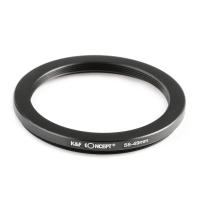
58mm to 49mm Step Down Ring
$10.99
46mm ND2-ND400 (9 Stops) Variable ND Filter Neutral Density Filter for Camera Lens Ultra-Slim, Multi Coated Nano-Klear
62
$26.99 $21.99
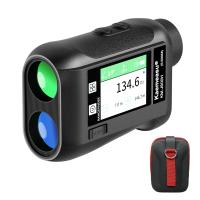
KM-J1200H 1200m Golf Rangefinder with LCD HD Touch Screen, High Accuracy Rechargeable Laser Hunting Rangefinder, 6.5x Magnification
19
$268.99 $142.99
77mm Circular Polarizer Lens Filter with Filter Cap Optical Glass Ultra Slim Polarizing CPL Filter with 24 Multi-Layer Coatings for Camera Lenses Nano-Dazzle Series
25
$60.99 $31.99
Fuji X-mount Body Cap*2 + Lens Rear Cap*2 + Hot Shoe Cap*2 + Cleaning Cloth*1 Compatible with Fujifilm X-Pro2, X-Pro3, X-T2, X-T3, XT4, XT5, X-E4, X-T30, X-E2, X-E2s, X-E3, X-E4, X-A10, X-A7, X-A5
$17.99 $8.99
USB condenser microphone cantilever set home computer recording game high sampling noise reduction monitoring wired microphone
1
$47.99
52mm Black mist filter 1/8 28 layers of anti-reflection green film waterproof and scratch-resistant with metal lens cover Nano-X series
32
$61.99 $39.99
Related articles
How To Record Messenger Video Call With Sound?
How To Record Line Video Call With Audio?
Can You Record Facebook Messenger Voice Calls?
How Do I Record Whatsapp Voice Call?
How Do You Voice Record A Phone Call?
How To Record Facebook Audio Calls?
How Record Audio On Pc?
Can Discord Record Audio?
How To Turn On Screen Record Audio?
How To Remove Camera Lens Protector?
Blog You May Like
How To Put Memory Card In Pc?
How To Make Security Camera From Old Phone?
What Mount For Digital Slr?
What Camera Filter To Use Sunny Day?
How Many Wireless Ip Cameras On A Network?
Can You Point Phone Camera At Solar Eclipse?
How Do You Set Up A Telescope?
How Long Will A Trail Camera Last?
How To Connect Canon Camera To Mac Through Wifi ?
What Camera Filter To Provide Softness?
Related categories
C mount lens adapter m4/3 adapter adjustable neutral density filter 4G surveillance camera Aluminum Tripods filter mcuv UV Filters
Popular products
Mini Digital Voice Recorder​ active noise cancelling earbuds silicone earbuds for earphones video recording camera for youtube sony camera with microphone 1 dslr camera bag bag for camera and lens Convertible Backpack smart health walking watch drone storage bags
Related searches
Cameras That Record Audio Best Microphones To Record Vocals Camera Messenger Bag Record Wifi Camera Small Camera Messenger Bag Camera Messenger Bag Uk Smart Watch Call Video Call Lighting Kit Phone Call Smart Watch All Call Smart Watch
Popular searches
Converting Kiev Lens Mount Outdoor Solar Panel 2x Auto Teleconverter With Lens Adapter Compact Camera Tripod 72mm Solar Filter Best 4k Projector Screen Canon Ef Mount And Nikon F Fx Matte Box Exakta Vx Lens Mount E Mount Lens Collar
Blog Category
  • Activities
  • Guide
    • Filter Guide
    • Lens Adapter
    • Product Review
  • News & Reviews
    • Camera Reviews
    • Sample Gallery
    • News
  • Tutorials
    • Solar eclipse photography
    • Photography Basics
    • Landscape Photography
  • Inspiration
    • Travel
    • Travel Stories
Search Article
Latest from the Blog
What Is A Good Quality Dash Cam?
Which Bluetooth Earphones?
Where Can I Find Hidden Cameras?
How To Place Cameras Around Your House?
Can You Save Facebook Videos To Camera Roll?
ND Filter: The Complete Guide to Neutral Density Filters for Photography and Video
Where Can I Buy Samsung Camera Battery?
How Do Metal Detectors Work? A Complete Guide for Beginners and Pros
What Tripod To Buy?
How Many Stops Is An Nd 8 Filter?
  • Easy Payment Multilple Payment Options

  • Free Shipping Global WareHouse Shipment

  • No Risk 30-Day No Reason Return

  • Limited Deals Buy More, Save More

  • Tax Free No any surcharges or tax fee

Information
  • About us
  • Contact Us
  • Site Map
  • Blog
  • Video
  • Gallery
  • VIP Membership Rewards
Service
  • Privacy Policy
  • Terms & Conditions
  • Shipping & Delivery
  • Payment Info
  • Warranty, Return & Refund
  • Intellectual Property Rights
  • Ambassador
  • Affiliates
  • Wholesale
Support
  • My account
  • Order History
  • FAQs
  • Extend Warranty
  • Logistics Tracking
Follow us
NewsLetter

Get the latest product, K&F Concept respects your privacy.

Powered By KENTFAITH © 2025