kfconcept

KENTFAITH
K&F Concept    Blog >

Enjoy Your Selected Digital Life

Recently Viewed
  • Recently Viewed
  • Recently Viewed list is empty.

Compare (0) 0
  • Compare
  • You have not chosen any products to compare.

  • Compare
Currency: USD
  • Currency
Shop by Scene Shop by Rank

Log Into Your Account

Account

Order History

Wish List

Login

Forgotten Password?

Or connect with

Register Account

Already have an Account?Log In

  • Shopping Cart
  • Your shopping cart is empty!

  • Register/Login to purchase, earn points
  • Favorite
  • Your wish list is empty.

  • Register/Login to like, earn points
  • Activities
  • Guide
    • Filter Guide
    • Lens Adapter
    • Product Review
  • News & Reviews
    • Camera Reviews
    • Sample Gallery
    • News
  • Tutorials
    • Solar eclipse photography
    • Photography Basics
    • Landscape Photography
  • Inspiration
    • Travel
    • Travel Stories
  • Home
  • Blog
  • How To Loop A Video In Camera Roll?

How To Loop A Video In Camera Roll?

Kentfaith 2024-07-24 03:30:36 0 Comments

Looping a video in your camera roll can be a useful feature for various purposes, such as creating a continuous playback for presentations, social media posts, or personal enjoyment. While the default photo and video apps on most smartphones do not offer a direct option to loop videos, there are several workarounds and third-party applications that can help you achieve this. In this article, we will explore different methods to loop a video on both iOS and Android devices, ensuring that you can find a solution that best fits your needs.

Understanding the Basics
how to loop a video in camera roll 1

Before diving into the methods, it’s important to understand that looping a video means playing it repeatedly without interruption. This can be particularly useful for background videos, digital photo frames, or any scenario where you want the video to play continuously.

Method 1: Using Built-in Features (iOS)
how to loop a video in camera roll 2

For iOS users, the Photos app does not natively support video looping. However, you can use the Live Photos feature to create a loop effect. Here’s how:

1. Convert Video to Live Photo: First, you need to convert your video into a Live Photo. You can use apps like “intoLive” to do this. Download and install the app from the App Store.

2. Create Live Photo: Open the app, select the video you want to loop, and convert it into a Live Photo.

3. Set as Loop: Once the Live Photo is created, go to your Photos app, find the Live Photo, swipe up, and select the “Loop” option.

This method is simple but has its limitations, such as the length of the Live Photo and the quality of the loop.

Method 2: Using Third-Party Apps (iOS)
how to loop a video in camera roll 3

If you need more control over the looping process, third-party apps can be a great solution. Apps like “Looper” or “Video Loop” offer more features and flexibility.

1. Download and Install: Search for a video looping app in the App Store and install it.

2. Import Video: Open the app and import the video you want to loop from your camera roll.

3. Set Loop Parameters: Most apps will allow you to set the number of loops or even create an infinite loop.

4. Save or Share: Once you’ve set your loop, you can save the video back to your camera roll or share it directly from the app.

Method 3: Using Built-in Features (Android)
how to loop a video in camera roll 4

Android users have a bit more flexibility with built-in features, depending on the device and version of the operating system. Some Android devices come with a built-in video player that supports looping.

1. Open Video: Use the default video player app on your Android device to open the video you want to loop.

2. Access Playback Options: Tap on the screen to bring up the playback controls. Look for an option that says “Loop” or an icon that looks like a loop.

3. Enable Loop: Enable the loop option, and the video will play continuously.

If your default video player does not support looping, you can use third-party apps.

Method 4: Using Third-Party Apps (Android)

Similar to iOS, there are several third-party apps available for Android that can help you loop videos.

1. Download and Install: Search for a video looping app in the Google Play Store and install it.

2. Import Video: Open the app and import the video you want to loop from your camera roll.

3. Set Loop Parameters: Configure the loop settings according to your needs.

4. Save or Share: Save the looped video back to your camera roll or share it directly from the app.

Method 5: Using Online Tools

If you prefer not to install any apps, you can use online tools to loop your video. Websites like “Clideo” or “Kapwing” offer video looping services.

1. Upload Video: Go to the website and upload the video you want to loop.

2. Set Loop Parameters: Configure the loop settings, such as the number of loops or infinite loop.

3. Download Video: Once the video is processed, download it back to your device.

Practical Applications

Looping videos can be useful in various scenarios:

- Social Media: Create engaging content for platforms like Instagram, TikTok, or Facebook.

- Presentations: Use looped videos as background visuals during presentations or events.

- Digital Frames: Display looped videos on digital photo frames for continuous playback.

- Personal Enjoyment: Enjoy your favorite moments on a loop without having to manually replay the video.

Tips for a Seamless Loop

To ensure your looped video plays seamlessly, consider the following tips:

- Trim the Video: Remove any unnecessary parts at the beginning or end of the video to create a smooth transition.

- Use Crossfade: Some apps offer a crossfade feature that can help blend the end of the video with the beginning for a seamless loop.

- Check Quality: Ensure that the video quality is maintained after looping, especially if you’re using online tools or third-party apps.

Looping a video in your camera roll may not be a built-in feature on most smartphones, but with the right tools and methods, it’s a task that can be easily accomplished. Whether you’re using built-in features, third-party apps, or online tools, there are multiple ways to achieve a continuous playback of your favorite videos. By following the steps outlined in this article, you can create looped videos for various purposes, enhancing your digital content and personal enjoyment.
Leave your comment
Cancel reply
Note: HTML is not translated!
Related products
12 Rolls Kids Camera Paper Roll Refill, Color Printing, BPA and BPS Free
$18.74 $14.99
Quick Release Clamp Mount, Bike Motorcycle Handlebar Roll Bar Tube Clip Holder Attach Accessories K&F CONCEPT
$45.99 $36.99
Camera Light LED Video Light Panel for Camera Camcorder Lighting in Studio or Outdoors 3200K to 5500K Variable Color Temperature (Only ship to us)
26
$44.99 $39.99
6K Video Camera 64MP Photos, Built-in WiFi, 4in Flip Touchscreen, IR Night Vision, Mic & 64GB Card Included, Kentfaith Video Recorder Camera for Vlogging, Filmmaking
15
$324.99 $259.99
4K Video Camera Professional 60FPS UHD for Filmmaking, Movie & Photography, Video Recorder Camera with 18X Zoom, Digital Camera for Video Recording, 4.0" Flip Touchscreen, 64GB Card, Up To 6 Hours Work Time
TOP Best
4K Video Camera Professional 60FPS UHD for Filmmaking, Movie & Photography, Video Recorder Camera with 18X Zoom, Digital Camera for Video Recording, 4.0" Flip Touchscreen, 64GB Card, Up To 6 Hours Work Time
508
$404.99 $239.99
RGB Multi-Function Two-in-One Video Light & Power Bank, Built-in 4000mAh, for SLR Camera, Mobile Phone, Vlog, Photography Light
96
$74.99 $52.99
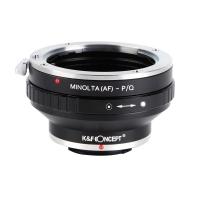
Minolta A / Sony A Lenses to Pentax Q Lens Mount Adapter K&F Concept M22161 Lens Adapter
$45.99 $23.99
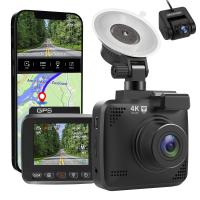
V53 3.0" IPS 4K HD Car Recorder with 170° Recording Angle with G Sensor, GPS, WiFi, Loop Recording, Parking Monitoring, Night Vision (4K @3840*2160P) Dual Cameras
113
$155.99 $94.99
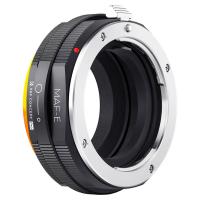
Sony Alpha Minolta AF A-Type Lens to NEX E-Mount Mirrorless Camera with Matting Varnish Design
146
$64.99 $35.99
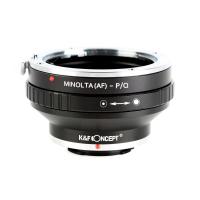
Minolta A / Sony A Lenses to Pentax Q Lens Mount Adapter with Tripod Mount K&F Concept M22162 Lens Adapter
$55.99 $28.99
Products You May Like
24MP*1296P night vision, 120° wide angle*0.2S trigger 2" screen tracking camera in Maple with AA alkaline battery and 64G high speed SD card
$89.99 $49.99
8K 88MP Digital Camera with 30X Macro/Wide-angle/Fisheye Lens, Dual Sony Sensor, 6-gyro Stabilization, Dual Batteries, 32G Card, Kentfaith
16
$249.99 $199.99
52mm MCUV Lens Protection Filter with Filter Cap Ultra-Slim 24-Layer Coatings Waterproof for Camera Lens Nano-Dazzle Series
26
$33.99 $24.99
82mm Empty Magnetic Base Ring (Works ONLY with K&F Concept Magnetic Filters / Quick Swap System)
21
$17.99
Spotting Scope with 4K Camera & Tripod, High-powered Telescope with 30MP HD Photo/Video, 3in Display for Bird Watching, Moon & Stars
83
$324.99 $319.99
10x42 High Power Binoculars Compact HD Waterproof Low Light Night Vision Binoculars For Bird Watching / Traveling / Hunting / Football
333
$59.99 $36.99
72mm Camera Center Pinch Lens Cap with Lens Cap Leash*3+Cleaning Cloth*3+Anti-lost Rope*3 for Canon Nikon Sony Olympus Fujifilm Pentax Panasonic Leica
29
$30.99 $15.99
62mm Black Mist 1/4 & ND8-128 Variable ND Filter with Double-sided 28-layer Anti-reflection Green Film and Lever Nano-Xcel Series
13
$163.99 $85.99
Wifi Solar Trail Camera
10
$162.99 $106.99
SJCAM SJ10X Gyro Remote Action Camera Supersmooth Novatek 96683 Chipset + 4K / 24FPS WiFi DV Sports Camera
76
$126.99
Related articles
How To Save Videos In Camera Roll?
How To Find Camera Roll On Iphone 5s?
Can You Save Facebook Videos To Camera Roll?
How To Improve Video Quality In Low Light?
How To Mirror A Video On Iphone Camera?
How To Speed Up A Video On Camera?
How To Save A Video From Security Camera?
How To Find A Camera In Your Home?
How To Record Audio From A Video?
How To Put Earbuds In Your Ear?
Blog You May Like
Can You Use A Microphone With An Iphone?
9 Inch Fish Finder What Size Battery?
Where Is The Microphone On Ring Spotlight Camera?
Does Game Pass Console Include Xbox Live?
How To View Sdhc Memory Card?
How To Choose A Camera Filter?
Black Friday 2025 Special at  Kentfaith
Black Friday 2025 Special at Kentfaith
 Which Drone ND Filter to Use?
Which Drone ND Filter to Use?
How To Find The Uv Filter Size?
How To Use Nikon Wifi Adapter?
Related categories
streaming video camera A Mount Lens Adapter C mount lens adapter digital camera for beginner Sony A Mount Lens Adapters Video Shooting minolta a mount lenses 2 in 1 Filter
Popular products
led light panel photography wide angle hd dash cam leica m sony e mount adapter sony minolta adapter sony a mount to minolta adapter sony alpha a7r mirrorless digital camera hiding a trail camera 4K Camera For Streaming nex lens adapter sony a7r lens adapter
Related searches
Best Camera In A Smartphone Binoculars With A Camera Built In Video Camera On A Stick In Car Video Camera Mount Best In Car Video Camera Video Camera With Line In Dash Cam Loop Recording Length Best Camera For A Music Video Best Video Camera On A Phone Objective Lens In A Microscope
Popular searches
Camera Bag With Tripod Holder Best Binoculars For Bird Sony Hx100v Lens Adapter 52mm Filter Dji Black Mist Filter Fuji X Mount 35mm Lens Sony Action Cam Gimbal Adapter Fujifilm Xt2 Battery Contax G Leica Adapter Lens Adapter For Galaxy S8
Blog Category
  • Activities
  • Guide
    • Filter Guide
    • Lens Adapter
    • Product Review
  • News & Reviews
    • Camera Reviews
    • Sample Gallery
    • News
  • Tutorials
    • Solar eclipse photography
    • Photography Basics
    • Landscape Photography
  • Inspiration
    • Travel
    • Travel Stories
Search Article
Latest from the Blog
Which Memory Card For Dash Cam?
How Do Night Vision Goggles Work?
How To Keep Earbuds In Your Ear?
How Do Cellular Trail Cameras Work? – The Complete Guide for Hunters and Wildlife Enthusiasts
Which Is The Best Outdoor Wireless Security Camera?
Kentfaith x Citadel Season 2
What Power Binoculars For Long Distance Viewing?
What Is Nd Filter On Video Camera?
What Is The Difference Between Binoculars And Telescope?
How To Take Great Photos With Digital Camera?
  • Easy Payment Multilple Payment Options

  • Free Shipping Global WareHouse Shipment

  • No Risk 30-Day No Reason Return

  • Limited Deals Buy More, Save More

  • Tax Free No any surcharges or tax fee

Information
  • About us
  • Contact Us
  • Site Map
  • Blog
  • Video
  • Gallery
  • VIP Membership Rewards
Service
  • Privacy Policy
  • Terms & Conditions
  • Shipping & Delivery
  • Payment Info
  • Warranty, Return & Refund
  • Intellectual Property Rights
  • Ambassador
  • Affiliates
  • Wholesale
Support
  • My account
  • Order History
  • FAQs
  • Extend Warranty
  • Logistics Tracking
Follow us
NewsLetter

Get the latest product, K&F Concept respects your privacy.
Powered By KENTFAITH © 2026