How To Design A Security Camera System?
Determine your security camera system goals

Before you begin your build, stop and think, "what would make a security camera useful for me?" and get specific!
Whether it's monitoring package deliveries at your front door, keeping an eye on your backyard, or ensuring 24/7 surveillance of your garage, this clarity will guide your project and ensure that your efforts align with your needs.
- what are you trying to achieve?
- what’s your budget per camera?
- any specialized needs?
- retention on site or in a cloud.?
- what’s your total budget?
custom systems are ideal for properties and projects that need more flexibility than a standard pre-built setup.
- homeowners who want personalized coverage
- perfect for tailoring protection around entryways, driveways, backyards, side yards, or any unique layout where a standard system may not fit.
- small businesses needing tailored security
- ideal for storefronts, offices, restaurants, warehouses, and parking areas that require specific recorder or camera configurations.
- professional installers who need flexible system design
- ideal for installers who want to tailor a system to a property’s layout, selecting the right combination of recorder and cameras.
- those upgrading or expanding an older system
- ideal when replacing an older recorder or outdated cameras. select the right recorder and the exact number of cameras needed to match or upgrade your previous setup.
The site walk
Whether you’re able to walk the space in person or limited to a virtual site walk, completing a thorough site walk is far and away the most important practice that professional system integrators and installers follow. a site walk or site survey is where you gather all of the customer or stakeholder requirements which are essential for an accurate system design.
standard practice during a site walk is to take plenty of pictures. pictures are worth a thousand words, after all, and they make a big difference for those who help to design and select the different types of security cameras that go into your surveillance
taking pictures during the site walk is a great strategy, but other aspects of standard practice need updating. it’s common for system integrators to cobble those photos together with handwritten notes and sketches. these handwritten elements are often inaccurate, easy to lose, and hard to decipher hours, days or weeks later.
- secure a floorplan or other digital map of the site.
- if you can’t access a floorplan, then a fire escape plan is another quality option.
- even satellite imagery from google maps can help if you can’t access anything else.
Setting the scale

our second professional practice is setting the scale, something that’s notoriously challenging for integrators to do accurately if they’re using pen and paper to detail their projects.
why is setting scale so important when designing a security system? because accurate scale is critical for determining the area of coverage and the capabilities of any given security camera and camera location.
you already know, for example, the angles and distances that various cctv cameras can cover (since this information is available in each camera’s specifications). but if you’re working from a non-scale representation of a building, you won’t know for sure that those angles and distances match real-world needs.
without proper scale, you may struggle to identify proper camera locations or end up with unforeseen blind spots in your video surveillance system, leading to physical security issues and costly fixes. the scale will help you determine the distance, resolution and other needs to support your customer’s desired application need from person recognition to new analytics applications.
Camera placement and camera types

camera positioning will matter a ton.
for outdoor cameras, selection depends on the application -- a fisheye camera targeting the front door will be different from a varifocal watching 100' down the driveway or the wide-angle view of a backyard.
next up is knowing which camera types make the most sense for a given security camera system. there are multiple categories of camera to consider, each with its own set of ideal use cases as well as pros and cons.
- fixed cameras, ptz cameras (pan tilt zoom), multi-lens cameras, and fisheye cameras all have their places and their own security purposes, and it’s not our place to tell security professionals what to use where.
- just like with any technology, the most important thing is to understand what the client organization or stakeholder is trying to accomplish and solve for.
- one consistent practice we see among security pros who use our platform is this: they take the time to plan out which camera types go where based on their client’s specific needs, and they have data and reasoning to back up those decisions when clients press for more information.
Camera specifications and features
- for cameras, you have to consider two things:
- lan connectivity.
- for power, there are three choices:
- power-over-ethernet (poe).
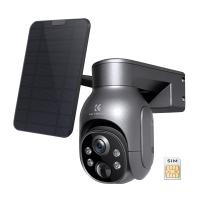
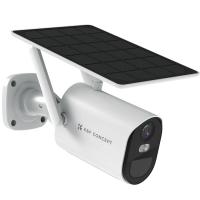
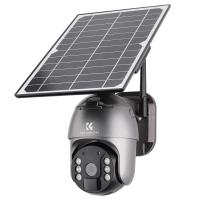
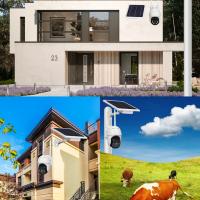
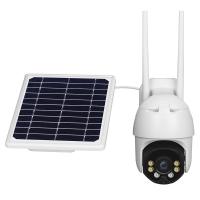
- battery + solar panels.
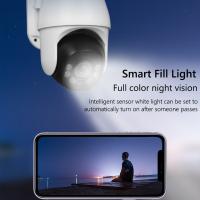
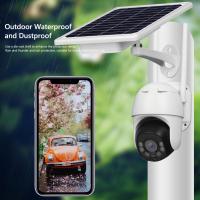
when selecting a camera, make sure it has specific features that ensure it operates correctly in different environments. select a security camera that’s waterproof, has night vision, and has a two-way speaker system.
- other features you likely want to consider are whether the camera supports:
- ptz).
- audio (1- or 2-way).
4k" term, 8 million pixels means little if the lens are cheap plastic 2.8mm china-export with a tiny sensor behind them.
even though i have 4k cameras, i have them setup for continuous recording at 1080p, no reason to waste disk space filming an empty driveway.
PoE, WiFi, and wiring
ethernet (ieee standard poe) cameras are the way to go, the words "wifi" and "security" do not go together.
since you're looking at new construction, there's really no excuse to deploy wifi cameras -- if you can run a power cord, you can run a slim ethernet cable instead.
- poe > wifi.
- empty conduit so you can pull necessary wires later.
- pull an extra cable to most locations you are going to run cameras at, unless you have conduit.
the biggest thing i can tell you right now is if you during your build phase have conduit run whenever possible (this goes beyond just where you are putting cameras, any place that will see low voltage. you probably want wifi access points in the ceiling .,.etc)
hard-wired is the most complicated and likely most expensive since you’ll likely need to hire a licensed electrician (and, depending on your jurisdiction and how “legit” you want to be, may also need a permit) to run the 120v electrical wire. and then you still have to connect the camera to your lan somehow (likely wifi).
for poe switches, you have to read the specs carefully. just because a poe switch has n ports doesn’t mean all n are poe. typically, n–1 ports are poe and the 1 other port connects to the rest of your lan.
Compatibility and avoiding lock-in
onvif , this will avoid vendor lock-in, you can mix-and-match brands with reasonable confidence they will all work together.
this means, for example, if you are disappointed by a particular camera, or even by your recorder, you can just swap any one component out for another brand entirely (if it is also onvif conformant).
yes, that is great, if you buy same brand of nvr, poe and wifi cameras, they can add by netp protocol, but if you want to use different brand of them, we suggest to chose all cameras support onvif, rtsp, ftp, so that they can make a whole system.
the nvr won't know that a camera (which is supported by that nvr) is on wifi, as long as the nvr can connect to the ip address of the camera and reliably pull video, it'll work.
Recorder, storage, and retention
system that i don’t have to pay monthly fees to access digitally and that i can expand on site storage for as it becomes financially viable
it’s expandable (e.g. you could get a 4-bay and upgrade storage as you go) and there's no subscription or additional fees for remote access, the only add-on fee is per-camera licensing (which is transferable, so if you switch to a different nvr someday, you could sell the camera licenses on ebay).
to figure out how much drive capacity you need, there are online video storage calculators you can use. the factors are:
- video format, frame rate, and quality to yield gb/h (gigabytes per hour).
- total number of cameras.
- subset of cameras to store 24/7 video.
- number of days to store video.
the four cameras that i have are:
- front door.
- front of house.
- driveway.
- back yard.
of those, i only wanted the front-of-house and driveway cameras to record 24/7. for the front door and back yard cameras, having them record only upon motion detection is sufficient — and cuts the storage requirements roughly in half.
Build your own security camera system
create the perfect security system for your property. choose your recorder, select your cameras, and add any accessories you need.
every home and business is unique — and your security system should be too.
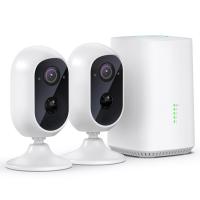
start by choosing a recorder, then select from a list of compatible cameras to build your system. from there, you can add smart home cameras and useful accessories like extra hard drives, cable extensions, and more to complete your setup.
- choose the security recorder that fits your needs, decide how many cameras you want, and pick the style (bullet or dome) that works best for your location.
- every item in the builder is guaranteed to work together, eliminating guesswork and ensuring an easy setup.
- start with what you need today, then expand later with additional cameras or accessories — your system grows with you.
- wired cameras and nvrs offer uninterrupted 24/7 recording, crisp resolution, and long-term reliability.
- customize the color and style of your cameras to better match your home or business, and add mounting accessories such as junction boxes for a clean, professional finish.