kfconcept

KENTFAITH
K&F Concept    Blog >

Enjoy Your Selected Digital Life

Recently Viewed
  • Recently Viewed
  • 52mm ND2-ND400 (9 Stops) Variable ND Filter Neutral Density Adjustable Filter for Canon Nikon DSLR Cameras + Lens Cleaning Cloth
    52mm ND2-ND400 (9 Stops) Variable ND Filter Neutral Density Adjustable Filter for Canon Nikon DSLR Cameras + Lens Cleaning Cloth
    $40.99 $32.49
Compare (0) 0
  • Compare
  • You have not chosen any products to compare.

  • Compare
Currency: USD
  • Currency
Shop by Scene Shop by Rank

Log Into Your Account

Account

Order History

Wish List

Login

Forgotten Password?

Or connect with

Register Account

Already have an Account?Log In

  • Shopping Cart
  • Your shopping cart is empty!

  • Register/Login to purchase, earn points
  • Favorite
  • Your wish list is empty.

  • Register/Login to like, earn points
  • Activities
  • Guide
    • Filter Guide
    • Lens Adapter
    • Product Review
  • News & Reviews
    • Camera Reviews
    • Sample Gallery
    • News
  • Tutorials
    • Solar eclipse photography
    • Photography Basics
    • Landscape Photography
  • Inspiration
    • Travel
    • Travel Stories
  • Home
  • Blog
  • How To Connect Drone Camera To Android Phone ?

How To Connect Drone Camera To Android Phone ?

Kentfaith 2023-08-17 09:36:48 0 Comments

Drones are playing an increasingly important role in modern technology and entertainment. And connecting a drone camera to an Android phone not only allows you to view the flight screen in real time, but also allows you to control and shoot better. However, many users encounter various problems when trying to connect. In this article, we will introduce in detail how to connect a drone camera to an Android mobile phone and provide solutions to common problems in the connection process.
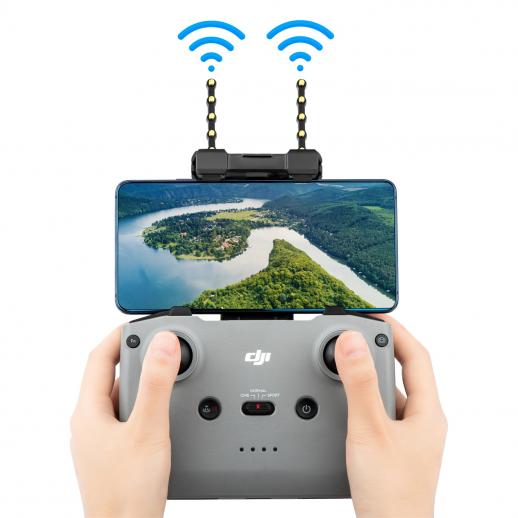

Understanding how to connect a drone camera to an Android phone

There are several main ways to connect a drone camera to an Android mobile phone:

Connect through a Dedicated App

  • Drone manufacturers usually provide dedicated applications (APPs), such as DJI GO 4, Parrot FreeFlight, and so on.
  • Through the app, users can achieve full control of the drone, including live feed from the camera.

Connectivity via Wi-Fi

  • Most drones support connectivity with mobile phones via Wi-Fi.
  • Users need to turn on the Wi-Fi function of their mobile phones, connect to the drone's Wi-Fi hotspot, and then control it through the corresponding app.

Connecting via Bluetooth

  • Some drones support Bluetooth connection, but this method is rare and usually used for short-range control.

Connect via Wired Connection

  • Use an OTG (On-The-Go) cable to connect the drone directly to your mobile phone.
  • This method provides a more stable connection and lower latency.


Solve the problem of failed connection between drone camera and Android phone

During the connection process, you may encounter various problems that lead to connection failure. Here are some common problems and their solutions:

Wi-Fi connection failure

Check Wi-Fi settings: Make sure the Wi-Fi function of your phone is turned on and select the correct Wi-Fi hotspot for your drone.

Reboot the device: Reboot the drone and mobile phone to clear the cache.

Distance too far: Make sure your phone and the drone are within a valid connection range, usually within 30 metres.

App does not recognise the drone

Update app: Make sure the app is the latest version to avoid compatibility issues.

Check permission settings: Make sure the app has all the necessary permissions, such as location, storage and camera permissions.

Reinstall the app: Uninstall and reinstall the app to clear possible caching issues.

Wired connection not responding

Check OTG support: Make sure your phone supports OTG and enable it.

Replace Cable: Try using a different OTG cable to troubleshoot the cable.

Check the interface: Make sure the interface between the phone and the drone is clean and undamaged.


Common troubleshooting of drone camera and Android mobile phone connection

Even if the drone camera is successfully connected, sometimes it may encounter some faults that affect its use, the following are common problems and solutions:

Screen delay

Optimise settings: Reduce the video resolution and frame rate in the application to reduce the amount of data transmission.

Upgrade firmware: Make sure the firmware of the drone and mobile phone is the latest version to improve performance and stability.

Stuttering

Signal interference: Try to stay away from sources of signal interference, such as routers and other wireless devices.

Restart device: Restart the drone and mobile phone to re-establish the connection.

Disconnection

Signal range: Make sure the drone is within the effective connection range, avoid exceeding the control distance.

Battery level: Make sure the drone and mobile phone have sufficient battery power to avoid disconnection due to low battery.

App crashes

Update Apps: Make sure you are using the latest version of the app.

Mobile phone performance: Make sure the mobile phone performance is enough to run the application, close other background applications to release resources.


Detailed Steps and Settings for Connecting Drone Camera to Android Phone

Below are the detailed steps and settings for connecting the drone camera to your Android phone:

Preparation

Make sure the drone and mobile phone are fully charged.

Download and install the special app provided by the drone manufacturer.

Wi-Fi connection steps

Switch on the drone and wait for its startup to complete.

Turn on your phone's Wi-Fi function and connect to the drone's Wi-Fi hotspot.

Open the app and follow the prompts to set up and connect.

Wired Connection Steps

Connect the drone to your phone using an OTG cable.

Open the app and confirm that the app recognises the drone.

Follow the app prompts to complete setup and connection.

App Settings

Adjust the video resolution and frame rate in the app to optimise picture quality and connection stability.

Set flight parameters and controls to ensure smooth operation.


Improve the stability and picture quality of the connection between the drone camera and the Android mobile phone

For a better experience, here are some suggestions to improve connection stability and picture quality:

Use high-quality equipment

Choose mobile phones and drones with good performance and high stability.

Avoid using low-end devices that affect the connection effect.

Optimize app settings

Adjust video parameters in the app to find the best balance.

Use professional video processing software to improve video quality.

Keep your devices up to date

Regularly check and update the firmware of your drone and mobile phone to improve performance and compatibility.

Follow updates and optimization recommendations released by device manufacturers.

Reduce interference

Stay away from sources of interference to ensure good signal transmission between the drone and mobile phone.

Use a signal booster or extender to improve connection stability.


With the above methods, users can not only smoothly connect the drone camera to their Android mobile phones, but also improve the image quality and connection stability to enjoy a better flying experience. If you encounter problems that cannot be solved in actual operation, it is recommended to consult the customer service of the drone manufacturer or check the relevant technical documents.


In short, it is not complicated to connect the drone camera to an Android mobile phone to enhance the flight experience. We hope this article can provide practical reference and help for the majority of users to enjoy the convenience and fun brought by smart technology.


Leave your comment
Cancel reply
Note: HTML is not translated!
Related products
67mm Clip-on CPL Phone Camera Lens Filter Kit Applicable to All Mobile Phone Models
40
$18.99
67mm Clip-on ND2-32 Phone Camera Lens Filter Kit Applicable to All Mobile Phone Models
NEW Arrival
67mm Clip-on ND2-32 Phone Camera Lens Filter Kit Applicable to All Mobile Phone Models
13
$37.99
67mm Clip-on Black Mist 1/4 Phone Camera Lens Filter Kit Applicable to All Mobile Phone Models
7
$29.99
52mm Clip-on CPL Phone Camera Lens Filter Kit, Circular Polarizer Polarizing Filter Applicable to All Mobile Phone Models
24
$16.99
67mm Clip-on CPL&Black Mist 1/4 2-in-1 Phone Camera Lens Filter Kit Applicable to All Mobile Phone Models
3
$29.99
Camera Sunglasses, HD 1080P, EIS Stabilization, WiFi Connect, Translation, 4H Playtime, Kentfaith
16
$119.99 $95.99
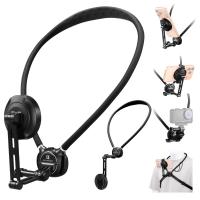
K&F CONCEPT Neck Phone Holder, 2-in-1 Magnetic & Clip-on Phone Neck Holder, POV Phone Holder, Hand Free Chest Stand Compatible with iPhone 17-12 Seires Android Phones
63
$29.99
Smart Camera Glasses, HD 1080P, EIS Stabilization, WiFi Connect, Translation, 4H Playtime, Kentfaith
16
$119.99 $95.99
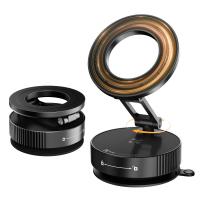
K&F CONCEPT Magnetic Phone Holder for Car, 360° Rotatable, Foldable & Adjustable Magnetic Car Mount, Vacuum Magnetic Phone Holder Compatible with iPhone 17 Pro MAX 16/15/14/13/12 & Android Phone
46
$21.99
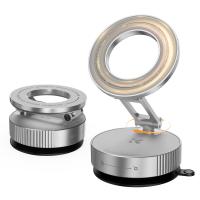
K&F CONCEPT Magnetic Phone Holder for Car, 360° Rotatable Vacuum Magnetic Phone Holder for Your Car/Gym/Mirror/Smooth Surface, Compatible with iPhone 17 Pro MAX 16/15/14/13/12 & Android Phone
46
$21.99
Products You May Like
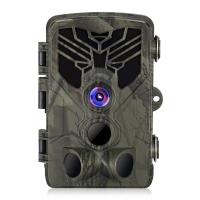
HC-810A 2.7K 24MP HD Trail Camera Hunting Camera Scouting Trail Camera Wildview
24
$70.99
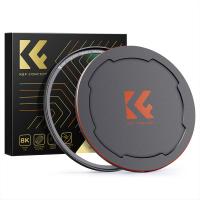
72mm Magnetic MCUV Filter,HD Waterproof Scratch-Resistant Anti-Reflection Green Film with Magnetic Metal Cover Nano-Xcel series
102
$57.99 $45.99
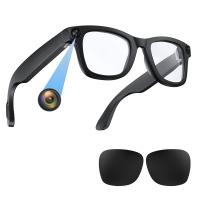
Smart Glasses with Camera, 8MP Sony Camera for 1080P POVs, 13MP Photos, Dual Lenses, EIS Stabilization, WiFi Transfer, 32GB Storage, 10H Playtime, Kentfaith
12
$137.49 $109.99
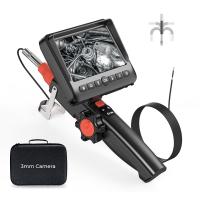
3mm Borescope 180° 2-Way Articulating Inspection Camera with Light, 5" Large Display, Photos & Videos, 32G TF Card, Carrying Case, 2m Cable
12
$1,049.99 $734.99
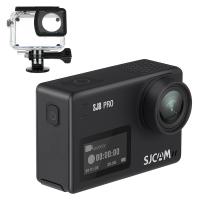
SJCAM SJ8 Pro 4K WiFi Action Camera (Black)
$251.99
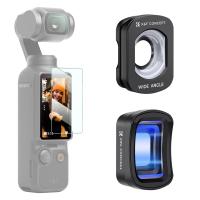
K&F Concept Magnetic Lens Kit Compatible with DJI Osmo Pocket 3 Creator Combo Accessories, Wide Angle 1.2X Anamorphic Lens, Expanded FOV of 112°,1.2X Squeeze Factor Blue Streak Effect Camera Lenses
39
$59.99
Eco Solar Trail Camera
10
$135.99 $74.99
62mm MCUV Filter Ultra-Thin Trapezoid Patterned Frame Coating with a Vacuum Cleaning Cloth Nano-Klear Series
145
$14.99 $11.89
49mm Black Diffusion Mist Effect 1/4 & Variable ND2-32(1-5 Stops) & Circular Polarizing Filter CPL 3 in 1 Lens Filter with 18 Multi-Coatings Nano-Klear Series
NEW Arrival
49mm Black Diffusion Mist Effect 1/4 & Variable ND2-32(1-5 Stops) & Circular Polarizing Filter CPL 3 in 1 Lens Filter with 18 Multi-Coatings Nano-Klear Series
$56.99 $44.99
4G home security cameras System 4G Wireless LTE cctv camera PIR human sensor + Built-in Battery 3000mAh 1080P Infrared Night Vision 8m/26ft EU Version(Only applicable to EU countries)
800
$95.99 $86.99
Related articles
How To Connect Wifi Camera To Android Phone ?
Can Connect Wifi Camera To Android Phone?
Android Phone How To Play Camera Videos?
How To Connect Smart Watch With Android?
Dash Cam Can Connect To Phone?
How To Manage Sd Card On Android Phone?
How To Set Up V380 Wifi Camera On Android Phone ?
How To Connect A Phone To A Rca Projector ?
Dash Cam That Can Connect To Phone?
What Do You Need To Record Your Voice?
Blog You May Like
How To Charge Digital Camera Battery Without Charger ?
What Is A Pinhole Camera For Kids?
How To View Photos In Akaso Action Camera?
How To Make A Camera Detector?
How To Hide Gold From Metal Detectors?
How To Put On Fuji Camera Strap?
What Magnification For Binoculars?
What Is The Most Accurate Metal Detector?
How To Transfer Photos On Sd Card Android?
How To Get Your Voice On Screen Recording?
Related categories
phone camera lens cell phone tripods C mount lens adapter m4/3 adapter iphone lens filter Drone Accessories drone filters Drone Filters
Popular products
fpv drone and goggles baby monitor with screen and app baby monitor 2 cameras best baby monitor with screen and app Polarize Filter For Mobile Phone smartwatch heart rate monitor clip on phone camera lens gimbal stabilizer for phone 3 axis gimbal stabilizer for iphone Bluetooth mesh intercom
Related searches
Cheap Security Cameras That Connect To Your Phone Smart Watch Connect To Iphone Retro Game Console Connect To Tv Easy To Use Drone With Camera Endoscope Camera For Android Phone Camera Connect With Wifi External Microphone Android Phone Zoom Lens For Android Phone Camera Usb Endoscope Camera For Android Phone Wireless Security Camera For Android Phone
Popular searches
Wireless Hidden Security Cameras Bluetooth Audio For Car Stereo Lens Filter For Night Shots Bayonet To Canon Ef Adapter Camera Bags Uk Fd To Fx Adapter Travel Camera Bag Nd Filter Canon 49mm Aukey 2-in-1 37mm Mount Lens Tripod With Clamp
Blog Category
  • Activities
  • Guide
    • Filter Guide
    • Lens Adapter
    • Product Review
  • News & Reviews
    • Camera Reviews
    • Sample Gallery
    • News
  • Tutorials
    • Solar eclipse photography
    • Photography Basics
    • Landscape Photography
  • Inspiration
    • Travel
    • Travel Stories
Search Article
Latest from the Blog
Which Bluetooth Earphones?
How To Buy A Security Camera System?
What Power Binoculars For Long Distance Viewing?
What To Look For In A Dash Cam?
Kentfaith x ANACONDA: Capturing the Wild, Frame by Frame
What Is The Best Wireless Outdoor Security Camera?
How To Stream Live From Surveillance Camera?
Camera Use Which Lens?
How Do Cellular Trail Cameras Work? – The Complete Guide for Hunters and Wildlife Enthusiasts
How To Make Your Eyes Flash On Camera?
  • Easy Payment Multilple Payment Options

  • Free Shipping Global WareHouse Shipment

  • No Risk 30-Day No Reason Return

  • Limited Deals Buy More, Save More

  • Tax Free No any surcharges or tax fee

Information
  • About us
  • Contact Us
  • Site Map
  • Blog
  • Video
  • Gallery
  • VIP Membership Rewards
Service
  • Privacy Policy
  • Terms & Conditions
  • Shipping & Delivery
  • Payment Info
  • Warranty, Return & Refund
  • Intellectual Property Rights
  • Ambassador
  • Affiliates
  • Wholesale
Support
  • My account
  • Order History
  • FAQs
  • Extend Warranty
  • Logistics Tracking
Follow us
NewsLetter

Get the latest product, K&F Concept respects your privacy.
Powered By KENTFAITH © 2026