kfconcept

KENTFAITH
K&F Concept    Blog >

Enjoy Your Selected Digital Life

Recently Viewed
  • Recently Viewed
  • Recently Viewed list is empty.

Compare (0) 0
  • Compare
  • You have not chosen any products to compare.

  • Compare
Currency: USD
  • Currency
Shop by Scene Shop by Rank

Log Into Your Account

Account

Order History

Wish List

Login

Forgotten Password?

or connect with

Register Account

Already have an Account?Log In

  • Shopping Cart
  • Your shopping cart is empty!

  • Register/Login to purchase, earn points
  • Favorite
  • Your wish list is empty.

  • Register/Login to like, earn points
  • Activities
  • Guide
    • Filter Guide
    • Lens Adapter
    • Product Review
  • News & Reviews
    • Camera Reviews
    • Sample Gallery
    • News
  • Tutorials
    • Solar eclipse photography
    • Photography Basics
    • Landscape Photography
  • Inspiration
    • Travel
    • Travel Stories
  • Home
  • Blog
  • How To Connect Smart Watch With Android?

How To Connect Smart Watch With Android?

Kentfaith 2024-11-29 01:01:46 0 Comments

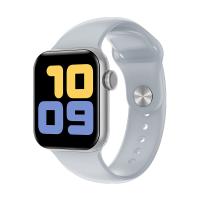
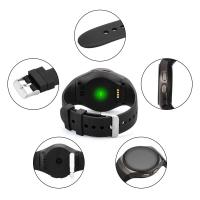
Connecting a smartwatch with an Android device can seem daunting, especially with the myriad of brands and models available on the market today. However, once you understand the basic steps, the process becomes much simpler and more intuitive. This guide will walk you through the essentials of pairing your smartwatch with your Android phone, ensuring you get the most out of your wearable technology.
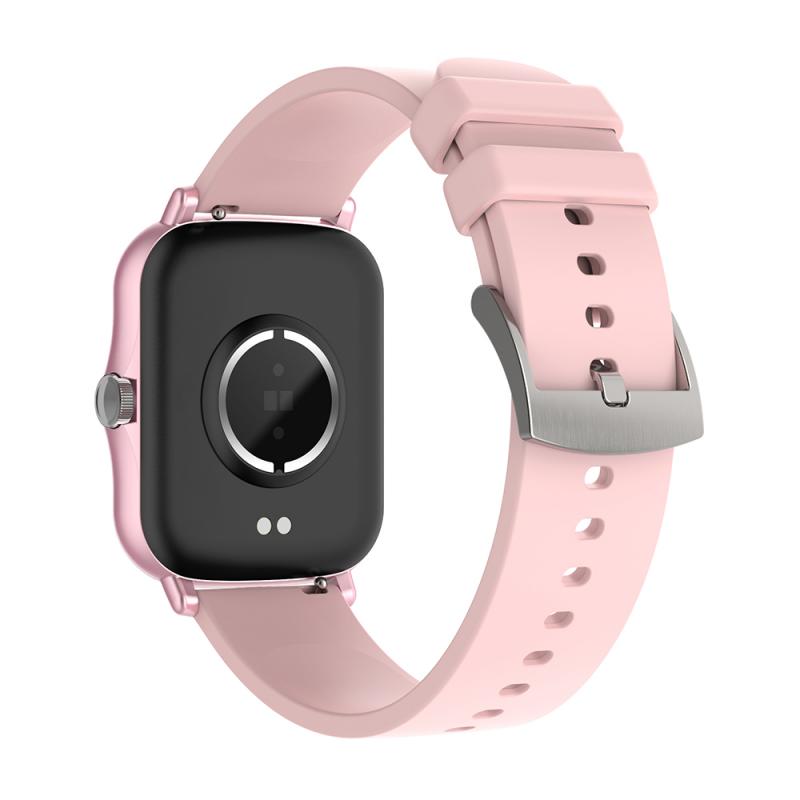

Understanding Compatibility

Before diving into the steps, it's crucial to ensure that your smartwatch is compatible with your Android device. While many smartwatches are designed to work seamlessly with Android phones, there are always exceptions. Check the manufacturer’s specifications or user manual for compatibility information. Generally, if your Android device is running version 4.3 (Jelly Bean) or higher and supports Bluetooth, you should be good to go.

Step-by-Step Guide to Connecting Your Smartwatch

1. Check Battery Levels:

- Ensure both your smartwatch and Android phone are adequately charged. A connection process can drain battery life, and insufficient power can interrupt the pairing.

2. Enable Bluetooth:

- On your Android phone, go to "Settings" and find the Bluetooth option. Turn it on. Your phone will begin searching for nearby devices.

3. Install Required Apps:

- Most smartwatches require specific apps to be installed on your Android device. Common examples include Wear OS by Google, Samsung Galaxy Wearable, and Fitbit. Head to the Google Play Store, download and install the relevant app for your smartwatch.

4. Open the App:

- Open the app you just installed and follow the on-screen instructions. These apps are designed to guide you through the process and ensure a successful connection.

5. Pair the Devices:

- Once prompted by the app, select your smartwatch from the list of available devices on your Android phone. You might need to confirm a pairing code on both devices to finalize the connection.

6. Grant Permissions:

- The app will request several permissions such as access to contacts, messages, call logs, and location. Grant these permissions to ensure your smartwatch can fully utilize its features.

7. Complete the Setup:

- Follow any additional steps the app may require, such as setting up a user account or customizing your watch’s settings. This final step usually involves a brief tutorial to introduce you to your new device’s features.

Common Troubleshooting Tips

Despite following all the steps, you might encounter some hiccups. Here are common issues and how to troubleshoot them:

- Issue: Smartwatch not showing up in Bluetooth device list.

- Solution: Restart both your Android phone and smartwatch. Ensure no other devices are interfering with the connection process.

- Issue: Pairing process stuck at a particular step.

- Solution: Reset your smartwatch to factory settings and start the pairing process afresh. Ensure the app on your phone is up to date.

- Issue: Frequent disconnections.

- Solution: Check if your smartwatch firmware and the appropriate app on your Android phone are up-to-date. Poor Bluetooth signal strength could be causing disconnections; try keeping both devices closer together.

Benefits of Pairing Your Smartwatch

Connecting your smartwatch to your Android phone opens up a plethora of benefits:

1. Health Tracking:

- Monitor your heart rate, track steps and calories burned, receive notifications on sedentary behavior, and access detailed health analytics directly from your wrist.

2. Notifications:

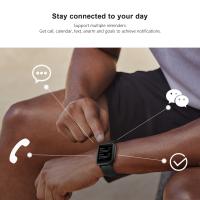
- Receive calls, messages, email alerts, and more, ensuring you stay connected even when your phone is out of reach.

3. Media Control:

- Control your music playback without having to handle your phone, making exercising or commuting more enjoyable.

4. Navigation:

- Get turn-by-turn directions directly on your smartwatch, a handy feature for runners and cyclists.

5. Customization:

- Personalize watch faces, widgets, and shortcuts that cater to your daily needs, thereby enhancing the overall user experience.

Maximizing the Use of Your Smartwatch

To fully leverage the capabilities of your paired devices, consider these additional tips:

- Regular Updates:

- Keep your smartwatch’s firmware updated to ensure optimal performance and access to new features.

- Explore Third-Party Apps:

- Many smartwatches support third-party applications. Browse through the app store associated with your smartwatch to discover useful applications that can help enhance productivity, health, and entertainment.

- Use Voice Commands:

- Modern smartwatches come equipped with voice assistants like Google Assistant or Bixby. Practice using voice commands to set reminders, check the weather, send messages, or even control smart home devices.

Conclusion

Connecting a smartwatch to an Android phone unlocks an extended dimension of mobile technology interactions, blending convenience, efficiency, and innovation. As smartwatches become more integral to our daily lives, understanding how to effectively pair and use them is crucial. From tracking health metrics to staying connected effortlessly, the synergy between a smartwatch and an Android device offers unparalleled advantages.

By following the steps outlined and embracing the myriad features and capabilities of your smartwatch, you can significantly enhance both your personal and professional life. Whether you are a fitness enthusiast, a busy professional, or someone who simply loves technology, this integration paves the way for a smarter, more connected future.

Leave your comment
Cancel reply
Note: HTML is not translated!
Related products
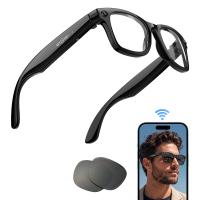
Smart Camera Glasses, HD 1080P, EIS Stabilization, WiFi Connect, Translation, 4H Playtime, Kentfaith
16
$119.99 $95.99
AI Smart Glasses with 164 Languages Real-Time Translation, 4 Translation Modes, Voice Control, AI Assistant, Music Playing All-in-one Bluetooth Smartglasses for iPhone, Android, iPad
NEW Arrival
AI Smart Glasses with 164 Languages Real-Time Translation, 4 Translation Modes, Voice Control, AI Assistant, Music Playing All-in-one Bluetooth Smartglasses for iPhone, Android, iPad
93
$99.99 $79.99
Handheld Microcsope, 500X Zoom, 1080P Videos,  PC Connect, with Large 5X Magnifier, Autofocus, Kentfaith
Handheld Microcsope, 500X Zoom, 1080P Videos, PC Connect, with Large 5X Magnifier, Autofocus, Kentfaith
15
$87.49 $69.99
Camera Sunglasses, HD 1080P, EIS Stabilization, WiFi Connect, Translation, 4H Playtime, Kentfaith
16
$119.99 $95.99
4K Video Camera, 64MP Photos, WiFi Connect, 28X Zoom, Wireless Mic, Full Color NV, Kentfaith
18
$212.49 $169.99
8" Wireless CarPlay Screen Android Auto Car Stereo with 1080P Backup Camera
14
$179.99 $125.99
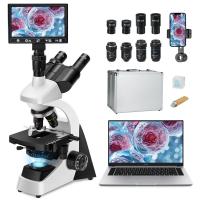
Compound Microscope with 11.6-inch Smart Screen, 40X-2500X Magnification, PC Connection, Plan Optical System, Mechanical Stage, Kentfaith
14
$1,324.99 $1,059.99
Digital Photo Frame, 10.1 inch Touchscreen, WiFi Transfer from Any Corner, 32GB Storage, Multi-user Connect & Share, Auto Rotation, Kentfaith
17
$187.49 $149.99
Smart Glasses with Camera, 8MP Sony Sensor, Capture 30MP Photos & 1080P Videos, With 3600mAh Charging Case, Clear Music & Calls, Kentfaith
16
$174.99 $139.99
Smart Glasses with Camera, 13MP Sony Lens, Triple Mics with Noise Cancellation, Blue-light Blocking & UV Protection Lenses Included, Kentfaith
$162.49 $129.99
Products You May Like
52mm Variable ND Filter ND2-ND32 (1-5 Stops) Lens Filter Waterproof Scratch Resistant with 18 Layers of Nano-coating Nano-Klear Series
30
$37.99 $29.99
Contax / Yashica Lenses to Fuji GFX Lens Mount Adapter K&F Concept M14211 Lens Adapter
20
$81.99 $42.99
86mm Snap-On Center Pinch Lens Cap 5 in 1 with Anti-Loss Keeper Leash Compatible with Nikon, Canon, Sony, Fujifilm Camera Lenses
$18.99 $9.99
52mm ND8 (3 Stop) ND Lens Filter HD Fixed Neutral Density Filter, Ultra Slim Frame Import Optical Glass Nano-Xcel Series for Camera Lens
31
$37.99 $29.99
Pentax K Lenses to Canon EF/EF-S Lens Mount Adapter For DSLR K&F Concept M17131 Lens Adapter
2
$45.99 $29.99
67mm Filter Kit MCUV + CPL Circular Polarizer Filter & MCUV Protection Filter HD Ultra-thin with 18 Multi Layer Coatings Nano-Klear Series
46
$37.99 $29.99
Professional-grade Eclipse Set-Include 82mm Solar Filter + KF09.098 Carbon Fiber Tripod + KF13.107 32L Pro Large Camera Backpack + KF28.0024 6700mAh V Mount Battery
100
$879.99 $462.99
Black Mist 58mm & UV Filter Adapter Ring Kit for Canon PowerShot V1, HD Optical Glass Multi-Coated Lens Protector with 3M Adhesive, Removal Tool Kit (Fishing Line & Keychains) - Nano-Klear Series
$25.99
62mm Adapter Ring for 100mm Pro Square Filter System Nano-Xcel Pro Series
2
$17.99
Nikon Z-mount Body Cap*2 + Lens Rear Cap*2 + Hot Shoe Cap*2 + Cleaning Cloth*1 Compatible with Nikon Z6, Z7, Z8, Z9, Z30, Z50, Z5, Z7 II, Z6 II, ZF C
$17.99 $8.99
Related articles
How To Connect Smart Watch With Earbuds?
How To Connect Mobile Smart Watch?
How To Watch On Smart Tv From Android?
How To Set Up My Android Smart Watch?
How To Set Smart Watch With Phone?
Which App Is Used To Connect Smart Watch?
How To Connect Wifi Camera To Android Phone ?
How To Connect Drone Camera To Android Phone ?
Can We Measure Blood Pressure With Smart Watch?
Karate Kids: Legends,Kentfaith Co-promotes with Sony
Blog You May Like
Can Camera Batteries Be Taken On A Plane?
Camera Strap Can Hold?
How To Find Cameras In A House?
Can Drones Fly At Night?
How To Search Wifi For Hidden Camera?
How Does A Rangefinder Camera Focus?
How To Replace Sd Card Reader Switch?
How To Use Phone Microphone With Airpods ?
Can You Connect Bluetooth Headphones To The Switch?
Where To Mount Outdoor Camera?
Related categories
phone camera lens cell phone tripods C mount lens adapter m4/3 adapter
Popular products
bluetooth smart sports watch hd screen smart watch Full Touch Screen Smart Watch smart watch compatible with iphone android smart watch for women sleep monitoring smart watch new waterproof smart watch smart watch in waterproof smart watch blood pressure iphone smart watch with call function
Related searches
Smart Watch Connect To Iphone Android Smart Watch With Ecg Smart Watch Women Android Ios And Android Smart Watch Smart Watch For An Android Phone Smart Watch For Android And Ios Smart Watch For Android Phone Text Messages Smart Watch With Games Smart Watch With Earbuds Smart Watch With Body Temperature
Related Scenes
Best Camera To Video Sports Best Camera To Capture Wildlife Best Video Camera To Record Sports Best Glasses With Camera Best Golf Rangefinder With Slope Best Home Security With Camera Best Digital Camera With Video Best Digital Camera With Zoom Best Compact Camera With Wifi Best Trail Camera With Audio
Blog Category
  • Activities
  • Guide
    • Filter Guide
    • Lens Adapter
    • Product Review
  • News & Reviews
    • Camera Reviews
    • Sample Gallery
    • News
  • Tutorials
    • Solar eclipse photography
    • Photography Basics
    • Landscape Photography
  • Inspiration
    • Travel
    • Travel Stories
Search Article
Latest from the Blog
What Is The Best Smartwatch For A Woman?
What Is The Best Trail Camera With Wifi?
How Fast Is A Camera Flash?
How To See Cells In A Microscope?
What Bluetooth Headphones Work With Switch?
How To Pair Wireless Lavalier Microphone?
Binoculars That Can See In The Dark?
How Do You Blind A Security Camera?
How Long To Charge Bluetooth Headphones?
How To Choose A Lens For Your Camera?
  • Easy Payment Multilple Payment Options

  • Free Shipping Global WareHouse Shipment

  • No Risk 30-Day No Reason Return

  • Limited Deals Buy More, Save More

  • Tax Free No any surcharges or tax fee

Information
  • About us
  • Contact Us
  • Site Map
  • Blog
  • Video
  • Gallery
  • VIP Membership Rewards
Service
  • Privacy Policy
  • Terms & Conditions
  • Shipping & Delivery
  • Payment Info
  • Warranty, Return & Refund
  • Intellectual Property Rights
  • Ambassador
  • Affiliates
  • Wholesale
Support
  • My account
  • Order History
  • FAQs
  • Extend Warranty
  • Logistics Tracking
Follow us
NewsLetter

Get the latest product, K&F Concept respects your privacy.

Powered By KENTFAITH © 2026