kfconcept

KENTFAITH
K&F Concept    Blog >

Enjoy Your Selected Digital Life

Recently Viewed
  • Recently Viewed
  • Recently Viewed list is empty.

Compare (0) 0
  • Compare
  • You have not chosen any products to compare.

  • Compare
Currency: USD
  • Currency
Shop by Scene Shop by Rank

Log Into Your Account

Account

Order History

Wish List

Login

Forgotten Password?

Or connect with

Register Account

Already have an Account?Log In

  • Shopping Cart
  • Your shopping cart is empty!

  • Register/Login to purchase, earn points
  • Favorite
  • Your wish list is empty.

  • Register/Login to like, earn points
  • Activities
  • Guide
    • Filter Guide
    • Lens Adapter
    • Product Review
  • News & Reviews
    • Camera Reviews
    • Sample Gallery
    • News
  • Tutorials
    • Solar eclipse photography
    • Photography Basics
    • Landscape Photography
  • Inspiration
    • Travel
    • Travel Stories
  • Home
  • Blog
  • How To Change Ring Camera Wifi Network ?

How To Change Ring Camera Wifi Network ?

Kentfaith 2023-05-31 10:12:56 0 Comments

Cameras are an important part of modern home security systems, and with a WiFi connection, users can monitor their home security from anywhere. However, when changing WiFi network at home or need to connect the camera to a new network, many users will encounter some difficulties. In this article, we will introduce how to change the WiFi network of Ring camera and answer related questions.

How to change the WiFi network settings of Ring camera?

1. Open Ring app

First, open Ring app on your smartphone or tablet. Make sure you are logged into the Ring account associated with your camera. 2.

2. Select Device

On the main screen, locate and select the Ring camera device you need to change the WiFi network settings for. Tap the device icon to enter the device settings page.

3. Enter Device Settings

In the Device Settings page, click the Device Health option. This option displays the current device status and connection information.

4. Change WiFi Network

On the Device Health page, locate and click on the Change WiFi Network option. Next, follow the on-screen instructions to connect the camera to a new WiFi network.

5. Entering New Network Information

You will be prompted to select a new WiFi network and enter the corresponding network password. Ensure that the information you enter is accurate, and then click Connect.

6. Confirm Connection

Wait for the camera to reconnect to the new WiFi network. When the connection is successful, the app will display a "Connection Successful" message and return to the main interface of the device.


Reconnecting the Ring Camera after Changing WiFi Networks

1. Confirm network connection

After changing the WiFi network, make sure the signal strength of the new network is strong enough, especially near where the camera is installed. Weak signal may cause connection failure or video quality degradation.

2. Reboot the device

If the camera fails to connect to the new WiFi network, you can try to reboot the camera and router. After rebooting, follow the steps above to connect to the WiFi network again.

3. Update Application

Make sure your Ring app is updated to the latest version. App updates usually fix some known issues and improve device compatibility and stability.


Common Problems and Solutions When Changing WiFi Networks

1. New WiFi network cannot be found.

Make sure the new WiFi network is visible and does not have a hidden SSID. if your WiFi network has a hidden SSID, manually enter the network name and password when entering network information. 2. wrong password

2. Wrong password

When entering the password for your new WiFi network, please double check the correctness of the password and avoid entering incorrect characters or spaces.

3. Device offline

If the device is offline after changing the WiFi network, try restarting the device and reconnecting to the network. If the problem still persists, try resetting the camera to factory settings and set it up again.

4. Signal Interference

When the WiFi signal is interfered, it may affect the connection stability of the camera. Avoid placing metal objects or other electronic devices between the camera and the router, which may interfere with the signal transmission.


Changing the WiFi network affects the Ring webcam's function.

1. Short offline time

During the change of WiFi network, the camera will be offline for a short period of time, which may result in not being able to access the video stream or receive notifications for a period of time. Therefore, it is recommended to make network changes during non-critical times.

2. Function Recovery

After successfully connecting to the new WiFi network, all functions of the webcam will be restored to normal, including live video monitoring, motion detection notification and recording video.

3. Cloud Storage Access

Changing the WiFi network will not affect the camera's cloud storage service. All recorded videos will continue to be stored in the cloud and users can access and download them at any time.


Suggestions to improve the stability of Ring camera connection

1. Use a dual-band router

Using a router that supports both 2.4GHz and 5GHz bands can provide a more stable connection. Usually, the 2.4GHz band has wider signal coverage, while the 5GHz band has less signal interference. 

2. Optimize router location

Make sure the router is placed in the center of your home to avoid obstacles blocking signal transmission. Consider using a WiFi extender or repeater to enhance signal coverage. 

3. Reboot your router regularly

Rebooting the router regularly can clear the cache, improve network performance and ensure stable connection.


In conclusion, although changing the WiFi network of Ring camera requires some steps, by following the guide provided in this article, users can easily complete this operation and ensure the camera works properly. We hope this article can help you solve the problems encountered during the process of changing WiFi network and improve the reliability and convenience of home security monitoring.
Leave your comment
Cancel reply
Note: HTML is not translated!
Related products
4G Surveillance Camera Dedicated Tri-network Compatible Data SIM Card - US Standard
$10.90
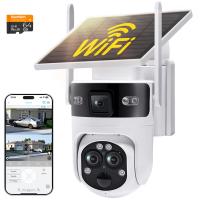
WiFi 3 Lens Solar Security Camera Wireless Outdoor, 6MP Full HD Video, 360° View Pan/Tilt Home Security Camera with Color Night Vision, Easy to Install, PIR Alarm, Kentfaith
15
$156.24 $124.99
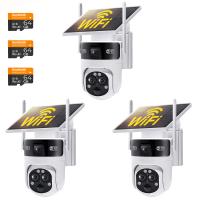
WiFi 3 Lens Solar Security Camera Wireless Outdoor, 6MP Full HD Video, 360° View Pan/Tilt Home Security Camera with Color Night Vision, Easy to Install, PIR Alarm, 2pcs, Kentfaith
$281.24 $224.99
WiFi 3 Lens Solar Security Camera Wireless Outdoor, 6MP Full HD Video, 360° View Pan/Tilt Home Security Camera with Color Night Vision, Easy to Install, PIR Alarm, 3pcs, Kentfaith
$412.49 $329.99
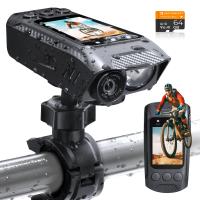
4K Bike Camera 2" Display 1000LM Bicycle Light IP67 Waterproof WIFI Connection
30
$149.99 $125.99
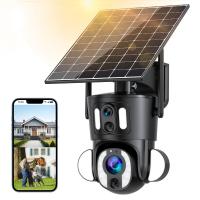
Dual-Lens Security Camera Solar Outdoor Surveillance 10X Optical Zoom 2.4G WiFi
12
$274.99 $230.99
5K Digital Video Camera Camcorder WIFI IR Night Vision for Vlogging Youtube
95
$269.99 $189.99
Camera Sunglasses, HD 1080P, EIS Stabilization, WiFi Connect, Translation, 4H Playtime, Kentfaith
16
$119.99 $95.99
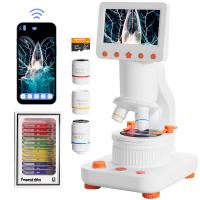
Compound Microscope for Kids with 4.3in Screen, 80X to 800X, WiFi Connection, Dual Light Sources, 1080P Videos, 32GB Card Included, Kentfaith
12
$237.49 $189.99
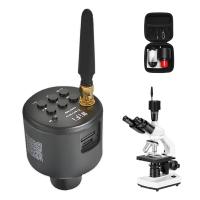
WiFi Electronic Eyepiece for Microscopes, 50 Meters WiFi Range, 2MP Microscope Imager, Capture 4K Photos Videos, Kentfaith
$112.49 $89.99
Products You May Like
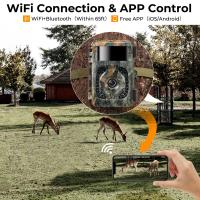
Super Hunter Trail Camera 6mp
10
$162.99 $106.99
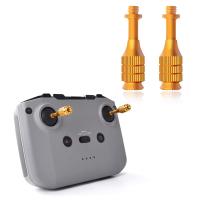
Mavic Air 2S Remote Control Telescoping Rocker Joystick for DJI Air 2S / Mavic Mini 2 / Mavic Air 2 / Smart Controller Drone Accessories
$15.99
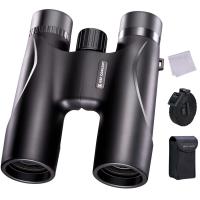
K&F Concept 12x32 Compact Binoculars for Kids and Adults, with BAK4 Prism, FMC Lens, IP65 Waterproof & Neck Strap for Bird Watching Hunting Travel Camping Stargazing
33
$69.99 $42.99
49mm ND2-ND400 (9 Stops) Variable ND Filter Neutral Density Adjustable Filter for Canon Nikon DSLR Cameras + Lens Cleaning Cloth
111
$42.99 $33.99
Camera Light LED Video Light Panel for Camera Camcorder Lighting in Studio or Outdoors 3200K to 5500K Variable Color Temperature (Only ship to us)
26
$44.99 $39.99
62mm MCUV Protection Filter with 28 Multi-Layer Coatings HD/Hydrophobic/Scratch Resistant/Ultra-Slim UV Filter for 62mm Camera Lens Nano-Xcel Series
81
$41.99 $34.99
67mm Variable ND Filter Kit 2pcs ND2-32 & ND32-512 with Waterproof Anti-scratch Anti-reflection Green Film NANO-X Series
62
$188.99 $111.99
58mm CPL Filter 28 Layer Super Slim Circular Polarizing Filter Multi-coated Polarized MRC Filter NANO-X Series
$49.99 $37.99
H-804A Army Green 20MP/0.3 seconds start, high-definition outdoor waterproof hunting infrared night vision camera
61
$79.99
43mm Variable ND Filter ND2-400 (1-9 Stop) Lens Filter Waterproof Scratch Resistant Nano-Xcel Series
57
$62.99 $49.99
Related articles
Smart Life Camera How To Change Wifi Network?
How To View Cameras On Wifi Network?
How To Change Canon Camera Wifi Password?
How To Change Light Settings On Ring Camera?
How To Change Wifi On Wyze Cameras ?
How To Reconnect Ring Camera To Wifi Remotely?
Does The Ring Camera Still Record Without Wifi ?
How To Change Polaroid Camera Battery?
How To Find Ip Cameras On Network?
What Trail Camera Works With Us Cellular?
Blog You May Like
Which Wifi Camera?
Which Wifi Camera?
Which Dslr Camera Is Best For Video Shooting?
How Good Is My Sound Card For Recording?
Can Selfie Sticks Take Videos?
Outdoor Surveillance Cameras Which Work With Cloud?
Apeman Action Camera 4k How Many Fps?
How To Hide Security Camera?
What Is A Memory Card Reader For Cameras?
Where Can I Buy Hidden Surveillance Camera?
How To Store Camera In Bag?
Related categories
Outdoor Security Camera Wifi C mount lens adapter detachable camera flash Wifi Trail Cameras Baby Movement Monitor led ring light with stand flash the camera Live Ring Light
Popular products
security camera home surveillance sim card with unlimited data full hd camera 1080p lens step up adapter k&f concept 58mm lens filter kit step up lens adapter set lens adapter for digital camera dslr to mirrorless lens adapter remote wildlife camera wifi wifi trail camera
Related searches
Sony Network Adapter Ps2 Change Lens Mount From Minolta To Nikon Change Rokinon E Mount Lens To Ef Change Rokinon Lens Mount Glade Adapt 2 Lens Change Change Mount On Sigma Lens Atheros Ar9285 Wireless Network Adapter Sony Vaio Wifi Inspection Camera Wifi Trail Camera Budget Wifi Camera
Popular searches
Jaray Nikon-nx Lens Adapter Meike Cine Lens 135mm Rf Mount Tripod For Mirrorless Camera Best Filter For X100f Lens Outdoor Camera For Wildlife Nikon Lens On Olympus Om 1 Adapter Type C Earbuds With Microphone Manfrotto Tripod Head Types Anamorphic Lens Pl Mount Macro Lens For Nikon Camera
Blog Category
  • Activities
  • Guide
    • Filter Guide
    • Lens Adapter
    • Product Review
  • News & Reviews
    • Camera Reviews
    • Sample Gallery
    • News
  • Tutorials
    • Solar eclipse photography
    • Photography Basics
    • Landscape Photography
  • Inspiration
    • Travel
    • Travel Stories
Search Article
Latest from the Blog
What Is The Best Camera To Record Videos?
Where Can I Find Hidden Cameras?
What Are The Uses Of A Compound Microscope?
Where To Get Wireless Earbuds?
How To Adjust Binoculars With Glasses?
What Tripod To Buy?
What Is A Good Quality Dash Cam?
Kentfaith x ANACONDA: Capturing the Wild, Frame by Frame
How Fast Is A Camera Flash?
How Do Night Vision Goggles Work?
  • Easy Payment Multilple Payment Options

  • Free Shipping Global WareHouse Shipment

  • No Risk 30-Day No Reason Return

  • Limited Deals Buy More, Save More

  • Tax Free No any surcharges or tax fee

Information
  • About us
  • Contact Us
  • Site Map
  • Blog
  • Video
  • Gallery
  • VIP Membership Rewards
Service
  • Privacy Policy
  • Terms & Conditions
  • Shipping & Delivery
  • Payment Info
  • Warranty, Return & Refund
  • Intellectual Property Rights
  • Ambassador
  • Affiliates
  • Wholesale
Support
  • My account
  • Order History
  • FAQs
  • Extend Warranty
  • Logistics Tracking
Follow us
NewsLetter

Get the latest product, K&F Concept respects your privacy.
Powered By KENTFAITH © 2026