kfconcept

KENTFAITH
K&F Concept    Blog >

Enjoy Your Selected Digital Life

Recently Viewed
  • Recently Viewed
  • Recently Viewed list is empty.

Compare (0) 0
  • Compare
  • You have not chosen any products to compare.

  • Compare
Currency: USD
  • Currency
Shop by Scene Shop by Rank

Log Into Your Account

Account

Order History

Wish List

Login

Forgotten Password?

or connect with

Register Account

Already have an Account?Log In

  • Shopping Cart
  • Your shopping cart is empty!

  • Register/Login to purchase, earn points
  • Favorite
  • Your wish list is empty.

  • Register/Login to like, earn points
  • Activities
  • Guide
    • Filter Guide
    • Lens Adapter
    • Product Review
  • News & Reviews
    • Camera Reviews
    • Sample Gallery
    • News
  • Tutorials
    • Solar eclipse photography
    • Photography Basics
    • Landscape Photography
  • Inspiration
    • Travel
    • Travel Stories
  • Home
  • Blog
  • How To Adjust Tripod?

How To Adjust Tripod?

Kentfaith 2024-09-06 01:05:23 0 Comments

Adjusting a tripod is a fundamental skill for photographers, videographers, and anyone who uses a camera or other equipment that requires stable support. Whether you're a beginner or an experienced professional, knowing how to properly adjust your tripod can make a significant difference in the quality of your shots. In this article, we will delve into the various aspects of tripod adjustment, covering everything from setting up the tripod to fine-tuning its position for optimal performance.

Understanding the Components of a Tripod
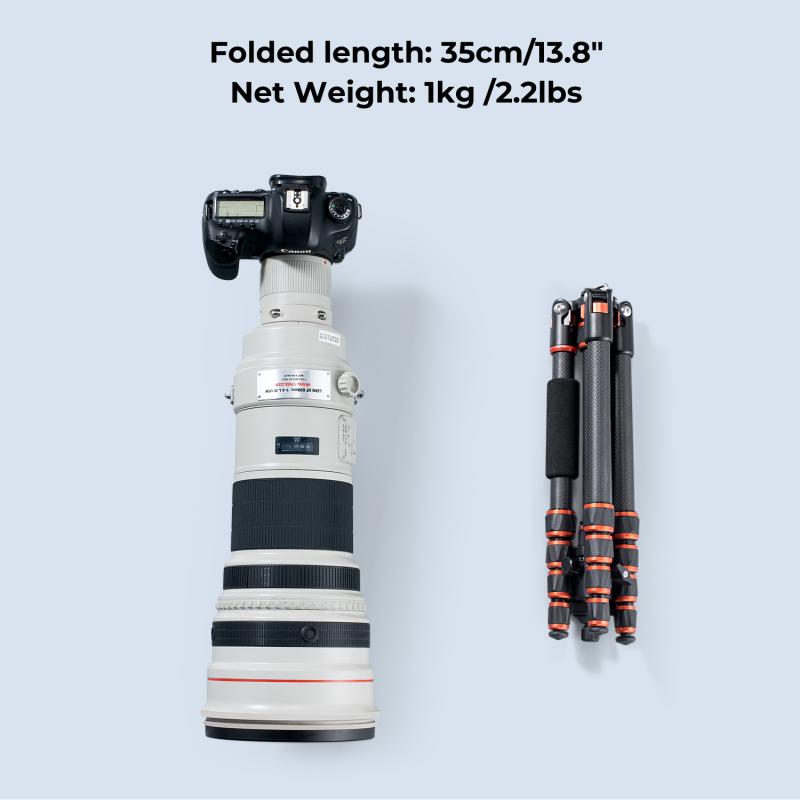
how to adjust tripod 1

Before we dive into the adjustment process, it's essential to understand the basic components of a tripod:

1. Legs: Most tripods have three legs, which can be extended or retracted to adjust the height.

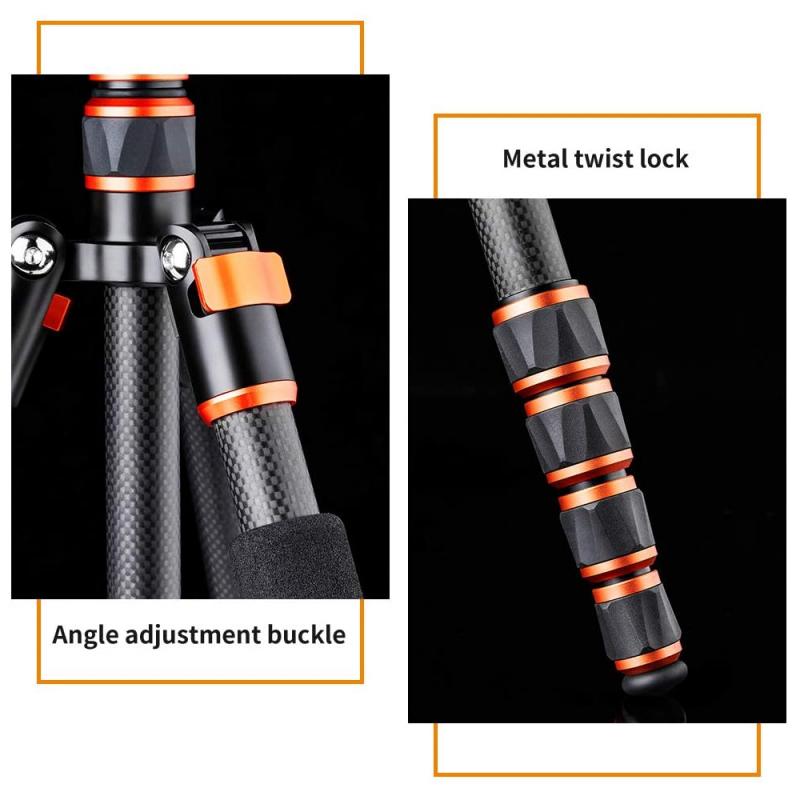
2. Leg Locks: These are mechanisms that secure the legs at a desired length. They can be flip locks, twist locks, or lever locks.

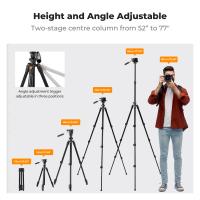
3. Center Column: This is a vertical column that can be raised or lowered to adjust the height further.

4. Head: The head is the part where the camera is mounted. It can be a ball head, pan-tilt head, or fluid head, depending on the type of tripod.

5. Quick Release Plate: This is a detachable plate that attaches to the camera and allows for quick mounting and dismounting.

Step-by-Step Guide to Adjusting a Tripod
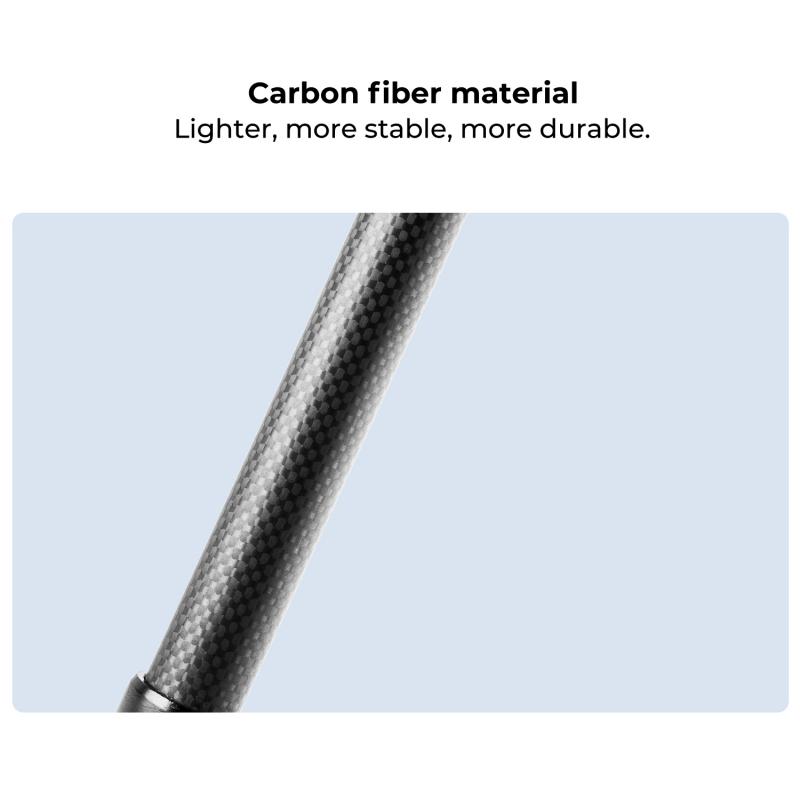
how to adjust tripod 2

1. Setting Up the Tripod

how to adjust tripod 3

Choose a Stable Surface: The first step in setting up your tripod is to find a stable, flat surface. Uneven or unstable ground can lead to shaky shots and potential damage to your equipment.

Spread the Legs: Fully spread the tripod legs to their widest position. This provides a stable base and reduces the risk of tipping over.

Adjust the Leg Length: Extend the legs to the desired height. Start with the thicker sections of the legs for better stability. Use the leg locks to secure the legs in place. Ensure that all legs are extended to the same length to keep the tripod level.

2. Adjusting the Center Column
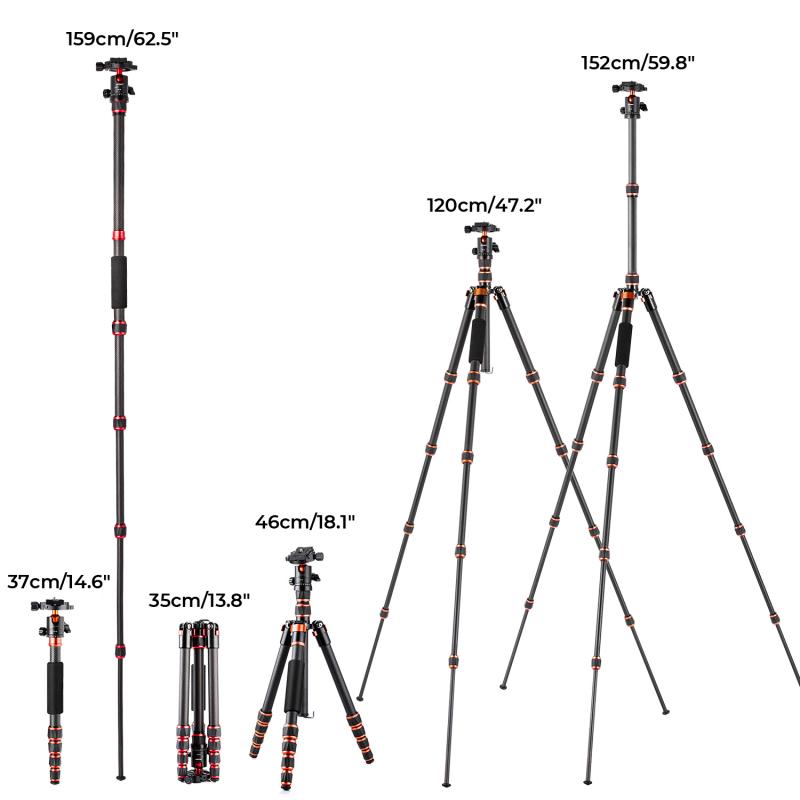
how to adjust tripod 4

Raise or Lower the Center Column: If you need additional height, you can raise the center column. However, be cautious when doing this, as raising the center column too high can compromise stability. Lowering the center column can provide extra stability if needed.

Lock the Center Column: Once the center column is at the desired height, use the locking mechanism to secure it in place. Make sure it is tightly locked to prevent any movement.

3. Positioning the Tripod Head

Level the Tripod Head: Use the built-in bubble level (if available) to ensure that the tripod head is level. This is crucial for achieving straight and balanced shots.

Adjust the Head Angle: Depending on the type of head your tripod has, you can adjust the angle to suit your needs. For a ball head, loosen the knob to move the head freely and then tighten it to lock it in place. For a pan-tilt head, use the separate controls to adjust the horizontal and vertical angles.

Attach the Quick Release Plate: Attach the quick release plate to your camera and then mount it onto the tripod head. Ensure that it is securely locked in place to prevent any accidental falls.

4. Fine-Tuning the Position

Check the Stability: Once everything is set up, give the tripod a gentle shake to check for stability. If there is any wobbling, readjust the legs and locks until the tripod is stable.

Recheck the Level: Double-check the bubble level to ensure that the tripod head is still level after making adjustments.

Adjust the Camera Position: Use the tripod head controls to fine-tune the camera position. Make sure the camera is pointing in the desired direction and at the correct angle.

Tips for Optimal Tripod Use

1. Use a Remote Shutter Release: To minimize camera shake, use a remote shutter release or the camera's self-timer function.

2. Add Weight for Stability: If you're shooting in windy conditions, hang a weight (such as your camera bag) from the center column hook to add extra stability.

3. Avoid Extending the Center Column Fully: Extending the center column to its maximum height can reduce stability. Use it sparingly and only when necessary.

4. Regular Maintenance: Keep your tripod clean and check the leg locks and other mechanisms regularly to ensure they are functioning correctly.

Common Mistakes to Avoid

1. Ignoring the Bubble Level: Not using the bubble level can result in uneven shots, especially in landscape photography.

2. Overloading the Tripod: Ensure that your tripod can support the weight of your camera and any additional equipment. Overloading can lead to instability and potential damage.

3. Improper Leg Locking: Failing to secure the leg locks properly can cause the tripod to collapse unexpectedly.

4. Neglecting the Ground Surface: Setting up on an unstable or uneven surface can compromise the stability of your tripod.

Adjusting a tripod may seem straightforward, but it requires attention to detail and an understanding of the various components and mechanisms. By following the steps outlined in this article, you can ensure that your tripod is set up correctly and provides the stability needed for high-quality shots. Remember to choose a stable surface, adjust the legs and center column carefully, and fine-tune the tripod head for optimal performance. With practice, adjusting your tripod will become second nature, allowing you to focus on capturing the perfect shot.
Leave your comment
Cancel reply
Note: HTML is not translated!
Related products
Olympus OM Lenses to Pentax Q Camera Mount Adapter with tripod mount
$55.99 $29.99
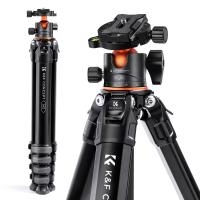
TM2624L 69.7‘’/177cm  Camera Tripod 8.8lbs Load Phone Tripod with 3-Way Pan Head & Detachable Monopod for DSLR (Only Ship to US)
TM2624L 69.7‘’/177cm Camera Tripod 8.8lbs Load Phone Tripod with 3-Way Pan Head & Detachable Monopod for DSLR (Only Ship to US)
35
$89.99 $55.99
【$0.1 Flash Deal One order per customer】K&F Concept TM 2624L Black Portable Conpact Tripod, 69.7"/1.77m Phone Tripod DSLR Tripod 8.8lbs Load with Phone/Pad Mount - Only Ship to USA
1
$59.99
Professional Fluid Head, Silky-Smooth Fluid Head Tripod for Video Stable Tripod Head Mount Max Load 22lbs/10kg, Tripod Head for 360°Pan and -55°to 90 Tilt. BV60 K&F CONCEPT
24
$179.99 $139.99
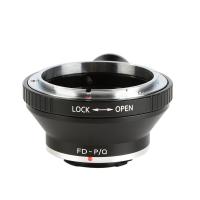
Canon FD Lenses to Pentax Q Lens Mount Adapter with Tripod Mount K&F Concept M13162
$36.99 $18.99
Carbon Fiber Travel Tripod 70"/1.7m Max Height Lightweight Tripod 15kg/33.07lbs Load for DSLR Cameras A254C4+BH-36L (old model SA254C2) (Upgraded to the New Model)
65
$349.99 $179.99
SP4022M3 Compact Travel Tripod Aluminium Camera Tripod 15kg/33.07lbs Load 70"/177cm Max Height for Travel and Work M1+BH-35L Upgrade. (Shipping only available to the US, EU)
29
$250.00 $123.99
Canon FD Lenses to Pentax Q Lens Mount Adapter with Tripod Mount K&F Concept M13162 Lens Adapter
2
$53.99 $27.99
Nikon F Lenses to Pentax Q Lens Mount Adapter with Tripod Mount K&F Concept M11162 Lens Adapter
$53.99 $35.99
Contax Yashica Lenses to Pentax Q Lens Mount Adapter with Tripod Mount K&F Concept M14162 Lens Adapter
$56.99 $29.99
Products You May Like
Black Diffusion 1/4 Filter for DJI Osmo Action 5 Pro / Osmo Action 4 Creative Mist Cinematic Effect Filters Multi-Coated / Optical Glass / Aluminum Alloy Frame
37
$19.99
49mm MCUV Lens Protection Filter with Filter Cap Cleaning Cloth Optical Glass Ultra Slim 28 Multi-Layer Coatings Nano-Xcel Series
31
$36.99 $26.95
4G Surveillance Camera Dedicated Tri-network Compatible Data SIM Card - US Standard
$10.90
67mm Clip-on CPL Phone Camera Lens Filter Kit Applicable to All Mobile Phone Models
40
$18.99
4K Dash Cam Front and Rear with GPS WiFi Night Vision 24H Parking Mode Kentfaith
13
$124.99 $99.99
67mm Magnetic MCUV Filter,HD Waterproof Scratch-Resistant Anti-Reflection Green Film with Magnetic Metal Cover Nano-Xcel series
102
$57.99 $45.99
GND8 Lens Filter 100*150mm Soft 3 f-stop Square Graduated Neutral Density Filter Multi Coated with Holder Bag
6
$124.99 $99.99
49mm Empty Magnetic Base Ring (Works ONLY with K&F Concept Magnetic Filters / Quick Swap System)
21
$17.99
49mm CPL Filter True Color Circular Polarizers Filter with 28 Multi-Layer Coatings for Camera Lens Nano-Xcel Series
46
$49.99 $39.99
K&F CONCEPT 16"/40cm Professional Photo Studio Light Box: Portable Folding Photography Tent Kit with 6 Color Backdrops for Small-Medium Product Shoots
NEW Arrival
K&F CONCEPT 16"/40cm Professional Photo Studio Light Box: Portable Folding Photography Tent Kit with 6 Color Backdrops for Small-Medium Product Shoots
$49.99
Related articles
How To Adjust Binoculars?
How To Adjust Nikon Binoculars?
How To Adjust Binoculars With Glasses?
How To Connect Bluetooth Tripod?
How To Setup A Tripod?
How Do I Adjust Microphone Sensitivity ?
What Tripod To Buy?
What Tripod To Buy?
How To Take Video Without Tripod?
What Does Tripod?
What Does Tripod?
Are wireless trail cameras worth it?
Blog You May Like
How To Focus With 10 Stop Nd Filter?
What Is A Hidden Camera Detector?
How Can You Fix Your Headphones?
How To Speed Up Sound Recordings?
What Are Best Shoulder Straps For Camera?
How To Make A Cheap Photography Light Box?
How To Keep Camera Bag Dry?
How To Record Audio Without Background Noise?
When To Use A Cpl Filter?
Which Camera Is Good For Video Shooting?
Related categories
tripod legs mini camera tripod C mount lens adapter m4/3 adapter camera tripod parts Tripods camera tripod mount
Popular products
pentax q mount lens professional travel tripod phone monopod tripod vlogging tripod for phone lens adapter for canon mirrorless camera sturdy tripod for phone safe selfie stick canon fd pentax k adapter Carbon Fiber Tripod Without Center Column Canon To Sony Lens Adapter
Related searches
Quick Adjust Tripod Tripod To Hold Cell Phone Adapter For Iphone To Tripod Tripod Tripod Head Adapter 1/4 To 3/8 Tripod Dslr Tripod Travel Video Tripod Knf Tripod Level Tripod
Related Scenes
Best Camera To Video Sports Best Camera To Capture Wildlife Best Video Camera To Record Sports Best Tripod For Dslr Best Tripod Ball Head Best Tripod For Travel Best Travel Tripod Photography Best Tripod For Video Best Compact Camera Tripod Best Tripod For Photography
Blog Category
  • Activities
  • Guide
    • Filter Guide
    • Lens Adapter
    • Product Review
  • News & Reviews
    • Camera Reviews
    • Sample Gallery
    • News
  • Tutorials
    • Solar eclipse photography
    • Photography Basics
    • Landscape Photography
  • Inspiration
    • Travel
    • Travel Stories
Search Article
Latest from the Blog
How Smart Watch Measure Heart Rate?
How To Take Pictures Through A Telescope?
Which Ring Light Is Best?
How To Get Metal Detector?
What Is The Field Diameter Of A Microscope?
What Is The Zoom On Binoculars?
How To Focus An Image On A Microscope?
Binoculars That Can See In The Dark?
Which Night Vision Monocular Is Best?
How To Put More Bass In Your Headphones?
  • Easy Payment Multilple Payment Options

  • Free Shipping Global WareHouse Shipment

  • No Risk 30-Day No Reason Return

  • Limited Deals Buy More, Save More

  • Tax Free No any surcharges or tax fee

Information
  • About us
  • Contact Us
  • Site Map
  • Blog
  • Video
  • Gallery
  • VIP Membership Rewards
Service
  • Privacy Policy
  • Terms & Conditions
  • Shipping & Delivery
  • Payment Info
  • Warranty, Return & Refund
  • Intellectual Property Rights
  • Ambassador
  • Affiliates
  • Wholesale
Support
  • My account
  • Order History
  • FAQs
  • Extend Warranty
  • Logistics Tracking
Follow us
NewsLetter

Get the latest product, K&F Concept respects your privacy.

Powered By KENTFAITH © 2026