kfconcept

KENTFAITH
K&F Concept    Blog >

Enjoy Your Selected Digital Life

Recently Viewed
  • Recently Viewed
  • Recently Viewed list is empty.

Compare (0) 0
  • Compare
  • You have not chosen any products to compare.

  • Compare
Currency: USD
  • Currency
Shop by Scene Shop by Rank

Log Into Your Account

Account

Order History

Wish List

Login

Forgotten Password?

or connect with

Register Account

Already have an Account?Log In

  • Shopping Cart
  • Your shopping cart is empty!

  • Register/Login to purchase, earn points
  • Favorite
  • Your wish list is empty.

  • Register/Login to like, earn points
  • Activities
  • Guide
    • Filter Guide
    • Lens Adapter
    • Product Review
  • News & Reviews
    • Camera Reviews
    • Sample Gallery
    • News
  • Tutorials
    • Solar eclipse photography
    • Photography Basics
    • Landscape Photography
  • Inspiration
    • Travel
    • Travel Stories
  • Home
  • Blog
  • Can You Record Facebook Messenger Voice Calls?

Can You Record Facebook Messenger Voice Calls?

Kentfaith 2025-01-15 01:06:17 0 Comments

Recording Facebook Messenger voice calls is a question that arises frequently among users who wish to preserve important conversations for personal, legal, or professional reasons. With the prevalence of digital communication, the ability to record calls on messaging platforms is both a convenience and a potential ethical issue. This article delves into the technical, legal, and ethical considerations surrounding the recording of voice calls on Facebook Messenger, offering insights to help you navigate this complex issue responsibly.
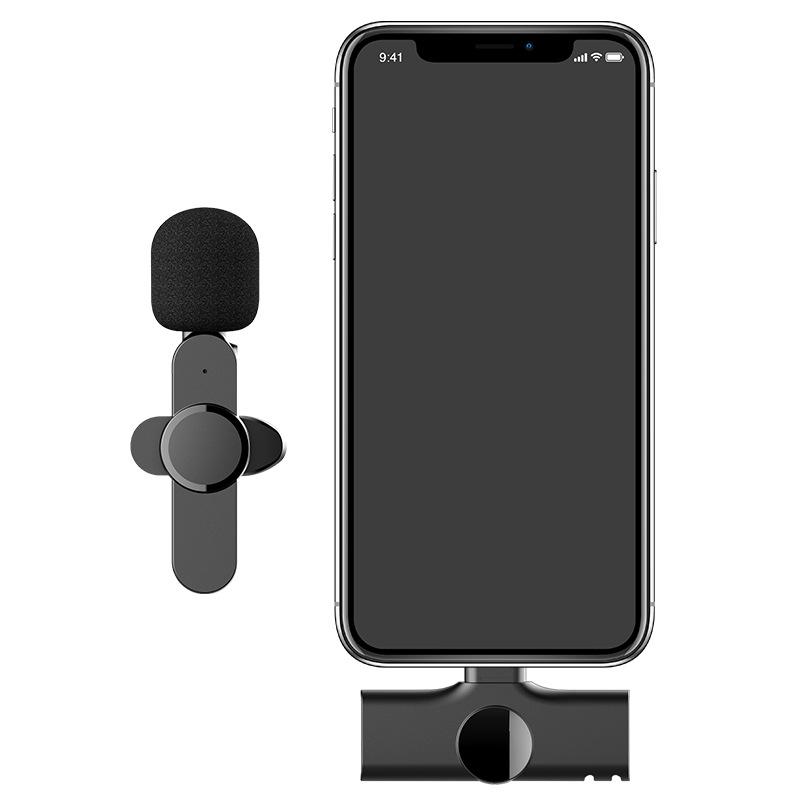

The Technical Side: Is It Possible to Record Messenger Calls?

The short answer is: yes, it is possible to record Facebook Messenger voice calls. However, Facebook Messenger itself does not provide a built-in call recording feature. To record calls, users typically rely on third-party tools or the native features of their devices. Let’s explore these options:

1. Using Screen Recording on Smartphones

Modern smartphones often come with built-in screen recording capabilities, which can capture audio and video. While this method can work for recording Messenger calls, it has limitations:

- Audio Quality: Depending on the phone's software, audio quality might vary, especially if both parties are not using headphones.

- Notification Alerts: Some devices notify all parties when a recording starts, ensuring transparency.

2. Third-Party Recording Applications

Numerous apps on the market cater to call recording. These apps can capture audio from Messenger calls, but they come with their own considerations:

- Compatibility: Not all apps are compatible with Facebook Messenger, so users must ensure their chosen app supports this function.

- Security Risks: Some third-party apps may pose risks to user privacy and data security.

3. External Recording Devices

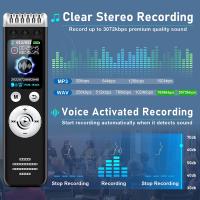
For those who prioritize quality and reliability, external recording devices, such as voice recorders or digital audio capture tools, can be used. These devices avoid potential software conflicts and can provide high-fidelity recordings.

4. Desktop Solutions

If using Facebook Messenger on a desktop, tools like screen recording software (e.g., OBS Studio or Camtasia) can capture calls. These solutions often provide better control over recording settings, including audio balance and clarity.

Legal Considerations: Recording Messenger Calls Responsibly

Recording calls, including those made on Facebook Messenger, often involves legal considerations that vary by jurisdiction. Understanding and adhering to the law is crucial to avoid unintended consequences.

1. Consent Requirements

In many countries, the legality of recording a call depends on consent:

- One-Party Consent: In jurisdictions with one-party consent laws, you can record a conversation as long as you are a participant.

- Two-Party Consent: Some areas require the consent of all participants before recording a conversation. Recording without consent in these regions could result in legal penalties.

2. Cross-Border Calls

If you are recording a call with someone in another country, the laws of both jurisdictions may apply. This complexity underscores the importance of obtaining clear consent before recording.

3. Use of Recorded Content

Even if a call is recorded legally, the use of that recording may be restricted. For example, sharing or publishing the content without the consent of all parties could violate privacy laws or platform policies.

Ethical Implications: Striking a Balance

Beyond legal considerations, ethical concerns play a significant role in the decision to record a Messenger call. Transparency and respect for the other party's privacy are paramount.

1. Why Are You Recording?

Understanding your intent is the first step. Recording calls for professional documentation, educational purposes, or personal reflection may be reasonable. However, recording to exploit or harm others is unethical and often illegal.

2. Communicating Intent

Letting the other party know that the call will be recorded fosters trust and avoids potential misunderstandings. This is particularly important in professional or sensitive conversations.

3. Data Security

Once a call is recorded, it becomes a digital asset that needs protection. Unauthorized access or distribution of recorded calls could lead to significant consequences for all parties involved.

Practical Applications of Messenger Call Recording

Recording Messenger calls, when done lawfully and ethically, can serve various practical purposes:

1. Professional Documentation

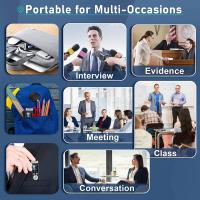
Professionals who use Messenger for work-related discussions can benefit from recording calls to maintain accurate records. For instance, journalists might record interviews, or remote teams may document meetings.

2. Personal Use

Individuals may record calls for personal reasons, such as preserving conversations with loved ones or documenting verbal agreements.

3. Educational Purposes

In an educational context, recording calls can facilitate the review of lectures, interviews, or study sessions.

4. Legal Evidence

In disputes, recorded calls can sometimes serve as evidence. However, their admissibility in court depends on compliance with legal standards.

Steps to Record Messenger Calls Safely

If you decide to record a Facebook Messenger call, follow these steps to ensure that you do so safely, legally, and ethically:

Step 1: Research Local Laws

Familiarize yourself with the laws governing call recording in your jurisdiction and that of the other participant(s).

Step 2: Choose the Right Tool

Select a reliable recording method that meets your needs while prioritizing privacy and security.

Step 3: Obtain Consent

Inform all participants of your intention to record the call and secure their agreement.

Step 4: Safeguard the Recording

Store recorded calls securely and avoid sharing them without explicit permission from all parties.

Step 5: Use Responsibly

Only use the recorded content for its intended purpose, adhering to legal and ethical guidelines.

Alternatives to Recording Calls

If recording calls is not feasible or appropriate, consider these alternatives:

1. Written Summaries

Taking detailed notes during or after the call can provide a reliable record of the discussion without the need for recording.

2. Screen Sharing Tools

In some cases, screen sharing or collaborative tools can serve as a substitute for call recording, particularly for professional or instructional purposes.

3. Built-in Messaging Features

Facebook Messenger allows for text-based communication and file sharing, which can complement voice calls and provide a written record of key points.

Conclusion

Recording Facebook Messenger voice calls is a practical option for many users, but it requires careful consideration of technical, legal, and ethical factors. By understanding the tools available, adhering to consent laws, and respecting privacy, you can responsibly capture and use recorded calls to meet your needs. Always prioritize transparency and ethical practices to maintain trust and avoid potential pitfalls.


Leave your comment
Cancel reply
Note: HTML is not translated!
Related products
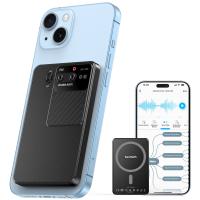
AI Voice Recorder Voice-to-Text & Transcription for Meetings, Calls, Interviews, 64G Kentfaith Mini & Magnetic
HOT Seller
AI Voice Recorder Voice-to-Text & Transcription for Meetings, Calls, Interviews, 64G Kentfaith Mini & Magnetic
26
$119.99 $69.99
128G Mini Digital Voice Recorder with Color Screen Bluetooth Call Record 3072kbps Kentfaith
HOT Seller
128G Mini Digital Voice Recorder with Color Screen Bluetooth Call Record 3072kbps Kentfaith
15
$119.99 $83.99
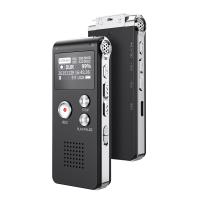
Digital Voice Recorder with 64Gb Storage, 1536 kbps, Voice Activated & Line-in Record, 85H Battery Life, Stores 800 Hours of Recording, Kentfaith
$99.99 $79.99
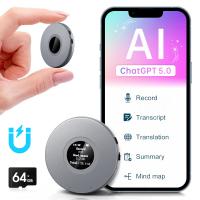
AI Voice Recorder with ChatGPT Transcription, Summary, 107 Languages Voice Translation for Meetings, Interviews, Business Calls, Lectures, Kentfaith Personal AI Assistant
HOT Seller
AI Voice Recorder with ChatGPT Transcription, Summary, 107 Languages Voice Translation for Meetings, Interviews, Business Calls, Lectures, Kentfaith Personal AI Assistant
19
$223.19 $139.99
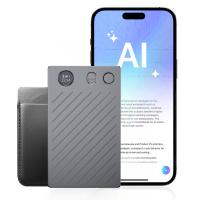
AI Voice Recorder, Transcribe, Summarize & Translate with AI, App Control, Note Taker for Meetings & Calls, Supports 100 Languages, Ultra-Slim w/InstantView Display, Case Included, Kentfaith
12
$162.49 $129.99
AI Voice Recorder, Recording Device with App Control, Support 134 Languages AI Transcribe, Summarize & Mind-map , 64GB AI Noise Cancellation for Lectures, Meetings, Calls, Interview, Kentfaith
14
$162.49 $129.99
Gift Certificate: $200 Value - Can Use with Any Discounts
$200.00 $190.00
Gift Certificate: $300 Value  - Can Use with Any Discounts
Gift Certificate: $300 Value - Can Use with Any Discounts
$300.00 $285.00
Gift Certificate: $1000 Value  - Can Use with Any Discounts
Gift Certificate: $1000 Value - Can Use with Any Discounts
$1,000.00 $950.00
Gift Certificate: $500 Value  -Can Use with Any Discounts
Gift Certificate: $500 Value -Can Use with Any Discounts
$500.00 $475.00
Products You May Like
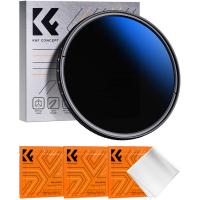
77mm ND2-ND2000 Filter (1-11 Stops) with 3 Vacuum Cleaning Cloths Nano-Klear Series
57
$47.99 $37.99
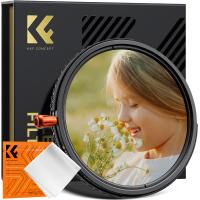
37mm Variable ND2-32 (1-5 Stops) & Circular Polarizing Filter CPL & Black Mist 1/4 3 in 1 HD Lens Filter with 28 Multi-Coated for Camera Lenses Nano-Xcel Series
NEW Arrival
37mm Variable ND2-32 (1-5 Stops) & Circular Polarizing Filter CPL & Black Mist 1/4 3 in 1 HD Lens Filter with 28 Multi-Coated for Camera Lenses Nano-Xcel Series
33
$99.99 $79.99
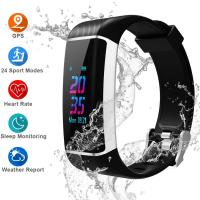
GPS Fitness Tracker, Color Screen Activity Tracker Watch with Heart Rate Monitor, Built-in GPS,with 24 Sport Modes, IPX67 Waterproof Bluetooth Smart Wristband with Step Counter, Calorie Counte
28
$19.99
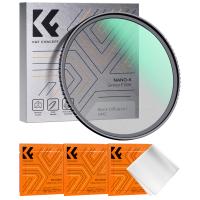
52mm Black Mist 1 Filter Mist Cinematic Effect Filter Black Diffusion 1 Filter with 18 Multi-Layer Coatings Nano-Klear Series
212
$27.99 $21.99
49mm  Black Pro-Mist Filter 1 Special Effects Filter Cinematic Look Black Diffusion Effect Filter for Camera Lens Nano-Xcel Series
49mm Black Pro-Mist Filter 1 Special Effects Filter Cinematic Look Black Diffusion Effect Filter for Camera Lens Nano-Xcel Series
134
$49.99 $39.99
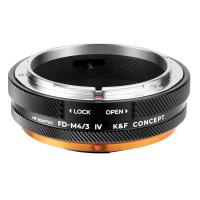
FD-M4/3 MFT Lens Mount Adapter, Compatible with Canon FD/FL Series Lens to M4/3 M43 Micro Four Thirds Mount Camera with Matting Varnish Design
61
$70.99 $38.99
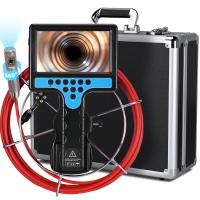
Sewer Inspection Camera with 360° Auto-rotate Camera, 7in Large Screen, 20m/66ft Fiberglass Cable, 9+9 LEDs, 25mm/0.98in Probe, Kentfaith
$999.99 $799.99
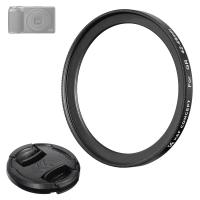
Ricoh Lens Filter Adapter Ring 42-49mm, With Kf 49mm Lens Cover *1, Suitable for Ricoh Gr Model, Nano-X Series
$11.99
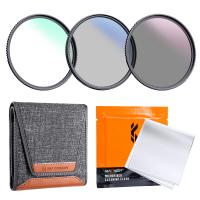
62mm MCUV+CPL+ND4 Lens Filter Kit with Lens Cleaning Cloth and Filter Bag Nano-Klear
79
$41.99 $37.99
58mm White Pro Mist Filter Cinematic Effect Filter with 18 Multi-Layer Coatings for Portrait and Landscape Photography Nano-K Series
$33.99 $20.99
Related articles
How To Record Facebook Audio Calls?
How To Record Discord Voice Calls?
Can You Record Voice With Airpods?
How To Record Phone Calls With Voice Recorder?
Books That You Can Record Your Voice?
Can You Save Facebook Videos To Camera Roll?
Can You Record Your Voice While Screen Recording?
How To Download Voice Recordings From Messenger?
How To Record Messenger Audio Call?
How To Capture Video On Pc From Camcorder?
Blog You May Like
How To Connect Wireless Camera With Pc?
How To Use Mobile As Car Dash Cam?
Where Is My Smart Watch?
Can I See Saturn Rings With Telescope?
Smart Watch That Can Take Blood Pressure?
How Do Cellular Cameras Work?
What Size Filter For 50mm Lens Nikon?
Best Camera Bag That Can Carry Tripod?
How To See Cells In A Microscope?
How To Turn On Camera And Microphone On Dell Laptop ?
Related categories
Light Pollution Filter sony mount lenses camera battery neutral density filter photography digital camera cases Ultra-low Reflection UV Filters camera tripod mount
Popular products
Mini Digital Voice Recorder​ phone voice call recording all voice call recorder Bluetooth mesh intercom best camping rechargeable lantern video recording camera for youtube mini sound recorder device mini magnetic voice recorder sony camera with microphone mini magnetic voice recorder
Related searches
Iphone Voice Recorder Phone Calls Voice Recorder For Phone Calls Best Bluetooth Earbuds For Voice Calls Camera Messenger Bag Camera Tripod That Follows You Camera Messenger Bag Uk Camera Insert For Messenger Bag Bluetooth Microphone For Facebook Live Wireless Microphone For Facebook Live Cheap Camera To Record Videos
Related Scenes
Best Earbuds For Music And Calls Best Lightweight Tripod For Travel Best Battery Wifi Camera Best Action Digital Camera Best Camera For Video And Picture Best Camera And Lens For Wildlife Best Home Wifi Surveillance Camera Best 4K Action Camera Best Camera For Pictures Best Camera For Home Security
Blog Category
  • Activities
  • Guide
    • Filter Guide
    • Lens Adapter
    • Product Review
  • News & Reviews
    • Camera Reviews
    • Sample Gallery
    • News
  • Tutorials
    • Solar eclipse photography
    • Photography Basics
    • Landscape Photography
  • Inspiration
    • Travel
    • Travel Stories
Search Article
Latest from the Blog
Where To Buy A Microphone?
How To Choose A Lens For Your Camera?
How To Take Pictures Through A Telescope?
Which Ring Camera Is Wireless?
Can A Tripod Fit Any Camera?
Which Night Vision Monocular Is Best?
How To Adjust Binoculars With Glasses?
What Camera Has The Best Video Quality?
How Expensive Is A Metal Detector?
What Size Screen For Projector?
  • Easy Payment Multilple Payment Options

  • Free Shipping Global WareHouse Shipment

  • No Risk 30-Day No Reason Return

  • Limited Deals Buy More, Save More

  • Tax Free No any surcharges or tax fee

Information
  • About us
  • Contact Us
  • Site Map
  • Blog
  • Video
  • Gallery
  • VIP Membership Rewards
Service
  • Privacy Policy
  • Terms & Conditions
  • Shipping & Delivery
  • Payment Info
  • Warranty, Return & Refund
  • Intellectual Property Rights
  • Ambassador
  • Affiliates
  • Wholesale
Support
  • My account
  • Order History
  • FAQs
  • Extend Warranty
  • Logistics Tracking
Follow us
NewsLetter

Get the latest product, K&F Concept respects your privacy.

Powered By KENTFAITH © 2026