kfconcept

KENTFAITH
K&F Concept    Blog >

Enjoy Your Selected Digital Life

Recently Viewed
  • Recently Viewed
  • Recently Viewed list is empty.

Compare (0) 0
  • Compare
  • You have not chosen any products to compare.

  • Compare
Currency: USD
  • Currency
Shop by Scene Shop by Rank

Log Into Your Account

Account

Order History

Wish List

Login

Forgotten Password?

or connect with

Register Account

Already have an Account?Log In

  • Shopping Cart
  • Your shopping cart is empty!

  • Register/Login to purchase, earn points
  • Favorite
  • Your wish list is empty.

  • Register/Login to like, earn points
  • Activities
  • Guide
    • Filter Guide
    • Lens Adapter
    • Product Review
  • News & Reviews
    • Camera Reviews
    • Sample Gallery
    • News
  • Tutorials
    • Solar eclipse photography
    • Photography Basics
    • Landscape Photography
  • Inspiration
    • Travel
    • Travel Stories
  • Home
  • Blog
  • How To Clean Camera Lens Of Phone?

How To Clean Camera Lens Of Phone?

Kentfaith 2026-07-15 00:56:32 0 Comments

why your lens gets filthy so fast

  • modern phone design created a problem that didn't exist before: that camera bump everyone hates? it's a dirt magnet.
  • every time you set your phone down, the camera touches the surface first. restaurant tables with food grease. your car's dashboard releasing plastic fumes in the heat. the bathroom counter with soap spray dried on it. your desk with dust from that bag of chips you ate while scrolling.
  • and that metal ring around your lens? it's a particle trap. dust settles in the gap between the ring and the glass. pocket lint gets stuck there. each time you pick up your phone, you drag that debris across the lens.
  • the raised module design means your camera lens is constantly exposed to surface contamination that the rest of your phone never touches. most flagship phones have camera bumps that protrude between 1.5 to 3 millimeters from the phone body. that's enough to make first contact with surfaces 100% of the time.
how to clean camera lens of phone 1

the oil transfer you don't see

  • your fingers transfer oil to everything you touch. not gross oil, just sebum, the natural oil your skin produces. but it's sticky enough to trap particles.
  • you scroll instagram for twenty minutes holding your phone by the edges. set it down. touch your face to adjust your glasses. pick up the phone. now the oil from your face is on your fingers, and your fingers transfer it to the phone body. you do this fifty times a day.
  • by evening, there's oil on your lens despite you never touching it directly. and that oil is covered in dust from your pocket, creating a film that wrecks your photos. the oil isn't the problem. it's what sticks to the oil.
  • the oil itself attracts and holds airborne particles, making the contamination problem compound over time. dry wiping just spreads the oil around and grinds the particles across your lens.
how to clean camera lens of phone 2

where your phone lives matters

  • where you carry your phone determines what contaminants you're dealing with.
  • gym bags expose your lens to protein residue from workout supplements, fabric fibers from towels, and moisture from sweat.
  • purses with cosmetics introduce talc particles from powder makeup, aerosol propellants from hairspray, and oil from skincare products.
  • pockets accumulate lint, dust, and whatever particles your clothing picked up throughout the day.
  • each environment introduces specific debris types that require different cleaning approaches. you can't treat gym bag contamination the same way you'd handle office desk exposure. the particle size, composition, and adhesion properties vary significantly.
how to clean camera lens of phone 3

the invisible coatings you're destroying

  • your phone's camera lens has three invisible coatings, each thinner than a hair, each more fragile than the glass underneath. when you clean your lens, you're not wiping glass. you're wiping precision coatings that cost millions to develop.
  • your lens has three nano-coatings that degrade every time you clean wrong. even when the lens looks fine, your photo quality suffers
  • alcohol wipes (yes, even the "safe" ones) strip protective coatings. microfiber cloths trap sand and dust that scratch your lens on the next cleaning
  • your case design determines how fast your lens gets dirty and whether you can clean it safely
  • wipe in straight lines, never circles. use solution, not spit. check for particles before you touch the lens, or you'll grind them across the glass
oleophobic (outer layer)
10-20 nanometers
repels oils and fingerprints
water no longer beads, oils spread wider
18-24 months
6-12 months
anti-reflective
100-150 nanometers
reduces lens flare, improves light transmission
increased flare in photos, reduced contrast
3-5 years
12-18 months
scratch-resistant
50-100 nanometers
protects against minor abrasions
visible micro-scratches, hazy appearance
4-6 years
18-24 months

how to clean camera lens of phone 4

what to use to clean your smartphone

  • instead, stick with a microfibre cloth. not only are they reusable and able to be used to clean other gadgets and surfaces, but they’re designed to pick up bits of dust and dirt with ease. making them the perfect choice for cleaning prized possessions like your phone.
  • a dry cloth is best for your phone’s camera lens, but if there are some tougher bits of dirt on your phone, lightly dampen the microfibre cloth and use that.
  • i keep a microfiber cloth in my pocket and try to touch only the phone edges while shooting lens wipes before every take also help a lot, especially if you shoot outdoors or use your phone all day
  • keep a soft cloth handy to keep the lens frt of dust or any other debris. the cloths that are sold everywhere for eyeglasses work just fine for this purpose. when the cloth gets dirty, you can just wash it in the laundry, and it’s clean to use again.
  • i use an eye glasses cleaning cloth (not the wet cleaning towelettes) but any micro fiber cloth would do.

what not to use to clean your smartphone

  • don’t use any harsh alcohol or chemicals to clean your smartphone as they can harm either the glass screen or the camera lens. even those designed to clean your windows at home.
  • don’t reach for the nearest thing like a piece of kitchen roll or your jumper sleeve, either, the rough textures of the materials could scratch your phone screen or camera lens.
  • instead, use a dry cloth and opt for no solution - this way you’re not at risk of harming your phone.
  • note: do not use facial tissues. facial tissues have a rough texture and will scratch your lens.
  • for my glasses, i've been told, soft cloths are ok, and to not use any paper products (i imagine this means stuff like paper towels, napkins, tissues, etc).

how to safely clean your mobile phone

  1. you're best off cleaning your phone while it’s switched off.
  2. turn it off and remove your phone case and accessories.
  3. use the microfibre cloth to wipe down the surfaces of your phone, allowing it to pick up any dust or dirt trapped on the screen and back panel.
  4. try to shape the cloth into those harder-to-reach places like between the side buttons, in the ear speaker and the charging port.
  5. use the cloth to carefully go around the camera lens, wiping its surface delicately without pressure.
  6. this will allow the cloth to remove the dust that may be ruining your photos, without scratching the glass.

cleaning fluid or water

  1. when cleaning the lens on your camera, use a lens cleaning cloth or lens cleaning tissues, and lens cleaning fluid or water.
  2. add a few drops of lens cleaning fluid or water to a lens cleaning cloth or lens cleaning tissue.
  3. gently rub the dampened cloth or tissue on the lens, moving counter clockwise.
  4. with a dry lens cleaning cloth, gently dry the damp areas of the lens.
  5. repeat until the lens is clean.

dust, fingerprints, and oily marks

  • for the lens glass itself i use a hand blower, soft brush to remove dust.
  • for fingerprints or other oily marks, i use a ‘lenspen’ that dispenses little carbon bits that pick up oils.
  • move in a circular motion from the middle to the sides.
  • lens wipe (moistened alcohol type wipes), pretend you're "sweeping" the lens. you want to brush any dust off, and use the other side to wipe again, so you don't possibly grind dirt or dust onto the surface.

phone case and accessories

  • yes, there’s no point in cleaning your phone to put it back into a dirty phone case.
  • wipe your phone case and any other accessories down with the microfiber cloth before putting your clean phone back into it.
  • regular maintenance of your phone is another way to ensure it has longevity and stays clean.
  • opting to clean your phone and camera lens every week stops any dirt and dust from building up and prolongs your phone’s lifespan.
Leave your comment
Cancel reply
Note: HTML is not translated!
Related products
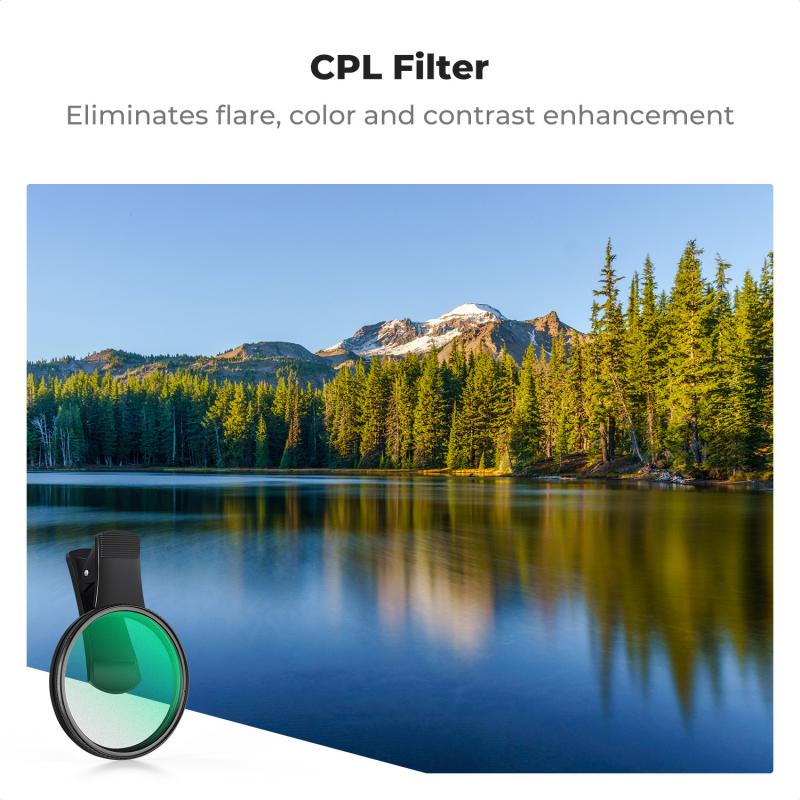
67mm Clip-on CPL Phone Camera Lens Filter Kit Applicable to All Mobile Phone Models
40
$18.99
67mm Clip-on ND2-32 Phone Camera Lens Filter Kit Applicable to All Mobile Phone Models
NEW Arrival
67mm Clip-on ND2-32 Phone Camera Lens Filter Kit Applicable to All Mobile Phone Models
13
$37.99
67mm Clip-on Black Mist 1/4 Phone Camera Lens Filter Kit Applicable to All Mobile Phone Models
7
$29.99
52mm Clip-on CPL Phone Camera Lens Filter Kit, Circular Polarizer Polarizing Filter Applicable to All Mobile Phone Models
24
$19.99
67mm Clip-on CPL&Black Mist 1/4 2-in-1 Phone Camera Lens Filter Kit Applicable to All Mobile Phone Models
3
$29.99
Motorcycle Phone Mount, Bike Phone Holder, 360° Adjustable & Quick Install Handlebar Clamp for 4.7" to 6.9" Phones K&F CONCEPT
9
$39.99 $29.99
K&F Concept Air Blower, Dust Blower, Lens Blower for Digital, DSLR, SLR Cameras, Camera Lenses and Sensitive Electronics, Clean Duster, Lens Cleaner, Rubber Bulb Air Pump Dust Blower
53
$22.99 $15.99
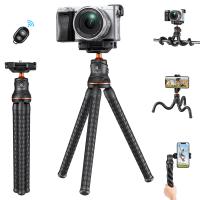
K&F Concept Camera Tripod Versatile Mini Flexible Phone Stand Phone Tripod Bluetooth Remote Control
60
$39.99 $26.99
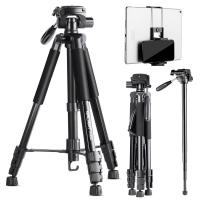
TM2624L 69.7‘’/177cm  Camera Tripod 8.8lbs Load Phone Tripod with 3-Way Pan Head & Detachable Monopod for DSLR (Only Ship to US)
TM2624L 69.7‘’/177cm Camera Tripod 8.8lbs Load Phone Tripod with 3-Way Pan Head & Detachable Monopod for DSLR (Only Ship to US)
35
$89.99 $55.99
Phone Microscope with CPL Lens/LED Light, Portable 200X Microscope with Phone Clip for iPhone/Andriod Phone, for Kids and Adults
19
$56.99 $39.99
Products You May Like
LP-E6/LP-E6N/LP-E6NH Battery Charger, Dual Slot Quick Charger for Canon EOS R5, EOS R6, EOS R, EOS 5D Mark IV, 5D Mark III, 5DS, 5DS R, 5D Mark II, 6D Camera
22
$16.99
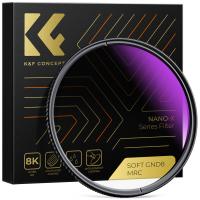
58mm HD Soft GND8 Lens Filter 3 Stop (0.9) Soft Graduated Neutral Density Filter K&F Concept Nano-Xcel Series
41
$59.99 $52.99
AI(G) to M4/3 Adapter Manual Lens Adapter with Matting Varnish Design Compatible with Nikon Nikkor AI/F G-Mount Lens to MFT Micro 4/3 Mount Cameras Olympus Panasonic Lumix Cameras
24
$66.99 $34.99
4G 3 Lens Solar Security Camera Wireless Outdoor, 6MP Full HD Video, 360° View Pan/Tilt Home Security Camera with Color Night Vision, Easy to Install, PIR Alarm, Kentfaith
10
$199.99 $159.99
Long Distance Trail Camera
10
$162.99 $106.99
110*106mm Filter Pouch, 3-Pocket Filter Case,  Maximum Size to Fit Circular Filter 82mm (Including 82mm)
110*106mm Filter Pouch, 3-Pocket Filter Case, Maximum Size to Fit Circular Filter 82mm (Including 82mm)
31
$18.99 $17.99
DJI Mavic 3 Classic ND2-32 Lens Filter (1-5 Stop), 28 Multi-Coated Variable Neutral Density Filter
27
$22.99
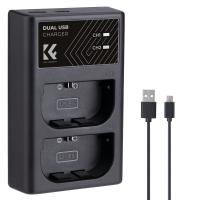
K&F Concept NP-FZ100 Charger 18W Dual Portable Battery Charger for Sony A7iii, A7iv, A7C, FX3, FX30, A9, A6600, A6700, ZV-E1, ZV-E10ii, Alpha 9, A9S, A7R III, A7R IV, A7R V
NEW Arrival
K&F Concept NP-FZ100 Charger 18W Dual Portable Battery Charger for Sony A7iii, A7iv, A7C, FX3, FX30, A9, A6600, A6700, ZV-E1, ZV-E10ii, Alpha 9, A9S, A7R III, A7R IV, A7R V
16
$39.99
Variable ND2-32 & ND32-512 Filter Kit Compatible with DJI Osmo Action 5 Pro/Osmo Action 4/Osmo Action 3, Snap-on Installation, no need to remove the original filter
NEW Arrival
Variable ND2-32 & ND32-512 Filter Kit Compatible with DJI Osmo Action 5 Pro/Osmo Action 4/Osmo Action 3, Snap-on Installation, no need to remove the original filter
40
$44.99
55mm Variable ND Filter ND2-400 (1-9 Stop) Lens Filter Waterproof Scratch Resistant Nano-Xcel Series
58
$184.98 $73.99
Related articles
How To Clean Camera Lens Canon?
How To Get Rid Of Water In Phone Camera Lens ?
How To Clean Fungus Inside Camera Lens ?
How To Clean Mobile Camera Lens Glass?
What To Clean Camera Lens With?
How To Clean A Lens Filter?
How To Clean A Scope Lens?
How Can I Clean My Iphone Camera Lens?
How To Find Magnification Of A Camera Lens?
Can Microfiber Cloths Be Washed?
Blog You May Like
Smart Watches That You Can Text On?
How Use Button On Selfie Stick?
Phone Makes Microphone Noise When Camera Is On?
How To Protect Camera Lens From Sun?
Can You Use Any Webcam On Ps5 ?
How To Set Up Phone Without Tripod?
What Camera Has The Best Video Quality?
What Is Sleep Mode Baby Video Monitor?
Kentfaith x Citadel Season 2
Can I Use Sony Headphones On Xbox One?
Related categories
phone camera lens C mount lens adapter iphone lens filter cell phone tripods m4/3 adapter camera lens adapter Magnetic Lens Filter lens CPL filter camera lens filters
Popular products
Cpl Filter For Phone clip on phone camera lens camera lens air blower tripod mount for phone dslr sensor cleaning swabs motorcycle handlebar phone mount best cell phone microscope computer compressed air duster cell phone stabilizer gimbal trail camera with phone app
Related searches
Canon Hdmi Clean Output Adapter List Of Camera Lens Mounts Trail Camera Bluetooth To Phone Phone Camera Lens Adapter Disadvantages Of Lens Adapters Video Camera That Connects To Phone Wireless Camera That Connects To Phone Digital Camera With Bluetooth To Phone Camera For Back Of Car Camera Lens For Your Phone
Related Scenes
Best Lens For Phone Camera Best Camera For Taking Pictures Of Kids Best Camera To Video Sports Best Camera To Capture Wildlife Best Tripod To Travel With Best Microscope For Phone Top Tripod For Phone Best Video Camera To Record Sports Best Camera Filter To Reduce Blue Best Phone Camera For Video
Blog Category
  • Activities
  • Guide
    • Filter Guide
    • Lens Adapter
    • Product Review
  • News & Reviews
    • Camera Reviews
    • Sample Gallery
    • News
  • Tutorials
    • Solar eclipse photography
    • Photography Basics
    • Landscape Photography
  • Inspiration
    • Travel
    • Travel Stories
Search Article
Latest from the Blog
How To Clean Uv Lens Filter?
How To Play Video In Projector?
When Do You Need A Tripod?
Can You Charge A Camera Battery With Usb?
What Is A Ring Light Used For?
How To Look Good On Camera Video?
What A Smartwatch Can Do?
How To Hide Outdoor Security Camera?
How To Get Earbuds In Pairing Mode?
Smartwatch That Can Answer Calls?
  • Easy Payment Multilple Payment Options

  • Free Shipping Global WareHouse Shipment

  • No Risk 30-Day No Reason Return

  • Limited Deals Buy More, Save More

  • Tax Free No any surcharges or tax fee

Information
  • About us
  • Contact Us
  • Site Map
  • Blog
  • Video
  • Gallery
  • VIP Membership Rewards
Service
  • Privacy Policy
  • Terms & Conditions
  • Shipping & Delivery
  • Payment Info
  • Warranty, Return & Refund
  • Intellectual Property Rights
  • Ambassador
  • Affiliates
  • Wholesale
Support
  • My account
  • Order History
  • FAQs
  • Extend Warranty
  • Logistics Tracking
Follow us
NewsLetter

Get the latest product, K&F Concept respects your privacy.

Powered By KENTFAITH © 2026