kfconcept

KENTFAITH
K&F Concept    Blog >

Enjoy Your Selected Digital Life

Recently Viewed
  • Recently Viewed
  • Recently Viewed list is empty.

Compare (0) 0
  • Compare
  • You have not chosen any products to compare.

  • Compare
Currency: USD
  • Currency
Shop by Scene Shop by Rank

Log Into Your Account

Account

Order History

Wish List

Login

Forgotten Password?

Or connect with

Register Account

Already have an Account?Log In

  • Shopping Cart
  • Your shopping cart is empty!

  • Register/Login to purchase, earn points
  • Favorite
  • Your wish list is empty.

  • Register/Login to like, earn points
  • Activities
  • Guide
    • Filter Guide
    • Lens Adapter
    • Product Review
  • News & Reviews
    • Camera Reviews
    • Sample Gallery
    • News
  • Tutorials
    • Solar eclipse photography
    • Photography Basics
    • Landscape Photography
  • Inspiration
    • Travel
    • Travel Stories
  • Home
  • Blog
  • Recording How To Get That Open Sound?

Recording How To Get That Open Sound?

Kentfaith 2025-02-19 03:57:36 0 Comments

To achieve the "open sound" in your recordings, whether it's for vocals, instruments, or a full mix, involves a combination of technical know-how, equipment selection, and a thoughtful approach to both the recording environment and post-production. This sound is often described as clear, spacious, and transparent, where elements of the recording are crisp, with enough room for each part to breathe, making it feel like the music is "wide open." Below, we’ll explore various techniques and principles to help you achieve this open sound in your recordings.


1. Optimizing Your Recording Environment

The first step toward achieving an open sound is creating the right space. The acoustics of the recording environment will have a significant impact on how "open" your recording feels. Poor acoustics can make a recording sound muddy, boxed-in, or congested. Here are some key factors to consider:

Room Treatment

A room with hard surfaces can reflect sound in a way that causes unwanted resonances and muddiness. To avoid this, use acoustic treatment such as bass traps, diffusers, and absorptive panels. These treatments will reduce reflections and prevent the room from contributing too much color to the sound. Bass traps help manage low-frequency buildup, and diffusers can help scatter sound waves evenly throughout the room, creating a more balanced and natural listening experience.

Isolation

Ensure that instruments or vocals being recorded aren't bleeding into other microphones in the room. This is particularly important if you’re recording multiple sources simultaneously. For instance, if you're recording vocals while also capturing instruments, any bleed from the instruments into the vocal mic could cause muddiness and interfere with the clarity of your vocals. Use isolation shields or reflection filters to help minimize unwanted noise capture.

2. Choosing the Right Microphones

The choice of microphone can have a dramatic effect on how "open" a sound feels. Some microphones will naturally capture a more detailed, airy sound, while others may give you a more focused, intimate, or closed-in tone. Here are some guidelines:

Use of Condenser Microphones

Condenser microphones, especially large-diaphragm models, are known for capturing a broad frequency range with great sensitivity, which can contribute to a sense of openness. They tend to provide clear, detailed recordings and a wider frequency response compared to dynamic microphones, making them ideal for capturing vocals and instruments in a way that allows each element to feel distinct and present in the mix.

Microphone Placement

The positioning of your microphone plays a huge role in how open a recording sounds. For vocals, experiment with distance and angle to capture a natural, open sound. For instruments, experiment with mic placement to capture the instrument’s full tonal range, rather than focusing only on one spot. A common technique to achieve depth and openness in acoustic instruments is to place the microphone a few feet away from the sound source, capturing the room’s acoustics as well.

3. Capture Performance with Space

The way you record your performance is just as important as the equipment you use. A performance that feels tight, controlled, and deliberate will often contribute to a more "closed" sound. On the other hand, capturing performances that incorporate space, room ambiance, and natural nuances will help achieve that wide, open feel.

Layering and Panning

When recording multiple instruments or voices, don’t be afraid to layer and pan them across the stereo field. Creating space by panning instruments slightly left or right and giving each element its own place in the mix will prevent elements from competing for space in the center of the stereo field. This approach makes the mix sound wider and more open. For example, you might place a guitar slightly to the left and the bass slightly to the right, with vocals placed centrally.

Room Sound and Ambience

If possible, capture the natural room sound in your recordings. This can be achieved by using room microphones or overhead microphones that pick up the ambiance of the space. This allows for a more natural and expansive recording that can contribute to an open feeling. It’s important to strike a balance between isolating direct sounds and capturing the space around them.

4. EQ and High-Pass Filtering

When it comes to EQ, the goal is to create clarity and separation between instruments while leaving enough space for each element to breathe. A common mistake in mixing is overly boosting the bass or low-mids, which can lead to a "closed-in" sound. Instead, focus on creating space in the lower and middle frequencies for each instrument.

High-Pass Filtering

One of the easiest ways to create space is by applying high-pass filters to instruments that don’t need low-end frequencies. For example, on vocals or guitars, you can apply a high-pass filter around 80-100Hz to remove unnecessary low-end rumble. This helps to clean up the mix and leaves more room for the bass and kick drum.

Cutting, Not Boosting

Rather than boosting frequencies to make things stand out, consider cutting frequencies that are clashing or redundant. For example, if two instruments occupy similar frequency ranges, cutting one of their low mids can give both instruments more space, preventing them from overlapping and causing a muddy sound.

5. Reverb and Delay for Depth

Reverb and delay are powerful tools for creating a sense of space and openness in a mix. However, it’s crucial to use them tastefully. Too much reverb can cause things to sound distant or unclear, while too little can leave the recording feeling dry or "boxed-in."

Room Reverb

To create a sense of openness, use reverb that emulates a natural room sound. A well-designed room reverb plugin or a properly placed room mic can give your recording a sense of depth, making it feel as though the listener is inside the space rather than listening from outside. For vocals, a short, subtle reverb can give them a sense of presence and airiness without being too overwhelming.

Delay for Width

Delay is another great tool for creating space. You can use stereo delay to gently pan the delayed signal to either side of the stereo field, adding width and creating a more open atmosphere. Ensure that the delay times are synchronized with the tempo of the track for a natural sound. A subtle delay on guitars or background vocals can help them fill the stereo field without overcrowding the mix.

6. Compression Techniques

Compression is crucial to control dynamics, but over-compressing can lead to a squashed, lifeless sound that lacks openness. When aiming for an open sound, it’s essential to apply compression in a way that retains the natural dynamics of the performance.

Subtle Compression on Vocals and Instruments

For vocals, use gentle compression with a slow attack to retain the natural transients and preserve the open, airy quality of the voice. This will allow the more subtle nuances of the performance to come through, contributing to an open sound. Similarly, when compressing instruments like drums or guitars, aim for transparent compression that maintains the natural feel of the performance.

Parallel Compression

Another method for achieving openness while controlling dynamics is parallel compression. This involves mixing a heavily compressed version of the signal with the original, uncompressed signal. This allows you to maintain the natural dynamics of the performance while still controlling the peaks, leading to a fuller, more open sound.

7. Mixing for Openness

Once you've captured your performance with clarity and attention to detail, it's time to mix it. Here are a few key mixing tips to help you retain that open sound:

Balance and Panning

Properly balance the levels of each track and ensure that each instrument has its own place in the mix. Avoid cluttering the center with too many elements. Panning, as mentioned earlier, can help you create a sense of width and space by ensuring that different parts of the mix are spread across the stereo field.

Minimalism in Arrangement

Sometimes, less is more. Overcrowding the mix with too many instruments or layers can make it feel dense and closed. Aim to keep your arrangement simple and allow each element to breathe. Focus on what the song needs, not necessarily what you can add.

Achieving an open sound in your recordings requires a mix of proper environment setup, careful equipment choice, and precise techniques during the recording and mixing processes. From optimizing room acoustics and mic placement to controlling EQ and dynamics, every step contributes to the ultimate goal: clarity, space, and separation between elements. With these tools and methods, you’ll be able to achieve recordings that feel expansive, with each part having room to breathe and resonate in its own space. By thoughtfully balancing performance, technique, and production, you can create recordings that engage and captivate listeners with their openness and clarity.

Leave your comment
Cancel reply
Note: HTML is not translated!
Related products
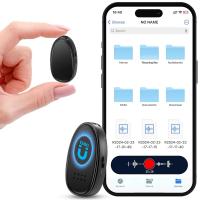
Mini Sound Recorder 128GB 1600H Recording Capacity with 1.4" Screen, Voice Activated Mode Kentfaith
12
$99.99 $79.99
Air Conduction Headphones Open-ear Comfort Bluetooth 5.4, 42H Playtime Kentfaith
60
$55.49 $38.99
Real-Time Translation Earbuds 2-Way 150 Languages & Accents Open-Ear Kentfaith
13
$99.99 $79.99
A Camping Lantern That Dances with You, Rechargeable, Telescoping & Compact with Bluetooth Speaker, Emergency Power Bank 14000mAh Battery Kentfaith
116
$199.99 $94.99
Translator Earbuds Real-Time, 150 Languages, Free Offline Translation, 5 Translation Modes, Open-Ear Style, ENC, Kentfaith
$174.99 $139.99
Mini Voice Recorder, Sound-activated & Magnetic, 128GB 1600H Capacity with AI Noise Cancelling Kentfaith
13
$94.99 $53.99
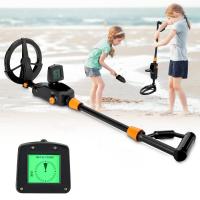
Children’s Entry-Level Metal Detector, High Sensitivity, With LCD Display and Sound Indication, Suitable for Beginners
144
$64.49 $50.99
V53 3.0" IPS 4K HD Car Recorder with 170° Recording Angle with G Sensor, GPS, WiFi, Loop Recording, Parking Monitoring, Night Vision (4K @3840*2160P)
113
$149.99 $89.99
V53 3.0" IPS 4K HD Car Recorder with 170° Recording Angle with G Sensor, GPS, WiFi, Loop Recording, Parking Monitoring, Night Vision (4K @3840*2160P) Dual Cameras
113
$155.99 $94.99
4K Video Camera Professional 60FPS UHD for Filmmaking, Movie & Photography, Video Recorder Camera with 18X Zoom, Digital Camera for Video Recording, 4.0" Flip Touchscreen, 64GB Card, Up To 6 Hours Work Time
508
$404.99 $239.99
Products You May Like
Magic Arm 1/4" Screw with Dual Ball Heads Ms14
16
$27.99 $17.99
4K 32MP Hunting Camera, 100° Wide Motion Sensor 0.2s Trigger IP67 Waterproof, 2.31" Display, with 64G SD Card +Card Reader
$114.99
72mm 2 in 1 Filter Kit MCUV+CPL Filters, HD/Waterproof/Scratch-resistant/Anti-reflection, with Upper and Lower Metal Lens Caps & Storage Bag
64
$81.99 $64.99
K&F CONCEPT 63.8''/1.63m Aluminum Travel Tripod 22lbs/10kg Load Reflexible Toggle Lock  O234A1+BH-28L with CNC BH-28L Head, with Mobile Phone Clip
K&F CONCEPT 63.8''/1.63m Aluminum Travel Tripod 22lbs/10kg Load Reflexible Toggle Lock O234A1+BH-28L with CNC BH-28L Head, with Mobile Phone Clip
154
$119.99 $59.99
No Light Trail Camera
10
$162.99 $106.99
49mm Magnetic Metal Lens Cap 2-in-1
23
$17.99 $15.99
AI Voice Recorder Voice-to-Text & Transcription for Meetings, Calls, Interviews, 64G Kentfaith Mini & Magnetic
26
$119.99 $69.99
6000mAh Power Bank Grip Support Sony RX100 VII Canon G7X Mark III Compact Digital Camera, GoPro 10 9 8 Action Camera, DJI OSMO Pocket and iPhone 13 Samsung Google OnePlus Smartphone White
$49.99 $36.99
CG002 fingerprint door lock, intelligent password fingerprint recognition door lock, keyless entry door handle with password keyboard, suitable for bedrooms, family hotels, office apartments, black
38
$128.99 $90.99
18 Pieces Filter Ring Adapter Set, Camera Lens Filter Metal Stepping Rings Kit (Includes 9pcs Step Up Ring Set + 9pcs Step Down Ring Set)
225
$45.99 $27.99
Related articles
How To Get Sound In Screen Recording?
How Do I Get Sound On Screen Recording?
How Do You Get Sound In Screen Recording?
How To Get Voice In Screen Recording?
How To Get Sound On Screen Recordings?
How To Make Big Room Sound Recording?
How To Make Sound In Screen Recording?
How To Make My Recording Sound Better?
How To Do Screen Recording With Sound?
What Are The Different Types Of Solar Panels?
Blog You May Like
What does a golf rangefinder do in golf?
How Many Stops Is An Nd 8 Filter?
How To Play Video On Smart Watch?
How To Check Filter Size Camera Lense?
How To Find Camera On Laptop Windows 7?
What Is Nd Filter On Video Camera?
How To Get The Camera Filter?
How To Record Video With Selfie Stick?
How To Install Home Video Security Camera?
What Mounts Do Nikon Cameras Use?
Related categories
C mount lens adapter Color Filters tripod light stand UV protection lens filter Nikon F mount camera body A Mount Lens Adapter Magnetic CPL Filter 86mm Lens Filters
Popular products
digital voice recorder with usb best open ear air conduction headphones Translating Earbuds Real Time ambient light for car earbuds with mic and noise cancellation best camping rechargeable lantern Bluetooth Earbuds With Noise Cancellation ai voice recorder device entry level metal detector iphone wireless microphone for video
Related searches
Microphone For Sound Recording Hidden Cameras With Sound Recording Get Stuck Filter Off Lens Sport Open Earbuds Open Wifi Camera Best Open Ear Earbuds Wired Open Ear Headphones Security Cameras That Connect To Wifi Trail Camera That Connects To Home Wifi Outdoor Security Camera That Connects To Phone
Popular searches
Magic Arm Clamp Lens Filter For Fuji X100f Canon 24 105 Mount Minolta Srt 200 Lens Mount Canon 20d Lens Mount Best Pentax K-mount Lenses Gopro Hero 10 Nd Filter Polarizing Filter For Iphone 14 Pro Lens Filter Just Keeps Spinning Old Tripod Camera
Blog Category
  • Activities
  • Guide
    • Filter Guide
    • Lens Adapter
    • Product Review
  • News & Reviews
    • Camera Reviews
    • Sample Gallery
    • News
  • Tutorials
    • Solar eclipse photography
    • Photography Basics
    • Landscape Photography
  • Inspiration
    • Travel
    • Travel Stories
Search Article
Latest from the Blog
Can You Zoom In With Binoculars?
How To Make Your Eyes Flash On Camera?
Neutral Density Filter: The Ultimate Guide for Photographers and Videographers
Where Can I Buy Samsung Camera Battery?
Can You Save Facebook Videos To Camera Roll?
Best Metal Detector for Kids in 2025
How Do Trail Cameras Work? The Ultimate Guide to Trail Cameras
Black Friday 2025 Special at Kentfaith
How To Fix The Straps On A Camera?
How Does a WiFi Trail Camera Work?
  • Easy Payment Multilple Payment Options

  • Free Shipping Global WareHouse Shipment

  • No Risk 30-Day No Reason Return

  • Limited Deals Buy More, Save More

  • Tax Free No any surcharges or tax fee

Information
  • About us
  • Contact Us
  • Site Map
  • Blog
  • Video
  • Gallery
  • VIP Membership Rewards
Service
  • Privacy Policy
  • Terms & Conditions
  • Shipping & Delivery
  • Payment Info
  • Warranty, Return & Refund
  • Intellectual Property Rights
  • Ambassador
  • Affiliates
  • Wholesale
Support
  • My account
  • Order History
  • FAQs
  • Extend Warranty
  • Logistics Tracking
Follow us
NewsLetter

Get the latest product, K&F Concept respects your privacy.

Powered By KENTFAITH © 2025