kfconcept

KENTFAITH
K&F Concept    Blog >

Enjoy Your Selected Digital Life

Recently Viewed
  • Recently Viewed
  • Recently Viewed list is empty.

Compare (0) 0
  • Compare
  • You have not chosen any products to compare.

  • Compare
Currency: USD
  • Currency
Shop by Scene Shop by Rank

Log Into Your Account

Account

Order History

Wish List

Login

Forgotten Password?

or connect with

Register Account

Already have an Account?Log In

  • Shopping Cart
  • Your shopping cart is empty!

  • Register/Login to purchase, earn points
  • Favorite
  • Your wish list is empty.

  • Register/Login to like, earn points
  • Activities
  • Guide
    • Filter Guide
    • Lens Adapter
    • Product Review
  • News & Reviews
    • Camera Reviews
    • Sample Gallery
    • News
  • Tutorials
    • Solar eclipse photography
    • Photography Basics
    • Landscape Photography
  • Inspiration
    • Travel
    • Travel Stories
  • Home
  • Blog
  • How To Use Camera Detector App?

How To Use Camera Detector App?

Kentfaith 2024-07-02 03:17:05 0 Comments

In today's digital age, privacy concerns are more prevalent than ever. With the rise of hidden cameras in public and private spaces, many individuals are seeking ways to protect their privacy. One effective tool for this purpose is a camera detector app. These apps are designed to help users identify and locate hidden cameras using their smartphones. In this article, we will explore how to use a camera detector app effectively, ensuring that you can safeguard your privacy in various environments.

Understanding Camera Detector Apps
how to use camera detector app 1

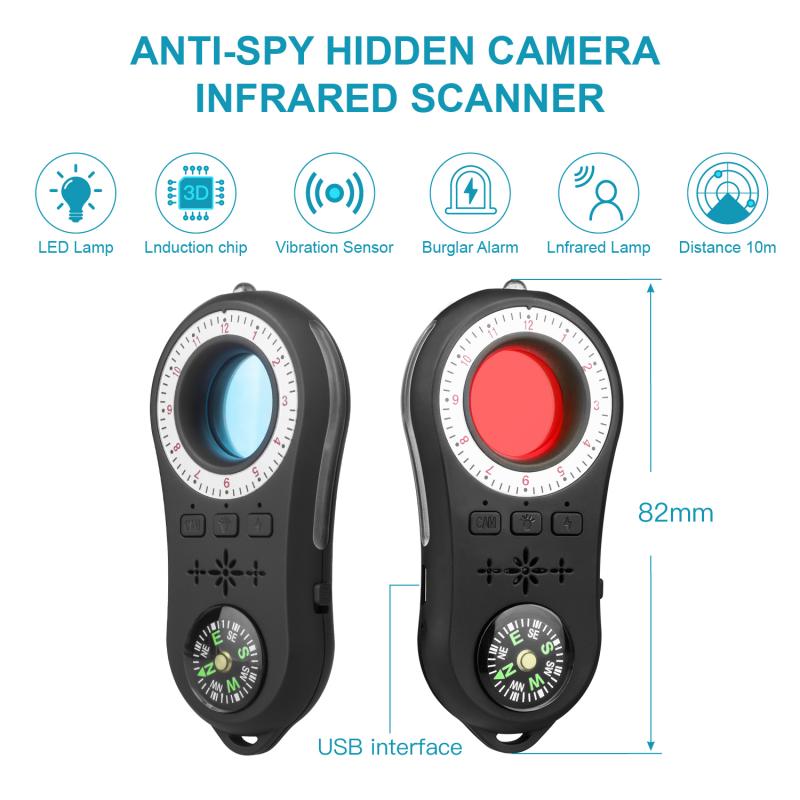
Before diving into the practical steps of using a camera detector app, it's essential to understand what these apps are and how they work. Camera detector apps leverage the sensors and capabilities of your smartphone to detect hidden cameras. They typically use one or more of the following methods:

1. Infrared Detection: Many hidden cameras emit infrared light, which is invisible to the naked eye but can be detected by your smartphone's camera.

2. Magnetic Field Detection: Some hidden cameras contain magnetic components. These apps can detect unusual magnetic fields that may indicate the presence of a hidden camera.

3. Network Scanning: Hidden cameras connected to a Wi-Fi network can be detected by scanning the network for unfamiliar devices.

4. Lens Reflection Detection: Hidden cameras have lenses that can reflect light. These apps use your smartphone's flashlight to identify reflections that may indicate a hidden camera.

Step-by-Step Guide to Using a Camera Detector App
how to use camera detector app 2

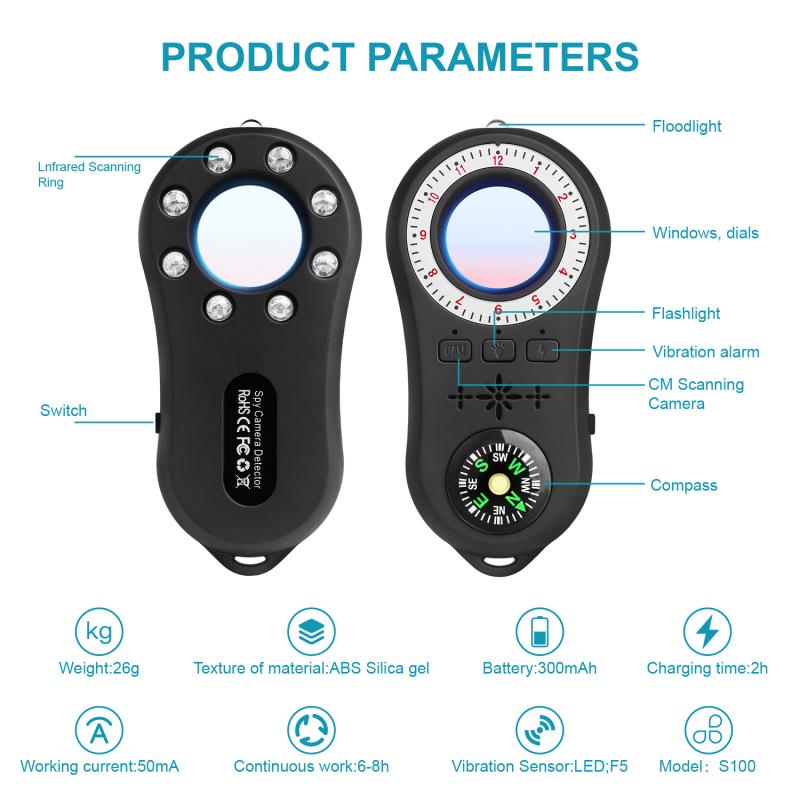
Now that we have a basic understanding of how camera detector apps work, let's go through a step-by-step guide on how to use them effectively.

Step 1: Download and Install a Camera Detector App
how to use camera detector app 3

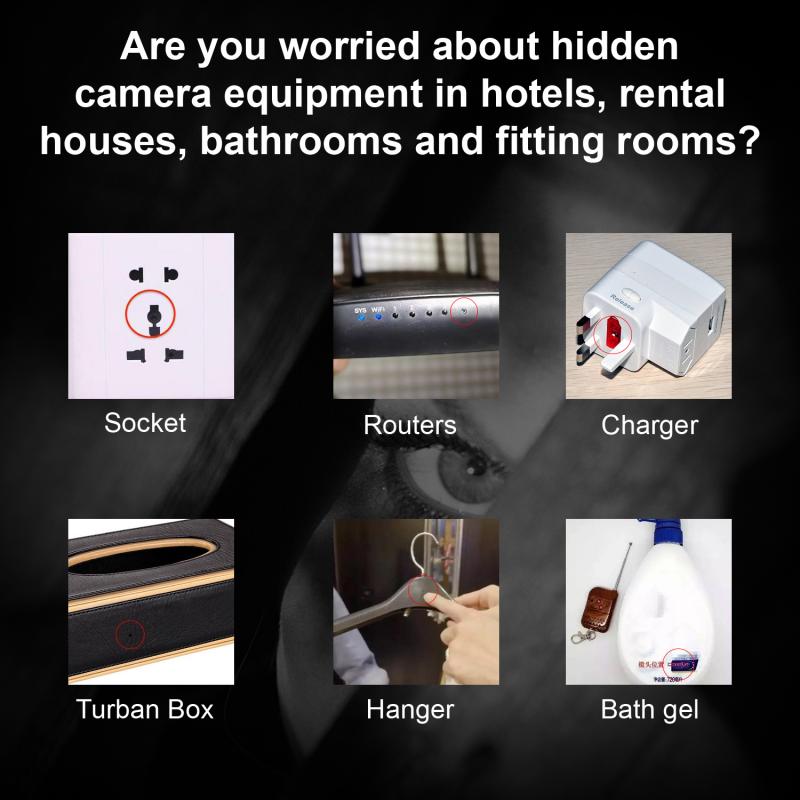
The first step is to download and install a reputable camera detector app from your smartphone's app store. Some popular options include:

- Hidden Camera Detector (available on both iOS and Android)

- Fing (network scanning capabilities)

- Glint Finder (lens reflection detection)

Ensure that you read reviews and check ratings to select a reliable app.

Step 2: Familiarize Yourself with the App's Features
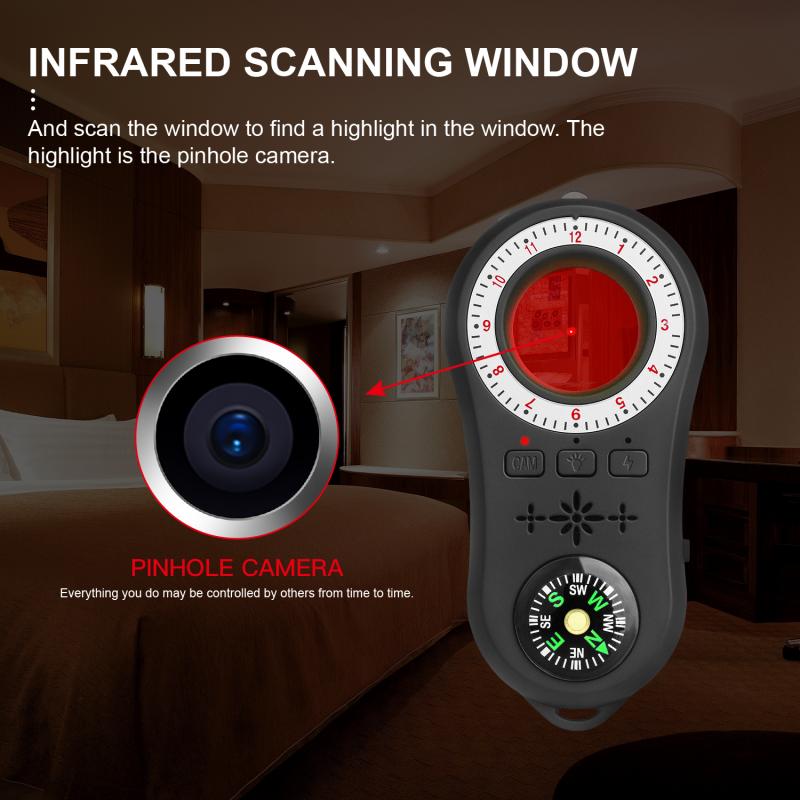
how to use camera detector app 4

Once the app is installed, take some time to explore its features and settings. Most camera detector apps offer a tutorial or user guide to help you understand how to use them effectively. Familiarize yourself with the different detection methods available in the app.

Step 3: Perform a Physical Inspection

Before using the app, conduct a physical inspection of the area you suspect may have hidden cameras. Look for any unusual or out-of-place objects, such as smoke detectors, clocks, or picture frames, which could potentially house hidden cameras. This initial inspection will help you identify potential hotspots to focus on when using the app.

Step 4: Use Infrared Detection

If your app supports infrared detection, start by using this feature. Turn off the lights in the room and close the curtains to create a dark environment. Open the app and activate the infrared detection mode. Slowly scan the room with your smartphone's camera, paying close attention to areas where hidden cameras are likely to be placed. If the app detects infrared light, it will alert you to the presence of a hidden camera.

Step 5: Use Magnetic Field Detection

Next, use the magnetic field detection feature if your app offers it. Hidden cameras with magnetic components can be detected by moving your smartphone around the room. The app will display a magnetic field strength meter, and if it detects an unusual magnetic field, it will alert you. Pay special attention to electronic devices and objects that could potentially house hidden cameras.

Step 6: Perform a Network Scan

If the hidden camera is connected to a Wi-Fi network, you can use the network scanning feature of the app. Ensure that your smartphone is connected to the same Wi-Fi network as the suspected hidden camera. Open the app and initiate a network scan. The app will list all devices connected to the network. Look for any unfamiliar or suspicious devices that could be hidden cameras. If you find any, investigate further to confirm their nature.

Step 7: Use Lens Reflection Detection

Finally, use the lens reflection detection feature. This method involves using your smartphone's flashlight to identify reflections from hidden camera lenses. Turn off the lights in the room and activate the flashlight within the app. Slowly scan the room, focusing on areas where hidden cameras are likely to be placed. If the app detects a reflection, it will alert you to the presence of a hidden camera.

Tips for Effective Use of Camera Detector Apps

To maximize the effectiveness of camera detector apps, consider the following tips:

1. Regular Scans: Perform regular scans of your living and working spaces to ensure that no hidden cameras have been installed without your knowledge.

2. Update the App: Keep your camera detector app updated to benefit from the latest features and improvements.

3. Combine Methods: Use multiple detection methods (infrared, magnetic field, network scanning, and lens reflection) to increase the chances of detecting hidden cameras.

4. Be Thorough: Take your time when scanning a room. Hidden cameras can be small and well-concealed, so a thorough inspection is essential.

5. Trust Your Instincts: If you feel uncomfortable or suspect that you are being watched, trust your instincts and take action to investigate further.

In an era where privacy is increasingly at risk, camera detector apps provide a valuable tool for protecting yourself from hidden cameras. By understanding how these apps work and following the step-by-step guide outlined in this article, you can effectively use a camera detector app to safeguard your privacy. Remember to perform regular scans, keep your app updated, and trust your instincts. With these precautions in place, you can enjoy greater peace of mind in your personal and professional spaces.


Leave your comment
Cancel reply
Note: HTML is not translated!
Related products
Children’s Metal Detector, 7.5 Inch Waterproof, Lightweight Detector Plate, Adjustable Metal Detector
19
$76.49 $53.99
Professional Metal Detector, High-Performance Underground Metal Detector, Five Detection Modes, With LCD Display, Waterproof
56
$281.99 $134.99
High Precision Metal Detector, Beach Waterproof Gold Detector, With Precise Positioning and Sensitive Detection Plate
88
$167.99 $73.99
AI Translator Recorder for Business & Trade, 150 Languages, Transcribe/Cross-App/Video Translation, Kentfaith
15
$124.99 $99.99
AI Voice Recorder, Transcribe Summarize Translation, App Control, 40H Recording Time, 64GB Memory, Kentfaith
21
$137.49 $109.99
Adult Professional Metal Detector, Professional Treasure Hunting Gold Detector, IP68 Waterproof 10 Inch Detection Plate, High-Precision
21
$219.59 $96.99
Gift Certificate: $200 Value - Can Use with Any Discounts
$200.00 $190.00
Gift Certificate: $300 Value  - Can Use with Any Discounts
Gift Certificate: $300 Value - Can Use with Any Discounts
$300.00 $285.00
Gift Certificate: $1000 Value  - Can Use with Any Discounts
Gift Certificate: $1000 Value - Can Use with Any Discounts
$1,000.00 $950.00
Gift Certificate: $500 Value  -Can Use with Any Discounts
Gift Certificate: $500 Value -Can Use with Any Discounts
$500.00 $475.00
Products You May Like
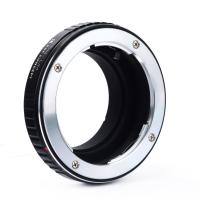
Olympus OM Lenses to Leica M Lens Mount Adapter K&F Concept M16151 Lens Adapter
31
$58.99 $30.99
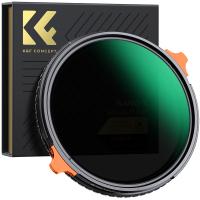
55mm ND4-64 (2-6 Stop) Variable ND Filter and CPL Circular Polarizing Filter 2 in 1,28 Layers Coated Nano-Xcel Series
68
$107.99 $85.99
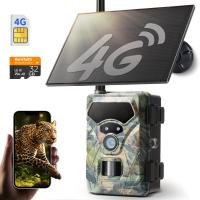
4G Trail Camera with Live Feed, 1080P Videos, 36MP Photos, 3W Solar Panel, 0.3s Fast Trigger, 65ft Night Vision, IP68 Waterproof, Kentfaith
$149.99 $119.99
55mm Black Mist 1/4 + 1/8 Filters Kit Black Diffusion Cinematic Effect Filters Set with Multi-Layer Coated for Camera Lens Nano-Klear Series
70
$44.99 $28.99
Yongnuo YN35mm f/2.0 DF DSM wide-angle fixed focal length lens for Sony E-mount full-frame cameras
31
$299.99 $264.99
Solar outdoor garden decoration lights, IP44 waterproof, 2 pieces of 32LED outdoor solar ground magic windmill lights, garden lawn waterproof windmill lights
$27.79
Camera Screen Protector*3 Compatible with Fujifilm X-T5, 0.3mm 9H Hardness Tempered Glass with Hot Shoe Level*3 + Vacuum Cleaning Coth*1
$15.99 $7.99
67mm Gold Streak Effect Lens Filter (2mm) Anamorphic Optical Glass Light Flare Effect Filter for Camera Lens Nano-Xcel Series
30
$56.99 $44.99
55mm Vintage Soft Filter 28 Multi-Coatings Cinematic Effect Camera Lens Filter - Nano-Xcel Series
25
$53.99 $39.99
Cordless Engraving Pen with 3 Speeds, 57-in-1 Kit with 30 Bits, 16 Stencils, 6 Grinding Stones, 3 Cutting Wheels, for Rocks, Wood, Glass, etc. Kentfaith

$67.49 $53.99
Related articles
How To Use External Microphone Android Camera App ?
How Camera Detector Works?
How To Find Camera App On Android?
How To Make A Camera Detector?
How To Get Metal Detector?
How To Tell If Smoke Detector Has Camera?
How To Make Your Own Hidden Camera Detector?
Who Makes Hidden Camera Detector?
Is There A Universal Wifi Camera App ?
What Background Is The Best For Ring Lights?
Blog You May Like
How To Record Video Using Laptop Camera?
How Much To Install A Dash Camera?
What Lenses Are In A Microscope?
Can You Turn Off Ring Blue Light?
How To Turn On Microphone And Camera On Hp Laptop ?
How Sewer Camera Inspection Works?
How To Set Voice Recording As Alarm?
How To View Security Camera On Phone?
What Is Filter On Security Cameras?
Can I Use A Video Camera For Zoom?
Related categories
GPS monitor detector C mount lens adapter m4/3 adapter Camera Parts | Studio Camera Accessories streaming video camera digital camera for beginner Solar Cellular Trail Camera Non Cellular Trail Camera camera shoulder bag
Popular products
smart ai battery camera light trail camera app Hidden Camera Detector wireless signal hidden camera detector trail camera with phone app outdoor expert trail camera app best trail camera with phone app infrared hidden camera detector hidden trail camera detector motion detector trail camera
Related searches
Best Easy To Use Metal Detector Outdoor Home Camera With App Easy To Use Digital Slr Camera Easy To Use Drone With Camera Outdoor Use Camera Dash Cam With App Mirrorless Camera Adapter To Use Dslr Lens Security Camera Detector Multi Use Camera Backpack Easy To Use Fish Finder
Related Scenes
Best Beach Metal Detector Best Camera To Video Sports Best Camera To Capture Wildlife Best Camera For Outdoor Use Outdoor Use Best Security Camera Best Borescope For Home Use Best Video Camera To Record Sports Best Metal Detector For Beach Best Gold Hunting Metal Detector Best Metal Detector For The Beach
Blog Category
  • Activities
  • Guide
    • Filter Guide
    • Lens Adapter
    • Product Review
  • News & Reviews
    • Camera Reviews
    • Sample Gallery
    • News
  • Tutorials
    • Solar eclipse photography
    • Photography Basics
    • Landscape Photography
  • Inspiration
    • Travel
    • Travel Stories
Search Article
Latest from the Blog
How To Get Metal Detector?
What Battery For Smoke Detector?
Is Sewer Camera Inspection Worth It?
Where To Buy Solar Filter For Camera?
Smartwatch That Can Monitor Blood Pressure?
How To Build Security Camera System?
When Will A Speed Camera Flash?
Which Smartwatch Is Most Accurate For Calories?
How To Borescope An Engine?
How To Pair Wireless Lavalier Microphone?
  • Easy Payment Multilple Payment Options

  • Free Shipping Global WareHouse Shipment

  • No Risk 30-Day No Reason Return

  • Limited Deals Buy More, Save More

  • Tax Free No any surcharges or tax fee

Information
  • About us
  • Contact Us
  • Site Map
  • Blog
  • Video
  • Gallery
  • VIP Membership Rewards
Service
  • Privacy Policy
  • Terms & Conditions
  • Shipping & Delivery
  • Payment Info
  • Warranty, Return & Refund
  • Intellectual Property Rights
  • Ambassador
  • Affiliates
  • Wholesale
Support
  • My account
  • Order History
  • FAQs
  • Extend Warranty
  • Logistics Tracking
Follow us
NewsLetter

Get the latest product, K&F Concept respects your privacy.

Powered By KENTFAITH © 2026