kfconcept

KENTFAITH
K&F Concept    Blog >

Enjoy Your Selected Digital Life

Recently Viewed
  • Recently Viewed
  • Recently Viewed list is empty.

Compare (0) 0
  • Compare
  • You have not chosen any products to compare.

  • Compare
Currency: USD
  • Currency
Shop by Scene Shop by Rank

Log Into Your Account

Account

Order History

Wish List

Login

Forgotten Password?

Or connect with

Register Account

Already have an Account?Log In

  • Shopping Cart
  • Your shopping cart is empty!

  • Register/Login to purchase, earn points
  • Favorite
  • Your wish list is empty.

  • Register/Login to like, earn points
  • Activities
  • Guide
    • Filter Guide
    • Lens Adapter
    • Product Review
  • News & Reviews
    • Camera Reviews
    • Sample Gallery
    • News
  • Tutorials
    • Solar eclipse photography
    • Photography Basics
    • Landscape Photography
  • Inspiration
    • Travel
    • Travel Stories
  • Home
  • Blog
  • How To Set Smart Watch With Phone?

How To Set Smart Watch With Phone?

Kentfaith 2024-11-15 02:41:21 0 Comments

In the age of digital innovation, smartwatches have revolutionized how we interact with technology. They serve as an extension of our smartphones, offering features that make our lives more convenient and connected. Whether you're gearing up with the latest Apple Watch, a sleek Garmin, or another brand such as Fitbit or Samsung, pairing your smartwatch with your mobile phone is the essential first step to unlocking its full potential. This article will guide you through the comprehensive process of setting up a smartwatch with your phone seamlessly.

Step 1: Unbox and Charge Your Smartwatch
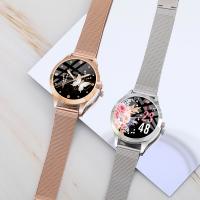
how to set smart watch with phone 1

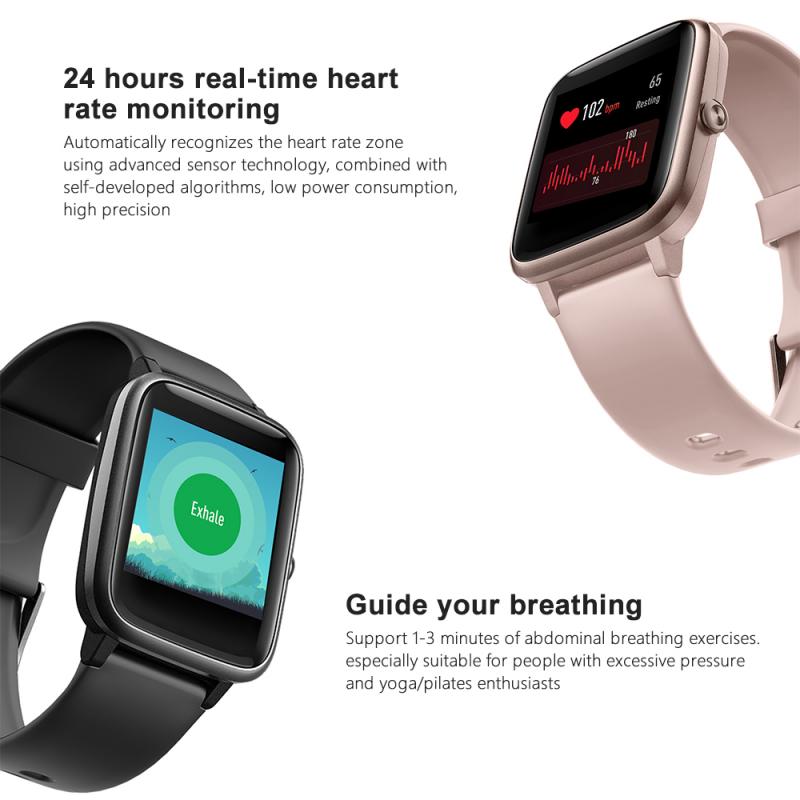
Before getting started with the technical aspects, ensure your smartwatch is fully charged. Most smartwatches come with a partially charged battery, but it is always wise to charge them to 100% before setting them up. This ensures that the device won't power down in the middle of the setup process and will start with optimal performance.

Step 2: Download the Required Application
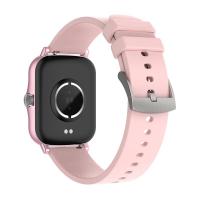
how to set smart watch with phone 2

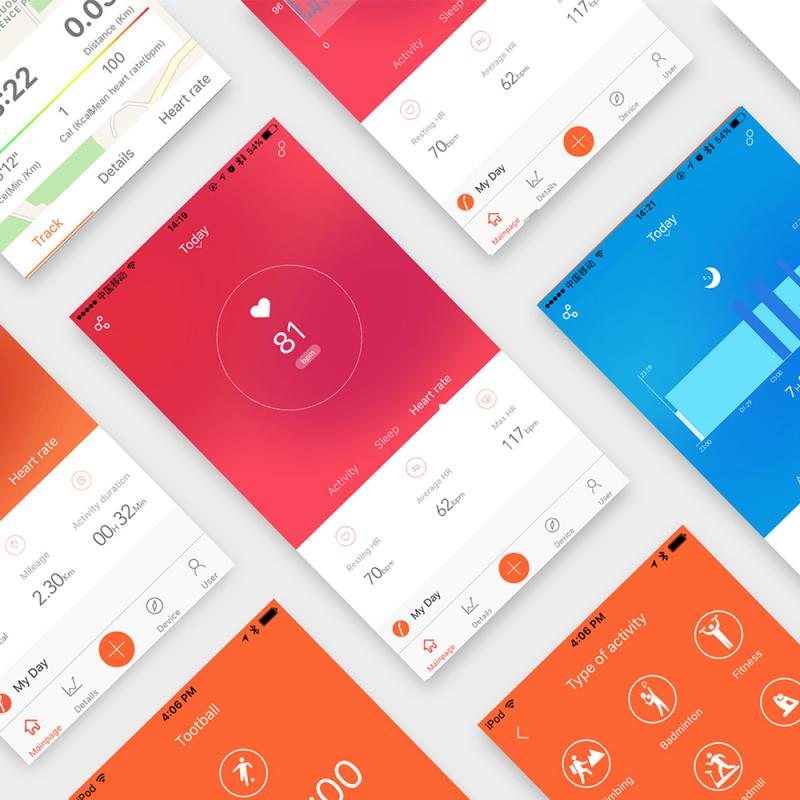
Most smartwatches require a dedicated application to function correctly. Here is a list of popular smartwatch brands and their corresponding apps:

- Apple Watch: Download the Apple Watch app from the Apple App Store.

- Samsung Galaxy Watch: Utilize the Galaxy Wearable app, available on both the Google Play Store and the Apple App Store.

- Fitbit Watches: Use the Fitbit app, available on both platforms.

- Garmin Watches: Download the Garmin Connect app.

- Fossil Watches: Use the Fossil Smartwatches app.

Step 3: Initial Setup and Pairing
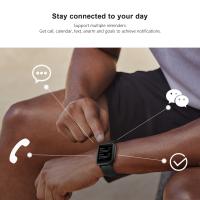
how to set smart watch with phone 3

For iOS Users:

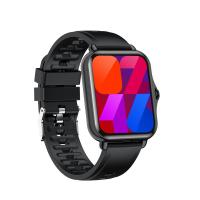
how to set smart watch with phone 4

1. Apple Watch Users:

- Power on your Apple Watch by holding the side button until the Apple logo appears.

- Bring your iPhone close to the Apple Watch. A message will pop up on your iPhone screen prompting you to pair the devices.

- Tap "Continue" and either scan the animation on your watch face with your iPhone's camera or select 'Pair Manually' and follow the instructions.

- Choose your wrist preference and follow the on-screen instructions to complete the setup process.

2. Third-Party Watches (such as Samsung and Garmin):

- Open the appropriate application (Galaxy Wearable, Garmin Connect, etc.) on your iPhone.

- Power on the watch and enable Bluetooth.

- Start the pairing process within the app and look for available devices.

- Select your smartwatch from the list and follow the on-screen instructions to complete pairing.

For Android Users:

1. Samsung Galaxy Watch:

- Open the Galaxy Wearable app on your smartphone.

- Ensure Bluetooth is enabled on both devices. Power on your Galaxy Watch.

- Tap “Start” in the Galaxy Wearable app. It will search for available devices.

- Once your watch appears, tap to select, and follow the instructions to pair it with your phone.

2. Other Brands (e.g., Fitbit, Garmin):

- Open the respective app (e.g., Fitbit, Garmin Connect).

- Make sure Bluetooth is enabled on both your phone and smartwatch. Power on your device.

- In the app, start searching for available devices and select your smartwatch.

- Follow the on-screen prompts to finalize the pairing.

Step 4: Customizing Your Smartwatch

Once the pairing process is completed, you can customize your smartwatch settings. Here are the common aspects you might want to configure:

1. Watch Faces: Most smartwatches allow you to choose from a variety of watch faces to suit your style. You can do this either through the smartwatch settings or via the app on your phone.

2. Notifications: Decide which notifications you want to receive on your smartwatch. This can include messages, calls, emails, app notifications, and fitness alerts.

3. Apps and Widgets: Depending on the model, you might be able to install additional apps and widgets on your smartwatch. Explore the available options and install those that enhance your experience.

4. Health and Fitness Goals: Set up your health and fitness preferences. You can usually input your goals for steps, workouts, and sleep.

Step 5: Syncing Data

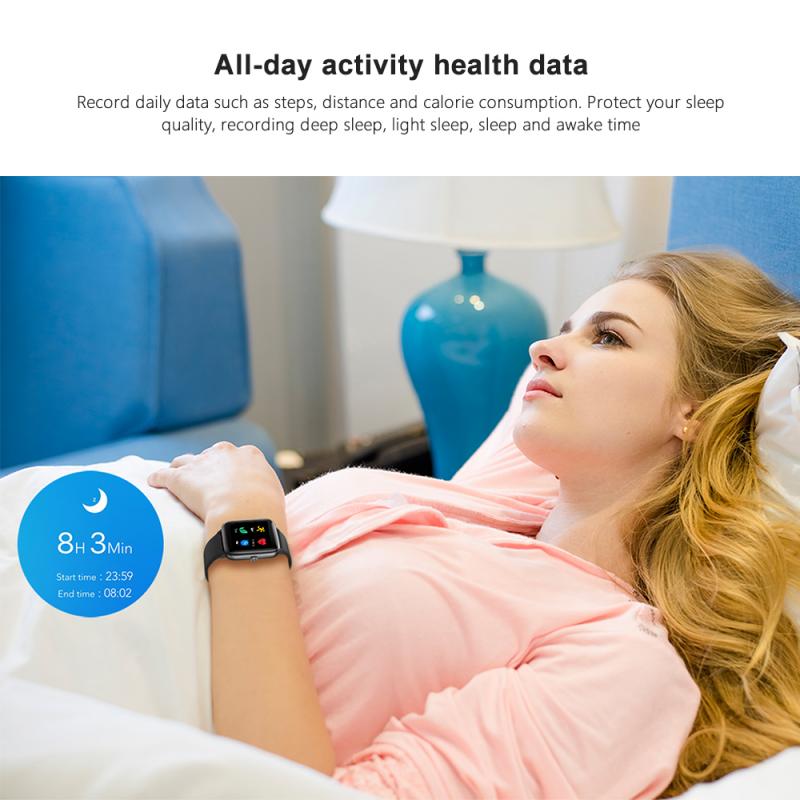
Most smartwatches automatically sync data with your phone, but ensuring this feature is enabled for optimal performance is essential. Check the app settings to make sure that data synchronization is turned on. This will allow you to view your health stats, notifications, and other crucial information in real time.

Step 6: Software Updates

To ensure you are taking advantage of the latest features and security updates, it's crucial to keep your smartwatch and companion app updated. Most apps will prompt you to update when a new version is available.

Troubleshooting Common Issues

Even after following all the steps, you might encounter some issues. Here are common problems and solutions:

- Pairing Failure: Ensure both devices have Bluetooth enabled and are within close range. Try restarting both devices and pairing again.

- Syncing Issues: Verify that you have given the app all necessary permissions, especially for background data and notifications.

- Software Update Problems: Ensure a stable Wi-Fi or mobile data connection and sufficient battery life on both devices.

Advanced Tips for Power Users

1. Voice Commands: Many smartwatches come equipped with voice assistants (e.g., Siri for Apple Watch, Google Assistant for Wear OS). Set up and personalize these assistants to control your smartwatch using voice commands.

2. Third-Party App Integration: Explore third-party apps that enhance your smartwatch experience. For example, if you are using a fitness tracker, consider integrating apps like Strava or MyFitnessPal.

3. Security Settings: Enable security features such as wrist detection and PIN codes to protect your data.

4. Battery Management: Learn how to optimize battery life by adjusting screen brightness, disabling always-on display features, and managing app notifications.

Setting up a smartwatch with your phone may seem daunting, but it boils down to a few essential steps: charging your device, downloading the necessary applications, initiating the pairing process, customizing your settings, and keeping everything updated. After successfully following this guide, you will enhance your digital life with a well-synchronized smartwatch that serves as an extension of your smartphone. Enjoy the seamless connectivity and the plethora of features at your wrist's disposal.


Leave your comment
Cancel reply
Note: HTML is not translated!
Related products
K&F Concept 11 Inch Selfie Ring Light Set with Tripod Stand Cell Phone Holder 3 Light Modes Smartphone Ring Light (Shipping to the US and EU countries)
10
$39.99 $29.99
63'' Magnetic Iphone Tripod Phone Selfie Stick Tripod And Clip-On ND Filter(1-9 stops) For All Phone Set
207
$113.99 $59.99
67mm Clip-on CPL Phone Camera Lens Filter Kit Applicable to All Mobile Phone Models
40
$18.99
67mm Clip-on ND2-32 Phone Camera Lens Filter Kit Applicable to All Mobile Phone Models
NEW Arrival
67mm Clip-on ND2-32 Phone Camera Lens Filter Kit Applicable to All Mobile Phone Models
13
$37.99
67"/1.7m Carbon Fiber Tripod 22lbs Load Lightweight Travel camera Tripod with Phone Mount and 6" Magic Arm with Super Clamp Set
64
$149.99
67mm Clip-on Black Mist 1/4 Phone Camera Lens Filter Kit Applicable to All Mobile Phone Models
7
$29.99
52mm Clip-on CPL Phone Camera Lens Filter Kit, Circular Polarizer Polarizing Filter Applicable to All Mobile Phone Models
24
$16.99
Smart Camera Glasses, HD 1080P, EIS Stabilization, WiFi Connect, Translation, 4H Playtime, Kentfaith
16
$119.99 $95.99
Compound Microscope with 11.6-inch Smart Screen, 40X-2500X Magnification, PC Connection, Plan Optical System, Mechanical Stage, Kentfaith
$1,324.99 $1,059.99
Smart Glasses with Camera, 8MP Sony Sensor, Capture 30MP Photos & 1080P Videos, With 3600mAh Charging Case, Clear Music & Calls, Kentfaith
16
$174.99 $139.99
Products You May Like
Nikon F Lenses to Canon EOS M Lens Mount Adapter K&F Concept M11142 Lens Adapter
$29.99
4K Trail Camera Dual Lens Starlight Night Vision 48MP WiFi Bluetooth Game Camera, 120° Detection 0.3s Trigger, IP66 Waterproof for Wildlife Monitoring
54
$219.99 $105.99
72mm Explosive-Proof MCUV Lens Protection Filter 28 Multi-Layer Coatings Ultra-Slim HD Waterproof Scratch Resistant Nano-Xcel Series
58
$52.49 $41.99
K&F CONCEPT 67mm Press-on CPL Phone Lens Filter Kit, Polarizing Filter Compatible with iPhone 17/16/15/14/13/12 Standard, 16/15/14/13/12 Pro/Pro Max, 67mm Threaded Filters
138
$21.99
67mm Circular Polarizer Lens Filter with Filter Cap Cleaning Cloth Optical Glass Ultra Slim Polarizing CPL Filter with 28 Multi-Layer Coatings Nano-Xcel Series
37
$87.99 $49.99
Mini 4 Pro UV Filter, MCUV Protection Filter, HD Optical Glass Multi-Coated Filter Compatible with DJI Mini 4 Pro
76
$20.99
KW19 Pro Full Screen Touch Smart Watch Blood Pressure Heart Rate Monitor Fitness Tracker-Black
5
$29.99
77mm Black Mist 1 Filter Special Effects Filter for Camera Lens Nano-Xcel Series
134
$87.99 $69.99
W26+ PRO smart watch, support Bluetooth call, with heart rate, blood pressure, blood oxygen, body temperature monitoring, 1.75-inch full touch screen, smart female and male fitness watch, compatible with Android iPhone iOS black
$28.61
Video Baby Monitor with Camera of Wireless Remote Control Pet Monitor WIFI Not Needed (US Plug)
2
$66.99
Related articles
How To Set Smart Watch Clock?
How To Set Smart Band Watch?
How To Set Up My Android Smart Watch?
How To Set Time On Huawei Smart Watch?
How To Connect Smart Watch With Android?
How To Connect Smart Watch With Earbuds?
Can We Measure Blood Pressure With Smart Watch?
How To Connect Mobile Smart Watch?
How To Setup Your Smart Watch?
How To Know Size Camera Filter?
Blog You May Like
How Does Car Dash Cam Work?
Can We Put Camera With Microphone?
How To Increase Earphone Volume On Pc?
Can Hidden Camera Have A Live Feed?
How To Wear Camera Sling Bag?
What Is The Condenser Lens On A Microscope?
What Is A Memory Card Reader For Cameras?
What Can Scanning Electron Microscopes See?
77mm Filter Fits What Lens?
Where To Buy Voice Recorders?
Related categories
cell phone tripods phone camera lens iphone lens filter step up lens filter adapter rings C mount lens adapter camera filter kit
Popular products
fitness tracker pink watch smart health watch heart monitor bluetooth smart sports watch hd screen smart watch Full Touch Screen Smart Watch smart watch compatible with iphone android smart watch for women new waterproof smart watch smart watch in waterproof sleep monitoring smart watch
Related searches
Mobile Phone Smart Watch Smart Watch With Games Smart Watch With Earbuds Smart Watch For An Android Phone Android Smart Watch With Ecg Smart Watch With Body Temperature Smart Band Watch With Camera Smart Watch With Swimming Mode Smart Watch With Calorie Tracker Smart Watch With Ecg Function
Popular searches
Nikon Ftz Mount Adapter High Quality Action Camera Fd To Nikon F Mount Adapter 4x4 Nd Filter Olympus Lens Mount Compatibility Nikon G Mount Wiki Rechargeable Batteries For Camera Np F970 67mm To 77mm Step Up Ring Big Memory Card For Camera
Blog Category
  • Activities
  • Guide
    • Filter Guide
    • Lens Adapter
    • Product Review
  • News & Reviews
    • Camera Reviews
    • Sample Gallery
    • News
  • Tutorials
    • Solar eclipse photography
    • Photography Basics
    • Landscape Photography
  • Inspiration
    • Travel
    • Travel Stories
Search Article
Latest from the Blog
How Do Night Vision Goggles Work?
What Is The Difference Between Binoculars And Telescope?
How To Make Your Eyes Flash On Camera?
What Does Tripod?
How Many Stops Is An Nd 8 Filter?
What Power Binoculars For Long Distance Viewing?
ND Filter: The Complete Guide to Neutral Density Filters for Photography and Video
Black Friday 2025 Special at Kentfaith
How Big A Memory Card For Camera?
How Much Storage For Security Camera?
  • Easy Payment Multilple Payment Options

  • Free Shipping Global WareHouse Shipment

  • No Risk 30-Day No Reason Return

  • Limited Deals Buy More, Save More

  • Tax Free No any surcharges or tax fee

Information
  • About us
  • Contact Us
  • Site Map
  • Blog
  • Video
  • Gallery
  • VIP Membership Rewards
Service
  • Privacy Policy
  • Terms & Conditions
  • Shipping & Delivery
  • Payment Info
  • Warranty, Return & Refund
  • Intellectual Property Rights
  • Ambassador
  • Affiliates
  • Wholesale
Support
  • My account
  • Order History
  • FAQs
  • Extend Warranty
  • Logistics Tracking
Follow us
NewsLetter

Get the latest product, K&F Concept respects your privacy.
Powered By KENTFAITH © 2026