kfconcept

KENTFAITH
K&F Concept    Blog >

Enjoy Your Selected Digital Life

Recently Viewed
  • Recently Viewed
  • Recently Viewed list is empty.

Compare (0) 0
  • Compare
  • You have not chosen any products to compare.

  • Compare
Currency: USD
  • Currency
Shop by Scene Shop by Rank

Log Into Your Account

Account

Order History

Wish List

Login

Forgotten Password?

Or connect with

Register Account

Already have an Account?Log In

  • Shopping Cart
  • Your shopping cart is empty!

  • Register/Login to purchase, earn points
  • Favorite
  • Your wish list is empty.

  • Register/Login to like, earn points
  • Activities
  • Guide
    • Filter Guide
    • Lens Adapter
    • Product Review
  • News & Reviews
    • Camera Reviews
    • Sample Gallery
    • News
  • Tutorials
    • Solar eclipse photography
    • Photography Basics
    • Landscape Photography
  • Inspiration
    • Travel
    • Travel Stories
  • Home
  • Blog
  • How To Set Smart Band Watch?

How To Set Smart Band Watch?

Kentfaith 2024-08-20 01:02:22 0 Comments

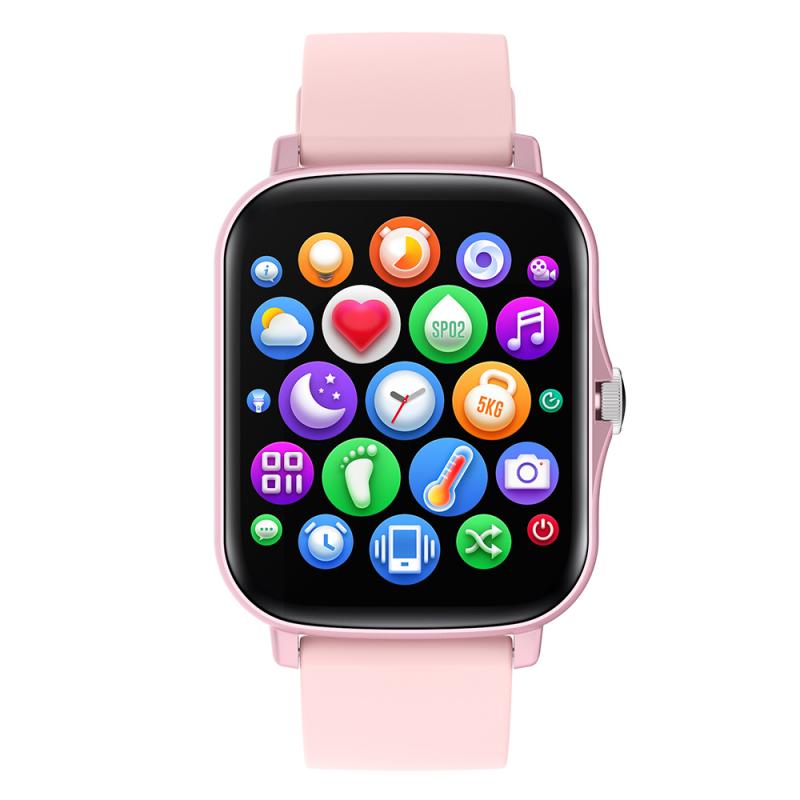
Setting up a smart band watch can be a straightforward process, but it often requires a bit of guidance to ensure that all features are properly configured and optimized for the best user experience. In this article, we will walk you through the essential steps to set up your smart band watch, covering everything from initial setup to customizing features and troubleshooting common issues. Whether you are a first-time user or looking to get more out of your device, this guide will provide you with the necessary information to make the most of your smart band watch.

Initial Setup

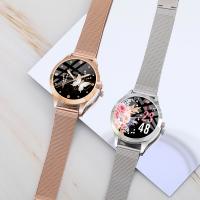
how to set smart band watch 1

Unboxing and Charging

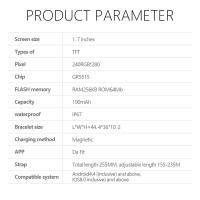
how to set smart band watch 2

The first step in setting up your smart band watch is to unbox it and ensure it is fully charged. Most smart bands come with a proprietary charging cable or dock. Connect your smart band to the charger and plug it into a power source. Allow it to charge fully before proceeding with the setup. This ensures that you have enough battery life to complete the setup process without interruptions.

Downloading the Companion App
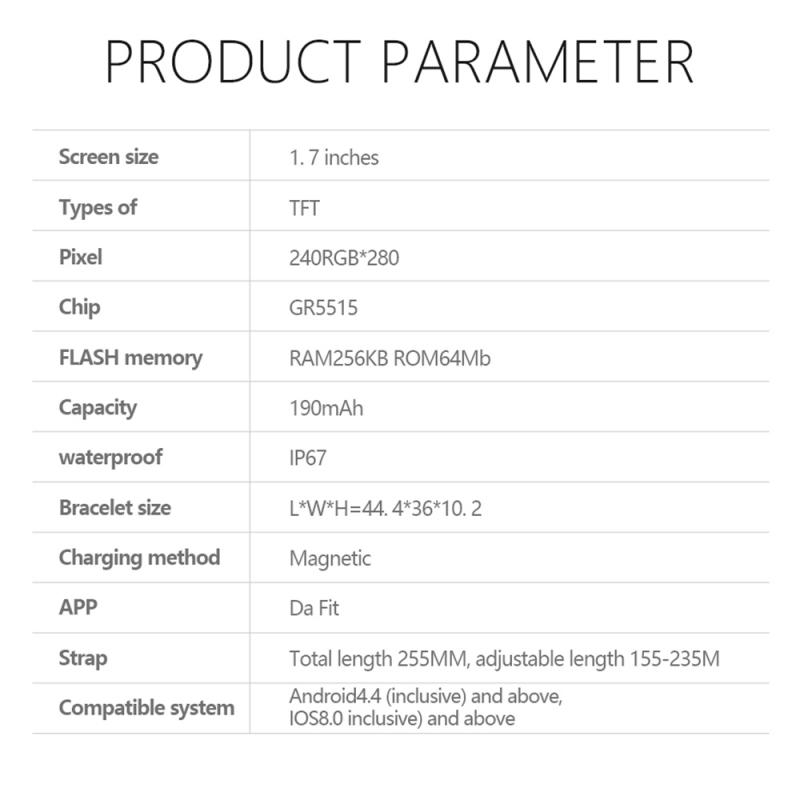
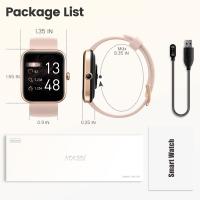
how to set smart band watch 3

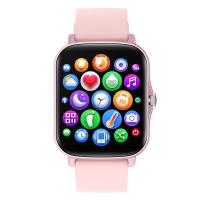
Most smart band watches require a companion app to be installed on your smartphone. This app is essential for pairing the device, customizing settings, and accessing various features. Search for the app in your device’s app store (Google Play Store for Android or Apple App Store for iOS) and download it. Common apps include Fitbit, Mi Fit, Garmin Connect, and others, depending on the brand of your smart band.

Pairing the Device
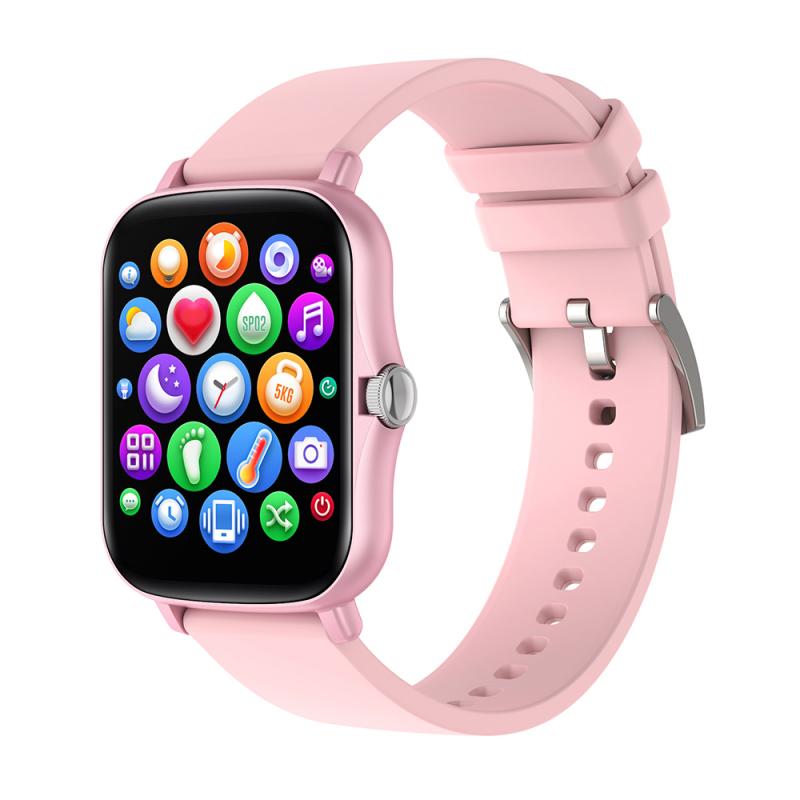
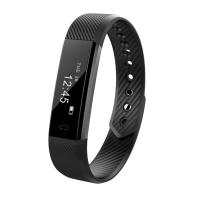
how to set smart band watch 4

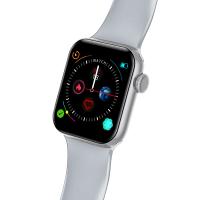
Once the app is installed, open it and follow the on-screen instructions to pair your smart band with your smartphone. This usually involves turning on Bluetooth on your phone, selecting your device from a list of available devices, and confirming the pairing request. Some smart bands may require you to enter a code displayed on the watch into the app to complete the pairing process.

Customizing Settings

Setting Up User Profile

After pairing, the next step is to set up your user profile. This typically involves entering personal information such as your name, age, gender, height, and weight. This data is crucial for the smart band to provide accurate health and fitness metrics, such as calorie burn and heart rate zones.

Configuring Notifications

One of the key features of a smart band watch is the ability to receive notifications from your smartphone. In the companion app, navigate to the notifications settings and select which types of notifications you want to receive on your smart band. These can include calls, text messages, emails, social media alerts, and more. Make sure to grant the necessary permissions for the app to access your notifications.

Syncing Data

To ensure that your smart band watch is always up-to-date with the latest data, enable automatic syncing in the app settings. This will allow your smart band to periodically sync with your smartphone, ensuring that all your activity data, sleep metrics, and other information are accurately recorded and displayed in the app.

Utilizing Features

Activity Tracking

One of the primary functions of a smart band watch is activity tracking. This includes monitoring steps, distance traveled, calories burned, and active minutes. To get the most out of this feature, wear your smart band consistently throughout the day and ensure it is snug but comfortable on your wrist. Check the app regularly to review your activity data and set goals to stay motivated.

Heart Rate Monitoring

Many smart band watches come equipped with a heart rate monitor. This feature can provide valuable insights into your cardiovascular health and help you optimize your workouts. To use this feature, ensure that the heart rate sensor on the back of the watch is in contact with your skin. In the app, you can view your heart rate data, including resting heart rate, average heart rate, and heart rate zones during exercise.

Sleep Tracking

Sleep tracking is another valuable feature of smart band watches. It can help you understand your sleep patterns and improve your sleep quality. To use this feature, wear your smart band while you sleep. In the morning, check the app to review your sleep data, including total sleep time, sleep stages (light, deep, and REM), and sleep quality score. Use this information to make adjustments to your sleep habits and improve your overall well-being.

GPS and Workout Modes

Some smart band watches come with built-in GPS or can connect to your smartphone’s GPS to track outdoor activities such as running, cycling, and hiking. In the app, you can select different workout modes to get more accurate data for specific activities. Start a workout session on your smart band and follow the on-screen prompts to track your performance. After the workout, review your data in the app to analyze your performance and make improvements.

Troubleshooting Common Issues

Connectivity Problems

If you experience connectivity issues between your smart band and smartphone, try the following steps:

- Ensure that Bluetooth is enabled on both devices.

- Restart both your smart band and smartphone.

- Unpair and re-pair the devices through the companion app.

- Check for software updates for both the app and the smart band.

Inaccurate Data

If you notice that your smart band is providing inaccurate data, consider the following tips:

- Ensure that the smart band is worn correctly and is in contact with your skin.

- Calibrate the device by entering accurate personal information in the app.

- Regularly clean the sensors on the back of the watch to ensure accurate readings.

Battery Life

To extend the battery life of your smart band watch, try these tips:

- Reduce the screen brightness and timeout duration.

- Disable unnecessary notifications.

- Turn off features such as GPS and continuous heart rate monitoring when not needed.

- Ensure that the smart band is running the latest firmware version.

Setting up a smart band watch involves several steps, from initial setup and pairing to customizing settings and utilizing features. By following the guidelines provided in this article, you can ensure that your smart band is properly configured and optimized for your needs. Whether you are using it for activity tracking, heart rate monitoring, sleep tracking, or other features, a well-set-up smart band watch can be a valuable tool for improving your health and fitness. If you encounter any issues, refer to the troubleshooting tips to resolve common problems and get the most out of your device.

Leave your comment
Cancel reply
Note: HTML is not translated!
Related products
Sport Smart Watch with GPS Tracker Bluetooth Calls 24h Heart Rate/Sleep Monitor
67
$97.49 $68.99
Smart Camera Glasses, HD 1080P, EIS Stabilization, WiFi Connect, Translation, 4H Playtime, Kentfaith
16
$119.99 $95.99
Compound Microscope with 9" Smart Screen 40x-1600x Magnification PC Connection for Lab, Professionals Use Kentfaith
17
$799.99 $639.99
Mini WiFi Body Camera 1080P with Audio, 180° Rotatable Lens, 2 LED Fill Lights, Smart Motion Detection
13
$82.49 $57.99
Compound Microscope with 11.6-inch Smart Screen, 40X-2500X Magnification, PC Connection, Plan Optical System, Mechanical Stage, Kentfaith
$1,324.99 $1,059.99
Action Camera Waterproof Set 21 in 1 for GOPRO Hero 9/10/11/12 (Only Ship to US)
104
$37.99 $22.99
Smart CO2 Detector, Indoor Air Quality Monitor, NDIR Sensor Carbon Dioxide Detector, Temperature Humidity Air Tester for CO2 Alarm
22
$119.99 $89.99
Mini WiFi Body Camera 1080P with Audio, 180° Rotatable Lens, 2 LED Fill Lights & Smart Motion Detection & 64G Memory Card
13
$74.99 $62.99
Smart Glasses with Camera, 8MP Sony Sensor, Capture 30MP Photos & 1080P Videos, With 3600mAh Charging Case, Clear Music & Calls, Kentfaith
16
$174.99 $139.99
Body Fat Scales Smart BMI Scale Digital Bathroom Scales for Body Weight, Body Composition Monitor Health Analyzer Weight Scale, Unlimited Users, APP (Black)
$42.99 $19.99
Products You May Like
Camera Hand Bag 10L Photography Shoulder Bag, Compatible with Canon / Nikon / Sony Camears / DJI Mavic Drones -  Sling Bag 10L Urban Wander 01 (Green)
Camera Hand Bag 10L Photography Shoulder Bag, Compatible with Canon / Nikon / Sony Camears / DJI Mavic Drones - Sling Bag 10L Urban Wander 01 (Green)
131
$59.99 $39.99
DSLR Camera Backpack for Canon Nikon etc 46*28*16cm
1
$42.99
67mm Magnetic Metal Lens Cap 2-in-1 (Works only with K&F Concept Magnetic Filters)
24
$41.99 $20.99
82mm Black Mist 1/4 & ND2-400 Variable ND Filter with Double-sided 28-layer Anti-reflection Green Film and Lever Nano-Xcel Series
30
$174.99 $125.99
K&F Concept 5-in-1 Light Reflector 43"(110cm) Photography Diffuser Collapsible Portable for Studio and Outdoor Lighting Gold Silver White Black Translucent
88
$37.99
95mm Explosive-Proof MCUV Lens Protection Filter 28 Multi-Layer Coatings Ultra-Slim HD Waterproof Scratch Resistant Nano-Xcel Series
58
$69.99 $55.99
Incandescent Flash Trail Cameras
10
$162.99 $106.99
100x150mm Filter Protection Holder 2 Pack Nano-Xcel Pro Series
16
$24.99 $19.99
24*7 Continuous Recording 4G Solar Security Camera System 4G Wireless LTE cctv Solar Camera PIR Human Sensor + 2-Way Audio Built-in Battery 28800mAh 2K Infrared Night Vision 20m/66ft AU Version
78
$359.99 $262.99
K&F Concept XU08 67mm UV Protection Filter Multi Coated Ultra-Slim
$80.99 $24.99
Related articles
How To Turn On Smart Band Watch?
How To Set Smart Watch Clock?
How To Set Smart Watch With Phone?
How To Set Up My Android Smart Watch?
How To Set Time On Huawei Smart Watch?
How To Connect Mobile Smart Watch?
How To Setup Your Smart Watch?
How To Measure Smart Watch Size?
How To Charge Smart Tracker Watch?
Pixel C How To Get Flash Camera?
Blog You May Like
How Did Galileo Improve The Telescope?
How To Write Protect An Sd Card?
Which Batteries For A Digital Camera?
What Is The Recommended Trail Camera Trigger Speed?
How much do night vision binoculars cost?
Camera Settings When Using Flash?
What Is Parking Mode On A Dash Cam?
How To Remove Ambient Light Photography?
Can You Put Polaroid On Selfie Stick?
Can You Track A Cellular Trail Camera?
Related categories
step up lens filter adapter rings C mount lens adapter camera filter kit m4/3 adapter Outdoor Security Camera Wifi Floodlight Camera Wireless camera feeder
Popular products
bluetooth smart sports watch hd screen smart watch waterproof smart watch for swimming 3atm smart watch new waterproof smart watch smart watch in waterproof microphone and mic stand Full Touch Screen Smart Watch smart watch compatible with iphone android smart watch for women
Related searches
Sony Watch Band Adapter Smart Key Lock Set Extra Smart Watch Outdoor Smart Watch Advanced Smart Watch Black Smart Watch Rugged Smart Watch Aluminum Smart Watch Smart Watch Silver Smart Wrist Watch
Popular searches
Sony Alpha La-ea4 Adapte Rocketfish 52mm Uv Lens Filter Gray Wireless Camera With Recording Nd1000000 Filter Ultra Light Tripod Sigma 150-600mm Contemporary Lens Canon Mount Single Wifi Camera Pentax Stereo Adapter Ebay 67mm Nd Filter Set Canon Battery To Wall Adapter
Blog Category
  • Activities
  • Guide
    • Filter Guide
    • Lens Adapter
    • Product Review
  • News & Reviews
    • Camera Reviews
    • Sample Gallery
    • News
  • Tutorials
    • Solar eclipse photography
    • Photography Basics
    • Landscape Photography
  • Inspiration
    • Travel
    • Travel Stories
Search Article
Latest from the Blog
What Does Tripod?
How Much Storage For Security Camera?
How Much Does It Cost For Security Cameras?
What Is Surveillance Camera Control System?
What Tripod To Buy?
Where Can I Find Hidden Cameras?
How Do Metal Detectors Work? A Complete Guide for Beginners and Pros
How To Make Your Eyes Flash On Camera?
What Is The Difference Between Binoculars And Telescope?
What Does A Uv Camera Filter Do?
  • Easy Payment Multilple Payment Options

  • Free Shipping Global WareHouse Shipment

  • No Risk 30-Day No Reason Return

  • Limited Deals Buy More, Save More

  • Tax Free No any surcharges or tax fee

Information
  • About us
  • Contact Us
  • Site Map
  • Blog
  • Video
  • Gallery
  • VIP Membership Rewards
Service
  • Privacy Policy
  • Terms & Conditions
  • Shipping & Delivery
  • Payment Info
  • Warranty, Return & Refund
  • Intellectual Property Rights
  • Ambassador
  • Affiliates
  • Wholesale
Support
  • My account
  • Order History
  • FAQs
  • Extend Warranty
  • Logistics Tracking
Follow us
NewsLetter

Get the latest product, K&F Concept respects your privacy.
Powered By KENTFAITH © 2025