kfconcept

KENTFAITH
K&F Concept    Blog >

Enjoy Your Selected Digital Life

Recently Viewed
  • Recently Viewed
  • Recently Viewed list is empty.

Compare (0) 0
  • Compare
  • You have not chosen any products to compare.

  • Compare
Currency: USD
  • Currency
Shop by Scene Shop by Rank

Log Into Your Account

Account

Order History

Wish List

Login

Forgotten Password?

Or connect with

Register Account

Already have an Account?Log In

  • Shopping Cart
  • Your shopping cart is empty!

  • Register/Login to purchase, earn points
  • Favorite
  • Your wish list is empty.

  • Register/Login to like, earn points
  • Activities
  • Guide
    • Filter Guide
    • Lens Adapter
    • Product Review
  • News & Reviews
    • Camera Reviews
    • Sample Gallery
    • News
  • Tutorials
    • Solar eclipse photography
    • Photography Basics
    • Landscape Photography
  • Inspiration
    • Travel
    • Travel Stories
  • Home
  • Blog
  • How To Record Video With Sound On Pc?

How To Record Video With Sound On Pc?

Kentfaith 2024-09-26 02:20:54 0 Comments

Recording videos with sound on a PC is a task many users need to accomplish, whether for professional tutorials, personal vlogs, academic presentations, or gaming streams. The requirement for a seamless and effective method to capture both video and audio relies heavily on understanding the right tools and techniques available. In this article, we will delve into the practical steps and tools for successfully recording video with sound on a PC, addressing the common challenges, and providing tips for an optimal recording experience.

Choosing the Right Software
how to record video with sound on pc 1

The first step in recording videos with sound on a PC is selecting an appropriate software tool. There are numerous options available, both free and paid, each with different features tailored to various needs.

Free Software Options:

1. OBS Studio (Open Broadcaster Software): This is a powerful and versatile open-source software suitable for both beginners and advanced users. OBS Studio supports recording from multiple sources, including webcams, screens, and microphones. It offers advanced settings for audio channels, video resolution, and bitrate control.

2. ShareX: This lightweight, open-source tool is primarily used for screen capture and sharing. However, it also includes robust video recording features with sound, supporting various audio sources and formats.

3. Windows 10 Game Bar: Built into Windows 10, this tool is convenient for gamers but works for general screen recording as well. It’s easy to use with a simple interface but has less flexibility in settings compared to OBS Studio.

Paid Software Options:

1. Camtasia: Known for its user-friendly interface, Camtasia is ideal for creating polished videos with comprehensive editing tools. It’s particularly popular in educational and corporate environments.

2. Bandicam: This software is favored by gamers and professionals for its high-quality recording and minimal system impact. It supports multiple audio sources and provides detailed settings for recording customization.

3. ScreenFlow: Preferred by Mac users (a Windows version might be available), ScreenFlow is excellent for capturing screen activity with sound, featuring powerful editing tools for adding effects and annotations.

Preparing Your PC for Recording
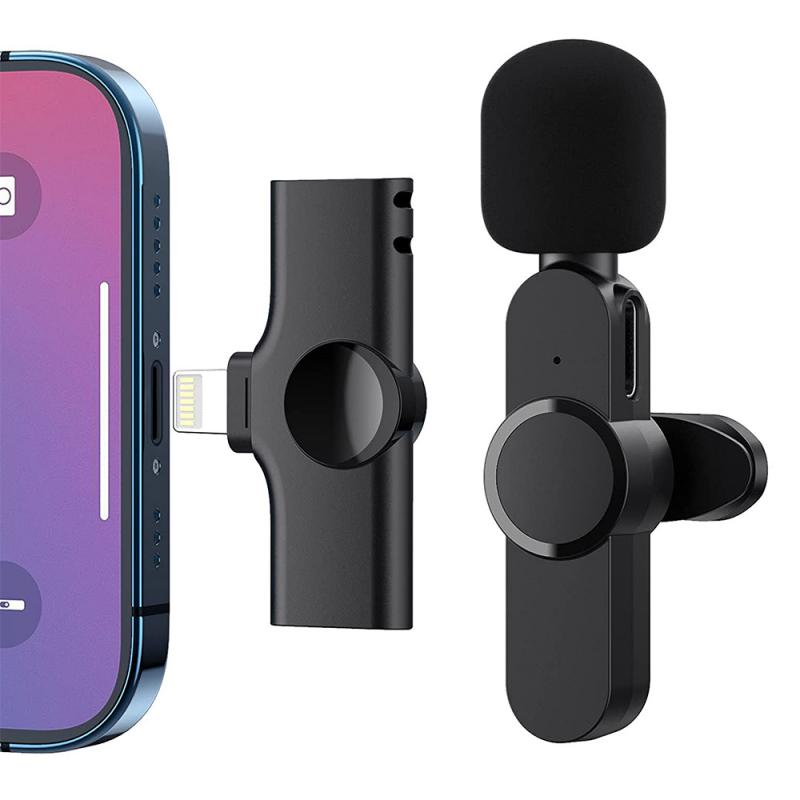
how to record video with sound on pc 2

Before starting your video recording, it’s essential to ensure your PC is optimized and ready. Here are some preparatory steps:

1. Update Drivers: Ensure your audio and graphics drivers are up to date to prevent any compatibility issues during recording.

2. Check System Performance: Close unnecessary applications running in the background. Recording software can be resource-intensive, and having available CPU and RAM will ensure smoother performance.

3. Configure Microphone Settings: Make sure your microphone is set as the default input device in the sound settings and test its levels. In Windows, you can find these options under Settings > System > Sound.

Setting Up the Software
how to record video with sound on pc 3

Let’s take OBS Studio as an example to illustrate the setup process for recording video with sound.

1. Download and Install OBS Studio: Go to the OBS Studio official website, download and install the latest version of the software.

2. Configure Audio Settings:

- Open OBS Studio, go to “Settings” > “Audio.”

- Under “Global Audio Devices,” ensure your microphone is selected in the dropdown menu for “Mic/Auxiliary Audio.”

- Similarly, select the default audio output device (usually your speakers or headphones) under “Desktop Audio.”

3. Set Up Video Capture:

- In the main OBS interface, add a new scene by clicking the “+” button in the “Scenes” box.

- In the “Sources” box, add a new source by clicking the “+” button and select “Display Capture” for screen recording or “Video Capture Device” for capturing from a webcam.

4. Adjust Video Settings:

- Go to “Settings” > “Video” to set your base (canvas) resolution and output (scaled) resolution. Match these to your monitor’s resolution for best results.

- Set the frames per second (FPS) option based on your need — 30 FPS is generally sufficient for tutorials, while gamers may prefer 60 FPS.

5. Configure Output Settings:

- Navigate to “Settings” > “Output.”

- Choose “Simple” or “Advanced” output mode based on your comfort level. In “Advanced” mode, you can further tweak the bitrate and recording format (e.g., MP4, MKV).

Recording the Video
how to record video with sound on pc 4

Now that your software is set up, you can start recording:

1. Start Recording: Click the “Start Recording” button in the main OBS interface.

2. Monitor Sound Levels: Observe the audio mixer levels in OBS to ensure both your microphone and desktop audio are being captured. Adjust the gain if necessary to avoid clipping or too low volume.

3. Pause and Resume: If you need to pause during recording, use the “Pause Recording” button. This feature is particularly useful if you're making long recordings and want to capture multiple segments without having to edit them together later.

4. Stop Recording: When done, click the “Stop Recording” button. OBS will automatically save the video file to your specified output folder.

Editing the Recorded Video

Post-recording, you might need to edit the video to trim unwanted sections, add annotations, overlay additional audio, or improve the visual and sound quality.

1. Editing Tools: Use software like Adobe Premiere Pro, DaVinci Resolve (free version available), or even simpler tools like Windows Video Editor for basic edits.

2. Audio Enhancements: Enhance your audio quality by reducing background noise, normalizing volume levels, and adding music or voiceovers where necessary.

3. Exporting the Final Video: Once editing is complete, export the final video in your desired format and resolution. Ensure the output settings match your intended use, whether for uploading to YouTube, sharing on social media, or embedding in a presentation.

Troubleshooting Common Issues

While recording video with sound on a PC is generally straightforward, you may encounter some common issues:

1. No Audio in Recording:

- Ensure your microphone is selected as the audio input and is not muted.

- Verify the desktop audio is being captured and not muted in the system sound settings.

2. Laggy or Choppy Video:

- Reduce the recording resolution and lower the FPS setting.

- Ensure your PC meets the minimum hardware requirements for the recording software.

3. Desynchronization of Audio and Video:

- This is often a result of high CPU usage. Close unnecessary applications and consider using a more efficient recording format like MKV, which handles interruptions better.

Recording video with sound on a PC involves a few key steps — choosing the right software, preparing your PC, configuring settings, performing the recording, and editing the final output. With these considerations and tools at your disposal, you can create high-quality recordings suited for various purposes. Remember that practice and experimentation with settings will help you find the best configuration for your specific needs, ensuring a smooth and productive recording experience.


Leave your comment
Cancel reply
Note: HTML is not translated!
Related products
Over Ear Headphones 7.1 Surround Sound Gaming Headset Works with PC, PS4 PRO, Xbox One S, Cell Phone SOMIC Active Noise Canceling with Mic HI-FI USB Jack Game Earphones
23
$65.99
5K Video Camera with 75MP Photos, 8X Optical Zoom, WiFi Transfer, Wireless Mic, Dual Batteries, Support PIP Record, Kentfaith
16
$274.99 $239.99
Instant Cross-APP Translator Device for Business & Trade, Video Call Translation, Record, & Transcription, Kentfaith AI Translator Devices
12
$124.99 $99.99
128G Mini Digital Voice Recorder with Color Screen Bluetooth Call Record 3072kbps Kentfaith
15
$119.99 $83.99
Mini Voice Recorder, Sound-activated & Magnetic, 128GB 1600H Capacity with AI Noise Cancelling Kentfaith
13
$94.99 $53.99
Mini Sound Recorder 128GB 1600H Recording Capacity with 1.4" Screen, Voice Activated Mode Kentfaith
12
$99.99 $79.99
Children’s Entry-Level Metal Detector, High Sensitivity, With LCD Display and Sound Indication, Suitable for Beginners
144
$64.49 $50.99
OBSBOT Tiny 2 Lite 4K Webcam for PC, AI Tracking PTZ Streaming Camera with 1/2" Sensor, Gesture Control, 60 FPS, HDR, Microphones, Web Camera for Desktop Computer, Laptop, Meeting, Video Calls.
$250.00 $200.00
500X Handheld Digital Microscope with 8 LEDs 2" IPS Screen PC Compatible
12
$97.49 $68.99
67mm Clip-on CPL Phone Camera Lens Filter Kit Applicable to All Mobile Phone Models
24
$18.99
Products You May Like
55mm Black Mist 1/4 + CPL Filter Set, Dreamy Cinematic Effect Mist CPL Polarising Filter 18 Multi-Layer Coatings Nano-Klear Series
37
$41.99 $32.99
82mm CPL Filter Circular Polarizers Filter Super Slim with 36 Multi-Layer Coatings Camera Lens Filter (Nano-Xcel Pro Series)
100
$131.99 $119.99
40.5mm Lens Filter Kit Neutral Density ND8+ND64+CPL Circular Polarizer for Professional Camera Lens with Multiple Layer Nano Coated
12
$69.99 $41.99
8x21 Kids Binoculars, Compact High Resolution Shock Resistant Binoculars for Bird Watching, Hiking, Camping, Travel, Learning, Spy Games and Exploring
19
$27.49 $19.99
64"/1.6m Camera Tripod Lightweight Vlog Travel Tripod Compact  Flexible & Portable 17.6lbs/8kg Load with Portable, for DSLR Cameras O234A1+BH-36
64"/1.6m Camera Tripod Lightweight Vlog Travel Tripod Compact Flexible & Portable 17.6lbs/8kg Load with Portable, for DSLR Cameras O234A1+BH-36
154
$109.99 $49.99
67mm Magnetic Black Mist Filter 1/8 Special Effects Filter HD Multi-layer Coated, Waterproof/Scratch-Resistant/ Anti-Reflection Nano-Xcel Series
4
$140.99 $73.99
8-32x50 Continuous High-Definition Zoom Monocular Telescope, Black, with Mobile Phone Clip
11
$99.99 $46.99
55mm True Color Variable ND2-400 (1-9 Stops) ND Lens Filter Adjustable Neutral Density Filter with 18 Multi-Layer Coatings for Camera Lens Nano-Klear Series
42
$53.99 $27.99
L/R-NIK Z Manual Focus Compatible with Leica R Lens to Nikon Z Mount Camera Body K&F Concept Lens Mount Adapter
29
$66.99 $36.99
67mm Clip-on ND2-32 Phone Camera Lens Filter Kit Applicable to All Mobile Phone Models
24
$37.99
Related articles
How To Record Video On Screen With Sound?
How To Record On Pc With Audio?
How To Record Online Video With Sound?
How To Record Video And Voice On Pc?
How To Record Messenger Video Call With Sound?
How To Record With Sound On Laptop Camera?
How Record Audio On Pc?
How To Record External Audio On Pc?
How To Record Phone Screen With Sound?
What Type Of Camera Filter Helps With Sunlight?
Blog You May Like
How To Remove Camera Lens Protector Iphone 13 Pro ?
What Cameras Support Nikon F Mount?
What Fluorescent Light Does To Video?
How To Make A Flash Ring?
How To Put A Camera Lens On?
How To Sync External Flash With Camera?
Which Is Best Binoculars?
How To Take Photos With A Ring Light?
Which Way To Point Solar Panels?
Can You Use Iphone As Baby Monitor?
Related categories
On-Dash Camera Video Shooting lightweight video tripod C mount lens adapter
Popular products
Mini Digital Voice Recorder​ 3 light video kit ps4 pro earphones Smart Home Hd Wifi Camera Portable Led Video Light wireless video camera ipad industrial digital microscope Led Cob Light bluetooth stereo earbuds entry level metal detector
Related searches
Pc Surround Sound Speakers Video Recorder With Sound Pc Video Camera Small Video Camera With Sound Video Sound Recorder Best Microphones To Record Vocals Pc Speakers With Microphone Pc Camera With Microphone Record Wifi Camera Headset For Pc With Microphone
Popular searches
Canon 2000d Camera Bag 4x5 65 Nd Filter Nikon Lenses On Leica M Adaptador Filtros Canon Fa-dc67a Canon R10 Lens Adapter Sony E Mount Electro Focus Lens Fujifilm Xh2s Lens Mount Camera With Ultra Wide Angle Lens Hard Wire Kit Car Dash Cam Blue Lens Binoculars
Blog Category
  • Activities
  • Guide
    • Filter Guide
    • Lens Adapter
    • Product Review
  • News & Reviews
    • Camera Reviews
    • Sample Gallery
    • News
  • Tutorials
    • Solar eclipse photography
    • Photography Basics
    • Landscape Photography
  • Inspiration
    • Travel
    • Travel Stories
Search Article
Latest from the Blog
UV Filter: Everything You Need to Know About UV Protection Lens Filters
Can Security Cameras Detect Motion Through Glass?
Dash Cam That Can Connect To Phone?
What is A Variable ND Filter? The Complete Guide to Mastering Exposure Control
Neutral Density Filter: The Ultimate Guide for Photographers and Videographers
How Big A Memory Card For Camera?
How Do Metal Detectors Work? A Complete Guide for Beginners and Pros
How To Wear Monocular?
What Is Surveillance Camera Control System?
How Do Night Vision Goggles Work?
  • Easy Payment Multilple Payment Options

  • Free Shipping Global WareHouse Shipment

  • No Risk 30-Day No Reason Return

  • Limited Deals Buy More, Save More

  • Tax Free No any surcharges or tax fee

Information
  • About us
  • Contact Us
  • Site Map
  • Blog
  • Video
  • Gallery
  • VIP Membership Rewards
Service
  • Privacy Policy
  • Terms & Conditions
  • Shipping & Delivery
  • Payment Info
  • Warranty, Return & Refund
  • Intellectual Property Rights
  • Ambassador
  • Affiliates
  • Wholesale
Support
  • My account
  • Order History
  • FAQs
  • Extend Warranty
  • Logistics Tracking
Follow us
NewsLetter

Get the latest product, K&F Concept respects your privacy.

Powered By KENTFAITH © 2025