kfconcept

KENTFAITH
K&F Concept    Blog >

Enjoy Your Selected Digital Life

Recently Viewed
  • Recently Viewed
  • 12X50 HD Monoculars, Monoculars Telescope for Adults with BAK4 Prism & FMC Lens, Waterproof Monocular Scope with Dual Focus for Bird Watching Hunting Wildlife Hiking Traveling
    12X50 HD Monoculars, Monoculars Telescope for Adults with BAK4 Prism & FMC Lens, Waterproof Monocular Scope with Dual Focus for Bird Watching Hunting Wildlife Hiking Traveling
    $89.99 $38.99
    49mm Variable ND Filter ND2-400 (1-9 Stop) Lens Filter Waterproof Scratch Resistant Nano-X Series
    49mm Variable ND Filter ND2-400 (1-9 Stop) Lens Filter Waterproof Scratch Resistant Nano-X Series
    $81.99 $64.99
    K&F Concept 49mm Variable ND Filter ND8-128 (3-7 Stop) HD Hydrophobic VND Filter for Camera Lens No X Cross Nano-Xcel
    K&F Concept 49mm Variable ND Filter ND8-128 (3-7 Stop) HD Hydrophobic VND Filter for Camera Lens No X Cross Nano-Xcel
    $62.99 $49.99
    GND8 Lens Filter 100*150mm Soft 3 f-stop Square Graduated Neutral Density Filter Multi Coated with Holder Bag
    GND8 Lens Filter 100*150mm Soft 3 f-stop Square Graduated Neutral Density Filter Multi Coated with Holder Bag
    $124.99 $99.99
    WiFi 30MP 4K/30fps Trail Camera Upgrade Bluetooth Game Camera with Night Vision Motion Activated and 120°Detection Angel for Outdoor Wildlife Monitoring
    WiFi 30MP 4K/30fps Trail Camera Upgrade Bluetooth Game Camera with Night Vision Motion Activated and 120°Detection Angel for Outdoor Wildlife Monitoring
    $105.99
    ND8 Square Filters(0.9/3 Stops) 100*150mm Reverse Graduated Grad Neutral Density ND Filters Optical Glass GND Slim HD Nano-Coating Waterproof
    ND8 Square Filters(0.9/3 Stops) 100*150mm Reverse Graduated Grad Neutral Density ND Filters Optical Glass GND Slim HD Nano-Coating Waterproof
    $124.99 $99.99
    K&F Concept 63'' Camera Monopod 5-Section Height Aluminum Monopod With Metal And Rubber Feet 2-in-1 Design,Lightweight & Portable Camera Accessories
    K&F Concept 63'' Camera Monopod 5-Section Height Aluminum Monopod With Metal And Rubber Feet 2-in-1 Design,Lightweight & Portable Camera Accessories
    $23.99
    ND4+ND8+ND16+ND32 Filter Kit (4 Pcs) for DJI Mavic 3/Mavic 3 Cine, Neutral Density Filter with 28 Multi-Layer Coatings Waterproof/Scratch Resistant
    ND4+ND8+ND16+ND32 Filter Kit (4 Pcs) for DJI Mavic 3/Mavic 3 Cine, Neutral Density Filter with 28 Multi-Layer Coatings Waterproof/Scratch Resistant
    $53.99
    K&F Concept Soft Tip Strong Air Blower, Single Air Intake Camera Lens Blower with Short Nozzle, for Digital SLR Lens Sensor LCD Screens Musical Instruments Keyboards Telescope Filters
    K&F Concept Soft Tip Strong Air Blower, Single Air Intake Camera Lens Blower with Short Nozzle, for Digital SLR Lens Sensor LCD Screens Musical Instruments Keyboards Telescope Filters
    $14.99
    P7 automatic face tracking, gesture control dual-axis intelligent gimbal, cell phone stabilizer, no application, support 360 ° rotation of the live, cell phone stand, intelligent follow-up gimbal, suitable for real-time Vlog, streaming, video shooting Bla
    P7 automatic face tracking, gesture control dual-axis intelligent gimbal, cell phone stabilizer, no application, support 360 ° rotation of the live, cell phone stand, intelligent follow-up gimbal, suitable for real-time Vlog, streaming, video shooting Bla
    $44.99
Compare (0) 0
  • Compare
  • You have not chosen any products to compare.

  • Compare
Currency: USD
  • Currency
Shop by Scene Shop by Rank

Log Into Your Account

Account

Order History

Wish List

Login

Forgotten Password?

Or connect with

Register Account

Already have an Account?Log In

  • Shopping Cart
  • Your shopping cart is empty!

  • Register/Login to purchase, earn points
  • Favorite
  • Your wish list is empty.

  • Register/Login to like, earn points
  • Activities
  • Guide
    • Filter Guide
    • Lens Adapter
    • Product Review
  • News & Reviews
    • Camera Reviews
    • Sample Gallery
    • News
  • Tutorials
    • Solar eclipse photography
    • Photography Basics
    • Landscape Photography
  • Inspiration
    • Travel
    • Travel Stories
  • Home
  • Blog
  • How To Record Video And Voice On Pc?

How To Record Video And Voice On Pc?

Kentfaith 2025-02-25 01:32:33 0 Comments

Recording video and voice on a PC has become a common task, whether for professional, educational, or personal purposes. It’s essential to choose the right tools and techniques to ensure high-quality output that meets your specific needs. Below, we explore various approaches, tools, and tips to achieve optimal results when recording video and voice on a PC.

Understanding Your Requirements

Before jumping into the technical process, clarify your purpose:

1. Content Creation: Are you creating tutorials, gaming streams, or YouTube videos?

2. Professional Use: Is it for business presentations, online courses, or webinars?

3. Casual Use: Do you need to record calls, interviews, or personal logs?

Identifying the purpose helps in selecting the right software and hardware that fit your needs.

---

Essential Tools for Recording

To record video and voice effectively, you need two key components: reliable software and decent hardware.

1. Software Options

The software you choose will depend on the level of control and editing features you require.

- Beginner-Friendly Software

- OBS Studio (Open Broadcaster Software): Free, open-source, and widely used for its simplicity and versatility. Perfect for screen recording, video recording, and streaming.

- Camtasia: A paid software offering robust video editing tools along with screen and voice recording.

- Bandicam: Ideal for recording screen and gaming content with a lightweight interface.

- Professional-Level Software

- Adobe Premiere Pro (with Adobe Audition): Provides professional-level video editing and sound enhancement.

- Final Cut Pro (Windows Alternative: DaVinci Resolve): Best for intricate video editing and recording needs.

- NVIDIA ShadowPlay/AMD ReLive: Tailored for gamers who need to capture gameplay footage.

2. Hardware Essentials

Quality hardware ensures that your recordings are crisp and clear.

- Microphone

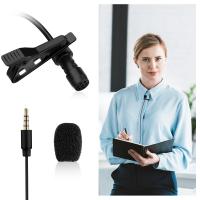
- For voice clarity, consider an external microphone like the Blue Yeti, Rode NT-USB, or Shure MV7. Budget-friendly options include FIFINE K669B and Samson Q2U.

- Built-in microphones in laptops are typically insufficient for professional recordings due to background noise and limited range.

- Camera

- A high-resolution webcam such as the Logitech C920 or Razer Kiyo is suitable for most users.

- For premium quality, a DSLR or mirrorless camera with a capture card can be used as a webcam alternative.

- Headphones

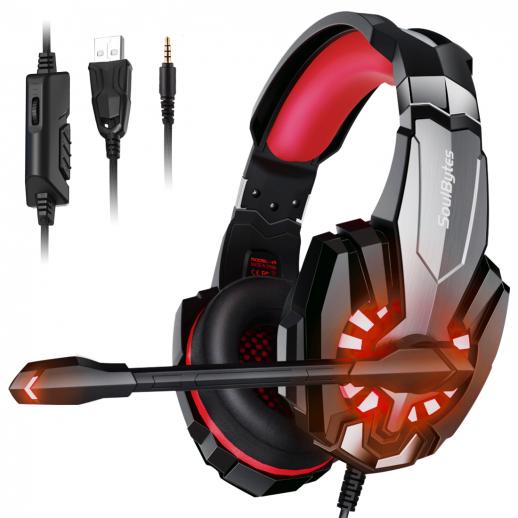
- Noise-canceling headphones like the Sony WH-1000XM5 or Audio-Technica ATH-M50X help monitor sound quality while recording.

---

Preparing Your System

Proper setup is critical to avoid technical hiccups during the recording process.

1. Optimize the Environment

- Ensure a quiet space with minimal background noise.

- Use soft furnishings or foam panels to reduce echo and improve acoustics.

- Adjust the lighting to reduce shadows or glare if video is involved.

2. System Configuration

- Close unnecessary applications to free up system resources.

- Check the storage space; video files can consume significant disk space.

- Test the microphone and camera to confirm they’re functioning properly.

- Update your drivers, especially for cameras and sound devices.

---

Recording Workflow

Once your setup is ready, follow these steps to record video and voice on your PC effectively.

1. Setting Up the Software

- Install and launch the recording software of your choice.

- Configure the input sources:

- For audio: Select your microphone.

- For video: Choose your camera or screen capture source.

- Adjust resolution and frame rate based on your needs:

- 1080p at 30-60 FPS is ideal for most recordings.

- Use 4K only if necessary, as it consumes significant resources.

2. Adjusting Audio and Video Settings

- Use the software’s settings to fine-tune your microphone gain, bitrate, and noise suppression.

- Set up a test recording to verify the sound levels and video quality.

- If needed, use filters or plugins to enhance the audio quality (e.g., noise reduction or equalization).

3. Recording the Content

- Start recording by hitting the designated button in your software.

- Ensure smooth delivery by rehearsing beforehand to minimize pauses or mistakes.

- Keep an eye on the recording indicators to confirm everything is working as expected.

4. Saving and Exporting

- Save your recordings in common formats such as MP4 for video and WAV/MP3 for audio.

- Choose a codec like H.264 for high-quality compression.

---

Enhancing the Output

Recording is just one step; post-production is crucial for a polished result.

1. Editing Software

- Use tools like Adobe Premiere Pro, Final Cut Pro, or DaVinci Resolve for video editing.

- For audio, Audacity is a free and powerful option for enhancing sound quality.

2. Tips for Better Editing

- Cut out unnecessary parts to keep the video concise.

- Add transitions, captions, or annotations to clarify key points.

- Use background music cautiously; ensure it complements the content and doesn’t overshadow the voice.

---

Common Issues and Troubleshooting

1. Poor Audio Quality

- Solution: Adjust microphone placement, reduce gain, or use noise-reduction software.

2. Lagging Video

- Solution: Lower the resolution or frame rate in your software settings. Check your system’s CPU and GPU usage.

3. Sync Issues Between Audio and Video

- Solution: Use software with auto-sync features, or manually adjust in post-production.

4. Unexpected Interruptions

- Solution: Turn off notifications and ensure your PC won’t go into sleep mode during recording.

---

Practical Applications

1. For Educators

Teachers can create engaging video lectures with screen captures, annotations, and voiceovers using OBS Studio or Camtasia.

2. For Gamers

Gamers can showcase their gameplay with NVIDIA ShadowPlay or OBS Studio, integrating overlays and live commentary seamlessly.

3. For Business Professionals

Professionals can record meetings or presentations with tools like Microsoft Teams or Zoom, saving them for reference or sharing with absent colleagues.

---

Key Tips for Beginners

- Start with free tools like OBS Studio to get familiar with the basics before investing in paid options.

- Always test your setup before recording important sessions.

- Maintain consistency in your recording settings for professional results.

---

Conclusion

Recording video and voice on a PC is straightforward with the right preparation, tools, and techniques. By understanding your requirements, setting up a proper environment, and leveraging powerful software, you can produce high-quality content tailored to your needs. Whether you're a beginner or an experienced creator, the steps outlined here will ensure a smooth and efficient recording process.

Leave your comment
Cancel reply
Note: HTML is not translated!
Related products
128G Mini Digital Voice Recorder with Color Screen Bluetooth Call Record 3072kbps Kentfaith
15
$119.99 $83.99
Instant Cross-APP Translator Device for Business & Trade, Video Call Translation, Record, & Transcription, Kentfaith AI Translator Devices
12
$124.99 $99.99
5K Video Camera with 75MP Photos, 8X Optical Zoom, WiFi Transfer, Wireless Mic, Dual Batteries, Support PIP Record, Kentfaith
16
$274.99 $239.99
AI Voice Recorder Voice-to-Text & Transcription for Meetings, Calls, Interviews, 64G Kentfaith Mini & Magnetic
26
$119.99 $69.99
Language Translator Earbuds Real-Time 150 Languages Voice Video Call Translation Kentfaith
13
$137.49 $109.99
OBSBOT Tiny 2 Webcam 4K Voice Control PTZ, AI Tracking Multi-Mode & Auto Focus, Web Camera with 1/1.5" Sensor, Gesture Control, 60 FPS, HDR Light Correction, Webcam for PC, Streaming, Meeting
$374.99 $299.99
Real-Time Translator Earbuds, 132 Languages/Accents, Voice/Video Call Translation, AI Note Taker, LCD Touchscreen Kentfaith
14
$99.99 $79.99
64GB Multifunctional Recorder, Active Noise Reduction Voice Recorder, Mp3 Playback, Video Playback, Suitable for Lectures, Meetings, Interviews, Classrooms, Etc.
29
$53.99
Real-Time Translator Earbuds, 2-Way, 132 Languages/Accents, Voice/Video Call Translation, AI Note Taker, LCD Touchscreen Kentfaith
12
$99.99 $79.99
67mm Clip-on CPL Phone Camera Lens Filter Kit Applicable to All Mobile Phone Models
24
$18.99
Products You May Like
1.8*2.8m Green Muslin Background, Foldable Soft Seamless Keying Cloth with 4 Spring Clips, Used for Video Photography and TV
22
$28.88
MD-L Manual Focus Compatible with Minolta Rokkor (SR/MD/MC) Lens to L Mount Camera Body Lens Mount Adapter
80
$53.99 $29.99
100*100*2mm Anti-light Pollution Square Filter with Protective Frame, HD Optical Glass Waterproof ND Light Reduction Filter Nano-Xcel Pro Series
40
$137.99 $109.99
High Quality Trail Camera
10
$162.99 $106.99
Camera Lens Filter Pouch Case, 4-Pocket Filter Carry Case, Belt Bag Pouch Water-Resistant shockproof and Dustproof Design for 37mm-95mm Filters
9
$30.99 $23.99
58mm Variable ND2-400 (1-9 Stops) & Black Mist 1/4 Filter with 18 Multi-Coatings for Camera Lenses Nano-Klear Series
$39.99
DSLR Camera Backpack Waterproof 19.3*13.4*7.1 inches
6
$66.99
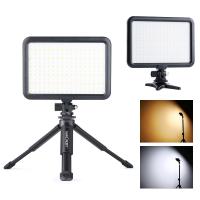
6500k Adjustable LED Video Light with Three-Stage Brightness Suction Cup Portable Pocket Light for Remote Work Meeting Broadcasting Video Makeup
8
$14.99
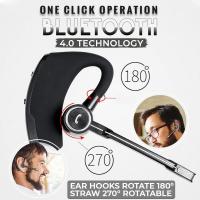
TWS Bluetooth Headset With Microphone Sports Ear Hook LED Display Earbuds
211
$29.99
1080P 18MP HD Mini Trail Camera 2.4” LCD Game Camera IP66 Waterproof Wildlife Hunting Camera Night Vision IR LEDs
270
$60.99
Related articles
How To Record Video With Sound On Pc?
How To Record Game Audio And Voice?
How Record Audio On Pc?
How To Record External Audio On Pc?
How To Record On Pc With Audio?
How To Capture Video On Pc From Camcorder?
How To Record Voice Audio On Mac?
How To Record Video On Screen With Sound?
How To Record Discord Voice Calls?
What Nd Filter For 60fps Outside?
Blog You May Like
Why Do You Use A Lens Hood?
What Does A Pro Mist Filter Do?
How To Improve Sound Quality Of Recorded Video?
What Are Smart Watches Good For?
What Is A Hidden Camera Detector?
What Was The World's Largest Telescope?
How Many Gb Sd Card For Switch?
How Many Stops Is An Nd 8 Filter?
What's The Best Outdoor Camera?
How To Built An Wifi Camera?
Related categories
On-Dash Camera lens adapters Video Shooting lightweight video tripod camera and lens cleaning kit C mount lens adapter
Popular products
Mini Digital Voice Recorder​ 3 light video kit USB Microphone Kit best usb microphone kit phone voice call recording wireless video camera ipad portable mp3 voice recorder mini sound recorder device mini magnetic voice recorder mini magnetic voice recorder
Related searches
Pc Video Camera Pc Camera And Microphone Always On Voice Recorder Best Microphones To Record Vocals Voice Recorder And Player Voice And Audio Recorder Voice And Data Recorder Record Wifi Camera Cameras That Record Audio Video Camera On Tripod
Popular searches
Solar Cctv Camera Wifi Kodak M Mount Lens Adaptor Wildlife Video Camera Softbox 120cm Sony E-mount Prime Lenses Best Portable Digital Microscope Tamron Nikon F Mount Camera Lenses Fx Sony Hx99 Adapter For Filter Digital Camcorder With Camera Zeiss 55mm 1.8 Lens Filter
Blog Category
  • Activities
  • Guide
    • Filter Guide
    • Lens Adapter
    • Product Review
  • News & Reviews
    • Camera Reviews
    • Sample Gallery
    • News
  • Tutorials
    • Solar eclipse photography
    • Photography Basics
    • Landscape Photography
  • Inspiration
    • Travel
    • Travel Stories
Search Article
Latest from the Blog
Camera Use Which Lens?
How To Find Camera Roll On Iphone 5s?
What Is The Difference Between Binoculars And Telescope?
How To Wear Monocular?
How Do Night Vision Goggles Work?
Can You Zoom In With Binoculars?
Where Can I Buy Samsung Camera Battery?
How Much Does It Cost For Security Cameras?
What Is Nd Filter On Video Camera?
Can I Charge Camera Battery With Power Bank?
  • Easy Payment Multilple Payment Options

  • Free Shipping Global WareHouse Shipment

  • No Risk 30-Day No Reason Return

  • Limited Deals Buy More, Save More

  • Tax Free No any surcharges or tax fee

Information
  • About us
  • Contact Us
  • Site Map
  • Blog
  • Video
  • Gallery
  • VIP Membership Rewards
Service
  • Privacy Policy
  • Terms & Conditions
  • Shipping & Delivery
  • Payment Info
  • Warranty, Return & Refund
  • Intellectual Property Rights
  • Ambassador
  • Affiliates
  • Wholesale
Support
  • My account
  • Order History
  • FAQs
  • Extend Warranty
  • Logistics Tracking
Follow us
NewsLetter

Get the latest product, K&F Concept respects your privacy.

Powered By KENTFAITH © 2025