kfconcept

KENTFAITH
K&F Concept    Blog >

Enjoy Your Selected Digital Life

Recently Viewed
  • Recently Viewed
  • Recently Viewed list is empty.

Compare (0) 0
  • Compare
  • You have not chosen any products to compare.

  • Compare
Currency: USD
  • Currency
Shop by Scene Shop by Rank

Log Into Your Account

Account

Order History

Wish List

Login

Forgotten Password?

Or connect with

Register Account

Already have an Account?Log In

  • Shopping Cart
  • Your shopping cart is empty!

  • Register/Login to purchase, earn points
  • Favorite
  • Your wish list is empty.

  • Register/Login to like, earn points
  • Activities
  • Guide
    • Filter Guide
    • Lens Adapter
    • Product Review
  • News & Reviews
    • Camera Reviews
    • Sample Gallery
    • News
  • Tutorials
    • Solar eclipse photography
    • Photography Basics
    • Landscape Photography
  • Inspiration
    • Travel
    • Travel Stories
  • Home
  • Blog
  • How To Loop A Video In Camera Roll?

How To Loop A Video In Camera Roll?

Kentfaith 2024-07-24 03:30:36 0 Comments

Looping a video in your camera roll can be a useful feature for various purposes, such as creating a continuous playback for presentations, social media posts, or personal enjoyment. While the default photo and video apps on most smartphones do not offer a direct option to loop videos, there are several workarounds and third-party applications that can help you achieve this. In this article, we will explore different methods to loop a video on both iOS and Android devices, ensuring that you can find a solution that best fits your needs.

Understanding the Basics
how to loop a video in camera roll 1

Before diving into the methods, it’s important to understand that looping a video means playing it repeatedly without interruption. This can be particularly useful for background videos, digital photo frames, or any scenario where you want the video to play continuously.

Method 1: Using Built-in Features (iOS)
how to loop a video in camera roll 2

For iOS users, the Photos app does not natively support video looping. However, you can use the Live Photos feature to create a loop effect. Here’s how:

1. Convert Video to Live Photo: First, you need to convert your video into a Live Photo. You can use apps like “intoLive” to do this. Download and install the app from the App Store.

2. Create Live Photo: Open the app, select the video you want to loop, and convert it into a Live Photo.

3. Set as Loop: Once the Live Photo is created, go to your Photos app, find the Live Photo, swipe up, and select the “Loop” option.

This method is simple but has its limitations, such as the length of the Live Photo and the quality of the loop.

Method 2: Using Third-Party Apps (iOS)
how to loop a video in camera roll 3

If you need more control over the looping process, third-party apps can be a great solution. Apps like “Looper” or “Video Loop” offer more features and flexibility.

1. Download and Install: Search for a video looping app in the App Store and install it.

2. Import Video: Open the app and import the video you want to loop from your camera roll.

3. Set Loop Parameters: Most apps will allow you to set the number of loops or even create an infinite loop.

4. Save or Share: Once you’ve set your loop, you can save the video back to your camera roll or share it directly from the app.

Method 3: Using Built-in Features (Android)
how to loop a video in camera roll 4

Android users have a bit more flexibility with built-in features, depending on the device and version of the operating system. Some Android devices come with a built-in video player that supports looping.

1. Open Video: Use the default video player app on your Android device to open the video you want to loop.

2. Access Playback Options: Tap on the screen to bring up the playback controls. Look for an option that says “Loop” or an icon that looks like a loop.

3. Enable Loop: Enable the loop option, and the video will play continuously.

If your default video player does not support looping, you can use third-party apps.

Method 4: Using Third-Party Apps (Android)

Similar to iOS, there are several third-party apps available for Android that can help you loop videos.

1. Download and Install: Search for a video looping app in the Google Play Store and install it.

2. Import Video: Open the app and import the video you want to loop from your camera roll.

3. Set Loop Parameters: Configure the loop settings according to your needs.

4. Save or Share: Save the looped video back to your camera roll or share it directly from the app.

Method 5: Using Online Tools

If you prefer not to install any apps, you can use online tools to loop your video. Websites like “Clideo” or “Kapwing” offer video looping services.

1. Upload Video: Go to the website and upload the video you want to loop.

2. Set Loop Parameters: Configure the loop settings, such as the number of loops or infinite loop.

3. Download Video: Once the video is processed, download it back to your device.

Practical Applications

Looping videos can be useful in various scenarios:

- Social Media: Create engaging content for platforms like Instagram, TikTok, or Facebook.

- Presentations: Use looped videos as background visuals during presentations or events.

- Digital Frames: Display looped videos on digital photo frames for continuous playback.

- Personal Enjoyment: Enjoy your favorite moments on a loop without having to manually replay the video.

Tips for a Seamless Loop

To ensure your looped video plays seamlessly, consider the following tips:

- Trim the Video: Remove any unnecessary parts at the beginning or end of the video to create a smooth transition.

- Use Crossfade: Some apps offer a crossfade feature that can help blend the end of the video with the beginning for a seamless loop.

- Check Quality: Ensure that the video quality is maintained after looping, especially if you’re using online tools or third-party apps.

Looping a video in your camera roll may not be a built-in feature on most smartphones, but with the right tools and methods, it’s a task that can be easily accomplished. Whether you’re using built-in features, third-party apps, or online tools, there are multiple ways to achieve a continuous playback of your favorite videos. By following the steps outlined in this article, you can create looped videos for various purposes, enhancing your digital content and personal enjoyment.
Leave your comment
Cancel reply
Note: HTML is not translated!
Related products
12 Rolls Kids Camera Paper Roll Refill, Color Printing, BPA and BPS Free
$18.74 $14.99
Quick Release Clamp Mount, Bike Motorcycle Handlebar Roll Bar Tube Clip Holder Attach Accessories K&F CONCEPT
$45.99 $36.99
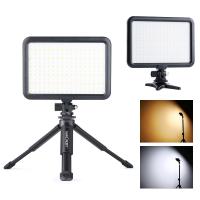
Camera Light LED Video Light Panel for Camera Camcorder Lighting in Studio or Outdoors 3200K to 5500K Variable Color Temperature (Only ship to us)
26
$44.99 $39.99
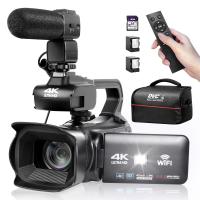
4K Video Camera Professional 60FPS UHD for Filmmaking, Movie & Photography, Video Recorder Camera with 18X Zoom, Digital Camera for Video Recording, 4.0" Flip Touchscreen, 64GB Card, Up To 6 Hours Work Time
TOP Best
4K Video Camera Professional 60FPS UHD for Filmmaking, Movie & Photography, Video Recorder Camera with 18X Zoom, Digital Camera for Video Recording, 4.0" Flip Touchscreen, 64GB Card, Up To 6 Hours Work Time
508
$404.99 $219.99
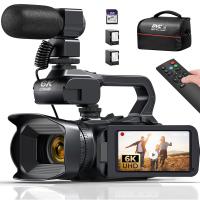
6K Video Camera 64MP Photos, Built-in WiFi, 4in Flip Touchscreen, IR Night Vision, Mic & 64GB Card Included, Kentfaith Video Recorder Camera for Vlogging, Filmmaking
15
$324.99 $259.99
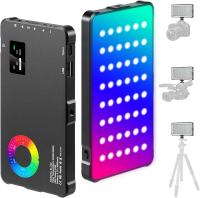
RGB Multi-Function Two-in-One Video Light & Power Bank, Built-in 4000mAh, for SLR Camera, Mobile Phone, Vlog, Photography Light
96
$74.99 $52.99
Minolta A / Sony A Lenses to Pentax Q Lens Mount Adapter K&F Concept M22161 Lens Adapter
$45.99 $23.99
Sony Alpha Minolta AF A-Type Lens to NEX E-Mount Mirrorless Camera with Matting Varnish Design
146
$64.99 $35.99
Minolta A / Sony A Lenses to Pentax Q Lens Mount Adapter with Tripod Mount K&F Concept M22162 Lens Adapter
$55.99 $28.99
Lens Mount Adapter Compatible with Sony Alpha Minolta AF A-Type Lens to NEX E-Mount Mirrorless Camera Body
155
$53.99 $27.99
Products You May Like
Pentax K/M/A/FA/DA Lenses to Fuji X Lens Mount Adapter K&F Concept M35111 Lens Adapter
5
$60.99 $33.99
49mm Fader ND2-ND32 (1-5 Stop) Variable ND Lens Filter Neutral Density Filter for Camera Lens NO X Spot Nanotec Ultra-Slim Weather-Sealed
$64.99 $42.99
Outdoor Trail Camera Wireless
10
$162.99 $106.99
WiFi Thermal Camera for iOS & Android with Visible Light Camera 256 x 192 IR Resolution 1000mAh Battery
13
$524.99 $367.99
K&F Concept Camera Backpack Hardshell DSLR Photography Camera Bag with 15-15.6 Inch Laptop Compartment Waterproof Camera Case Compatible for Canon/Nikon/Sony/DJI Mavic Drone - Backpack 22L Nature Wander 10 (Red)
NEW Arrival
K&F Concept Camera Backpack Hardshell DSLR Photography Camera Bag with 15-15.6 Inch Laptop Compartment Waterproof Camera Case Compatible for Canon/Nikon/Sony/DJI Mavic Drone - Backpack 22L Nature Wander 10 (Red)
16
$108.99 $69.99
62mm Magnetic UV Filter Ultra Slim with Multi Coated Ultraviolet Protection Lens Filter with Cleaning Cloth Nano-K Series
34
$21.99 $16.99
Contax Yashica Lenses to Fuji X Lens Mount Adapter K&F Concept M14111 Lens Adapter
7
$53.99 $29.99
Camera Tripod, Portable Adjustable Light Stand with 1/4in Screw Quick Release, 360° Ball Head Camera Tripod for Camera Video, Lightweight for Travel, Kentfaith
$19.99 $15.99
10x28 Children Mini Binoculars HD Detachable Monocular for Kids
16
$59.99 $37.81
67mm Filter Set (UV, CPL, FLD)
2
$32.99 $17.99
Related articles
How To Save Videos In Camera Roll?
How To Find Camera Roll On Iphone 5s?
Can You Save Facebook Videos To Camera Roll?
How To Improve Video Quality In Low Light?
How To Mirror A Video On Iphone Camera?
How To Speed Up A Video On Camera?
How To Find A Camera In Your Home?
How To Record Audio From A Video?
How To Remove Sound From A Recorded Video?
How To Put The Battery In My Camera?
Blog You May Like
What Colour Is Speed Camera Flash?
How To Set Up Earbuds?
How To Use Wireless Camera Without Receiver?
Which Ear Is Best For Earphones?
Can I Hand Hold A Graduated Nd Filter?
How Does Sd Card Work?
Who Found Telescope?
How To Replace Ring Light Bulb?
How To Adjust Nikon Binoculars?
9 Inch Fish Finder What Size Battery?
Related categories
streaming video camera A Mount Lens Adapter C mount lens adapter digital camera for beginner Sony A Mount Lens Adapters Video Shooting minolta a mount lenses 2 in 1 Filter
Popular products
led light panel photography wide angle hd dash cam leica m sony e mount adapter sony minolta adapter sony a mount to minolta adapter sony alpha a7r mirrorless digital camera hiding a trail camera 4K Camera For Streaming nex lens adapter sony a7r lens adapter
Related searches
Best Camera In A Smartphone Binoculars With A Camera Built In Video Camera On A Stick In Car Video Camera Mount Best In Car Video Camera Video Camera With Line In Dash Cam Loop Recording Length Best Camera For A Music Video Best Video Camera On A Phone Objective Lens In A Microscope
Popular searches
Fuji To Canon Lens Adapter Minolta Maxxum 4 Lens Mount Solar Powered Floodlight With Camera Nikon Keymission 170 Mounts Md To Fuji X Adapter Olympus E520 Lens Adapter Canon Powershot Sx20is Lens Adapter Rtf Fpv Drone Kit With Goggles Rollei Sl35 Lens Mount Iphone Slr Lens Adapter Kit
Blog Category
  • Activities
  • Guide
    • Filter Guide
    • Lens Adapter
    • Product Review
  • News & Reviews
    • Camera Reviews
    • Sample Gallery
    • News
  • Tutorials
    • Solar eclipse photography
    • Photography Basics
    • Landscape Photography
  • Inspiration
    • Travel
    • Travel Stories
Search Article
Latest from the Blog
What Is The Best Camera To Record Videos?
How Much Storage For Security Camera?
What To Look For In A Dash Cam?
Camera That Can Wifi Photos To Phone?
What Is Surveillance Camera Control System?
How Much Does It Cost For Security Cameras?
How To Find Camera Roll On Iphone 5s?
Neutral Density Filter: The Ultimate Guide for Photographers and Videographers
UV Filter: Everything You Need to Know About UV Protection Lens Filters
Dash Cam That Can Connect To Phone?
  • Easy Payment Multilple Payment Options

  • Free Shipping Global WareHouse Shipment

  • No Risk 30-Day No Reason Return

  • Limited Deals Buy More, Save More

  • Tax Free No any surcharges or tax fee

Information
  • About us
  • Contact Us
  • Site Map
  • Blog
  • Video
  • Gallery
  • VIP Membership Rewards
Service
  • Privacy Policy
  • Terms & Conditions
  • Shipping & Delivery
  • Payment Info
  • Warranty, Return & Refund
  • Intellectual Property Rights
  • Ambassador
  • Affiliates
  • Wholesale
Support
  • My account
  • Order History
  • FAQs
  • Extend Warranty
  • Logistics Tracking
Follow us
NewsLetter

Get the latest product, K&F Concept respects your privacy.

Powered By KENTFAITH © 2026