kfconcept

KENTFAITH
K&F Concept    Blog >

Enjoy Your Selected Digital Life

Recently Viewed
  • Recently Viewed
  • 77mm Black Mist 1/8 Filter + Lens Cap, Mist Cinematic Effect Filter with 18 Multi-Layer Coatings for Video, Vlog, Portrait Photography Nano-Klear Series
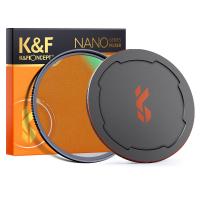
    77mm Black Mist 1/8 Filter + Lens Cap, Mist Cinematic Effect Filter with 18 Multi-Layer Coatings for Video, Vlog, Portrait Photography Nano-Klear Series
    $53.99 $35.99
    Clip On 67mm Variable ND2-32 Magnetic Phone Lens Filter Kit, Phone Clip with Magnetic Adapter Ring / Cold Shoe / Locking Knob, Compatible models: iPhone 15 series/14 series/13 series/12 series/11 series and other iPhone phones, Galaxy S22 S23 Ultra
    Clip On 67mm Variable ND2-32 Magnetic Phone Lens Filter Kit, Phone Clip with Magnetic Adapter Ring / Cold Shoe / Locking Knob, Compatible models: iPhone 15 series/14 series/13 series/12 series/11 series and other iPhone phones, Galaxy S22 S23 Ultra
    $49.99
    55mm Fader ND2-32 (1-5 Stop) Variable ND Lens Filter Neutral Density Filter for Camera Lens NO X Spot Nanotec Ultra-Slim Weather-Sealed
    55mm Fader ND2-32 (1-5 Stop) Variable ND Lens Filter Neutral Density Filter for Camera Lens NO X Spot Nanotec Ultra-Slim Weather-Sealed
    $63.99 $50.99
    AI Voice Recorder with ChatGPT Transcription, Summary, 107 Languages Voice Translation for Meetings, Interviews, Business Calls, Lectures, Kentfaith Personal AI Assistant
    AI Voice Recorder with ChatGPT Transcription, Summary, 107 Languages Voice Translation for Meetings, Interviews, Business Calls, Lectures, Kentfaith Personal AI Assistant
    $223.19 $139.99
    37mm CPL Filter True Color Circular Polarizers Filter with 28 Multi-Layer Coatings for Camera Lens Nano-Xcel Series
    37mm CPL Filter True Color Circular Polarizers Filter with 28 Multi-Layer Coatings for Camera Lens Nano-Xcel Series
    $49.99 $39.99
    55mm Variable ND Filter ND2-400 (1-9 Stop) Lens Filter Waterproof Scratch Resistant Nano-Xcel Series
    55mm Variable ND Filter ND2-400 (1-9 Stop) Lens Filter Waterproof Scratch Resistant Nano-Xcel Series
    $87.99 $69.99
    82mm Black Mist 1/8 Filter + Lens Cap, Mist Cinematic Effect Filter with 18 Multi-Layer Coatings for Video, Vlog, Portrait Photography Nano-Klear Series
    82mm Black Mist 1/8 Filter + Lens Cap, Mist Cinematic Effect Filter with 18 Multi-Layer Coatings for Video, Vlog, Portrait Photography Nano-Klear Series
    $58.99 $39.37
    46mm Lens Filter Kit Neutral Density ND8+ND64+CPL Circular Polarizer for Professional Camera Lens with Multiple Layer Nano Coated
    46mm Lens Filter Kit Neutral Density ND8+ND64+CPL Circular Polarizer for Professional Camera Lens with Multiple Layer Nano Coated
    $41.99
    77mm Lens Filter Black Mist 1/8 & Variable ND2-32 2 in 1 Filter Cinematic Effect Neutral Density Filter with 18 Multi-Layer Coatings - Nano-Klear Series
    77mm Lens Filter Black Mist 1/8 & Variable ND2-32 2 in 1 Filter Cinematic Effect Neutral Density Filter with 18 Multi-Layer Coatings - Nano-Klear Series
    $71.99 $44.62
    82mm Black Mist 1/8 Filter with Brass Frame, Ultra Low Reflection, Mist Soft Glow Diffuser Lens Filters with 36 Multi-Layer Coatings - Nano-X Pro Series
    82mm Black Mist 1/8 Filter with Brass Frame, Ultra Low Reflection, Mist Soft Glow Diffuser Lens Filters with 36 Multi-Layer Coatings - Nano-X Pro Series
    $182.99 $136.99
Compare (0) 0
  • Compare
  • You have not chosen any products to compare.

  • Compare
Currency: USD
  • Currency
Shop by Scene Shop by Rank

Log Into Your Account

Account

Order History

Wish List

Login

Forgotten Password?

Or connect with

Register Account

Already have an Account?Log In

  • Shopping Cart
  • Your shopping cart is empty!

  • Register/Login to purchase, earn points
  • Favorite
  • Your wish list is empty.

  • Register/Login to like, earn points
  • Activities
  • Guide
    • Filter Guide
    • Lens Adapter
    • Product Review
  • News & Reviews
    • Camera Reviews
    • Sample Gallery
    • News
  • Tutorials
    • Solar eclipse photography
    • Photography Basics
    • Landscape Photography
  • Inspiration
    • Travel
    • Travel Stories
  • Home
  • Blog
  • How To Insert Sd Card Into Akaso Camera?

How To Insert Sd Card Into Akaso Camera?

Kentfaith 2025-01-06 01:52:11 0 Comments

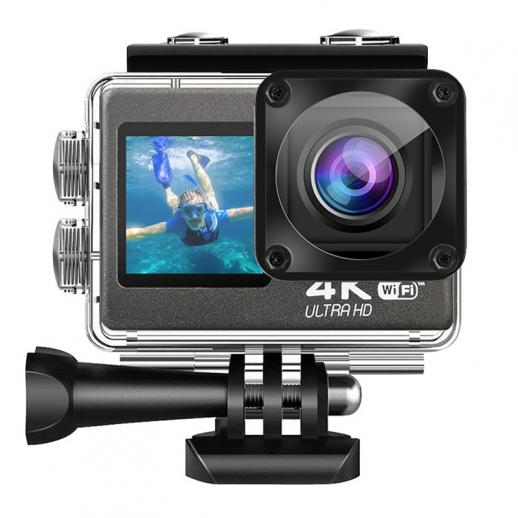
If you’ve just purchased an AKASO action camera, you're probably eager to start capturing high-quality footage right away. Before diving into the action, however, it's essential to ensure you have a properly inserted SD card, as it serves as the storage medium for all your photos and videos. In this article, we’ll walk you through the process of inserting an SD card into an AKASO camera, troubleshooting common issues, and offering tips on managing your storage efficiently.

Step 1: Choose the Right SD Card for Your AKASO Camera

Before we dive into the physical process of inserting an SD card into your AKASO camera, it’s important to make sure you’re using a compatible card. Different AKASO camera models may have different storage capacity limits or recommended specifications, so it's crucial to select the right SD card to avoid issues like corrupted footage or camera malfunctions.

Here are some general guidelines:

- Type: Most AKASO cameras support microSD cards. Ensure that you’re using a microSDHC or microSDXC card.

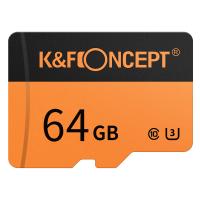
- Speed Class: The speed class indicates how fast the card can read and write data. For smooth video recording, especially in high-definition or 4K modes, a Class 10, UHS-I U1, or UHS-I U3 SD card is recommended.

- Capacity: Depending on your camera model, the capacity of the SD card can range from 8GB to 256GB. Higher-capacity cards will allow for longer recording times, but ensure that your specific camera model supports the storage size you’re choosing.

Consult your camera's manual or check the manufacturer's website for detailed compatibility information to avoid issues later on.

Step 2: Power Off the Camera

Before inserting or removing any storage device, it’s crucial to ensure that the camera is powered off. This prevents any potential damage to the SD card or the camera’s internal components. Most AKASO cameras have a power button on the side or front, depending on the model. Simply hold down the button for a few seconds until the camera turns off.

Step 3: Locate the SD Card Slot

Once your AKASO camera is powered off, the next step is to locate the SD card slot. The location of the SD card slot may vary slightly depending on the camera model, but in most AKASO cameras, it is typically found on the side or under a flap near the battery compartment.

Here’s how you can generally locate the SD card slot:

- Open the Battery Compartment: If the SD card slot is inside the battery compartment, open the compartment door. Some AKASO cameras have a simple sliding door, while others might require you to unclip a latch.

- Side Slot: If your camera has a side slot, look for a small, rectangular opening with a symbol or label next to it to indicate where the SD card should go.

In some models, there may be a separate compartment for the battery and the SD card, while others may have a combined slot. Always refer to your camera’s manual for precise instructions on your specific model.

Step 4: Insert the SD Card

Now that you’ve found the SD card slot, it’s time to insert the card. Follow these instructions carefully:

- Orientation: The SD card has a specific orientation. You should insert it with the metal contacts facing the back of the camera or towards the lens (depending on the model). If the card isn’t going in easily, it may be in the wrong orientation.

- Push the SD Card In: Gently insert the SD card into the slot. Most AKASO cameras use a spring-loaded mechanism that will click into place once the card is fully inserted. You should feel some resistance as the card slides in.

- Check for Secure Insertion: Ensure that the SD card is seated properly and doesn’t stick out from the slot. If it’s not fully inserted, it may not be recognized by the camera.

Step 5: Power On the Camera and Format the SD Card

Once the SD card is properly inserted, it’s time to power on the camera. Hold down the power button to turn the camera back on. If this is the first time you’re using the SD card with your AKASO camera, you’ll likely need to format the card.

Formatting the SD card ensures that it’s set up for use with the camera, and helps avoid issues with file system compatibility. Follow the on-screen prompts or navigate to the camera’s settings menu to format the card. This process will erase any existing data on the card, so make sure to back up any important files beforehand.

Step 6: Verify the SD Card is Working

After formatting, it’s a good idea to check that the SD card is functioning properly. You can do this by checking the available storage space through the camera’s menu. Most AKASO cameras display the total storage available and the remaining capacity on the screen. If the camera recognizes the card and shows the available storage correctly, it means the SD card is inserted and functioning properly.

In some cases, the camera might display an error message indicating issues with the card. Common issues can include:

- Incompatible SD Card: If the SD card is not supported by your camera, it won’t be recognized.

- Corrupted Files: If the SD card was previously used in another device, it may have corrupted data that needs to be cleared.

If you face any issues with SD card recognition, try removing the card, re-inserting it, or using a different SD card to see if the problem persists.

Troubleshooting Common Issues

Here are some common problems users face when inserting an SD card into an AKASO camera, along with some troubleshooting tips:

1. Camera Not Recognizing the SD Card:

- Ensure the SD card is properly formatted.

- Try using a different SD card if the current one is not being recognized.

- Check that the SD card is inserted correctly.

- Make sure the SD card is compatible with your camera.

2. Insufficient Storage Space:

- If you find that the camera is showing low storage despite having a large-capacity card, check if there are any hidden files or settings preventing new recordings.

- Consider deleting unnecessary files from the card to free up space or use a card with higher capacity.

3. Error Messages:

- If you receive error messages like “Card Error” or “Format Card,” try formatting the card using the camera settings.

- If the card still doesn’t work, try reformatting it using a computer and a card reader, then reinsert it into the camera.

4. Slow Video Recording:

- Slow or interrupted video recording could indicate that the SD card’s write speed is not fast enough for high-definition video. Use a higher-class SD card (e.g., UHS-I U3) for recording in 4K or high-frame-rate modes.

Additional Tips for Managing SD Card Storage

To get the most out of your SD card and avoid running into storage issues, here are a few tips:

- Regular Backups: Regularly back up your footage to your computer or cloud storage. This helps free up space on your SD card for new recordings and prevents data loss.

- Delete Unnecessary Files: If you have files that you no longer need, delete them directly from the camera to keep the SD card from getting full.

- Use Multiple SD Cards: If you’re planning on recording long video sessions or extended adventures, consider carrying multiple SD cards with you. Switching cards as you fill them up will ensure you never run out of storage space.

- Keep the Card Clean: Dust, dirt, or moisture can affect the SD card’s performance. Keep the card’s contacts clean and store it in a protective case when not in use.

Inserting an SD card into an AKASO camera is a straightforward process, but selecting the right card, ensuring proper insertion, and managing your storage effectively can make a big difference in the quality and reliability of your footage. By following the steps outlined above, you can quickly get your camera up and running, ensuring you're ready to capture stunning photos and videos during your next adventure.

Remember to always use high-quality, compatible SD cards, keep your storage organized, and back up your footage regularly to prevent data loss. With these tips, you’ll be able to maximize your AKASO camera’s performance and enjoy a seamless experience capturing memories that last a lifetime.


Leave your comment
Cancel reply
Note: HTML is not translated!
Related products
SD Card Reader for iPhone/iPad/Android/Mac/Computer/Camera, 4 in 1 Micro SD Card Reader Tracking Camera Viewer, Portable Memory Card Reader SD Card Adapter Compatible with SD and Micro SD Card/TF Card ( black)
$14.99
K&F Concept 36 Slots SD Micro SD Memory Card Case, Water-Resistant SD Card Holder, Anti-Shock Card Carrying Storage Box for 24 Micro SD SDXC SDHC TF Cards and 12 SD SDXC SDHC Cards
$18.99 $9.99
K&F Concept 28 Slots Micro SD Card Case,Water-Resistant Anti-Shock Anti-Dust TF Card Holder,Micro SD/Micro SDHC/Micro SDXC Card Box Organizer Storage
$18.99 $9.99
128GB MicroDrive Micro SD UHS-I Memory Card
2
$31.99
K&F Concept 24 Slots SD Card Holder Memory Card Case, Water-Resistant Shockproof Memory Card Storage Carrying Case for 12 SD SDXC SDHC Cards, 12 CFexpress Type A Cards
$18.99 $9.99
4K 32MP Hunting Camera, 100° Wide Motion Sensor 0.2s Trigger IP67 Waterproof, 2.31" Display, with 64G SD Card +Card Reader
$114.99
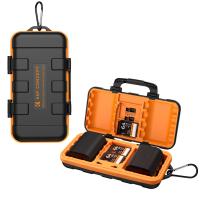
Camera Battery SD Card Holder for 4 SD Cards, 2 Camera Batteries, 6 TF Cards, 2 CF Cards or 2 XQDs, Water-resistant and Anti-shock Case, Camera Accessories
4
$26.99 $13.99
32GB Micro SD Card U3/V30/A1 with Adapter, Memory Card for Cameras, Borescopes,  Microscopes, Night Vision Goggles, Kentfaith
32GB Micro SD Card U3/V30/A1 with Adapter, Memory Card for Cameras, Borescopes, Microscopes, Night Vision Goggles, Kentfaith
$19.99 $15.99
64GB Micro SD Card U3/V30/A1 with Adapter, Memory Card for Cameras, Borescopes,  Microscopes, Night Vision Goggles, Kentfaith
64GB Micro SD Card U3/V30/A1 with Adapter, Memory Card for Cameras, Borescopes, Microscopes, Night Vision Goggles, Kentfaith
$23.75 $23.73
Products You May Like
95mm Variable ND2-ND32 (1-5 Stop)  Lens Filter Neutral Density Filter Waterproof Scratch Resistant with 28 Layers of Nano-coating Nano-X Series
95mm Variable ND2-ND32 (1-5 Stop) Lens Filter Neutral Density Filter Waterproof Scratch Resistant with 28 Layers of Nano-coating Nano-X Series
$159.99 $109.99
58mm Centerfield Split Diopter Filter Special Effect Camera Lens Filter Nano-B Series
16
$31.99 $23.39
Nikon F Lenses to Canon EOS M Lens Mount Adapter K&F Concept M11141 Lens Adapter
$53.99 $27.99
Beschoi Canon EOS EF Lens to Samsung NX SLR Camera Body K&F Concept Lens Mount Adapter
$39.99 $36.99
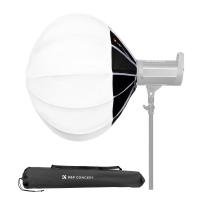
26" / 65cm Softbox Lantern Soft Light Modifier Quick Release Light Diffuser Softbox Compatible with Bowens Mount with Carrying Bag for Photography Studio Speedlite Flash and Monolight
12
$96.99
Camera Backpack Camera Bags for Photographers Large Capacity Camera Case with Raincover 15-15.6 Inch Laptop Compartment Compatible for Canon/Nikon/Sony/DJI Mavic Drone - Backpack 20L Urban Wander 01 (Black)
105
$140.99 $74.99
AI-NEX Lens Adapter Manual Focus Compatible Nikon F Lenses for Sony E Camera Body
149
$56.99 $31.99
Nikon AI/F Mount Lens to Fujifilm X Series Mirrorless FX Mount Camera Adapter with Matting Varnish Design for Fuji XT2 XT20 XE3 XT1 X-T2 K&F Concept Lens Mount Adapter
61
$64.99 $35.99
112mm MCUV Protection Filter with 28 Multi-Layer Coatings (Special Filter for Nikon Z 14-24mm f2.8S Lens)
77
$124.99 $99.99
Minolta A / Sony A Lenses to Pentax Q Lens Mount Adapter K&F Concept M22161 Lens Adapter
$45.99 $23.99
Related articles
How To Insert Sd Card Into Security Camera?
How To Insert Micro Sd Card Into Pc?
How To Insert Sd Card Into Macbook Air?
How To Put Camera Sd Card Into Computer?
How Insert Sd Card In Laptop?
How To Insert Micro Sd Card Switch?
How To Insert Memory Card In Macbook Pro?
How To View Photos In Akaso Action Camera?
How To Find Camera Plugged Into Mac?
Who Found Telescope?
Blog You May Like
How Long Does Dash Cam Record?
Sound Not Working When Screen Recording?
How Far Will My Wireless Cameras Work?
What Power Binoculars For Long Distance Viewing?
Which Filter For Lens Protection?
What Brand Of Square Filter?
White Mist Filter: When and When Not To Use One
What Are Flash Memory Cards Used For?
How To Connect Smart Watch With Android?
Uv Filter 100 Bulb What Is?
Related categories
camera card memory C mount lens adapter m4/3 adapter Camera Parts | Studio Camera Accessories streaming video camera
Popular products
portable sd card reader 64Gb Micro Sd Memory Card 32gb sd flash memory card 4k sd memory card Full Size Sd Memory Card gaming video camera sd memory card carrying case 64gb memory card micro surveillance memory card
Related searches
Camera Sd Card Holder Camera Sd Card Case Micro Sd Camera Card Wildlife Camera Sd Card Sd Card Cctv Camera Camera With Sd Card Dual Sd Card Camera Micro To Sd Card Adapter Sd Card Cameras Sd Card Recorder
Popular searches
Lumix G7 Canon 50mm F1.8 Adapter Selfie Ring Light For Phone Plug In Microscope Leica Tele Elmar 135mm F4 M Mount Rv Wireless Security Camera System Zhiyun Smooth 4 Canon G7x Adapter Minolta Xg-1 Lens Mount Smart Watch With Body Temperature Metal Detector For Beginner Wireless Headphones For Tv Without Bluetooth
Blog Category
  • Activities
  • Guide
    • Filter Guide
    • Lens Adapter
    • Product Review
  • News & Reviews
    • Camera Reviews
    • Sample Gallery
    • News
  • Tutorials
    • Solar eclipse photography
    • Photography Basics
    • Landscape Photography
  • Inspiration
    • Travel
    • Travel Stories
Search Article
Latest from the Blog
Can I Charge Camera Battery With Power Bank?
Can You Zoom In With Binoculars?
What is A Variable ND Filter? The Complete Guide to Mastering Exposure Control
UV Filter: Everything You Need to Know About UV Protection Lens Filters
How To Find Camera Roll On Iphone 5s?
What Tripod To Buy?
Which Camera Is Best For Low Light Photography?
How Big A Memory Card For Camera?
What Is The Difference Between Binoculars And Telescope?
How To Put Sd Card In Camera?
  • Easy Payment Multilple Payment Options

  • Free Shipping Global WareHouse Shipment

  • No Risk 30-Day No Reason Return

  • Limited Deals Buy More, Save More

  • Tax Free No any surcharges or tax fee

Information
  • About us
  • Contact Us
  • Site Map
  • Blog
  • Video
  • Gallery
  • VIP Membership Rewards
Service
  • Privacy Policy
  • Terms & Conditions
  • Shipping & Delivery
  • Payment Info
  • Warranty, Return & Refund
  • Intellectual Property Rights
  • Ambassador
  • Affiliates
  • Wholesale
Support
  • My account
  • Order History
  • FAQs
  • Extend Warranty
  • Logistics Tracking
Follow us
NewsLetter

Get the latest product, K&F Concept respects your privacy.

Powered By KENTFAITH © 2025