kfconcept

KENTFAITH
K&F Concept    Blog >

Enjoy Your Selected Digital Life

Recently Viewed
  • Recently Viewed
  • 40.5mm ND2-ND400 (9 Stops) Variable ND Filter Neutral Density Adjustable Filter for Canon Nikon DSLR Cameras + Lens Cleaning Cloth
    40.5mm ND2-ND400 (9 Stops) Variable ND Filter Neutral Density Adjustable Filter for Canon Nikon DSLR Cameras + Lens Cleaning Cloth
    $32.99 $25.99
Compare (0) 0
  • Compare
  • You have not chosen any products to compare.

  • Compare
Currency: USD
  • Currency
Shop by Scene Shop by Rank

Log Into Your Account

Account

Order History

Wish List

Login

Forgotten Password?

Or connect with

Register Account

Already have an Account?Log In

  • Shopping Cart
  • Your shopping cart is empty!

  • Register/Login to purchase, earn points
  • Favorite
  • Your wish list is empty.

  • Register/Login to like, earn points
  • Activities
  • Guide
    • Filter Guide
    • Lens Adapter
    • Product Review
  • News & Reviews
    • Camera Reviews
    • Sample Gallery
    • News
  • Tutorials
    • Solar eclipse photography
    • Photography Basics
    • Landscape Photography
  • Inspiration
    • Travel
    • Travel Stories
  • Home
  • Blog
  • How To Hook Up A Wireless Backup Camera?

How To Hook Up A Wireless Backup Camera?

Kentfaith 2025-09-25 01:59:27 0 Comments

Installing a wireless backup camera can greatly improve your driving safety by providing a clear view behind your vehicle while reversing. Whether you're outfitting a car, truck, or trailer, the process is relatively straightforward compared to wired systems, as it eliminates the hassle of running lengthy cables through your vehicle. This article will walk you through step-by-step instructions for hooking up a wireless backup camera, along with some important tips to make the process smooth and effective.

Preparing for Installation
how to hook up a wireless backup camera 1

Before starting, ensure you have all required tools and that your wireless backup camera kit is well-suited to your vehicle. Typically, a wireless backup camera package includes:

- The wireless camera itself (usually mounted to or near the license plate).

- A transmitter to send video signals wirelessly.

- A monitor or a screen for the front dashboard to display the camera feed.

- Power cables for the camera and monitor.

It’s also helpful to have tools such as a screwdriver, wire crimpers, electrical tape, or zip ties to secure connections. You should verify compatibility with your vehicle's electrical system and confirm the backup camera can pair successfully with the monitor or digital display.

Step 1: Locating the Ideal Mounting Spot for the Camera

how to hook up a wireless backup camera 2

The first step is to determine where to mount the camera. Most wireless backup cameras are designed to install onto or near the rear license plate area due to their central and unobstructed view. Remove the license plate if required and confirm there’s enough space around it for the camera bracket or mounting hardware.

Make sure the camera's field of view will capture the area directly behind your vehicle, with minimal obstruction. If you often tow trailers or haul large objects, consider an adjustable-unit camera that allows you to angle it appropriately for your needs.

Step 2: Powering the Camera

how to hook up a wireless backup camera 3

Unlike wired systems, wireless cameras still have to be powered to function. The easiest and most common method is using the reverse light as the power source. Here’s how you set it up:

1. Access the Wiring for Reverse Lights: Open your vehicle’s trunk or rear hatch to locate the reverse light wiring. Consult your vehicle’s manual or online schematics if you’re unsure where the wiring is located.

2. Connect the Camera Wires: The wireless camera kit will typically have two wires—a positive and a ground wire. Use wire crimpers or splice connectors to attach the positive wire to the reverse light’s positive cable and the ground wire to the reverse light’s negative cable or a grounding screw.

3. Secure the Connection: Use electrical tape or zip ties to ensure the wires are secure and insulated from potential damage.

When you engage reverse gear, your reverse light activates, and the camera will start sending signals to the monitor. This ensures the camera operates only when needed.

Step 3: Mounting the Camera

how to hook up a wireless backup camera 4

Once the power source is set, mount the wireless backup camera securely. Follow the steps below:

1. Position the camera bracket where you previously decided on the mounting spot. Ensure the bracket aligns with your license plate holes, rear bumper, or the manufacturer's recommended mounting location.

2. Use screws or adhesive mounts (depending on the package design) to secure the camera.

3. Adjust the angle of the camera to optimize visibility. Most models allow for tilting or swiveling so you can fine-tune the view.

Double-check the stability of the unit by gently rocking it back and forth. Any loose-fitting could compromise the visual feed during vehicle movements.

Step 4: Installing the Video Monitor

The monitor or display screen is typically placed in the driver's cabin for easy access to the live feed. Depending on the model, your monitor may come with a combination of suction cups, adhesive mounts, or dashboard-mounted hardware.

1. Choose a Spot for the Monitor: The monitor should be placed where you can see it comfortably while driving. Recommended locations include the dashboard, rearview mirror, or windshield corner near the driver’s seat.

2. Power the Monitor: Most wireless backup monitors are powered through the cigarette lighter port or a dedicated USB power port. Plug in the monitor for power and route cables discreetly to avoid interference with driving controls.

3. Pair the Monitor with the Camera: Follow the manufacturer’s instructions to sync the monitor with the wireless camera. Typically, this involves switching on both devices and ensuring they operate on the same frequency. Some monitors will connect automatically, while others require manual input.

Step 5: Testing the System

After installation, it’s crucial to test the system thoroughly to ensure it functions as intended:

1. Start your vehicle.

2. Shift into reverse gear. The monitor should instantly display the live video feed from your backup camera.

3. Adjust the angle of the camera if necessary to capture a clear view behind the vehicle.

4. Check for interference: Wireless cameras may experience occasional signal disruptions due to nearby devices or poor installation. If you notice flickering or loss of image quality, reposition or secure the transmitter.

If everything works properly, zip-tie or tape down any loose wiring so it doesn’t obstruct your vehicle’s interior.

Tips for Professional Installation Results

Use Quality Equipment: Investing in a high-quality wireless backup camera ensures better video resolution and more reliable signal transmission. Look for models with wide-angle lenses, infrared or night vision capabilities, and waterproof ratings.

Understand Frequency Ranges: Many wireless systems operate on 2.4 GHz frequencies, which can occasionally overlap with Wi-Fi devices causing interference. Modern kits with digital encryption reduce this issue.

Consider Additional Features: Some advanced camera systems provide guidelines or trajectory overlays to help with parking or reversing. If you’re not confident in your spatial awareness, this feature can be invaluable.

Troubleshooting Common Issues

If your wireless backup camera isn’t functioning properly after setup, consider these troubleshooting tips:

1. No Image Display on Monitor:

- Check if the camera and monitor are powered correctly.

- Ensure proper pairing.

- Inspect the wireless transmitter placement—make sure it isn’t blocked off by metal objects.

2. Flickering or Poor Signal:

- Relocate the transmitter closer to the monitor or consider adding a signal booster.

- Reduce interference by disabling nearby Wi-Fi devices temporarily during testing.

3. Dark or Discolored Image:

- Clean the camera lens.

- Adjust brightness and resolution settings on the monitor.

Benefits of Wireless Backup Cameras

Opting for wireless technology eliminates the complex wiring that can be time-consuming and costly to install in traditional backup camera setups. Wireless systems are compatible with a range of vehicles and can be relocated easily if you upgrade or switch vehicles in the future.

Moreover, many wireless models now boast HD-quality feeds and enhanced durability, giving you long-term safety and convenience. Whether it’s maneuvering through tight parking spaces or avoiding obstacles in your blind spot, a well-installed wireless backup camera improves your driving confidence.

Final Thoughts

Hooking up a wireless backup camera can seem daunting at first, but with proper guidance and a bit of patience, it’s a manageable DIY project for most vehicle owners. Take your time to plan the setup carefully, select equipment that suits your needs, and ensure connections are secure.

With a wireless backup camera installed, you’ll enjoy heightened safety and visibility during reverse maneuvers, giving you peace of mind every time you get behind the wheel.

Leave your comment
Cancel reply
Note: HTML is not translated!
Related products
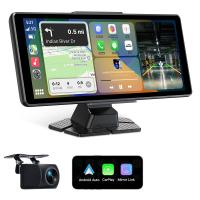
8" Wireless CarPlay Screen Android Auto Car Stereo with 1080P Backup Camera
14
$179.99 $125.99
TWS Bluetooth Headset With Microphone Sports Ear Hook LED Display Earbuds
HOT Seller
TWS Bluetooth Headset With Microphone Sports Ear Hook LED Display Earbuds
211
$29.99
37-40.5mm Step Up Ring Aviation-grade Aluminum Filter Adapter Ring 2-pack with a Cleaning Cloth
99
$5.99
39-43mm Step Up Ring Aviation-grade Aluminum Filter Adapter Ring 2-pack with a Cleaning Cloth
99
$5.99
43-49mm Step Up Ring Aviation-grade Aluminum Filter Adapter Ring 2-pack with a Cleaning Cloth
99
$5.99
49-52mm Step Up Ring Aviation-grade Aluminum Filter Adapter Ring 2-pack with a Cleaning Cloth
101
$7.99
43-46mm Step Up Ring Aviation-grade Aluminum Filter Adapter Ring 2-pack with a Cleaning Cloth
99
$5.99
49-55mm Step Up Ring Aviation-grade Aluminum Filter Adapter Ring 2-pack with a Cleaning Cloth
99
$5.99
52-58mm Step Up Ring Aviation-grade Aluminum Filter Adapter Ring 2-pack with a Cleaning Cloth
100
$5.99
58-67mm Step Up Ring Aviation-grade Aluminum Filter Adapter Ring 2-pack with a Cleaning Cloth
99
$5.99
Products You May Like
K&F Concept M42 to FX Lens Mount Adapter M42 Lens to Fujifilm X-Series Mirrorless Camera Adapter
6
$56.99 $31.99
32L Pro Large Camera Backpack for 17" Laptop DSLR SLR Cameras, Anti-Theft Waterproof with Rain Cover, Tripod Holder for Photographers - Backpack 32L Star Wander03 (Black)
205
$149.99 $129.99
K&F Concept Magnetic Mini Light for DJI Osmo Pocket 3, 1W USB C Rechargeable Auxiliary LED Fill Lighting, Color Temperature 3 Levels Adjustable 3000K/4500K/6000K, Brightness 2 Levels Video Lamp
NEW Arrival
K&F Concept Magnetic Mini Light for DJI Osmo Pocket 3, 1W USB C Rechargeable Auxiliary LED Fill Lighting, Color Temperature 3 Levels Adjustable 3000K/4500K/6000K, Brightness 2 Levels Video Lamp
22
$16.99
7" underwater fishing camera 1200TVL HD lens Fishing camera 15m cable 12 IR lights for lake, boat, ice fishing Euro plug
$562.79 $425.99
37mm Center Pinch Lens Cap Ordinary Lens Cap with String (No String)*1+Vacuum Cleaning Cloth*2+Digital Camera Anti-lost String*1, 4 in 1 Set
29
$17.99 $8.99
K&F Concept Light Reflector with Grips, 32"(80cm) 5-in-1 Photography Diffuser Collapsible Portable with Grips for Studio and Outdoor Lighting Gold Silver White Black Translucent
87
$29.99
DSLR Camera Travel Backpack for Outdoor Photography 18.9*11.4*6.7 inches
19
$89.99
Yongnuo YN 35mm f/1.4 wide-angle fixed focus lens autofocus for Canon EF-mount EOS cameras
41
$599.99 $473.99
Adult and child metal detector, high precision, with 10 inch waterproof detection disk, with memory function
6
$153.74 $122.99
best budget trail cameras
10
$135.99 $74.99
Related articles
How To Hook Up Surveillance Cameras?
How Do You Install A Wireless Backup Camera?
How Far Will Wireless Backup Cameras Work?
Can Wireless Backup Cameras Be Wired?
Can You Hook Up Alexa To Bluetooth Speakers?
How To Set Up Wireless Surveillance Camera?
Can You Hook Up Two Bluetooth Headphones To iPad?
How To Set Up Wireless Camera Security System?
How Good Is Wireless Back Up Camera?
How Does A Bluetooth Earphone Work?
Blog You May Like
Which Way To Put Camera In Bag?
What Nd Lens Filter For Eclipse ?
What Are Binoculars For?
What Filter Should I Keep On My Lens?
How To Find The Right Camera?
What Is A Cpl Camera Filter?
Can You Record Your Voice While Screen Recording?
How To Use Mount Flashes On Canon Cameras?
What Size Binoculars?
How Does A Simple Lens Camera Work?
Related categories
streaming video camera A Mount Lens Adapter camera lens adapter C mount lens adapter Floodlight Camera Wireless Sony A Mount Lens Adapters minolta a mount lenses
Popular products
cell phone camera stand tripod lens step up adapter k&f concept 58mm lens filter kit step up lens adapter set lens adapter for digital camera 43-49mm step up ring 52mm filter adapter ring 52mm to 58mm adapter ring ring light for a camera 55mm to 52mm adapter ring
Related searches
Wireless Earbuds With Ear Hook Car Backup Cameras Wireless Wireless Rear View Mirror Backup Camera Backup Camera For Car Stereo Car Stereo And Backup Camera Bluetooth Stereo With Backup Camera Android Auto Stereo With Backup Camera Tech Up True Wireless Earbuds Wireless Headphones With A Mic Car Stereo With Carplay And Backup Camera
Popular searches
Manfrotto Xume Lens Adapter Leica M Adapter L T Sl 18771 Np Fz 100 Charger Focal Reducer Sony E Mount Best Lens Filter For Portraits P900 2 In 1 Mobile Phone Projector Adapt Holga Fisheye Lens G85 Nikon Lens Adapter Sony E Mount Doubler Phone Camera Gimbal
Blog Category
  • Activities
  • Guide
    • Filter Guide
    • Lens Adapter
    • Product Review
  • News & Reviews
    • Camera Reviews
    • Sample Gallery
    • News
  • Tutorials
    • Solar eclipse photography
    • Photography Basics
    • Landscape Photography
  • Inspiration
    • Travel
    • Travel Stories
Search Article
Latest from the Blog
Can Security Cameras Detect Motion Through Glass?
Camera That Can Wifi Photos To Phone?
How Do Cellular Trail Cameras Work? – The Complete Guide for Hunters and Wildlife Enthusiasts
Black Friday 2025 Special at Kentfaith
How Big A Memory Card For Camera?
Can You Save Facebook Videos To Camera Roll?
What Is A Good Quality Dash Cam?
What Is The Best Camera To Record Videos?
ND Filter: The Complete Guide to Neutral Density Filters for Photography and Video
What Does A Uv Camera Filter Do?
  • Easy Payment Multilple Payment Options

  • Free Shipping Global WareHouse Shipment

  • No Risk 30-Day No Reason Return

  • Limited Deals Buy More, Save More

  • Tax Free No any surcharges or tax fee

Information
  • About us
  • Contact Us
  • Site Map
  • Blog
  • Video
  • Gallery
  • VIP Membership Rewards
Service
  • Privacy Policy
  • Terms & Conditions
  • Shipping & Delivery
  • Payment Info
  • Warranty, Return & Refund
  • Intellectual Property Rights
  • Ambassador
  • Affiliates
  • Wholesale
Support
  • My account
  • Order History
  • FAQs
  • Extend Warranty
  • Logistics Tracking
Follow us
NewsLetter

Get the latest product, K&F Concept respects your privacy.
Powered By KENTFAITH © 2026