kfconcept

KENTFAITH
K&F Concept    Blog >

Enjoy Your Selected Digital Life

Recently Viewed
  • Recently Viewed
  • Recently Viewed list is empty.

Compare (0) 0
  • Compare
  • You have not chosen any products to compare.

  • Compare
Currency: USD
  • Currency
Shop by Scene Shop by Rank

Log Into Your Account

Account

Order History

Wish List

Login

Forgotten Password?

or connect with

Register Account

Already have an Account?Log In

  • Shopping Cart
  • Your shopping cart is empty!

  • Register/Login to purchase, earn points
  • Favorite
  • Your wish list is empty.

  • Register/Login to like, earn points
  • Activities
  • Guide
    • Filter Guide
    • Lens Adapter
    • Product Review
  • News & Reviews
    • Camera Reviews
    • Sample Gallery
    • News
  • Tutorials
    • Solar eclipse photography
    • Photography Basics
    • Landscape Photography
  • Inspiration
    • Travel
    • Travel Stories
  • Home
  • Blog
  • How To Get The Vintage Camera Filter?

How To Get The Vintage Camera Filter?

Kentfaith 2024-09-20 01:12:44 0 Comments

In the age of digital photography, the charm of vintage cameras and their unique aesthetic remains highly sought after. The vintage camera filter, which emulates the look of old film cameras, has become a popular tool for photographers and social media enthusiasts alike. This article will guide you through various methods to achieve that nostalgic vintage camera filter effect, whether you are using a smartphone, a digital camera, or editing software.

Understanding the Vintage Camera Aesthetic

Before diving into the methods, it’s essential to understand what makes a photo look vintage. Key characteristics include:

- Color Tones: Vintage photos often have warm, muted colors with a slight yellow or sepia tint.

- Grain: Film grain adds texture and authenticity to the image.

- Vignetting: Darkened edges that draw attention to the center of the photo.

- Fading: Slightly washed-out colors and reduced contrast.

- Light Leaks: Random streaks of light that mimic the imperfections of old film cameras.

Using Smartphone Apps

Smartphone apps are the most accessible way to apply a vintage camera filter to your photos. Here are some popular options:

1. VSCO: This app offers a variety of filters that can give your photos a vintage look. Filters like A4, A6, and M5 are particularly good for achieving this effect. You can also adjust settings like grain, fade, and vignette to fine-tune the look.

2. Instagram: Instagram’s built-in filters such as Juno, Lark, and Valencia can give your photos a vintage feel. Additionally, you can manually adjust settings like brightness, contrast, and warmth to enhance the effect.

3. Afterlight: Known for its extensive filter library, Afterlight offers several vintage filters. It also allows you to add dust and light leak effects, which are crucial for a genuine vintage look.

4. Huji Cam: This app mimics the look of disposable cameras from the 1990s. It automatically applies a vintage filter, complete with date stamps and light leaks, giving your photos an authentic retro feel.

Using Digital Cameras

If you prefer using a digital camera, you can still achieve a vintage look through in-camera settings and post-processing:

1. In-Camera Settings: Some digital cameras come with built-in filters or picture styles that emulate vintage film. For example, Fujifilm’s X-series cameras have film simulation modes like Classic Chrome and Acros that can give your photos a retro look.

2. Manual Adjustments: Adjust your camera settings to reduce contrast and saturation while increasing warmth. Experiment with different white balance settings to achieve the desired color tone.

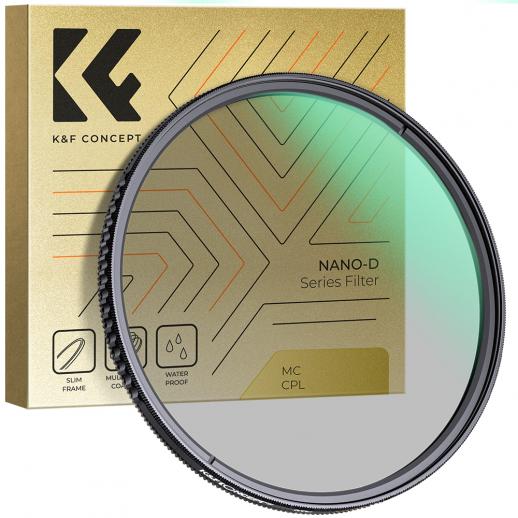
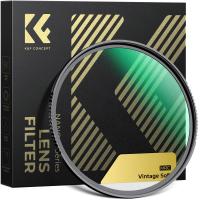
3. Lens Filters: Physical lens filters, such as warming filters or diffusion filters, can add a vintage touch to your photos. These filters can soften the image and add a slight color cast, mimicking the look of old film.

Using Editing Software

For those who prefer more control over their images, editing software like Adobe Lightroom and Photoshop offers extensive tools to create a vintage effect:

1. Adobe Lightroom:

- Presets: Lightroom offers a variety of presets that can instantly give your photos a vintage look. You can find free and paid presets online that emulate different types of vintage film.

- Manual Adjustments: Adjust the tone curve to create a faded look by lifting the shadows and lowering the highlights. Increase the grain and add a slight vignette. Adjust the color balance to add warmth and a slight yellow or sepia tint.

2. Adobe Photoshop:

- Filters and Layers: Use adjustment layers to tweak the color balance, curves, and levels. Add a grain layer and set it to overlay or soft light to introduce texture. Use gradient maps to add color tones and light leaks.

- Actions: Photoshop actions are pre-recorded steps that can apply a vintage effect with a single click. You can find many free and paid actions online that replicate the look of various vintage films.

Tips for Achieving the Best Results

1. Experiment: Don’t be afraid to experiment with different settings and filters. The beauty of digital photography is that you can always undo changes and try again.

2. Subtlety is Key: While it’s tempting to go overboard with filters and effects, subtle adjustments often yield the best results. Aim for a natural look that enhances the photo without overwhelming it.

3. Consistency: If you’re applying a vintage filter to a series of photos, try to maintain consistency in your edits. This will create a cohesive look, especially important for social media feeds and photo albums.

4. Study Vintage Photos: Look at old photos to understand the nuances of the vintage aesthetic. Pay attention to color tones, grain, and other characteristics that define the look.

Achieving a vintage camera filter effect is a blend of art and technique. Whether you’re using a smartphone app, a digital camera, or editing software, the key is to understand the elements that make a photo look vintage and apply them thoughtfully. With practice and experimentation, you can create stunning images that capture the timeless charm of vintage photography. So, grab your camera or smartphone, and start exploring the world of vintage filters today!
Leave your comment
Cancel reply
Note: HTML is not translated!
Related products
52mm Vintage Soft Filter 28 Multi-Coatings Cinematic Effect Camera Lens Filter - Nano-Xcel Series
8
$53.99 $39.99
55mm Vintage Soft Filter 28 Multi-Coatings Cinematic Effect Camera Lens Filter - Nano-Xcel Series
25
$53.99 $39.99
58mm Vintage Soft Filter 28 Multi-Coatings Cinematic Effect Camera Lens Filter - Nano-Xcel Series
25
$53.99 $39.99
62mm Vintage Soft Filter 28 Multi-Coatings Cinematic Effect Camera Lens Filter - Nano-Xcel Series
25
$62.99 $46.99
67mm Vintage Soft Filter 28 Multi-Coatings Cinematic Effect Camera Lens Filter - Nano-Xcel Series
25
$66.99 $49.99
72mm Vintage Soft Filter 28 Multi-Coatings Cinematic Effect Camera Lens Filter - Nano-Xcel Series
25
$73.99 $54.99
49mm Vintage Soft Filter 28 Multi-Coatings Cinematic Effect Camera Lens Filter - Nano-Xcel Series
25
$53.99 $39.99
77mm Vintage Soft Filter 28 Multi-Coatings Cinematic Effect Camera Lens Filter - Nano-Xcel Series
25
$93.99 $69.99
82mm Vintage Soft Filter 28 Multi-Coatings Cinematic Effect Camera Lens Filter - Nano-Xcel Series
$106.99 $79.99
Vintage Soft 82mm 1/4 Filter 28Multi-Coatings Cinematic Effect Camera Lens Filter for Portrait Photography/Video/Vlog Photography
25
$106.99 $99.99
Products You May Like
28X Telephoto Lens for Smartphones with 450mm Focal Length Tripod Included
14
$104.99 $79.99
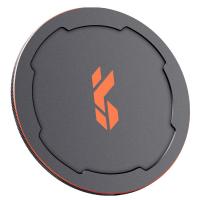
67mm Magnetic Metal Lens Cap 2-in-1 (Works only with K&F Concept Magnetic Filters)
42
$41.99 $20.99
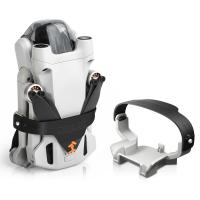
DJI Mini 3 Pro Propeller Holder,Propellers Guard Strap Protector for DJI Mini 3 Pro Accessories
$16.24 $12.99
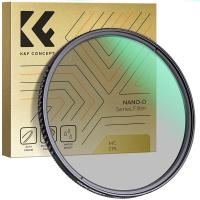
58mm Circular Polarizer Filter with 24 Multi-Layer Green Coatings HD/Hydrophobic/Scratch Resistant CPL Filters Nano-Dazzle
39
$29.99 $27.99
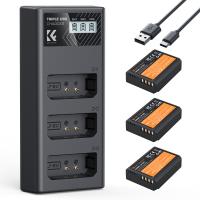
K&F Concept LP-E10 Battery 3-Pack and Upgraded LCD Charger for Canon Rebel T7 Battery, EOS Rebel T7 T6 T5 T100, Kiss X50 X70 X80 X90, EOS 1100D 1200D 1300D 1500D 2000D Camera
63
$33.99
K&F Concept 2 Pack DMW-BLK22 Battery and Dual Slot Charger Set with LCD Screen for Panasonic Lumix DC-S5 DC-S5 II DC-S5 IIX GH5 II GH6 S5II S5M2 GH5M2
20
$44.99
M39-NEX 1 Lens Adapter Manual Focus Compatible M39 Lenses for Sony E Camera Body
149
$47.99 $24.99
Mobile Phone Bluetooth Earphones Bluetooth V5.1 Earphone Hands-free Single Ear Earphone with CVC8.0 Noise-cancelling Microphone for Office/driving Compatible with Android/iPhone/laptop
42
$14.99
58mm Kaleidoscope Filter Special Effects Filter with 3pcs Vacuum Cleaning Cloths Nano B Series
49
$32.99 $25.99
55mm ND8 Magnetic Lens Filter HD Waterproof Scratch-Resistant Anti-Reflection Nano-Xcel Series
10
$49.99 $39.99
Related articles
How To Get The Camera Filter?
How To Get Retro Camera Filter?
What Size Camera Filter To Get?
How To Get A Filter On Iphone Camera?
How To Get The Right Lighting For Photography?
What Battery Does A Vintage Canon Ae1 Camera Take ?
Where To Get Camera Batteries?
How To Get My Outdoor Camera Working?
Pixel C How To Get Flash Camera?
How To Focus Binoculars?
Blog You May Like
Where To Put Ring Light For Stream?
How To Filter Noise From Audio Recording?
How Big Do Sd Cards Get?
How Do You Get Sound In Screen Recording?
How To Make A Small Camera Bag?
Where To Mount Cameras On House?
Which Camera Is Best For Low Light Photography?
Can You Record Facebook Messenger Voice Calls?
How To Use Microphone With Camera Windows 10?
What's the Best SD Cards for Trail Cameras?
Related categories
flash the camera C mount lens adapter m4/3 adapter Magnetic Lens Filter Soft GND Filter camera filter accessories protective lens filter camera filter pouch
Popular products
telescope for nature viewing cam trail camera the quarry trail camera digital camera straps digital camera shoulder strap the hunting public trail camera best battery powered camera fuji nikon mount lens filter solar eclipse high transmission polarizer filter
Related searches
Get Stuck Filter Off Lens Filter Lens To See The Sun Vintage Rotating Wheel Lens Filter Lens Filter For Vintage Look Digital Camera With Vintage Lens Digital Camera For Vintage Look Ef Mount Vintage Lens Canon Vintage Lens Adapter Nikon Vintage Lens Adapter Vintage Lens Adapter Sony
Related Scenes
Best Camera To Video Sports Best Camera To Capture Wildlife Best Video Camera To Record Sports Best Camera Uv Filter Best Lens Filter System Best Nd Filter System Best Uv Filter For Camera Best Lens Filter For Landscape Best Polarizing Filter For Canon Best Nd Filter For Photography
Blog Category
  • Activities
  • Guide
    • Filter Guide
    • Lens Adapter
    • Product Review
  • News & Reviews
    • Camera Reviews
    • Sample Gallery
    • News
  • Tutorials
    • Solar eclipse photography
    • Photography Basics
    • Landscape Photography
  • Inspiration
    • Travel
    • Travel Stories
Search Article
Latest from the Blog
Which Camera Is Best For Shooting Videos?
Can Headphones Be Both Wired And Wireless?
What Is The Zoom On Binoculars?
What Is The Field Diameter Of A Microscope?
How To Stream Video From Webcam?
How To Receive Notifications On Smartwatch?
What Bluetooth Headphones Work With Switch?
What Is A Borescope Used For?
How Does A Borescope Work?
How To Get Metal Detector?
  • Easy Payment Multilple Payment Options

  • Free Shipping Global WareHouse Shipment

  • No Risk 30-Day No Reason Return

  • Limited Deals Buy More, Save More

  • Tax Free No any surcharges or tax fee

Information
  • About us
  • Contact Us
  • Site Map
  • Blog
  • Video
  • Gallery
  • VIP Membership Rewards
Service
  • Privacy Policy
  • Terms & Conditions
  • Shipping & Delivery
  • Payment Info
  • Warranty, Return & Refund
  • Intellectual Property Rights
  • Ambassador
  • Affiliates
  • Wholesale
Support
  • My account
  • Order History
  • FAQs
  • Extend Warranty
  • Logistics Tracking
Follow us
NewsLetter

Get the latest product, K&F Concept respects your privacy.

Powered By KENTFAITH © 2026