kfconcept

KENTFAITH
K&F Concept    Blog >

Enjoy Your Selected Digital Life

Recently Viewed
  • Recently Viewed
  • Recently Viewed list is empty.

Compare (0) 0
  • Compare
  • You have not chosen any products to compare.

  • Compare
Currency: USD
  • Currency
Shop by Scene Shop by Rank

Log Into Your Account

Account

Order History

Wish List

Login

Forgotten Password?

Or connect with

Register Account

Already have an Account?Log In

  • Shopping Cart
  • Your shopping cart is empty!

  • Register/Login to purchase, earn points
  • Favorite
  • Your wish list is empty.

  • Register/Login to like, earn points
  • Activities
  • Guide
    • Filter Guide
    • Lens Adapter
    • Product Review
  • News & Reviews
    • Camera Reviews
    • Sample Gallery
    • News
  • Tutorials
    • Solar eclipse photography
    • Photography Basics
    • Landscape Photography
  • Inspiration
    • Travel
    • Travel Stories
  • Home
  • Blog
  • How To Find Shutter Speed On Canon Camera?

How To Find Shutter Speed On Canon Camera?

Kentfaith 2025-10-07 02:00:05 0 Comments

Understanding your Canon camera’s shutter speed is essential for capturing photographs with precision. Whether you’re a beginner who is just starting out with photography or an advanced user aiming to refine your skills, knowing how to locate and set the shutter speed can significantly improve the quality of your images. In this article, we’ll delve into the process of finding and adjusting the shutter speed on a Canon camera, explain its importance in photography, and provide practical tips to optimize your shooting experience.

What is Shutter Speed?

how to find shutter speed on canon camera 1

Before we dive into the steps, let’s briefly explain what shutter speed is and why it’s critical in photography. Shutter speed refers to the length of time the camera's shutter remains open, allowing light to hit the camera's sensor during exposure. This setting plays a pivotal role in determining the brightness of your image and freezing or blurring motion.

Shutter speed is usually measured in seconds or fractions of a second. For instance, a shutter speed of 1/1000 signifies that the shutter remains open for one one-thousandth of a second, which allows for freezing quick-motion subjects, while a shutter speed of 5” (5 seconds) means the shutter stays open longer, suitable for low-light photography or capturing motion blur.

Locating Shutter Speed on a Canon Camera

how to find shutter speed on canon camera 2

Canon cameras feature intuitive controls for changing shutter speed depending on the model, whether it’s a DSLR or a mirrorless model. The steps below are applicable to most Canon cameras; however, some variations in controls may exist across different models.

Step 1: Switch to the Correct Shooting Mode

how to find shutter speed on canon camera 3

Shutter speed is primarily adjusted in specific shooting modes, such as Manual Mode (M) or Shutter Priority Mode (Tv). Here’s how they work:

Manual Mode (M): This allows you to change both the shutter speed and aperture independently, giving you full control over your exposure settings.

Shutter Priority Mode (Tv): In this mode, you choose the shutter speed while the camera automatically selects the aperture to ensure proper exposure.

To get started, rotate your camera’s mode dial to either M or Tv.

Step 2: Access the Shutter Speed

how to find shutter speed on canon camera 4

Once you’re in the appropriate mode, look at the camera's LCD screen or the viewfinder display. The shutter speed is usually displayed as a number (e.g., 1/500 or 30”) on these screens. It’s part of the exposure information alongside the aperture (f-stop) and ISO settings.

Step 3: Use the Main Dial to Adjust Shutter Speed

Canon cameras typically feature a Main Dial near the shutter button at the top of the camera body. To change the shutter speed:

1. Rotate the Main Dial while keeping an eye on the LCD screen or viewfinder display.

2. As you rotate the dial to the left, the shutter speed decreases—allowing longer exposures. Rotating to the right increases the shutter speed—perfect for freezing fast-moving objects.

If you’re using a Canon mirrorless camera or a model with a touchscreen, you may also have the option to adjust shutter speed via the on-screen controls directly.

Practical Applications of Shutter Speed

Depending on your photographic goals, shutter speed controls can be applied creatively for specific results. Here are some practical examples:

1. Freezing Motion in Action Shots

To capture sharp images of moving subjects like athletes, cars, or wildlife, you need a fast shutter speed, such as 1/500 or higher. Fast shutter speeds minimize motion blur, ensuring subjects appear crisp and well-defined. Pair this with a higher ISO, if necessary, to gather sufficient light for proper exposure.

2. Creating Motion Blur Effects

Slow shutter speeds, such as 1/30 or slower, allow you to capture creative motion blur. This technique is often used in photography of waterfalls, waves, or night street scenes to give a smooth and artistic effect. Remember that using a tripod is essential when shooting with slow shutter speeds to avoid unintended camera shake.

3. Low-Light or Night Photography

When shooting in low-light conditions, such as astrophotography or cityscapes at night, slower shutter speeds (e.g., several seconds) are required to allow for more light to enter the sensor. Using a sturdy tripod and a remote shutter release or timer function is crucial to avoid blurring due to camera shake.

Tips for Adjusting Shutter Speed Effectively

While knowing how to find and adjust shutter speed is important, here are some additional tips to apply this feature effectively:

Understand the Exposure Triangle

Shutter speed is only one part of the exposure triangle, which also includes aperture and ISO. Changing shutter speed alone may result in underexposed or overexposed images, so you need to balance it with aperture (the amount of light entering the camera) and ISO (the camera’s sensitivity to light).

Use the Right Accessories

For slower shutter speeds, always use a tripod to eliminate camera shake. Additionally, if you’re shooting long exposure images, a remote shutter release will help prevent vibration caused by pressing the shutter button manually.

Consider the Light Conditions

If your scene is bright, you can generally use faster shutter speeds without requiring additional adjustments. However, in dim conditions, you may need to slow down the shutter speed and compensate by increasing ISO or using a wider aperture.

Practice and Experimentation

The best way to master shutter speed adjustments is through practice. Take your camera outdoors and experiment by capturing subjects in motion, such as cyclists, flowing water, or even busy city scenes, to see how different shutter speeds impact your outcomes.

Troubleshooting Common Issues

Some challenges may arise when adjusting shutter speed. Here’s how to address them:

1. Blurry Images: If your images are blurry, it’s likely because your shutter speed is too low, and camera shake or subject movement is causing the issue. Increase the shutter speed or stabilize the camera with a tripod.

2. Overexposed or Underexposed Photos: If your photos are too bright or too dark, balance the exposure settings. Adjust the aperture or ISO as needed while setting the shutter speed.

3. Noise in Photos: Using a slow shutter speed alongside high ISO settings may introduce noise into your images. In such cases, aim to maximize the use of natural light or use a slower shutter speed without increasing ISO excessively.

Frequently Asked Questions About Shutter Speed

Here are common queries new photographers often have when working with shutter speed settings:

Is Shutter Speed Important in Automatic Modes?

In fully automatic modes, the camera chooses shutter speed for you. While convenient, it limits creative control, so switching to Tv or Manual mode gives you freedom to experiment.

What Is the Bulb Mode on Canon Cameras?

Bulb mode allows the shutter to remain open for as long as you press the shutter button. This mode is ideal for long exposures like night-time landscapes or light painting.

Can I Use Shutter Speed to Improve Portraits?

Absolutely! Proper shutter speed ensures that your portraits are free from motion blur, allowing for a sharp focus on your subject’s features.

Mastering the shutter speed function on your Canon camera is a crucial step toward becoming a confident and skilled photographer. Whether you aim to freeze motion, capture creative blur effects, or shoot in challenging light conditions, selecting the right shutter speed unlocks endless possibilities for your images.

The more you understand how shutter speed interacts with aperture and ISO, the easier it will be to adapt to various scenarios and conditions. With practice and focused attention on your camera settings, including experimenting with different shutter speeds, you’ll gain confidence behind the lens and elevate your photography to the next level.

Grab your Canon camera, switch to Manual or Tv mode, and begin exploring all that shutter speed has to offer. Whether you’re photographing a bustling city or tranquil nature scenes, shutter speed is a powerful tool in translating your creative vision into stunning photographs.

Leave your comment
Cancel reply
Note: HTML is not translated!
Related products
K&F CONCEPT Metal Street Grip Kit for DJI Osmo Action 6, Camera Grip Handle Holder Set (Camera Grip + Cage), Cold Shoe, Quick Release, Shutter Button, Wrist Strap
NEW Arrival
K&F CONCEPT Metal Street Grip Kit for DJI Osmo Action 6, Camera Grip Handle Holder Set (Camera Grip + Cage), Cold Shoe, Quick Release, Shutter Button, Wrist Strap
8
$59.99
Anti-Spy Detector Scan & Disconnect for 24/7 Protection Find Bugs Hidden Cams
15
$89.99 $59.99
43mm Snap-On Center Pinch Lens Cap 9 in 1 with Anti-Loss Keeper Leash Compatible with Nikon, Canon, Sony, Fujifilm Camera Lenses(Ships only to the United States.)
$8.99
46mm Snap-On Center Pinch Lens Cap 9 in 1 with Anti-Loss Keeper Leash Compatible with Nikon, Canon, Sony, Fujifilm Camera Lenses(Ships only to the United States.)
$8.99
86mm Snap-On Center Pinch Lens Cap 9 in 1 with Anti-Loss Keeper Leash Compatible with Nikon, Canon, Sony, Fujifilm Camera Lenses (Ships only to the United States.)
$12.99
95mm Snap-On Center Pinch Lens Cap 9 in 1 with Anti-Loss Keeper Leash Compatible with Nikon, Canon, Sony, Fujifilm Camera Lenses (Ships only to the United States.)
$15.99
67mm Clip-on CPL Phone Camera Lens Filter Kit Applicable to All Mobile Phone Models
40
$18.99
67mm Clip-on ND2-32 Phone Camera Lens Filter Kit Applicable to All Mobile Phone Models
NEW Arrival
67mm Clip-on ND2-32 Phone Camera Lens Filter Kit Applicable to All Mobile Phone Models
13
$37.99
67mm Clip-on Black Mist 1/4 Phone Camera Lens Filter Kit Applicable to All Mobile Phone Models
7
$29.99
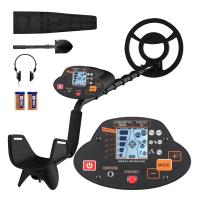
Metal Detectors for Adults and Kids, Gold Detector Kit with LCD Display & IP68 Waterproof Search Coil for Find Valuables
NEW Arrival
Metal Detectors for Adults and Kids, Gold Detector Kit with LCD Display & IP68 Waterproof Search Coil for Find Valuables
285
$215.99 $151.99
Products You May Like
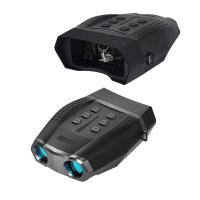
NV5100 4X Night Vision Binoculars 500-600m Infrared Night Vision with 2K 2.5" HD Display for Hunting Monitoring Wildlife
37
$287.99 $199.99
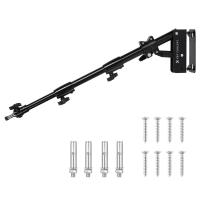
K&F CONCEPT 39.37"/100cm Wall-Mounted Triangle Boom Arm – 180° Adjustable for Ring Lights, Video Lighting, Cameras, and Softboxes
NEW Arrival
K&F CONCEPT 39.37"/100cm Wall-Mounted Triangle Boom Arm – 180° Adjustable for Ring Lights, Video Lighting, Cameras, and Softboxes
16
$59.99
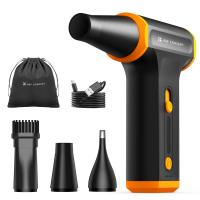
K&F Concept Compressed Air Duster, 3 Gear Adjustable 110000RPM Electric Air Duster, Adjustable&Portable Air Blower for Deep Computer Clean, Keyboard, Car Dry, Home - Replace Compressed Air Cans
97
$39.99
62mm Blue Streak Filter (2mm)  Anamorphic Lens Effect Filter Optical Glass Ultra-clear Waterproof Anti-Scratch Anti-Reflection Green Film Nano-Klear Series
62mm Blue Streak Filter (2mm) Anamorphic Lens Effect Filter Optical Glass Ultra-clear Waterproof Anti-Scratch Anti-Reflection Green Film Nano-Klear Series
32
$31.99 $24.99
Retro Camera Shoulder Straps, Adjustable Neck Strap Suitable for All Slr Cameras (Nikon Canon Sony Pentax) Classic Brown Woven
2
$12.99
67mm Blue Streak Filter (2mm)  Anamorphic Lens Effect Filter Optical Glass Ultra-clear Waterproof Anti-Scratch Anti-Reflection Green Film Nano-Klear Series
67mm Blue Streak Filter (2mm) Anamorphic Lens Effect Filter Optical Glass Ultra-clear Waterproof Anti-Scratch Anti-Reflection Green Film Nano-Klear Series
32
$31.99 $24.99
72mm MCUV+CPL+ND4 Lens Filter Kit with Lens Cleaning Cloth and Filter Bag Nano-Klear
78
$44.99 $39.99
10W Metal Laser Engraving Machine with Air Assist 0.01mm Spot 600mm/min Speed
$749.99 $524.99
Rut Deluxe Trail Camera
10
$162.99 $106.99
82mm Solar Filter ND100000,16.6-Stop Solid Neutral Density Filter for DSLR Camera Nano-Xcel Series
100
$62.99 $49.99
Related articles
How To Find My Canon Camera On Mac?
How Do I Find My Camera's Shutter Count?
How To Speed Up A Video On Camera?
How To Fix Strap On Canon Camera?
How To Find Out Your Canon Camera Wifi Password ?
How To Test Sd Card Speed On Android?
How To Connect Selfie Stick Shutter?
How To Find Aperture On Camera?
Can Canon Lens Fit On Nikon Camera?
Which Light Is Good For Study?
Blog You May Like
Where Do You Put A Ring Light?
What Samsung Tvs Have Cameras And Microphones ?
How To Use Audio Jack Selfie Stick?
What Is A Dslr Uv Filter Used For?
How To Protect Camera In Bag?
Kentfaith x Citadel Season 2
How To Set Up Video Lighting At Home?
How Uv Filter Works Camera?
Which Cars Have Built In Dash Cam?
What Is The Use Of Tripod In Camera?
Related categories
On-Dash Camera C mount lens adapter Cannon camera battery canon ring flash m4/3 adapter canon cameras lens Canon RF Mount Adapter canon lens filters 4g Lte Security Camera
Popular products
no spy hidden camera detector EF To R Lens Adapter fastest trigger speed trail camera Canon FD To RF Adapter Polarize Filter For Mobile Phone sony lens on canon camera dslr camera lens cap 58mm snap on lens cap dslr lens cap pinch 67mm snap on lens cap
Related searches
Canon Remote Shutter Adapter Canon Shutter Release Adapter Metal Detector Find Bag Canon Remote Shutter Release Adapter Speed Filter Camera Canon Speed Booster Adapter Canon 7d Mechanical Shutter Release Adapter High Speed Digital Camera Unable To Activate Shutter With Adapted Lens Leaf Shutter Lens Adapter
Popular searches
Coco Ring Flash Adapter For Canon Dash Cam Day And Night Canon Ef Rf Adapter Control Ring Minolta M-mount Lenses Design Nikon Fsa L1 Dslr Fieldscope Adapter Iphone Tripod Mount Miranda Camera Lens Mount Tripod Adapter For Ipad Air Filter Thread Adapter Sony Alpha A77 Lens Mount
Blog Category
  • Activities
  • Guide
    • Filter Guide
    • Lens Adapter
    • Product Review
  • News & Reviews
    • Camera Reviews
    • Sample Gallery
    • News
  • Tutorials
    • Solar eclipse photography
    • Photography Basics
    • Landscape Photography
  • Inspiration
    • Travel
    • Travel Stories
Search Article
Latest from the Blog
How To Put Sd Card In Camera?
How To Stream Live From Surveillance Camera?
What Tripod To Buy?
How Much Does It Cost For Security Cameras?
Is the Sony A7M5 worth buying?
Dash Cam That Can Connect To Phone?
What is A Variable ND Filter? The Complete Guide to Mastering Exposure Control
How Much Storage For Security Camera?
How Big A Memory Card For Camera?
What Is The Difference Between Binoculars And Telescope?
  • Easy Payment Multilple Payment Options

  • Free Shipping Global WareHouse Shipment

  • No Risk 30-Day No Reason Return

  • Limited Deals Buy More, Save More

  • Tax Free No any surcharges or tax fee

Information
  • About us
  • Contact Us
  • Site Map
  • Blog
  • Video
  • Gallery
  • VIP Membership Rewards
Service
  • Privacy Policy
  • Terms & Conditions
  • Shipping & Delivery
  • Payment Info
  • Warranty, Return & Refund
  • Intellectual Property Rights
  • Ambassador
  • Affiliates
  • Wholesale
Support
  • My account
  • Order History
  • FAQs
  • Extend Warranty
  • Logistics Tracking
Follow us
NewsLetter

Get the latest product, K&F Concept respects your privacy.

Powered By KENTFAITH © 2026