kfconcept

KENTFAITH
K&F Concept    Blog >

Enjoy Your Selected Digital Life

Recently Viewed
  • Recently Viewed
  • Recently Viewed list is empty.

Compare (0) 0
  • Compare
  • You have not chosen any products to compare.

  • Compare
Currency: USD
  • Currency
Shop by Scene Shop by Rank

Log Into Your Account

Account

Order History

Wish List

Login

Forgotten Password?

Or connect with

Register Account

Already have an Account?Log In

  • Shopping Cart
  • Your shopping cart is empty!

  • Register/Login to purchase, earn points
  • Favorite
  • Your wish list is empty.

  • Register/Login to like, earn points
  • Activities
  • Guide
    • Filter Guide
    • Lens Adapter
    • Product Review
  • News & Reviews
    • Camera Reviews
    • Sample Gallery
    • News
  • Tutorials
    • Solar eclipse photography
    • Photography Basics
    • Landscape Photography
  • Inspiration
    • Travel
    • Travel Stories
  • Home
  • Blog
  • How To Find Camera Uid?

How To Find Camera Uid?

Kentfaith 2024-07-10 01:03:10 0 Comments

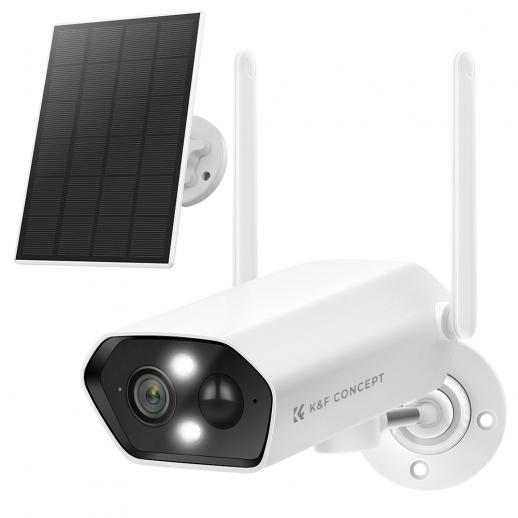
In the age of digital surveillance and smart home technology, security cameras have become an integral part of our lives. Whether you are a homeowner looking to secure your property or a business owner aiming to protect your assets, understanding how to find the unique identifier (UID) of your camera is crucial. The UID is a unique string of characters assigned to each camera, allowing it to be identified and accessed over a network. This article will guide you through the process of finding your camera's UID, addressing common issues, and providing practical solutions.

Understanding Camera UID

Before diving into the methods of finding your camera's UID, it's essential to understand what a UID is and why it is important. The UID is a unique identifier that distinguishes your camera from others on the network. It is typically a combination of letters and numbers and is used by software applications to connect to and manage the camera. The UID ensures that the correct camera is accessed, especially in environments with multiple cameras.

Methods to Find Camera UID

There are several methods to find the UID of your camera, depending on the make and model of the device. Below are some of the most common methods:

1. Check the Camera Label

Most cameras have a label or sticker that contains important information, including the UID. This label is usually found on the bottom or back of the camera. Look for a string of characters labeled as "UID," "Device ID," or "Serial Number." Note that the format and labeling may vary between manufacturers.

2. User Manual and Documentation

The user manual or documentation that comes with your camera often contains the UID. Manufacturers typically include this information in the setup or installation section. If you have misplaced the physical manual, you can usually find a digital version on the manufacturer's website.

3. Camera's Web Interface

Many modern cameras come with a web interface that allows you to configure and manage the device. To access the web interface, you need to know the camera's IP address. Once you have the IP address, enter it into a web browser to access the interface. Look for a section labeled "Device Information," "System Information," or something similar. The UID should be listed there.

4. Mobile App

If your camera is compatible with a mobile app, you can often find the UID within the app. After connecting the camera to the app, navigate to the settings or device information section. The UID should be displayed along with other device details.

5. Network Scanning Tools

If you are unable to find the UID using the above methods, you can use network scanning tools to discover devices on your network. Tools like Advanced IP Scanner, Fing, or Angry IP Scanner can help you identify the camera and its associated UID. These tools scan your network and provide a list of connected devices along with their details.

Troubleshooting Common Issues

Finding the UID of your camera is usually straightforward, but you may encounter some challenges. Here are some common issues and their solutions:

1. Label is Missing or Damaged

If the label on your camera is missing or damaged, try using the other methods mentioned above, such as the web interface or mobile app. If all else fails, contact the manufacturer's customer support for assistance.

2. Cannot Access Web Interface

If you are unable to access the camera's web interface, ensure that the camera is properly connected to your network. Check the IP address and make sure it is correct. If you are still having trouble, try resetting the camera to its factory settings and reconfiguring it.

3. Mobile App Not Working

If the mobile app is not displaying the UID, make sure the app is up to date. Check for any firmware updates for the camera as well. If the problem persists, try reinstalling the app or using a different device.

Practical Applications of Camera UID

Understanding and finding the UID of your camera has several practical applications:

1. Remote Access

The UID is essential for setting up remote access to your camera. By using the UID, you can connect to your camera from anywhere in the world, provided you have an internet connection. This is particularly useful for monitoring your property while you are away.

2. Integration with Security Systems

If you are integrating your camera with a larger security system, the UID is necessary for proper configuration. The security system uses the UID to identify and manage the camera, ensuring seamless operation.

3. Troubleshooting and Support

When seeking technical support or troubleshooting issues with your camera, the UID is often required. Customer support representatives use the UID to identify your specific device and provide tailored assistance.

Finding the UID of your camera is a crucial step in setting up and managing your security system. Whether you are using the camera for home security, business surveillance, or any other purpose, knowing the UID allows you to access and control the device effectively. By following the methods outlined in this article, you can easily locate the UID and address any challenges that may arise. Remember, the UID is not just a random string of characters; it is the key to unlocking the full potential of your security camera.


Leave your comment
Cancel reply
Note: HTML is not translated!
Related products
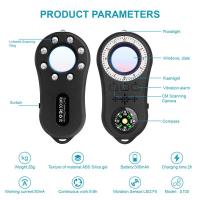
Anti-Spy Detector Scan & Disconnect for 24/7 Protection Find Bugs Hidden Cams
15
$89.99 $59.99
Metal Detectors for Adults and Kids, Gold Detector Kit with LCD Display & IP68 Waterproof Search Coil for Find Valuables
NEW Arrival
Metal Detectors for Adults and Kids, Gold Detector Kit with LCD Display & IP68 Waterproof Search Coil for Find Valuables
285
$215.99 $151.99
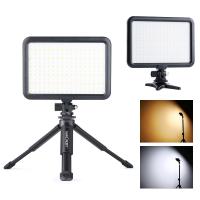
Camera Light LED Video Light Panel for Camera Camcorder Lighting in Studio or Outdoors 3200K to 5500K Variable Color Temperature (Only ship to us)
26
$44.99 $39.99
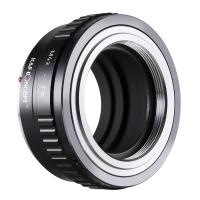
K&F Concept M42 to FX Lens Mount Adapter M42 Lens to Fujifilm X-Series Mirrorless Camera Adapter
6
$56.99 $31.99
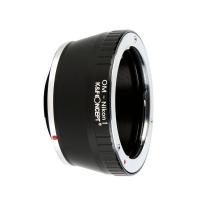
Olympus OM Lenses to Nikon 1 Camera Mount Adapter
69
$53.99 $27.99
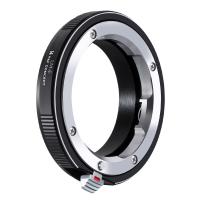
LM to NEX Adapter Compatible with Leica M Lens to Sony Alpha Nex E-Mount Camera Lens Mount Adapter
147
$45.99 $24.99
Lens Mount Adapter FD to NEX Copper Adapter Compatible with Canon FD FL Lens to NEX E-Mount Camera
151
$56.99 $29.99
Olympus OM Lenses to Pentax Q Camera Mount Adapter with tripod mount
$55.99 $29.99
Nikon G Lens to Canon EOS R Camera Body Lens Mount Adapter
49
$100.99 $56.99
NIK DSLR Lens to Canon EOS R Camera Body Lens Mount Adapter
50
$66.99 $39.99
Products You May Like
Nikon F Lenses to Canon EOS M Lens Mount Adapter K&F Concept M11141 Lens Adapter
$53.99 $27.99
52mm Tulip Flower Lens Hood + Rubber Collapsible Lens Hood + Center Pinch Lens Cap
18
$28.99 $15.99
Leica R Series Lens to NEX  FIT PRO Camera High Precision K&F Concept Lens Mount Adapter
Leica R Series Lens to NEX FIT PRO Camera High Precision K&F Concept Lens Mount Adapter
$42.99 $29.99
Portable Laser Engraver with 0.05mm Accuracy Protective Cover Engraving Preview 3W Entry Level
$374.99 $262.99
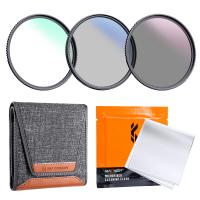
72mm MCUV+CPL+ND4 Lens Filter Kit with Lens Cleaning Cloth and Filter Bag Nano-Klear
78
$44.99 $39.99
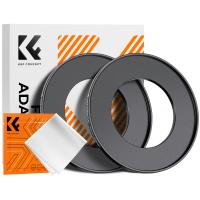
52-82mm Step Up Ring Aviation-grade Aluminum Filter Adapter Ring 2-pack with a Cleaning Cloth
99
$6.99
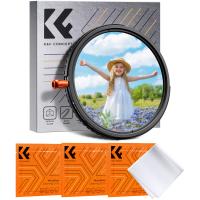
52mm Black Diffusion Mist Effect 1/4 & Variable ND2-32(1-5 Stops) & Circular Polarizing Filter CPL 3 in 1 Lens Filter with 18 Multi-Coatings Nano-Klear Series
NEW Arrival
52mm Black Diffusion Mist Effect 1/4 & Variable ND2-32(1-5 Stops) & Circular Polarizing Filter CPL 3 in 1 Lens Filter with 18 Multi-Coatings Nano-Klear Series
$56.99 $44.99
Instant Cross-APP Translator Device for Business & Trade, Video Call Translation, Record, & Transcription, Kentfaith AI Translator Devices
12
$124.99 $99.99
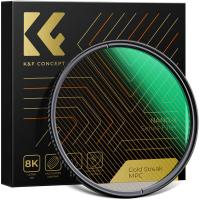
72mm Gold Streak Effect Lens Filter (2mm) Anamorphic Optical Glass Light Flare Effect Filter for Camera Lens Nano-Xcel Series
30
$62.99 $49.99
C Mount Lenses to Fuji X Lens Mount Adapter K&F Concept M25111 Lens Adapter
$36.99 $18.99
Related articles
How To Find Camera Model?
How To Find Camera Password?
How To Find Best Camera?
How To Find Camera Wifi Password ?
How To Find Camera In Mac?
How To Find Megapixels Of Camera?
How To Find The Right Camera?
How To Find Camera In Mirror?
How To Find Aperture On Camera?
What Smart Watch To Get?
Blog You May Like
Where Does The Slide Go On A Microscope?
Is the Sony A7M5 worth buying?
What Is The Best Camera For Baby Photography?
How To Do The Fish Eye Camera?
How To Speed Up A Video On Camera?
How To Turn On Camera And Microphone On Dell Laptop ?
How To Find My Canon Camera On Mac?
Trail Camera How Set Up New?
How To Find Best Camera?
How To Zoom In On A Microscope?
Related categories
C mount lens adapter m4/3 adapter Camera Parts | Studio Camera Accessories streaming video camera digital camera for beginner Solar Cellular Trail Camera Non Cellular Trail Camera camera shoulder bag digital camera cases
Popular products
no spy hidden camera detector Gold Detector Kit lens adapter for mirrorless camera led light panel photography sony a6000 lens mount adapter canon sony e mount adapter fujifilm x t2 mount adapter sony a7 mount lenses canon ef eos r adapter nikon 1 j1 adapter
Related searches
Metal Detector Find Bag Metal Detectors That Find Gold And Silver Adapt Projector Lens To Camera Ccd To Camera Lens Adapter Cheap Camera To Record Videos Small Video Camera To Wear Trail Camera Bluetooth To Phone Nikon Lens To Sony Camera Adapter Adapter For Canon Camera To Ipad Adapting Any Lens To Any Camera
Popular searches
Lens Cap Kandf Concept Nd Filter Solar Panel For Wifi Camera Cpl Filter For 18-55mm Lens Racing Drone Rtf With Goggles Canon 2000d Lens Mount Petzval Lens E Mount Magnetic Vnd Filter Used Security Cameras Pentax 110 Mft Adapter Backpack With Camera Compartment
Blog Category
  • Activities
  • Guide
    • Filter Guide
    • Lens Adapter
    • Product Review
  • News & Reviews
    • Camera Reviews
    • Sample Gallery
    • News
  • Tutorials
    • Solar eclipse photography
    • Photography Basics
    • Landscape Photography
  • Inspiration
    • Travel
    • Travel Stories
Search Article
Latest from the Blog
How Do Trail Cameras Work? The Ultimate Guide to Trail Cameras
Which Binoculars To Buy?
How To Find A Good Digital Camera?
ND Filter: The Complete Guide to Neutral Density Filters for Photography and Video
Where Can I Find Hidden Cameras?
How To Place Cameras Around Your House?
Best Metal Detector for Kids in 2025
Which Camera Is Best For Low Light Photography?
How Do Metal Detectors Work? A Complete Guide for Beginners and Pros
Can You Save Facebook Videos To Camera Roll?
  • Easy Payment Multilple Payment Options

  • Free Shipping Global WareHouse Shipment

  • No Risk 30-Day No Reason Return

  • Limited Deals Buy More, Save More

  • Tax Free No any surcharges or tax fee

Information
  • About us
  • Contact Us
  • Site Map
  • Blog
  • Video
  • Gallery
  • VIP Membership Rewards
Service
  • Privacy Policy
  • Terms & Conditions
  • Shipping & Delivery
  • Payment Info
  • Warranty, Return & Refund
  • Intellectual Property Rights
  • Ambassador
  • Affiliates
  • Wholesale
Support
  • My account
  • Order History
  • FAQs
  • Extend Warranty
  • Logistics Tracking
Follow us
NewsLetter

Get the latest product, K&F Concept respects your privacy.

Powered By KENTFAITH © 2026