kfconcept

KENTFAITH
K&F Concept    Blog >

Enjoy Your Selected Digital Life

Recently Viewed
  • Recently Viewed
  • USB Microphone Kit 192K24Bit Cardioid High Sampling Rate With Desktop Cantilever Bracket for PC Game Professional Voice Recording Karaoke
    USB Microphone Kit 192K24Bit Cardioid High Sampling Rate With Desktop Cantilever Bracket for PC Game Professional Voice Recording Karaoke
    $47.99
    Q1 Fingerprint Smart Door Lock, Keyless Entry Door Lock, with App, Fingerprint Recognition, for Indoor Doors of Homes, Hotels, Offices, Apartments, & Bedrooms
    Q1 Fingerprint Smart Door Lock, Keyless Entry Door Lock, with App, Fingerprint Recognition, for Indoor Doors of Homes, Hotels, Offices, Apartments, & Bedrooms
    $137.99 $96.99
Compare (0) 0
  • Compare
  • You have not chosen any products to compare.

  • Compare
Currency: USD
  • Currency
Shop by Scene Shop by Rank

Log Into Your Account

Account

Order History

Wish List

Login

Forgotten Password?

Or connect with

Register Account

Already have an Account?Log In

  • Shopping Cart
  • Your shopping cart is empty!

  • Register/Login to purchase, earn points
  • Favorite
  • Your wish list is empty.

  • Register/Login to like, earn points
  • Activities
  • Guide
    • Filter Guide
    • Lens Adapter
    • Product Review
  • News & Reviews
    • Camera Reviews
    • Sample Gallery
    • News
  • Tutorials
    • Solar eclipse photography
    • Photography Basics
    • Landscape Photography
  • Inspiration
    • Travel
    • Travel Stories
  • Home
  • Blog
  • How To Expand Phone Memory Without Sd Card?

How To Expand Phone Memory Without Sd Card?

Kentfaith 2025-02-26 07:26:32 0 Comments

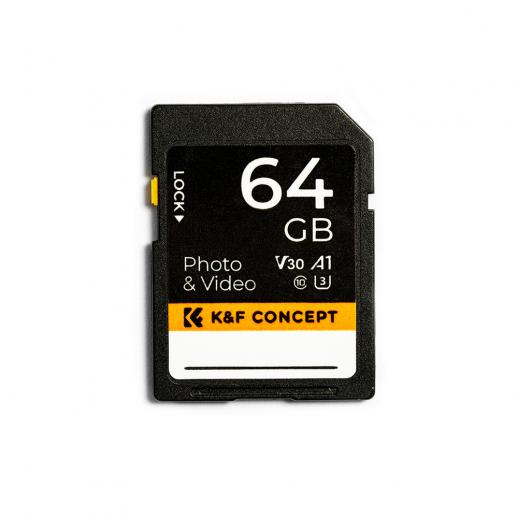
Expanding phone memory without an SD card is a common challenge faced by smartphone users, particularly as mobile devices increasingly become central to our personal and professional lives. As apps, photos, and multimedia content continue to grow in size, many users find themselves running out of internal storage. This article will explore practical solutions to expand your phone's memory without relying on an SD card. By understanding these strategies, you can optimize your device's storage capacity and improve its overall performance.

1. Utilize Cloud Storage Services

Cloud storage is an excellent solution for expanding phone memory. It allows you to store files, photos, and videos on remote servers, freeing up space on your device.

Popular Cloud Storage Options

- Google Drive: Offers 15 GB of free storage with options to upgrade for additional space. It integrates seamlessly with Android devices.

- iCloud: Designed for Apple devices, it provides 5 GB of free storage and additional space through paid plans.

- Dropbox and OneDrive: Cross-platform services that offer varying amounts of free and paid storage.

How to Use Cloud Storage

- Upload large files, such as videos and high-resolution images, to the cloud.

- Configure automatic photo backup, ensuring that photos are removed from your phone once backed up.

- Access files on-demand via the cloud app, avoiding the need to store them locally.

---

2. Delete Unnecessary Files

Over time, smartphones accumulate a significant number of unnecessary files, including cached data, duplicate photos, and old documents. Clearing these files can instantly free up memory.

Steps to Remove Unnecessary Files

- Clear Cache: Apps store temporary data to speed up operations. Clearing app caches periodically can reclaim storage.

- On Android: Navigate to Settings > Storage > Cached Data and clear it.

- On iPhone: Offload unused apps to remove app data without deleting the app entirely.

- Delete Duplicate Files: Use apps like Files by Google or third-party duplicate cleaners to find and remove duplicate photos or videos.

- Remove Old Files: Regularly review your Downloads folder and delete outdated files.

---

3. Optimize Media Storage

Photos and videos often consume a large portion of phone memory. Optimizing how you store and manage these files can make a significant difference.

Compression Tools

- Use apps like Google Photos or iCloud Photos to store compressed versions of images while maintaining quality.

- Employ video compression tools, such as Video Compress, to reduce file sizes without significant quality loss.

Delete Locally Stored Files

- After transferring media to a computer or cloud storage, delete local copies to free up space.

- Regularly review and delete old media files that you no longer need.

---

4. Leverage OTG and External Drives

If your phone supports USB On-The-Go (OTG), you can use external drives to expand storage. OTG allows you to connect USB drives, external SSDs, or other storage devices to your phone.

Benefits of OTG

- Instant access to additional storage.

- Easy transfer of large files between devices.

- Portable and cost-effective.

Setting Up OTG

1. Purchase an OTG-compatible USB drive or an OTG adapter.

2. Connect the device to your phone via the charging port.

3. Use the File Manager app to transfer files between the phone and the external drive.

---

5. Take Advantage of Online Streaming

Streaming content instead of downloading it can significantly reduce storage consumption. Many popular services offer offline playback options, but these files can quickly fill up your phone’s memory.

Streaming Options

- Use platforms like Spotify, Apple Music, or YouTube Music for audio streaming.

- For video content, services like Netflix, Amazon Prime, or YouTube reduce the need for locally stored files.

- Avoid storing entire playlists or shows offline unless absolutely necessary.

Optimize Streaming Settings

- Lower video quality when downloading episodes or movies for offline playback.

- Delete offline files once you’ve finished watching or listening.

---

6. Manage Apps and App Data

Apps are another major contributor to storage usage, often occupying more space than anticipated. By managing your apps effectively, you can free up memory.

Strategies for Managing Apps

- Uninstall Unused Apps: Review all installed apps and remove those you rarely use.

- Use Lite Versions: Replace storage-heavy apps with their lighter counterparts, such as Facebook Lite or Messenger Lite.

- Limit App Data: Clear app data for apps that you don't use frequently, but be cautious as this will reset the app to its default settings.

Use Built-In Tools

Both Android and iOS provide tools to help manage app storage:

- Android: Go to Settings > Apps > Storage to view app-specific data usage.

- iPhone: Navigate to Settings > General > iPhone Storage for a breakdown of app sizes.

---

7. Enable Smart Storage Features

Many modern smartphones come with built-in smart storage features that help automate memory management.

Android Smart Storage

- Automatically removes backed-up photos and videos from local storage.

- Prompts users to delete rarely used apps.

iPhone Offload Apps

- Temporarily removes unused apps while keeping their data intact.

- Automatically deletes old iMessages and attachments.

---

8. Invest in a Cloud Gaming Service

For gamers, local storage can be a major issue. Cloud gaming services eliminate the need to store large game files on your phone.

Popular Cloud Gaming Platforms

- Google Stadia

- NVIDIA GeForce NOW

- Microsoft xCloud

These platforms allow you to play games directly via streaming, reducing the need for storage-hungry installations.

---

9. Regularly Update Your Phone Software

Operating system updates often include optimizations that improve storage management. By keeping your phone’s software up to date, you may unlock better memory usage features.

Check for Updates

- On Android: Navigate to Settings > System > System Update.

- On iPhone: Go to Settings > General > Software Update.

---

10. Backup and Reset Your Device

If you find that your phone's memory is perpetually full despite implementing the above strategies, consider backing up your data and performing a factory reset.

Steps to Backup and Reset

1. Backup Data: Use cloud storage or a computer to save important files.

2. Perform Factory Reset:

- On Android: Go to Settings > System > Reset > Factory Reset.

- On iPhone: Navigate to Settings > General > Reset > Erase All Content and Settings.

After resetting, reinstall only the apps and files you truly need to avoid cluttering your device again.

---

Conclusion

Expanding your phone’s memory without an SD card may seem challenging, but with the right strategies, it’s entirely achievable. By leveraging cloud storage, optimizing app and media usage, and exploring external storage options like OTG, you can maximize the available space on your device. Regular maintenance, such as clearing cache and removing unnecessary files, will also ensure that your phone operates smoothly over the long term. With these practical solutions, you can avoid the frustrations of limited storage and make the most of your smartphone’s capabilities.


Leave your comment
Cancel reply
Note: HTML is not translated!
Related products
128GB MicroDrive Micro SD UHS-I Memory Card
2
$31.99
SD Card Reader for iPhone/iPad/Android/Mac/Computer/Camera, 4 in 1 Micro SD Card Reader Tracking Camera Viewer, Portable Memory Card Reader SD Card Adapter Compatible with SD and Micro SD Card/TF Card ( black)
$14.99
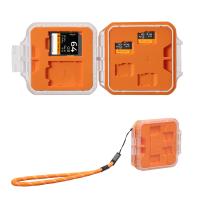
K&F Concept 24 Slots SD Card Holder Memory Card Case, Water-Resistant Shockproof Memory Card Storage Carrying Case for 12 SD SDXC SDHC Cards, 12 CFexpress Type A Cards
$18.99 $9.99
K&F Concept 36 Slots SD Micro SD Memory Card Case, Water-Resistant SD Card Holder, Anti-Shock Card Carrying Storage Box for 24 Micro SD SDXC SDHC TF Cards and 12 SD SDXC SDHC Cards
$18.99 $9.99
32GB Micro SD Card U3/V30/A1 with Adapter, Memory Card for Cameras, Borescopes,  Microscopes, Night Vision Goggles, Kentfaith
32GB Micro SD Card U3/V30/A1 with Adapter, Memory Card for Cameras, Borescopes, Microscopes, Night Vision Goggles, Kentfaith
$19.99 $15.99
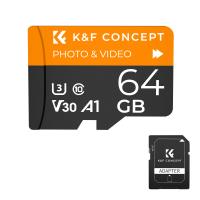
64GB Micro SD Card U3/V30/A1 with Adapter, Memory Card for Cameras, Borescopes,  Microscopes, Night Vision Goggles, Kentfaith
64GB Micro SD Card U3/V30/A1 with Adapter, Memory Card for Cameras, Borescopes, Microscopes, Night Vision Goggles, Kentfaith
$23.75 $23.73
 US Sim Card Without Contract
US Sim Card Without Contract
$10.90
Memory Card Case with 25 Slots, Anti-Shock Carrying Case for 4 SD Cards, 4 CF Cards or 4XQDs, 4 CFexpress Cards, 12 Micro SD (TF) Cards, 2 Nano SIM, 2 Micro SIM and 1 SIM Card
$24.99 $12.99
K&F Concept 28 Slots Micro SD Card Case,Water-Resistant Anti-Shock Anti-Dust TF Card Holder,Micro SD/Micro SDHC/Micro SDXC Card Box Organizer Storage
$18.99 $9.99
Products You May Like
5K 75MP Digital Cameras for Photography, 20X Optical Zoom, WiFi Youtube Vlogging Camera with Autofocus & Dual Lens for Selfie, 4in Touchscreen Kentfaith
12
$299.99 $239.99
67mm Black Mist 1/8 Filter Waterproof Mist Cinematic Effect Camera Lens Filter with 24 Multi-Coatings for Video/Vlog/Portrait Photography (Nano-Dazzle)
25
$49.99 $39.99
52mm Black Diffusion Mist Effect 1/4 & Variable ND2-32(1-5 Stops) & Circular Polarizing Filter CPL 3 in 1 Lens Filter with 18 Multi-Coatings Nano-Klear Series
$56.99 $44.99
St-60w Photography Light With Remote Control Dimmable Continuous Lighting with Bowens Mount for Video Recording Wedding Outdoor Photography EU Plug
1
$116.99
2" Screen Video Baby Monitor with Wireless Remote Camera, Night Vision, Temperature Monitoring and Two-way Talk Work with 2.4 GHz WiFi US Power Plug
2
$61.99
55mm Black Mist 1/4 & ND2-400 Variable ND Filter with Double-sided 28-layer Anti-reflection Green Film and Lever Nano-Xcel Series
31
$99.99 $79.99
Auto Face Tracking Tripod 360° Rotation Phone Camera Mount with Selfie Ring Light, No App
$61.99
49mm-77mm Magnetic Lens Filter Adapter Ring
7
$22.99
Linking Trail Cameras
10
$162.99 $106.99
95mm CPL Filter Circular Polarizer Filter with Lens Cap Optical Glass Ultra Slim 18 Multi-Layer for Camera Lens Nano-Klear Series
23
$32.99
Related articles
How To Backup Sd Card Android Without Computer?
Can I Take Pictures Without A Memory Card?
How To Manage Sd Card On Android Phone?
How To Remove A Sd Card From Phone?
How To Format Sd Card On My Phone?
Can Sd Card Slow Down Phone?
How Do You Clear A Sd Memory Card?
What Is A Class 10 Sd Memory Card?
How To View Sdhc Memory Card?
What Mount Does Sony A7s Ii Have?
Blog You May Like
Can You Put Memory Card In S23?
How To Remove Ring Light Reflection In Eyes?
Can Neighbors Security Camera At Your House?
What Is Neutral Density Filter Used For?
Apeman Action Camera 4k How Many Fps?
Which Way To Point Solar Panels?
What Type Of Camera Filter Helps With Sunlight?
Can I Watch Solar Eclipse With Mobile Camera?
Uv Filter 100 Bulb What Is?
Can You Turn Your Iphone Into A Projector?
Related categories
camera card memory cell phone tripods phone camera lens iphone lens filter C mount lens adapter
Popular products
64Gb Micro Sd Memory Card 32gb sd flash memory card 4k sd memory card 64gb memory card micro surveillance memory card Full Size Sd Memory Card sd memory card carrying case portable sd card reader driving recorder video camera
Related searches
Memory Wifi Sd Card 32gb Sd Memory Card Sd Memory Card Holder Standard Sd Memory Card Memory Card Micro Sd 128gb Sd Memory Card Storage Case Sd Memory Card For Digital Camera Sandisk Micro Sd Memory Card 128gb Sd Memory Card For 4k Video Micro To Sd Card Adapter
Popular searches
Canon Fd Mount Lens On 5d Mkiv Wildlife Camera For Garden Used Tripods For Sale Best Quality Digital Camera Nikon Coolpix B700 Filter Adapter Bluetooth Headset For Motorcycle Helmet Sony E Mount Lenses With 58mm Filter Night Camera For Wildlife Camera Bag Waterproof Samsung Nx100 Lens Mount
Blog Category
  • Activities
  • Guide
    • Filter Guide
    • Lens Adapter
    • Product Review
  • News & Reviews
    • Camera Reviews
    • Sample Gallery
    • News
  • Tutorials
    • Solar eclipse photography
    • Photography Basics
    • Landscape Photography
  • Inspiration
    • Travel
    • Travel Stories
Search Article
Latest from the Blog
How Many Stops Is An Nd 8 Filter?
What Is The Difference Between Binoculars And Telescope?
What Is Nd Filter On Video Camera?
Where Can I Buy Samsung Camera Battery?
What Tripod To Buy?
How To Make Your Eyes Flash On Camera?
Camera Use Which Lens?
What Does A Uv Camera Filter Do?
How To Place Cameras Around Your House?
ND Filter: The Complete Guide to Neutral Density Filters for Photography and Video
  • Easy Payment Multilple Payment Options

  • Free Shipping Global WareHouse Shipment

  • No Risk 30-Day No Reason Return

  • Limited Deals Buy More, Save More

  • Tax Free No any surcharges or tax fee

Information
  • About us
  • Contact Us
  • Site Map
  • Blog
  • Video
  • Gallery
  • VIP Membership Rewards
Service
  • Privacy Policy
  • Terms & Conditions
  • Shipping & Delivery
  • Payment Info
  • Warranty, Return & Refund
  • Intellectual Property Rights
  • Ambassador
  • Affiliates
  • Wholesale
Support
  • My account
  • Order History
  • FAQs
  • Extend Warranty
  • Logistics Tracking
Follow us
NewsLetter

Get the latest product, K&F Concept respects your privacy.

Powered By KENTFAITH © 2025