kfconcept

KENTFAITH
K&F Concept    Blog >

Enjoy Your Selected Digital Life

Recently Viewed
  • Recently Viewed
  • Recently Viewed list is empty.

Compare (0) 0
  • Compare
  • You have not chosen any products to compare.

  • Compare
Currency: USD
  • Currency
Shop by Scene Shop by Rank

Log Into Your Account

Account

Order History

Wish List

Login

Forgotten Password?

Or connect with

Register Account

Already have an Account?Log In

  • Shopping Cart
  • Your shopping cart is empty!

  • Register/Login to purchase, earn points
  • Favorite
  • Your wish list is empty.

  • Register/Login to like, earn points
  • Activities
  • Guide
    • Filter Guide
    • Lens Adapter
    • Product Review
  • News & Reviews
    • Camera Reviews
    • Sample Gallery
    • News
  • Tutorials
    • Solar eclipse photography
    • Photography Basics
    • Landscape Photography
  • Inspiration
    • Travel
    • Travel Stories
  • Home
  • Blog
  • How To Connect Smart Watch With Earbuds?

How To Connect Smart Watch With Earbuds?

Kentfaith 2024-12-20 03:45:10 0 Comments

How to Connect Your Smartwatch with Earbuds: A Step-by-Step Guide
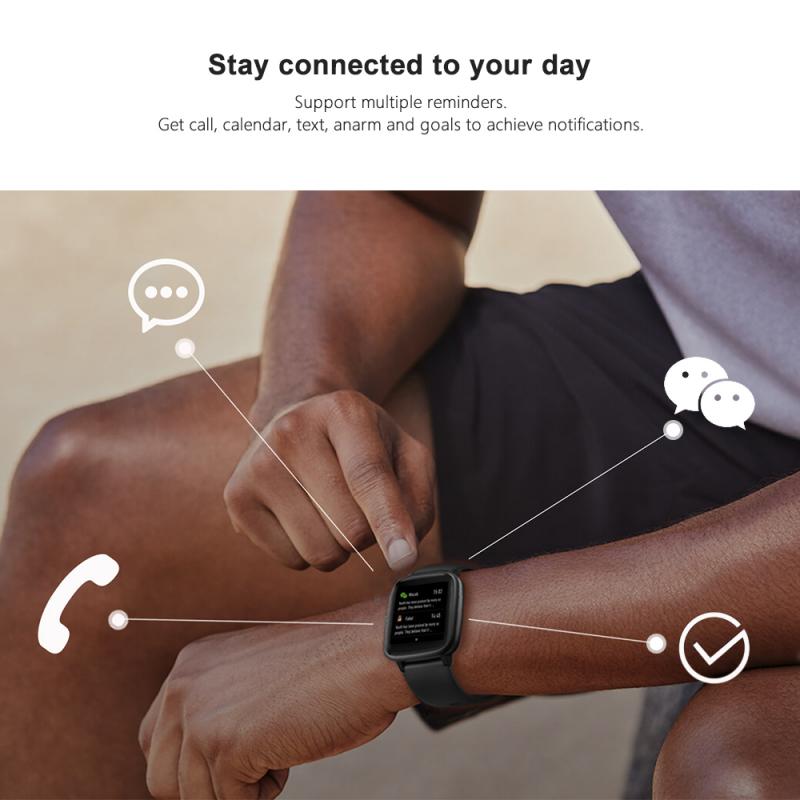
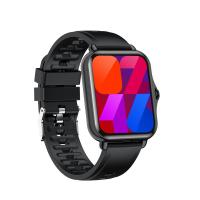
how to connect smart watch with earbuds 1

With the growing popularity of both smartwatches and wireless earbuds, the ability to seamlessly connect the two devices has become a feature many users rely on for convenience, especially during workouts, commutes, or when simply enjoying music or podcasts. Connecting your smartwatch to earbuds can enhance your listening experience, providing mobility and the freedom of wireless audio. In this article, we will explore how to connect a smartwatch to Bluetooth earbuds, troubleshoot common issues, and discuss the benefits of pairing these devices.

1. Why Connect Your Smartwatch to Earbuds?

Before we dive into the technical steps, let's take a moment to understand why you might want to connect your smartwatch to earbuds.

- Hands-free audio experience: By pairing your smartwatch with earbuds, you can listen to music, podcasts, or take calls without needing to pull out your phone. This is especially beneficial when you're working out or on the move.

- Convenience: With earbuds connected to your smartwatch, you don’t need to carry around your phone everywhere. You can leave your phone in your bag or pocket and still control your music, calls, or notifications directly from your watch.

- Fitness Tracking: Many smartwatches have fitness apps that track your workouts. By connecting to Bluetooth earbuds, you can listen to music or audiobooks while your smartwatch monitors your heart rate, calories burned, and distance traveled without needing to worry about tangled wires or devices.

2. What You Need Before You Start?

Before attempting to connect your smartwatch and earbuds, there are a few things you'll need:

- Bluetooth-enabled smartwatch: This is essential as the connection relies on Bluetooth technology.

- Bluetooth earbuds: Most modern wireless earbuds support Bluetooth, but ensure that your model is compatible with your smartwatch’s Bluetooth version.

- Bluetooth pairing mode: Both devices should be in pairing mode, meaning they are ready to connect with each other. If either of them is already connected to another device (e.g., your smartphone), disconnect them first.

3. Step-by-Step Process to Connect Smartwatch with Earbuds

Connecting your smartwatch to Bluetooth earbuds involves a straightforward process. While the specifics can vary slightly depending on the brand and model of your smartwatch and earbuds, the general procedure remains largely the same.

Step 1: Turn on Your Bluetooth Earbuds

Make sure your Bluetooth earbuds are charged and in pairing mode. To activate pairing mode, turn on the earbuds (usually by holding the power button for a few seconds), and they will either flash or emit a sound to indicate that they are ready to connect.

Step 2: Enable Bluetooth on Your Smartwatch

To connect your smartwatch with Bluetooth earbuds, the first thing you need to do is turn on Bluetooth on your smartwatch. For most smartwatches, you’ll need to go into the settings menu.

- For Apple Watch: Open the *Settings* app on your Apple Watch, tap *Bluetooth*, and then select your earbuds when they appear in the list.

- For Samsung Galaxy Watch: Swipe up to access the *Apps screen*, then open *Settings*, tap *Connections*, and choose *Bluetooth*. Select your earbuds from the list of available devices.

- For Fitbit Smartwatch: Open the *Settings* app on your Fitbit, tap *Bluetooth*, and select your earbuds once they appear.

Step 3: Search for and Pair with Your Earbuds

Once your earbuds are in pairing mode and Bluetooth is activated on your smartwatch, your smartwatch should begin scanning for available devices.

- Select your earbuds from the list of available devices.

- After selecting your earbuds, wait a moment for the connection to establish. You may hear a confirmation sound from the earbuds, or you may see a confirmation message on the smartwatch screen.

Step 4: Test the Connection

After pairing, try playing some audio (music, a podcast, or a phone call) from your smartwatch to ensure the earbuds are working properly. The sound should now come through the earbuds rather than your watch or phone.

If the connection does not work immediately, check the following:

- Ensure that both the smartwatch and earbuds are within range (typically around 30 feet for most Bluetooth connections).

- Confirm that the earbuds are not connected to another device, such as your phone, which could prevent the smartwatch from connecting.

4. Troubleshooting Common Pairing Issues

While connecting Bluetooth earbuds to a smartwatch is usually a straightforward process, there are some issues you might encounter. Below are a few common problems and their solutions.

Issue 1: Earbuds Aren’t Showing Up in Bluetooth Settings

- Solution: Make sure your earbuds are in pairing mode. If they’re already connected to another device, disconnect them and restart the pairing process.

- Solution: Ensure that Bluetooth is enabled on your smartwatch and that the device isn’t already connected to another Bluetooth device.

Issue 2: Audio Delay

- Solution: Audio delay can occur with some Bluetooth devices, especially when watching videos or engaging in real-time activities like gaming. To reduce this, try using earbuds with lower latency or enable a "low-latency" audio setting if your smartwatch supports it.

Issue 3: Audio Is Not Playing through the Earbuds

- Solution: Ensure that the audio source is set to your earbuds. You can check this through your smartwatch’s audio settings. If the problem persists, try unpairing and re-pairing the devices.

Issue 4: Connection Drops Frequently

- Solution: Interference can cause your Bluetooth connection to drop. Make sure there are no obstructions or other Bluetooth devices interfering with the connection. Reset both the smartwatch and earbuds to resolve persistent issues.

5. What to Do If Your Smartwatch Doesn’t Support Bluetooth Audio?

Not all smartwatches are designed to support audio playback over Bluetooth, particularly some older or entry-level models. If your smartwatch doesn’t support Bluetooth audio, there are a few alternative solutions you can explore:

- Use Your Smartphone as a Bridge: You can use your smartphone as a bridge by keeping it close to your smartwatch and connecting your earbuds directly to your phone. This way, the phone acts as an intermediary device, while your smartwatch continues to track your fitness data or provide notifications.

- Check for Software Updates: Sometimes, a firmware update can enable Bluetooth audio functionality or improve connectivity with Bluetooth devices. Be sure your smartwatch is running the latest software version.

- Use a Smartwatch with Built-in Audio Storage: Some smartwatches, such as the Apple Watch or certain Garmin models, have internal storage for music. You can sync music directly to the watch and pair your earbuds with the watch itself, avoiding the need for an additional phone.

6. Benefits of Connecting Your Smartwatch and Earbuds

When your smartwatch is connected to your Bluetooth earbuds, you unlock a range of possibilities:

- Effortless Music Control: Control volume, change tracks, or skip to the next song without pulling out your phone.

- Take Calls Hands-Free: Answer calls through your earbuds while your smartwatch displays the caller’s information.

- Track Fitness Data: Many smartwatches come with heart rate monitors and fitness apps. With the earbuds connected, you can enjoy uninterrupted audio while the smartwatch tracks metrics such as distance, pace, and calories burned.

- Notifications on the Go: Receive notifications directly to your earbuds, letting you stay connected without checking your watch or phone.

7. Conclusion

Pairing your Bluetooth earbuds with a smartwatch can be an incredibly useful feature, offering convenience, freedom, and an enhanced audio experience. Whether you’re working out, commuting, or simply enjoying music, connecting these two devices unlocks a world of hands-free possibilities.

By following the simple steps outlined in this guide, you can ensure a smooth connection between your smartwatch and earbuds, as well as troubleshoot common issues. Remember, the key to a great experience lies in ensuring that both devices are compatible, properly configured, and within range of each other.

Leave your comment
Cancel reply
Note: HTML is not translated!
Related products
Smart Camera Glasses, HD 1080P, EIS Stabilization, WiFi Connect, Translation, 4H Playtime, Kentfaith
16
$119.99 $95.99
Handheld Microcsope, 500X Zoom, 1080P Videos,  PC Connect, with Large 5X Magnifier, Autofocus, Kentfaith
Handheld Microcsope, 500X Zoom, 1080P Videos, PC Connect, with Large 5X Magnifier, Autofocus, Kentfaith
15
$87.49 $69.99
Wireless Earbuds Bluetooth Headphones TWS Waterproof with Microphone
66
$31.99
Camera Sunglasses, HD 1080P, EIS Stabilization, WiFi Connect, Translation, 4H Playtime, Kentfaith
16
$119.99 $95.99
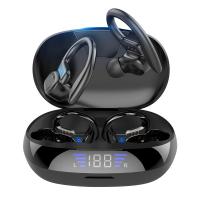
TWS Bluetooth Headset With Microphone Sports Ear Hook LED Display Earbuds
HOT Seller
TWS Bluetooth Headset With Microphone Sports Ear Hook LED Display Earbuds
211
$29.99
Wireless Translator Earbuds with 2-way 137 Languages, Live Transcription, Kentfaith
16
$77.49 $61.99
Translation Earbuds Real Time, 3-in-1 AI Language Translator Earbuds, 150 Languages Online/Offline Modes 98% Accuracy, with Audio & Video Calls Translation for Travel Business Learning
TOP Best
Translation Earbuds Real Time, 3-in-1 AI Language Translator Earbuds, 150 Languages Online/Offline Modes 98% Accuracy, with Audio & Video Calls Translation for Travel Business Learning
74
$209.99 $134.99
4K Video Camera, 64MP Photos, WiFi Connect, 28X Zoom, Wireless Mic, Full Color NV, Kentfaith
18
$212.49 $169.99
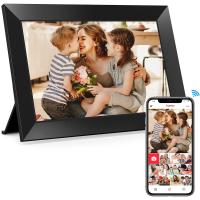
Digital Photo Frame, 10.1 inch Touchscreen, WiFi Transfer from Any Corner, 32GB Storage, Multi-user Connect & Share, Auto Rotation, Kentfaith
17
$187.49 $149.99
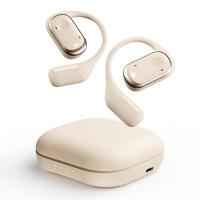
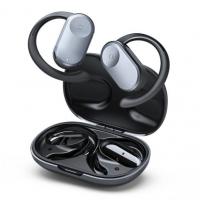
Real-Time Translation Earbuds 2-Way 150 Languages & Accents Open-Ear Kentfaith
13
$99.99 $79.99
Products You May Like
49mm CPL Filter 28 Layer Super Slim Circular Polarizing Filter Multi-coated Polarized MRC Filter Nano-Xcel Series
68
$57.99 $42.99
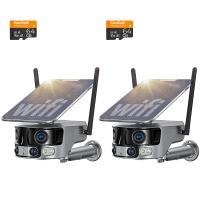
WiFi Security Camera with 4K Clarity, 180° Panoramic View with Dual Lens, Solar Powered, 360° Live View, Color Night Vision, 2 Packs, Kentfaith
$537.49 $429.99
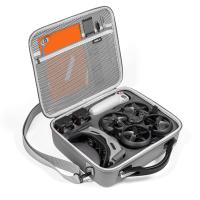
DJI Avata Portable Storage Bag (DJI Goggles 2) Gray
$64.99
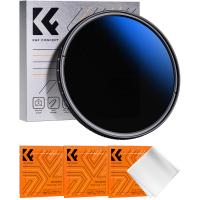
43mm ND2-ND400 (9 Stops) Variable ND Filter Neutral Density Filter for Camera Lens Ultra-Slim, Multi Coated Nano-Klear
62
$25.99 $21.99
M48 Bluetooth 5.3 True Wireless Earbuds, Environment Noise Cancelling Earbuds, IPX7 Waterproof (Silver)
$32.49 $25.99
Hydraulic head with CNC technology (die-cast clamp), load bearing 5kg, dead weight 472g, color box, black gray
$94.99
Dual Dash Cam Front and Inside 1080P Dash Camera for Cars IR Night Vision Car Camera for Taxi Accident Lock Parking Monitor
$257.99 $90.99
Telescope Electronic Eyepiece with 4.3in Screen, WiFi Live Stream, Capture 1080P Photos & Videos, Rechargeable, Kentfaith
13
$144.99 $115.99
55mm Adapter Ring for 100mm Pro Square Filter System Nano-Xcel Pro Series
$17.99
100mm Handheld Kaleidoscope Filter, Semicircular Special Effects Filter with 3pcs Vacuum Cleaning Cloths Nano-B Series
14
$49.99 $36.99
Related articles
How To Connect Smart Watch With Android?
How To Connect Mobile Smart Watch?
How To Set Smart Watch With Phone?
Which App Is Used To Connect Smart Watch?
Can I Sleep With Earbuds?
Can You Connect Bluetooth Earbuds To A Tv?
How To Wear Earbuds?
Can We Measure Blood Pressure With Smart Watch?
How To Set Up Earbuds?
How To Delete From An Sd Card?
Blog You May Like
Camera Bag That Can Hold Gimbal?
Where Do My Sound Recorder Files Go?
How To Make Camera Bag Padding?
How Do Game Cameras Work Without Wifi?
Is the Sony A7M5 worth buying?
How To Make A Camera Flash?
Camera Backpack That You Can Check Flying?
What Is The Most Accurate Metal Detector?
How To Test The Microphone?
How To Clean Mobile Camera Lens Glass?
Related categories
C mount lens adapter m4/3 adapter Outdoor Security Camera Wifi Floodlight Camera Wireless
Popular products
bluetooth smart sports watch hd screen smart watch new waterproof smart watch smart watch in waterproof Full Touch Screen Smart Watch smart watch compatible with iphone android smart watch for women waterproof smart watch for swimming 3atm smart watch Camera Glasses With Wifi
Related searches
Smart Watch Connect To Iphone Smart Watch With Earbuds Smart Watch Built In Earbuds Smart Watch With Games Android Smart Watch With Ecg Smart Watch With Body Temperature Smart Band Watch With Camera Smart Watch With Swimming Mode Smart Watch With Calorie Tracker Smart Watch With Ecg Function
Popular searches
Best Noise Cancelling Headphones With Mic For Work Sd Card For Cameras Bmpcc 4k Canon Lens Adapter Ip Camera 2 Way Audio Outdoor Minolta Lens To Sony E Mount Nikon Lens On Pentax K Mount Camera With Sim Card And Solar 46mm Skylight Filter M42 To Nikon Z Tripod With Cell Phone Holder
Blog Category
  • Activities
  • Guide
    • Filter Guide
    • Lens Adapter
    • Product Review
  • News & Reviews
    • Camera Reviews
    • Sample Gallery
    • News
  • Tutorials
    • Solar eclipse photography
    • Photography Basics
    • Landscape Photography
  • Inspiration
    • Travel
    • Travel Stories
Search Article
Latest from the Blog
How Do Cellular Trail Cameras Work? – The Complete Guide for Hunters and Wildlife Enthusiasts
What Is The Difference Between Binoculars And Telescope?
ND Filter: The Complete Guide to Neutral Density Filters for Photography and Video
How Do Trail Cameras Work? The Ultimate Guide to Trail Cameras
What Is A Good Quality Dash Cam?
Which Binoculars To Buy?
How To Make Your Eyes Flash On Camera?
What is A Variable ND Filter? The Complete Guide to Mastering Exposure Control
Camera That Can Wifi Photos To Phone?
Can You Zoom In With Binoculars?
  • Easy Payment Multilple Payment Options

  • Free Shipping Global WareHouse Shipment

  • No Risk 30-Day No Reason Return

  • Limited Deals Buy More, Save More

  • Tax Free No any surcharges or tax fee

Information
  • About us
  • Contact Us
  • Site Map
  • Blog
  • Video
  • Gallery
  • VIP Membership Rewards
Service
  • Privacy Policy
  • Terms & Conditions
  • Shipping & Delivery
  • Payment Info
  • Warranty, Return & Refund
  • Intellectual Property Rights
  • Ambassador
  • Affiliates
  • Wholesale
Support
  • My account
  • Order History
  • FAQs
  • Extend Warranty
  • Logistics Tracking
Follow us
NewsLetter

Get the latest product, K&F Concept respects your privacy.

Powered By KENTFAITH © 2026