How To Check Your House For Hidden Cameras?
In an age where technology is advancing at an unprecedented pace, privacy concerns have become a significant issue for many people. Hidden cameras, once the stuff of spy movies, are now widely available and can be used for both legitimate and nefarious purposes. Whether you're staying in a hotel, renting an Airbnb, or even suspecting someone might have installed a hidden camera in your home, knowing how to check for hidden cameras is an essential skill. This article will guide you through practical steps to identify and locate hidden cameras, ensuring your personal space remains private and secure.
Why Hidden Cameras Are a Concern
Hidden cameras can be used for various reasons, ranging from security and surveillance to outright invasion of privacy. While some people install hidden cameras to monitor their property or ensure the safety of their loved ones, others may use them for malicious purposes, such as spying or recording without consent. Regardless of the intent, the presence of a hidden camera in your personal space without your knowledge is a violation of your privacy.
Signs That There Might Be a Hidden Camera
Before diving into the methods of detection, it's essential to recognize some signs that might indicate the presence of a hidden camera:
1. Unusual Objects or Placement: Look for objects that seem out of place or are positioned in an unusual manner, such as a smoke detector in a corner where it doesn't make sense or a clock facing an odd direction.
2. Small Holes or Lenses: Cameras need a clear line of sight to record, so they are often hidden behind small holes or transparent surfaces.
3. Unexplained Wires or Devices: If you notice wires or devices that don't seem to serve a purpose, they could be part of a hidden camera setup.
4. Unusual Lights: Some cameras emit faint red or green lights, especially in low-light conditions.
Tools You Can Use to Detect Hidden Cameras
Detecting hidden cameras doesn't always require expensive equipment. Here are some tools and methods you can use:
1. Your Smartphone: Modern smartphones are equipped with features that can help you locate hidden cameras. For example, the flashlight and camera can be used to detect reflective lenses, while certain apps can scan for Wi-Fi-connected devices.
2. Flashlight: A simple flashlight can help you spot camera lenses, which often reflect light.
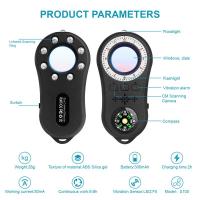
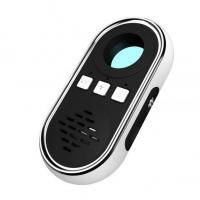
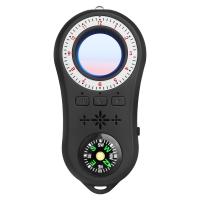
3. RF (Radio Frequency) Detectors: These devices can detect wireless signals emitted by hidden cameras.
4. Infrared Detectors: Some cameras use infrared for night vision, which can be detected using specialized equipment or even your smartphone camera in some cases.
Step-by-Step Guide to Checking for Hidden Cameras
1. Conduct a Visual Inspection
Start by thoroughly inspecting the room or area where you suspect a hidden camera might be located. Pay close attention to:
- Common Hiding Spots: Hidden cameras are often placed in everyday objects like smoke detectors, clocks, picture frames, air purifiers, or even stuffed animals.
- Unusual Objects: Look for items that seem out of place or are positioned in a way that provides a clear view of the room.
- Small Holes or Lenses: Check for tiny holes in walls, ceilings, or objects, as these could be hiding a camera lens.
2. Use a Flashlight
Turn off the lights in the room and use a flashlight to scan for reflective surfaces. Camera lenses are often made of glass and will reflect light differently than other materials. Slowly move the flashlight around the room, paying close attention to areas where a camera might be hidden.
3. Check for Infrared Lights
Many hidden cameras use infrared for night vision, which is invisible to the naked eye but can be detected using a smartphone camera. Turn off the lights and use your phone's front-facing camera (which often lacks an infrared filter) to scan the room. Look for small, glowing red or purple lights, which could indicate the presence of an infrared camera.
4. Scan for Wireless Signals
If the hidden camera is transmitting data wirelessly, you can use an RF detector to locate it. These devices can pick up the radio frequencies emitted by wireless cameras. Simply turn on the RF detector and move it around the room. If it detects a signal, it will alert you with a sound or light.
Alternatively, you can use your smartphone to scan for Wi-Fi-connected devices. Apps like Fing can show you all devices connected to a network. Look for unfamiliar devices, especially those labeled as cameras or with suspicious names.
5. Listen for Unusual Sounds
Some hidden cameras make faint noises, such as a clicking or buzzing sound, especially when they are adjusting their focus or moving. In a quiet room, listen carefully for any unusual sounds that could indicate the presence of a camera.
6. Inspect Electrical Outlets and Cables
Hidden cameras often require a power source, so check electrical outlets and cables for any devices that seem out of place. Look for chargers, adapters, or other items that could be concealing a camera.
7. Use a Professional Bug Detector
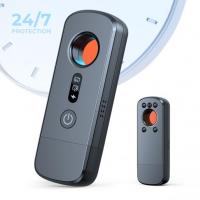
If you're still unsure or want to be thorough, consider investing in a professional bug detector. These devices are designed to locate hidden cameras, microphones, and other surveillance equipment. They are particularly useful for detecting hard-to-find devices.
What to Do If You Find a Hidden Camera
If you discover a hidden camera, it's essential to handle the situation carefully:
1. Document the Evidence: Take photos or videos of the camera and its location. This documentation can be useful if you decide to report the incident.
2. Do Not Tamper with the Camera: Avoid touching or moving the camera, as this could destroy evidence or alert the person who installed it.
3. Report the Incident: If you're in a rental property, hotel, or public space, report the camera to the property owner or management. If you suspect illegal activity, contact local law enforcement.
4. Consult a Professional: If you're unsure about how to proceed, consider consulting a professional security expert for advice.
Preventing Hidden Cameras in the Future
While it's impossible to guarantee complete privacy, there are steps you can take to reduce the risk of hidden cameras in your personal space:
- Use a Camera Detector: Invest in a reliable camera detector and use it regularly to scan your home or any temporary accommodations.
- Secure Your Wi-Fi Network: Hidden cameras connected to your Wi-Fi can be accessed remotely. Use strong passwords and encryption to secure your network.
- Be Vigilant: Stay aware of your surroundings and trust your instincts. If something feels off, investigate further.
Hidden cameras are a growing concern in today's world, but with the right tools and knowledge, you can protect your privacy. By conducting thorough inspections, using technology to your advantage, and staying vigilant, you can identify and address potential threats. Remember, your privacy is your right, and taking proactive steps to safeguard it is essential. Whether you're at home, in a hotel, or renting a property, these tips will help you ensure that your personal space remains private and secure.