kfconcept

KENTFAITH
K&F Concept    Blog >

Enjoy Your Selected Digital Life

Recently Viewed
  • Recently Viewed
  • 49mm Variable ND Filter ND2-400 (1-9 Stop) Lens Filter Waterproof Scratch Resistant Nano-X Series
    49mm Variable ND Filter ND2-400 (1-9 Stop) Lens Filter Waterproof Scratch Resistant Nano-X Series
    $81.99 $64.99
    K&F Concept 49mm Variable ND Filter ND8-128 (3-7 Stop) HD Hydrophobic VND Filter for Camera Lens No X Cross Nano-Xcel
    K&F Concept 49mm Variable ND Filter ND8-128 (3-7 Stop) HD Hydrophobic VND Filter for Camera Lens No X Cross Nano-Xcel
    $62.99 $49.99
    GND8 Lens Filter 100*150mm Soft 3 f-stop Square Graduated Neutral Density Filter Multi Coated with Holder Bag
    GND8 Lens Filter 100*150mm Soft 3 f-stop Square Graduated Neutral Density Filter Multi Coated with Holder Bag
    $124.99 $99.99
    WiFi 30MP 4K/30fps Trail Camera Upgrade Bluetooth Game Camera with Night Vision Motion Activated and 120°Detection Angel for Outdoor Wildlife Monitoring
    WiFi 30MP 4K/30fps Trail Camera Upgrade Bluetooth Game Camera with Night Vision Motion Activated and 120°Detection Angel for Outdoor Wildlife Monitoring
    $105.99
    ND8 Square Filters(0.9/3 Stops) 100*150mm Reverse Graduated Grad Neutral Density ND Filters Optical Glass GND Slim HD Nano-Coating Waterproof
    ND8 Square Filters(0.9/3 Stops) 100*150mm Reverse Graduated Grad Neutral Density ND Filters Optical Glass GND Slim HD Nano-Coating Waterproof
    $124.99 $99.99
    K&F Concept 63'' Camera Monopod 5-Section Height Aluminum Monopod With Metal And Rubber Feet 2-in-1 Design,Lightweight & Portable Camera Accessories
    K&F Concept 63'' Camera Monopod 5-Section Height Aluminum Monopod With Metal And Rubber Feet 2-in-1 Design,Lightweight & Portable Camera Accessories
    $23.99
    ND4+ND8+ND16+ND32 Filter Kit (4 Pcs) for DJI Mavic 3/Mavic 3 Cine, Neutral Density Filter with 28 Multi-Layer Coatings Waterproof/Scratch Resistant
    ND4+ND8+ND16+ND32 Filter Kit (4 Pcs) for DJI Mavic 3/Mavic 3 Cine, Neutral Density Filter with 28 Multi-Layer Coatings Waterproof/Scratch Resistant
    $53.99
    K&F Concept Soft Tip Strong Air Blower, Single Air Intake Camera Lens Blower with Short Nozzle, for Digital SLR Lens Sensor LCD Screens Musical Instruments Keyboards Telescope Filters
    K&F Concept Soft Tip Strong Air Blower, Single Air Intake Camera Lens Blower with Short Nozzle, for Digital SLR Lens Sensor LCD Screens Musical Instruments Keyboards Telescope Filters
    $14.99
    P7 automatic face tracking, gesture control dual-axis intelligent gimbal, cell phone stabilizer, no application, support 360 ° rotation of the live, cell phone stand, intelligent follow-up gimbal, suitable for real-time Vlog, streaming, video shooting Bla
    P7 automatic face tracking, gesture control dual-axis intelligent gimbal, cell phone stabilizer, no application, support 360 ° rotation of the live, cell phone stand, intelligent follow-up gimbal, suitable for real-time Vlog, streaming, video shooting Bla
    $44.99
     US Sim Card Without Contract
    US Sim Card Without Contract
    $10.90
Compare (0) 0
  • Compare
  • You have not chosen any products to compare.

  • Compare
Currency: USD
  • Currency
Shop by Scene Shop by Rank

Log Into Your Account

Account

Order History

Wish List

Login

Forgotten Password?

Or connect with

Register Account

Already have an Account?Log In

  • Shopping Cart
  • Your shopping cart is empty!

  • Register/Login to purchase, earn points
  • Favorite
  • Your wish list is empty.

  • Register/Login to like, earn points
  • Activities
  • Guide
    • Filter Guide
    • Lens Adapter
    • Product Review
  • News & Reviews
    • Camera Reviews
    • Sample Gallery
    • News
  • Tutorials
    • Solar eclipse photography
    • Photography Basics
    • Landscape Photography
  • Inspiration
    • Travel
    • Travel Stories
  • Home
  • Blog
  • How Do I Record Whatsapp Voice Call?

How Do I Record Whatsapp Voice Call?

Kentfaith 2025-01-09 01:48:40 0 Comments

How to Record WhatsApp Voice Calls: A Step-by-Step Guide
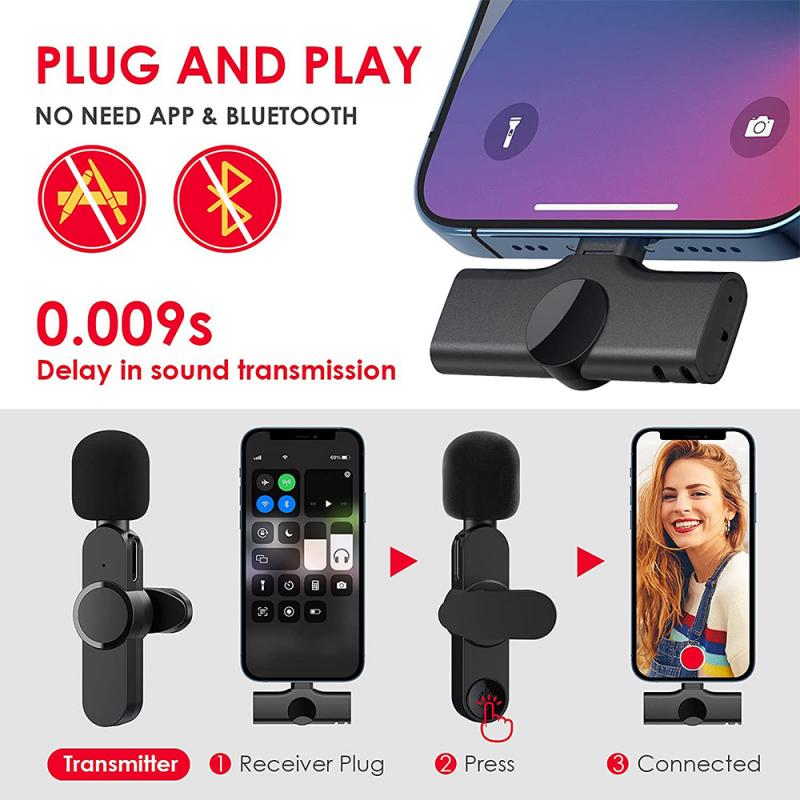
how do i record whatsapp voice call 1

WhatsApp has become one of the most popular communication tools worldwide, allowing users to make voice and video calls over the internet. While it’s convenient and user-friendly, the app does not offer a built-in feature to record voice calls for privacy and legal reasons. However, there are methods and third-party apps available to help you record WhatsApp voice calls on both Android and iOS devices.

In this article, we will explore various methods to record WhatsApp voice calls, discuss legal considerations, and provide a few best practices to ensure your recordings are effective and safe.

Why Record WhatsApp Voice Calls?

Before we dive into the methods of recording WhatsApp calls, it’s essential to understand why you might need to do so. Recording WhatsApp calls can be helpful for several reasons:

1. Business Calls: If you're using WhatsApp for professional purposes, you may want to record important conversations for future reference, to track commitments, or for training purposes.

2. Personal Records: Sometimes, people like to keep a record of memorable conversations, particularly with family members or friends, especially when long-distance or international calls are involved.

3. Legal and Compliance Purposes: In some industries, keeping records of communication is required for legal or compliance reasons.

4. Language Learning: If you’re learning a new language, recording calls allows you to listen to them again, helping you improve your skills.

Now, let's explore the methods available for recording WhatsApp calls.

---

1. Using Screen Recording Feature (iOS & Android)

One of the simplest methods to record a WhatsApp voice call is by using your phone’s built-in screen recording feature. Although this method works primarily for video calls, it can also capture the audio of voice calls on some devices.

How to Use Screen Recording on Android:

1. Enable Screen Recording:

- Swipe down the notification panel to access quick settings.

- Look for the screen recording icon. If it's not visible, you may need to add it to the quick settings by editing them.

2. Start a WhatsApp Voice Call:

- Open WhatsApp and make or receive a voice call.

3. Begin Recording:

- Once the call is active, swipe down to open quick settings again and tap the screen recording icon to begin capturing your screen.

- The recording will also capture the audio of the call if your phone's settings permit it.

4. Stop Recording:

- After the call ends, stop the recording by tapping the notification that indicates the recording is ongoing.

Note: This method may not work on all Android phones, as some devices restrict third-party app audio capture due to privacy concerns.

How to Use Screen Recording on iOS (iPhone):

1. Enable Screen Recording:

- Open the Settings app and go to *Control Center*.

- Tap the "+" next to *Screen Recording* to add it to your Control Center.

2. Start a WhatsApp Voice Call:

- Open WhatsApp and make or receive a voice call.

3. Start Recording:

- Swipe down from the top-right corner of the screen to access the Control Center (for iPhone X and later) or swipe up (for earlier models).

- Tap the screen recording button (circle inside a circle) to begin recording.

4. Stop Recording:

- Once the call ends, stop the recording by tapping the red bar at the top of the screen and selecting “Stop” in the prompt.

Note: iPhones generally restrict audio recording from phone calls for privacy reasons, so this method may not capture the call audio.

---

2. Using Third-Party Apps (Android)

For Android users, third-party apps are the most common method for recording WhatsApp calls. These apps have been developed specifically to bypass the limitations of Android's native settings, allowing them to capture both call audio and screen footage.

Popular Apps to Record WhatsApp Calls:

1. ACR Call Recorder

- Overview: ACR (Another Call Recorder) is a popular app for recording both regular phone calls and WhatsApp calls. It automatically detects and records incoming and outgoing calls.

- How to Use:

- Download and install ACR from the Google Play Store.

- Open the app and adjust the settings for call recording. Ensure you enable “WhatsApp” recording under the “Recording Source” settings.

- The app will automatically record your WhatsApp calls once configured.

2. Cube Call Recorder

- Overview: Cube Call Recorder is another widely used app that supports recording WhatsApp calls along with other VoIP services like Skype, Viber, and Facebook Messenger.

- How to Use:

- Download and install Cube Call Recorder from the Google Play Store.

- Open the app and grant the necessary permissions for recording calls.

- Make a WhatsApp call, and the app will automatically start recording.

Note: Be aware that some apps may not work on all devices due to restrictions in Android's security policies, and in some regions, recording calls without consent can violate privacy laws.

---

3. Using External Devices (Hardware Solutions)

If you prefer not to rely on software, an external recording device can capture WhatsApp calls effectively. This method is particularly useful if the software solutions do not meet your needs or if you want to ensure higher-quality recordings.

How to Use an External Device:

1. Connect a Recording Device:

- You can use a digital voice recorder, Bluetooth recorder, or an auxiliary recording device.

- If you're using a wired solution, connect your phone to the recorder using an auxiliary cable (3.5mm jack to AUX input).

2. Make the WhatsApp Call:

- Make or receive the WhatsApp call as usual.

3. Start the Recording:

- Once the call starts, press the “Record” button on the external device to begin capturing the audio.

4. Stop the Recording:

- Once the call ends, stop the recording on the external device.

This solution may be more complex but offers flexibility and reliability, particularly for professional use.

---

4. Using a Computer to Record WhatsApp Calls (WhatsApp Web/Windows App)

If you prefer using a desktop or laptop for WhatsApp calls, you can record them by using a computer to make the calls. Since WhatsApp Web or the WhatsApp Windows app does not have native call recording features, you will need additional software on your computer.

How to Record WhatsApp Calls on a PC:

1. Use Screen Recording Software:

- Software like *OBS Studio*, *Bandicam*, or *Camtasia* can capture both audio and video from WhatsApp Web or the WhatsApp Windows app.

2. Start a WhatsApp Call:

- Open WhatsApp Web or the Windows app on your computer.

- Make or receive a voice call.

3. Start Recording:

- Open your screen recording software and configure it to capture the area of the screen where the call is taking place.

- Begin the recording and ensure that both the system audio and microphone are being captured.

4. Stop Recording:

- Once the call ends, stop the recording using the screen recording software.

This method is ideal for users who want to capture high-quality audio recordings for documentation or business purposes.

---

Legal and Ethical Considerations for Recording WhatsApp Calls

Before you start recording WhatsApp voice calls, it's important to understand the legal implications and ethical considerations involved:

1. Legal Consent:

- In many countries, recording calls without the consent of all parties involved can be illegal. Always check your local laws to ensure you're compliant. Some jurisdictions require “two-party consent” (all parties must agree), while others may only require “one-party consent” (only one party’s consent is necessary).

2. Privacy Concerns:

- Respect the privacy of others. If you're recording a call for business or personal use, it’s courteous to inform the other party that the conversation is being recorded.

3. WhatsApp’s Terms of Service:

- While WhatsApp doesn’t have a specific policy against recording calls, using third-party apps to record calls may violate their terms of service, especially if these apps are found to compromise your privacy or the security of your data.

---

Conclusion:

Recording WhatsApp voice calls can be a useful feature for a variety of reasons, from professional documentation to personal record-keeping. While WhatsApp does not offer a built-in recording feature, there are several methods available to record voice calls, including screen recording, third-party apps, and external devices.

However, it's crucial to consider legal implications and ensure compliance with local privacy laws. Whether you're using Android or iOS, you have multiple options to record WhatsApp calls. Choose the method that best fits your needs while staying mindful of ethical considerations and the privacy of all involved parties.


Leave your comment
Cancel reply
Note: HTML is not translated!
Related products
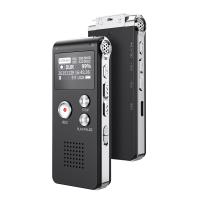
128G Mini Digital Voice Recorder with Color Screen Bluetooth Call Record 3072kbps Kentfaith
15
$119.99 $83.99
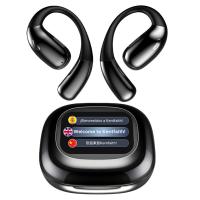
Instant Cross-APP Translator Device for Business & Trade, Video Call Translation, Record, & Transcription, Kentfaith AI Translator Devices
12
$124.99 $99.99
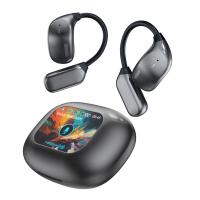
Language Translator Earbuds Real-Time 150 Languages Voice Video Call Translation Kentfaith
13
$137.49 $109.99
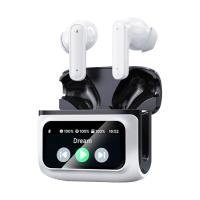
Real-Time Translator Earbuds, 132 Languages/Accents, Voice/Video Call Translation, AI Note Taker, LCD Touchscreen Kentfaith
14
$99.99 $79.99
Real-Time Translator Earbuds, 2-Way, 132 Languages/Accents, Voice/Video Call Translation, AI Note Taker, LCD Touchscreen Kentfaith
12
$99.99 $79.99
128GB MicroDrive Micro SD UHS-I Memory Card
2
$31.99
Mini Voice Recorder Magnetic & Voice-activated, 800H Recording with Noise Cancelling, Kentfaith Voice Recorder for Meetings, Lectures, Studying, Interviews 64G
621
$68.99 $49.99
Mini Voice Recorder Magnetic & Voice-activated, 1600H Recording with Noise Cancelling, Kentfaith Voice Recorder for Meetings, Lectures, Studying, Interviews 128G
621
$82.49 $53.99
5K Video Camera with 75MP Photos, 8X Optical Zoom, WiFi Transfer, Wireless Mic, Dual Batteries, Support PIP Record, Kentfaith
16
$274.99 $239.99
Mini Voice Recorder Voice-activated & Magnetic 64G 800 Hours Capacity Noise Cancelling
621
$57.49 $49.99
Products You May Like
Pocket 3 Aluminum Alloy Magnetic Expansion Frame
27
$29.99
43mm Black Mist Filter 1/8+ 3pcs Cleaning Cloth with 18 Multi-Layer Coatings Nano-Klear Series
212
$26.99 $20.99
55mm 4-Point Fine-Line Star Effect Filter, Cine & Dreamlike Special Filter 18-Layer Coated Optical Glass with 3 Vacuum Cleaning Cloths - Nano-Klear Series
18
$31.99 $20.18
Digital Camera for Photography & Video 4K 48MP Vlog YouTube With 180° Flip Screen, 16X Digital Zoom, 52mm Wide Angle & Macro Lens, 32GB TF Card, 2 Batteries, Pink
111
$185.99 $124.99
Predator Informer Ir Trail Camera
10
$162.99 $106.99
The Hunting Public Trail Camera
10
$162.99 $106.99
55mm Variable ND Filter ND2-400 (1-9 Stop) Lens Filter Waterproof Scratch Resistant Nano-Xcel Series
57
$87.99 $69.99
K6 Intelligent Fingerprint Door Lock, Keyless Entry Door Lock, with 2 Spare Keys, Password Door Lock, 3-In-1 Automatic Lock
18
$112.49 $78.99
Contax Yashica CY Mount Lens to Nikon Z6 Z7 Camera K&F Concept Lens Mount Adapter
24
$87.99 $49.99
AI(G) to M4/3 Adapter Manual Lens Adapter with Matting Varnish Design Compatible with Nikon Nikkor AI/F G-Mount Lens to MFT Micro 4/3 Mount Cameras Olympus Panasonic Lumix Cameras
24
$66.99 $34.99
Related articles
How Do You Voice Record A Phone Call?
How To Find Voice Recordings On Whatsapp?
How To Record Messenger Audio Call?
How Do I Convert Voice Recording To Mp3?
Can I Record My Voice On This Phone?
What Do You Need To Record Your Voice?
How To Record Line Video Call With Audio?
How To Record Messenger Video Call With Sound?
How To Record Discord Voice Calls?
Can I Use Earphones As Mic On Pc?
Blog You May Like
How To Fix Night Vision On Security Camera?
Where Does The Nintendo Switch Memory Card Go?
Can You Use Iphone As Microphone?
How To Plug In Outdoor Security Camera?
How To Read Camera Lens?
What Do You Need To Record Your Voice?
How Can You Fix Your Headphones?
Can I Have Security Cameras Outside My House?
What People Look Like Under Uv Filter?
What Are The 2 Types Of Microscopes?
Related categories
nd filter lens cap​ industrial endoscope 72mm camera filter camera UV lens filter time lapse camera On-Dash Camera camera lens filters neutral density filter photography
Popular products
Mini Digital Voice Recorder​ mini sound recorder device mini magnetic voice recorder mini magnetic voice recorder digital voice recording smart digital voice recorder phone voice call recording all voice call recorder 32gb high speed memory card 64gb memory card micro
Related searches
Record Wifi Camera Cameras That Record Audio Smart Watch Call Best Microphones To Record Vocals I Touch Smart Watch Video Call Lighting Kit Phone Call Smart Watch All Call Smart Watch Voice Recorder I Touch 3 Smart Watch
Popular searches
Nikon 1 Mount Lens Cx Format Security Camera System With Monitor Wide Strap Camera Bag Canon Fl 50mm 1.4 Adapter Minolta 50mm 1.7 E Mount Nikon Black Series Mount E Mount Nikon F Adapter Night Surveillance Camera For Home Samsung Digital Camera Wifi Lens Mount Light Leak
Blog Category
  • Activities
  • Guide
    • Filter Guide
    • Lens Adapter
    • Product Review
  • News & Reviews
    • Camera Reviews
    • Sample Gallery
    • News
  • Tutorials
    • Solar eclipse photography
    • Photography Basics
    • Landscape Photography
  • Inspiration
    • Travel
    • Travel Stories
Search Article
Latest from the Blog
What Is Surveillance Camera Control System?
Best Metal Detector for Kids in 2025
Black Friday 2025 Special at Kentfaith
What Is The Best Camera To Record Videos?
How To Make Your Eyes Flash On Camera?
Where Can I Find Hidden Cameras?
Which Smart Watches Are Waterproof?
What is A Variable ND Filter? The Complete Guide to Mastering Exposure Control
How Many Stops Is An Nd 8 Filter?
UV Filter: Everything You Need to Know About UV Protection Lens Filters
  • Easy Payment Multilple Payment Options

  • Free Shipping Global WareHouse Shipment

  • No Risk 30-Day No Reason Return

  • Limited Deals Buy More, Save More

  • Tax Free No any surcharges or tax fee

Information
  • About us
  • Contact Us
  • Site Map
  • Blog
  • Video
  • Gallery
  • VIP Membership Rewards
Service
  • Privacy Policy
  • Terms & Conditions
  • Shipping & Delivery
  • Payment Info
  • Warranty, Return & Refund
  • Intellectual Property Rights
  • Ambassador
  • Affiliates
  • Wholesale
Support
  • My account
  • Order History
  • FAQs
  • Extend Warranty
  • Logistics Tracking
Follow us
NewsLetter

Get the latest product, K&F Concept respects your privacy.

Powered By KENTFAITH © 2025