kfconcept

KENTFAITH
K&F Concept    Blog >

Enjoy Your Selected Digital Life

Recently Viewed
  • Recently Viewed
  • Recently Viewed list is empty.

Compare (0) 0
  • Compare
  • You have not chosen any products to compare.

  • Compare
Currency: USD
  • Currency
Shop by Scene Shop by Rank

Log Into Your Account

Account

Order History

Wish List

Login

Forgotten Password?

Or connect with

Register Account

Already have an Account?Log In

  • Shopping Cart
  • Your shopping cart is empty!

  • Register/Login to purchase, earn points
  • Favorite
  • Your wish list is empty.

  • Register/Login to like, earn points
  • Activities
  • Guide
    • Filter Guide
    • Lens Adapter
    • Product Review
  • News & Reviews
    • Camera Reviews
    • Sample Gallery
    • News
  • Tutorials
    • Solar eclipse photography
    • Photography Basics
    • Landscape Photography
  • Inspiration
    • Travel
    • Travel Stories
  • Home
  • Blog
  • Camera Lens Stuck How To Fix?

Camera Lens Stuck How To Fix?

Kentfaith 2024-07-12 07:39:38 0 Comments

Camera lenses are intricate pieces of technology that can sometimes encounter issues, such as becoming stuck. This problem can be frustrating, especially when you are in the middle of an important shoot. Understanding the common causes and solutions for a stuck camera lens can save you time, money, and stress. In this article, we will explore various methods to address this issue, ensuring that you can get back to capturing those perfect moments.

Understanding the Problem
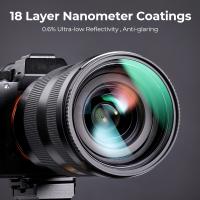
camera lens stuck how to fix 1

A stuck camera lens can result from several factors, including mechanical failure, dirt or debris, and even software glitches. Identifying the root cause is the first step in resolving the issue. Here are some common scenarios:

1. Mechanical Obstruction: This occurs when something physically blocks the lens from extending or retracting. It could be due to a misalignment of the lens components or an external object lodged in the lens mechanism.

2. Dirt and Debris: Dust, sand, or other particles can get into the lens mechanism, causing it to jam. This is particularly common if you frequently use your camera in outdoor environments.

3. Battery Issues: Sometimes, a low or faulty battery can prevent the lens from functioning correctly. Ensuring that your battery is fully charged and in good condition is essential.

4. Software Glitches: Occasionally, the problem might be due to a software issue. Firmware updates or resets can sometimes resolve these problems.

Step-by-Step Solutions
camera lens stuck how to fix 2

1. Check the Battery

camera lens stuck how to fix 3

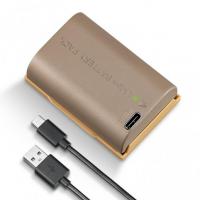
Before diving into more complex solutions, start with the simplest one: check your camera's battery. A low or faulty battery can cause the lens to malfunction. Ensure that your battery is fully charged and properly inserted. If you have a spare battery, try using it to see if the problem persists.

2. Power Cycle the Camera
camera lens stuck how to fix 4

Sometimes, simply turning the camera off and on again can resolve minor software glitches. Remove the battery and memory card, wait for a few minutes, and then reinsert them. Turn the camera back on and see if the lens operates normally.

3. Clean the Lens

If dirt or debris is causing the lens to stick, cleaning it might solve the problem. Use a soft brush or a can of compressed air to gently remove any particles around the lens barrel. Be careful not to apply too much pressure, as this could damage the lens.

4. Gently Tap the Camera

In some cases, a gentle tap can help dislodge any small particles or realign the lens mechanism. Hold the camera firmly and gently tap it against your palm. Avoid using excessive force, as this could cause further damage.

5. Use a Vacuum Cleaner

A vacuum cleaner can sometimes help remove debris from the lens mechanism. Use the vacuum's hose attachment and gently place it near the lens barrel. Be cautious not to let the vacuum touch the lens directly, as this could cause scratches.

6. Manually Adjust the Lens

If the lens is still stuck, you might need to try manually adjusting it. Turn the camera off and gently twist the lens barrel in the direction it should move. Be very careful with this method, as applying too much force can damage the lens.

7. Update Firmware

Check if there are any firmware updates available for your camera. Manufacturers often release updates to fix bugs and improve performance. Updating the firmware might resolve any software-related issues causing the lens to stick.

8. Seek Professional Help

If none of the above methods work, it might be time to seek professional help. Contact the camera manufacturer or a certified repair center. They have the expertise and tools to diagnose and fix more complex issues.

Preventive Measures

Preventing a stuck lens is always better than fixing one. Here are some tips to keep your camera lens in good working condition:

1. Regular Cleaning: Regularly clean your camera and lens to prevent dirt and debris from accumulating. Use a soft brush, microfiber cloth, and lens cleaning solution.

2. Proper Storage: Store your camera in a protective case when not in use. This will protect it from dust, moisture, and physical damage.

3. Avoid Extreme Conditions: Avoid using your camera in extreme weather conditions, such as heavy rain, sandstorms, or very high temperatures. These conditions can cause damage to the lens mechanism.

4. Handle with Care: Always handle your camera with care. Avoid dropping it or subjecting it to strong impacts, as this can misalign the lens components.

5. Regular Maintenance: Periodically take your camera to a professional for maintenance. They can perform thorough cleaning and check for any potential issues.

A stuck camera lens can be a significant inconvenience, but with the right approach, it is often a problem that can be resolved without professional intervention. By understanding the common causes and following the step-by-step solutions provided in this article, you can address the issue effectively. Additionally, adopting preventive measures will help ensure that your camera lens remains in good working condition, allowing you to continue capturing beautiful moments without interruption.

Remember, if you are ever in doubt or if the problem persists despite your best efforts, seeking professional help is always a wise decision. Camera lenses are delicate and complex, and a trained technician can provide the expertise needed to fix more severe issues. Happy shooting!
Leave your comment
Cancel reply
Note: HTML is not translated!

Related products
K&F Concept M42 to FX Lens Mount Adapter M42 Lens to Fujifilm X-Series Mirrorless Camera Adapter
6
$56.99 $31.99
LM to NEX Adapter Compatible with Leica M Lens to Sony Alpha Nex E-Mount Camera Lens Mount Adapter
147
$45.99 $24.99
Lens Mount Adapter FD to NEX Copper Adapter Compatible with Canon FD FL Lens to NEX E-Mount Camera
151
$56.99 $29.99
Pentax PK Mount Lens to L/M Lens Camera Body Lens Mount Adapter
31
$58.99 $32.99
Nikon G Lens to Canon EOS R Camera Body Lens Mount Adapter
49
$100.99 $56.99
NIK DSLR Lens to Canon EOS R Camera Body Lens Mount Adapter
50
$66.99 $39.99
Canon EOS Lens to Canon EOS R Camera Body Lens Mount Adapter
49
$55.99 $31.99
Pentax PK Lens to Canon EOS R Camera Body Lens Mount Adapter
50
$58.99 $43.99
Olympus OM Lens to Canon EOS R Camera Body Lens Mount Adapter
49
$87.99 $45.99
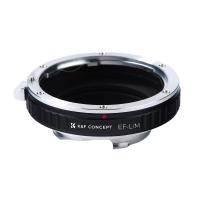
Canon EOS EF Mount Lens to Leica M Lens Camera Body Lens Mount Adapter
31
$45.99 $35.99
Products You May Like
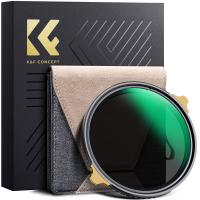
82mm ND2-32 Filters Brass Frame  Adjustable HD Ultra-Thin 36-Layer Anti-Reflection Green Film Nano-Xcel Pro Series
82mm ND2-32 Filters Brass Frame Adjustable HD Ultra-Thin 36-Layer Anti-Reflection Green Film Nano-Xcel Pro Series
40
$183.99 $146.99
best budget trail camera
10
$135.99 $106.99
37mm Black Mist 1/4 & CPL Filter 2 in 1 Black Diffusion Circular Polarizing Effect Filter with 18 Multi-Layer Coatings Nano-Klear Series
25
$28.99 $22.99
100x100mm Square Black Mist 1 Effect Filter 28 Multi-Layer Coatings Dream Cinematic Effect Filter
3
$137.99 $119.99
K&F Concept XU08 67mm UV Protection Filter Multi Coated Ultra-Slim
$80.99 $24.99
K&F Concept LP-E6NH Replacement Battery and Charger Set, 2 Pack 2600mAh Batteries for Canon EOS R7 R6 R5 5D Mark II/III/IV 6D 6D Mark II 7D II 90D 80D 70D
72
$46.99
Pro 12 Bluetooth 5.0 IPX4 Wireless Earbuds With HI-FI Stereo Sound - White
178
$13.99
Kingston 32GB SDHC Memory Card Class 10 UHS-I 45R/10W
16
$16.99
64GB Digital Voice Recorder 800 Hours Voice Activated Recorder with 1536Kbps High Sensitivity, AGC Noise Reduction Pen Recorder with Type-C Port for Lecture Meeting Interview, Kentfaith
10
$129.99 $103.99
Live Online Trail Cameras
10
$162.99 $106.99
Related articles
How To Fix A Scratched Camera Lens?
How To Fix Camera Battery?
How To Fix A Camera Flash?
How To Fix Strap On Canon Camera?
How To Fix Camera On Tripod Stand?
How To Fix Memory Card Error On Camera?
How To Fix Night Vision On Security Camera?
How To Fix The Straps On A Camera?
How To Fix The Left Earphone?
How To Get Sound In Screen Recording?
Blog You May Like
How Measure Stops Of Nd Filter?
What Is The Best Wireless Outdoor Security Camera?
What Is The Most Accurate Metal Detector?
Can Bluetooth Headphones Connect To Xbox?
Can I Get A Security Camera Without Wifi?
How To Make Camcorder From Gopro?
Can I Use Uv Camera Filter Eclipse?
How To Measure Blood Pressure Using Smart Watch?
Home Security Where To Put Outdoor Cameras?
Where To Buy A Microphone?
Related categories
C mount lens adapter m4/3 adapter camera lens adapter Magnetic Lens Filter lens CPL filter camera lens filters Lens Filter Holder camera lens accessories camera and lens cleaning kit
Popular products
lens adapter for mirrorless camera Praktica Mount Adapter sony a6000 lens mount adapter canon sony e mount adapter EF EOS R Mount Adapter EF To R Lens Adapter canon ef-eos r mount adapter leica lens canon mount minolta md mft adapter Canon FD To RF Adapter
Related searches
Dropped Camera Lens Filter Stuck Lens Adapter Stuck On Camera Ai To Eos Adapter Stuck On Lens Lens Adapter Ring Stuck Pl Mount Lens Stuck Removing Stuck Camera Adapter Lens Cap Nikon Remove A Stuck Lens Filter Get Stuck Filter Off Lens Adapter Ring Stuck On Lens M42 Adapter Stuck On Lens
Popular searches
Rokinon 14mm F/2.8 Sony E Mount Mm Canon Celestron C90 Adapter F-mount Lens Adapter For Basler Ace Filter Lens To See The Sun Sony Ps4 Headset Adapter Macro Lens Filter For Canon Black Flash Cellular Trail Camera Celestron Camera Adapter Nikon 49mm Star Filter Canon 450d Lens Mount
Blog Category
  • Activities
  • Guide
    • Filter Guide
    • Lens Adapter
    • Product Review
  • News & Reviews
    • Camera Reviews
    • Sample Gallery
    • News
  • Tutorials
    • Solar eclipse photography
    • Photography Basics
    • Landscape Photography
  • Inspiration
    • Travel
    • Travel Stories
Search Article
Latest from the Blog
Where To Buy A Microphone?
How To Stream Live From Surveillance Camera?
Black Friday 2025 Special at Kentfaith
Pressure In Ear When Wearing Headphones?
Which Memory Card For Dash Cam?
How To Clean Cleaning Cloth For Glasses?
How To Take Great Photos With Digital Camera?
What Is The Best Smartwatch For Heart Health?
Which Is The Best Outdoor Wireless Security Camera?
How To Choose A Home Security Camera System?
  • Easy Payment Multilple Payment Options

  • Free Shipping Global WareHouse Shipment

  • No Risk 30-Day No Reason Return

  • Limited Deals Buy More, Save More

  • Tax Free No any surcharges or tax fee

Information
  • About us
  • Contact Us
  • Site Map
  • Blog
  • Video
  • Gallery
  • VIP Membership Rewards
Service
  • Privacy Policy
  • Terms & Conditions
  • Shipping & Delivery
  • Payment Info
  • Warranty, Return & Refund
  • Intellectual Property Rights
  • Ambassador
  • Affiliates
  • Wholesale
Support
  • My account
  • Order History
  • FAQs
  • Extend Warranty
  • Logistics Tracking
Follow us
NewsLetter

Get the latest product, K&F Concept respects your privacy.

Powered By KENTFAITH © 2026