kfconcept

KENTFAITH
K&F Concept    Blog >

Enjoy Your Selected Digital Life

Recently Viewed
  • Recently Viewed
  • Recently Viewed list is empty.

Compare (0) 0
  • Compare
  • You have not chosen any products to compare.

  • Compare
Currency: USD
  • Currency
Shop by Scene Shop by Rank

Log Into Your Account

Account

Order History

Wish List

Login

Forgotten Password?

Or connect with

Register Account

Already have an Account?Log In

  • Shopping Cart
  • Your shopping cart is empty!

  • Register/Login to purchase, earn points
  • Favorite
  • Your wish list is empty.

  • Register/Login to like, earn points
  • Activities
  • Guide
    • Filter Guide
    • Lens Adapter
    • Product Review
  • News & Reviews
    • Camera Reviews
    • Sample Gallery
    • News
  • Tutorials
    • Solar eclipse photography
    • Photography Basics
    • Landscape Photography
  • Inspiration
    • Travel
    • Travel Stories
  • Home
  • Blog
  • Bluetooth Microphone How To Use?

Bluetooth Microphone How To Use?

Kentfaith 2024-11-28 01:09:56 0 Comments

In today's digital age, Bluetooth microphones are becoming increasingly popular for their versatility and ease of use in various applications, from recording podcasts and creating YouTube content to enhancing professional presentations and public speaking. Understanding how to effectively use a Bluetooth microphone can significantly improve your audio quality and overall user experience. This article will delve into the essentials of using a Bluetooth microphone, including pairing it with devices, optimizing audio settings, and common troubleshooting tips.
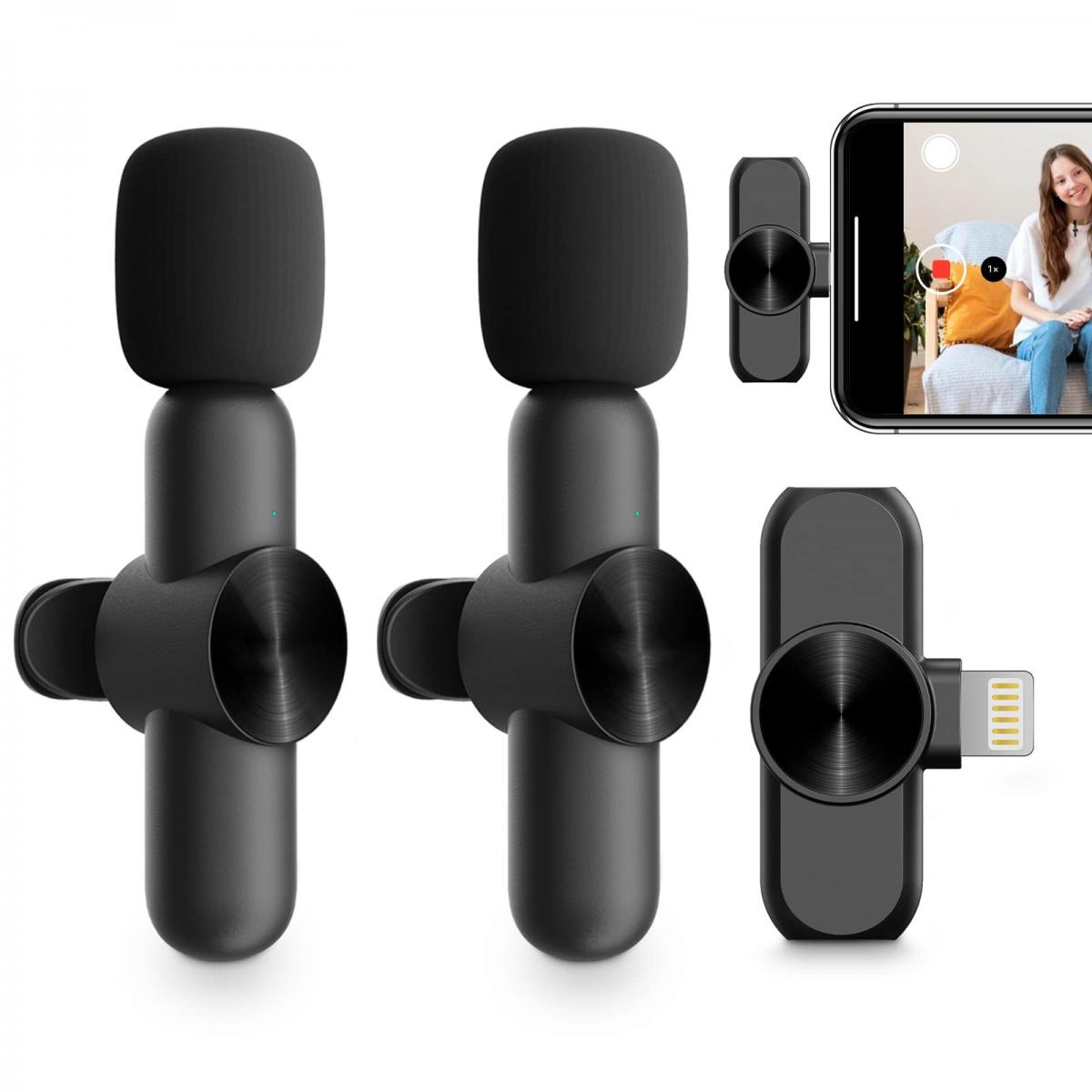

Getting Started with Bluetooth Microphones

Before you can enjoy the benefits of a Bluetooth microphone, you need to get familiar with the basics of using one. Here are the steps to set up and start using your Bluetooth microphone:

1. Unboxing and Charging

When you first receive your Bluetooth microphone, unbox it carefully to ensure you have all the components. Most microphones come with the main microphone unit, a charging cable, and an instruction manual.

- Charging: Connect the microphone to a power source using the provided USB cable. Most Bluetooth microphones have an LED indicator that shows the charging status. It's advisable to fully charge the device before its first use, which could take a few hours.

2. Powering On and Pairing

Once charged, the next step is to power on the microphone and pair it with your device (smartphone, tablet, computer, etc.).

- Power On: Locate the power button on your microphone and hold it down until you see a light indicator, which typically blinks to show it's ready to pair.

- Enable Bluetooth on Your Device: Go to your device's Bluetooth settings and ensure Bluetooth is turned on.

- Pairing: Look for the microphone on the list of available devices and select it. Your device and the microphone should connect within a few seconds. Some microphones might require a passcode (usually provided in the manual) to complete the pairing process.

Optimizing Audio Settings

Once your Bluetooth microphone is paired, you want to ensure it delivers the best audio quality possible. Here are some tips to optimize your audio settings:

1. Microphone Placement

Where you place your microphone can significantly impact the audio quality.

- Distance: The microphone should be positioned at an optimal distance from your mouth - generally 6-12 inches. Too close can cause distortion (over-modulation), while too far can make your voice sound faint.

- Direction: Ensure the microphone is directed towards your mouth. Some microphones have directional settings that need to be correctly adjusted.

2. Software Settings

Most devices allow you to adjust audio settings via software.

- Gain and Volume Control: Adjust the gain and volume settings on the connected device. Higher gain increases sensitivity but can introduce noise, so finding a balance is key.

- Noise Cancellation: Some advanced Bluetooth microphones come with noise cancellation features. Enable these settings to reduce background noise in your recordings.

3. Testing Audio Quality

Before recording or going live, always test the audio quality.

- Recording Test: Use a simple recording app to test the microphone. Playback the recording to check for any issues like distortion or low volume.

- Adjust as Needed: Based on the test, make further adjustments to placement or software settings to improve clarity.

Use Cases and Applications

Bluetooth microphones can enhance several activities. Here’s how you can utilize them for different applications:

1. Podcasting

High-quality audio is crucial for podcasts.

- Consistent Setup: Maintain a consistent microphone setup for each episode to ensure uniform sound quality.

- Use an Editing Tool: Post-recording, use audio editing software to fine-tune the sound, eliminating any residual noise and balancing levels.

2. Video Content Creation

Whether for YouTube or other platforms, good audio can make a significant difference.

- Synchronize Audio and Video: Ensure your audio and video synchronize perfectly. You might need to use software to align them.

- Ambient Noise Control: Choose a quiet environment to minimize background noise, and use the microphone's noise reduction features.

3. Professional Presentations

For presentations, particularly in large rooms or noisy environments, a Bluetooth microphone ensures clarity.

- Testing Equipment: Test all equipment before the presentation starts to avoid technical glitches.

- Practice: Perform a couple of practice runs using the microphone to get comfortable with its range and settings.

Troubleshooting Common Issues

Even with the best equipment, issues can arise. Here are some common problems and troubleshooting tips:

1. Connection Problems

- Re-Pairing: Disconnect and pair the microphone again.

- Proximity: Ensure the microphone is within the recommended range from your device, typically around 30 feet.

- Battery Check: Low battery can impact performance. Charge the microphone if needed.

2. Audio Quality Issues

- Interference: Bluetooth can sometimes face interference from other wireless devices. Try turning off other Bluetooth devices nearby.

- Settings Adjustment: Re-examine your gain and volume settings and make necessary adjustments.

3. Software Compatibility

- Updates: Ensure your device’s operating system and the microphone's firmware are up-to-date.

- Drivers: For PC/Mac users, make sure you have the latest drivers installed for your Bluetooth hardware.

Advanced Tips

For users looking to push their Bluetooth microphone usage further, consider the following:

1. Multi-Device Pairing

Some Bluetooth microphones can pair with multiple devices simultaneously. This feature is useful for switching between recording sessions on different devices without re-pairing.

2. Auxiliary Outputs

If your Bluetooth microphone has an auxiliary output, you can enhance your setup by connecting it to external speakers or recording devices for higher-quality output.

3. Professional Software Use

Invest in professional audio software for advanced editing and sound management. Tools like Adobe Audition or Audacity offer a range of features to make your recordings sound professional.

Mastering the use of a Bluetooth microphone involves understanding its basic setup, optimizing audio quality, and troubleshooting common issues. Whether you are a podcaster, content creator, or professional presenter, a Bluetooth microphone can significantly enhance your audio experience when used effectively. With the tips and guidelines provided, you are well-equipped to leverage your Bluetooth microphone to its full potential, ensuring clear, high-quality sound in all your endeavors.

Leave your comment
Cancel reply
Note: HTML is not translated!
Related products
Wireless Earbuds Bluetooth Headphones TWS Waterproof with Microphone
66
$31.99
TWS Bluetooth Headset With Microphone Sports Ear Hook LED Display Earbuds
HOT Seller
TWS Bluetooth Headset With Microphone Sports Ear Hook LED Display Earbuds
211
$29.99
Bluetooth Headset for Mobile Phone Wireless Headset with Microphone Bluetooth Headset 5.1 Hands-free Headset CVC8.0 Compatible with iPhone Android Business Office Driving
43
$14.99
Mobile Phone Bluetooth Earphones Bluetooth V5.1 Earphone Hands-free Single Ear Earphone with CVC8.0 Noise-cancelling Microphone for Office/driving Compatible with Android/iPhone/laptop
1
$29.99
Bluetooth Headset for Mobile Phone Wireless Headset with Microphone Bluetooth Headset 5.1 Hands-free Headset CVC8.0 Compatible with iPhone Android Business Office Driving with Charging Case
HOT Seller
Bluetooth Headset for Mobile Phone Wireless Headset with Microphone Bluetooth Headset 5.1 Hands-free Headset CVC8.0 Compatible with iPhone Android Business Office Driving with Charging Case
42
$26.99
Cell Phone Bluetooth Headphones Bluetooth V5.1 Headphones with Charging Case Hands-Free Single Ear Headphones with CVC8.0 Noise Cancelling Microphone for Office/Driving Compatible with Android/iPhone/Laptop
HOT Seller
Cell Phone Bluetooth Headphones Bluetooth V5.1 Headphones with Charging Case Hands-Free Single Ear Headphones with CVC8.0 Noise Cancelling Microphone for Office/Driving Compatible with Android/iPhone/Laptop
57
$26.99
Gift Certificate: $200 Value - Can Use with Any Discounts
$200.00 $190.00
Gift Certificate: $300 Value  - Can Use with Any Discounts
Gift Certificate: $300 Value - Can Use with Any Discounts
$300.00 $285.00
Gift Certificate: $1000 Value  - Can Use with Any Discounts
Gift Certificate: $1000 Value - Can Use with Any Discounts
$1,000.00 $950.00
Gift Certificate: $500 Value  -Can Use with Any Discounts
Gift Certificate: $500 Value -Can Use with Any Discounts
$500.00 $475.00
Products You May Like
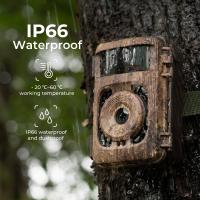
hunting trail cameras
10
$135.99 $106.99
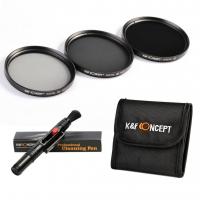
58mm Filter Set (ND2, ND4, ND8)
1
$35.99 $17.99
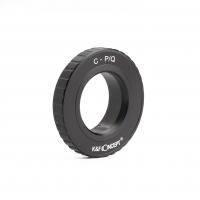
C Mount Lenses to Pentax Q Lens Mount Adapter K&F Concept M25161 Lens Adapter
$29.99
58mm Solar Filter 16.6-Stops,ND100000 Solid Neutral Density Filter For Eclipse With 18 Multi-Layer Coatings Nano-Klear Series
45
$24.99 $19.99
Portable eclipse Set-Include 72mm Solar Filter + KF09.123 Carbon Fiber Tripod + KF13.087AV6 Camera Backpack + KF28.0024 6700mAh V Mount Battery
100
$676.99 $355.99
K&F Concept Digital Camera Case Waterproof & Protective Small Camera Bag Lightweight Camera Sling Bag with 2 Carrying Ways - Sling Bag 1L Urban Wander 07 (Purple)
NEW Arrival
K&F Concept Digital Camera Case Waterproof & Protective Small Camera Bag Lightweight Camera Sling Bag with 2 Carrying Ways - Sling Bag 1L Urban Wander 07 (Purple)
93
$25.99 $19.99
Close Focus Trail Camera
10
$135.99 $74.99
72mm Black Diffusion 1/2 Filter Mist Cinematic Effect Filter with 18 Multi-Layer Coatings Nano-Klear Series
212
$37.99 $29.99
67mm Magnetic Black Mist Filter 1/4 Special Effects Filter HD Multi-layer Coated, Waterproof/Scratch-Resistant/ Anti-Reflection Nano-Xcel Series
31
$91.99 $72.99
6" Magic Arm Kit 1/4" Screw 360°Ballhead Articulating Mini Arm Mount for Monitor, LED Light, Webcam
$25.99
Related articles
How Can I Connect A Microphone To A Bluetooth Speaker ?
How To Use Microphone On Mac?
How To Use Phone Microphone With Airpods ?
How To Use Earphone Microphone On Laptop?
When To Use A Lavalier Microphone?
How Do You Use A Bluetooth Selfie Stick?
How To Use External Microphone Android Camera App ?
How To Use Microphone With Camera Windows 10?
How To Connect Bluetooth Tripod?
What Is Gimbal Camera?
Blog You May Like
How To Connect Wireless Camera With Pc?
How To Find Out Your Canon Camera Wifi Password ?
Camera Settings When Using Nd Filters?
How To Change Earphone Button Function?
How Do You Focus A Telescope?
How To Turn On Bluetooth Wireless Earphones?
How To Do Studio Lighting On Iphone X?
How To Fix Memory Card Error On Camera?
Camera Filter Types And When To Use Them?
How To Charge Digital Camera Battery Without Charger ?
Related categories
streaming video camera C mount lens adapter m4/3 adapter
Popular products
mic bluetooth wireless microphone tws earbuds usb wireless headset with microphone solar power bluetooth speaker low latency bluetooth earbuds bluetooth earphone ear hook wireless audio recording wireless bluetooth cell phone headset bluetooth phone earphones bluetooth earphone single ear
Related searches
Bluetooth Microphone To Speaker Wireless Microphone To Use With Iphone Bluetooth Helmet For Motorcycle Use Bluetooth Phone Microphone Wireless Microphone For Outdoor Use Use Iphone As Wireless Microphone Use Usb Microphone With Iphone Bluetooth Microphone For Ipad Bluetooth Microphone And Receiver Bluetooth Camera And Microphone
Popular searches
Mount For Super-takumar 50mm 1.4 Lens Cpl Filter Leica R To Ltm Adapter Dji Osmo 3 Screen Protector Pentax 6x7 Lens To Sony E-mount Adaptor Nikon F Mount Lens Remote Control Canon Rebel T4i Lens Mount Rf Mount Macro Lens Glass Lens Adapter For Oculus Quest Ring Light Adapter For Macro Lens
Blog Category
  • Activities
  • Guide
    • Filter Guide
    • Lens Adapter
    • Product Review
  • News & Reviews
    • Camera Reviews
    • Sample Gallery
    • News
  • Tutorials
    • Solar eclipse photography
    • Photography Basics
    • Landscape Photography
  • Inspiration
    • Travel
    • Travel Stories
Search Article
Latest from the Blog
How To Setup A Tripod?
How To Stream Live From Surveillance Camera?
How Does a WiFi Trail Camera Work?
How Do Trail Cameras Work? The Ultimate Guide to Trail Cameras
How To Pair Tws Bluetooth Earbuds?
Which Binoculars To Buy?
What Is Nd Filter On Video Camera?
How To Take Pictures Through A Telescope?
What Size Screen For Projector?
Black Friday 2025 Special at Kentfaith
  • Easy Payment Multilple Payment Options

  • Free Shipping Global WareHouse Shipment

  • No Risk 30-Day No Reason Return

  • Limited Deals Buy More, Save More

  • Tax Free No any surcharges or tax fee

Information
  • About us
  • Contact Us
  • Site Map
  • Blog
  • Video
  • Gallery
  • VIP Membership Rewards
Service
  • Privacy Policy
  • Terms & Conditions
  • Shipping & Delivery
  • Payment Info
  • Warranty, Return & Refund
  • Intellectual Property Rights
  • Ambassador
  • Affiliates
  • Wholesale
Support
  • My account
  • Order History
  • FAQs
  • Extend Warranty
  • Logistics Tracking
Follow us
NewsLetter

Get the latest product, K&F Concept respects your privacy.
Powered By KENTFAITH © 2026