kfconcept

KENTFAITH
K&F Concept    Blog >

Enjoy Your Selected Digital Life

Recently Viewed
  • Recently Viewed
  • 77mm Magnetic Variable ND8-ND128(3-7 Stop) Lens Filters + Magnetic Filter Basic Ring Kit with 28 Multi-Layer Nano-Xcel Series (Compatible with 82mm magnetic cap)
    77mm Magnetic Variable ND8-ND128(3-7 Stop) Lens Filters + Magnetic Filter Basic Ring Kit with 28 Multi-Layer Nano-Xcel Series (Compatible with 82mm magnetic cap)
    $107.99 $85.99
    62mm True Color Variable ND2-32 (1-5 Stops) ND Lens Filter, Adjustable Neutral Density Filter with 28 Multi-Layer Coatings Nano-Xcel Series
    62mm True Color Variable ND2-32 (1-5 Stops) ND Lens Filter, Adjustable Neutral Density Filter with 28 Multi-Layer Coatings Nano-Xcel Series
    $112.99 $89.99
    62mm ND2-ND2000 Filter (1-11 Stops) with 3 Vacuum Cleaning Cloths Nano-Klear Series
    62mm ND2-ND2000 Filter (1-11 Stops) with 3 Vacuum Cleaning Cloths Nano-Klear Series
    $41.99 $32.99
    MS04 62''/1.58m Tripod Phone Selfie Stick, Black And Orange With Bluetooth Remote Control + Gopro Adapter
    MS04 62''/1.58m Tripod Phone Selfie Stick, Black And Orange With Bluetooth Remote Control + Gopro Adapter
    $29.99
    95mm Circular Polarizer Filter, Super Slim CPL Filter with 36 Multi-Layer Coatings, High Definition Nano-Xcel Pro Series
    95mm Circular Polarizer Filter, Super Slim CPL Filter with 36 Multi-Layer Coatings, High Definition Nano-Xcel Pro Series
    $149.99 $119.99
    32GB Micro SD Card U3/V30/A1 with Adapter, Memory Card for Cameras, Borescopes,  Microscopes, Night Vision Goggles, Kentfaith
    32GB Micro SD Card U3/V30/A1 with Adapter, Memory Card for Cameras, Borescopes, Microscopes, Night Vision Goggles, Kentfaith
    $19.99 $15.99
    82mm White Pro Mist Filter Cinematic Effect Filter with 18 Multi-Layer Coatings for Portrait and Landscape Photography Nano-Klear Series
    82mm White Pro Mist Filter Cinematic Effect Filter with 18 Multi-Layer Coatings for Portrait and Landscape Photography Nano-Klear Series
    $37.99 $29.99
    77mm ND2-ND2000 Filter (1-11 Stops) with 3 Vacuum Cleaning Cloths Nano-Klear Series
    77mm ND2-ND2000 Filter (1-11 Stops) with 3 Vacuum Cleaning Cloths Nano-Klear Series
    $47.99 $37.99
    Sim Card Without Contract
    Sim Card Without Contract
    $9.90
    62mm Ultra-Low Reflection Variable ND Lens Filter, ND2-400 (1-9 Stop)  HD Adjustable Neutral Density Filter with 28 Multi-Layer Coatings for Camera Lenses - Nano-X Series
    62mm Ultra-Low Reflection Variable ND Lens Filter, ND2-400 (1-9 Stop) HD Adjustable Neutral Density Filter with 28 Multi-Layer Coatings for Camera Lenses - Nano-X Series
    $114.99 $85.99
Compare (0) 0
  • Compare
  • You have not chosen any products to compare.

  • Compare
Currency: USD
  • Currency
Shop by Scene Shop by Rank

Log Into Your Account

Account

Order History

Wish List

Login

Forgotten Password?

Or connect with

Register Account

Already have an Account?Log In

  • Shopping Cart
  • Your shopping cart is empty!

  • Register/Login to purchase, earn points
  • Favorite
  • Your wish list is empty.

  • Register/Login to like, earn points
  • Activities
  • Guide
    • Filter Guide
    • Lens Adapter
    • Product Review
  • News & Reviews
    • Camera Reviews
    • Sample Gallery
    • News
  • Tutorials
    • Solar eclipse photography
    • Photography Basics
    • Landscape Photography
  • Inspiration
    • Travel
    • Travel Stories
  • Home
  • Blog
  • How To Read Micro Sd Card On Pc?

How To Read Micro Sd Card On Pc?

Kentfaith 2025-02-07 02:48:29 0 Comments

# A Comprehensive Guide to Reading Micro SD Cards on Your PC

Micro SD cards are incredibly useful tools for storing and transferring data. Their compact size and high storage capacity make them popular for use in devices like smartphones, cameras, and drones. However, accessing the data on a micro SD card through a PC can sometimes be confusing, especially for those unfamiliar with the process. In this article, we'll explore step-by-step instructions on how to read a micro SD card on your PC, troubleshoot common issues, and provide practical tips for optimal usage.

---

Why Read Micro SD Cards on a PC?
how to read micro sd card on pc 1

There are numerous scenarios where you might need to read a micro SD card on your PC. These include:

1. Data Backup: Regularly backing up files from your SD card ensures your photos, videos, and other data are safe in case of card corruption or device failure.

2. Editing Media Files: Transferring media to your PC allows you to edit photos, videos, or audio files more efficiently.

3. Managing Storage: Clearing or organizing data on your SD card ensures optimal device performance.

4. Data Recovery: If a micro SD card becomes corrupted, specialized software on your PC may help recover lost data.

---

How to Read a Micro SD Card on Your PC: Step-by-Step Instructions
how to read micro sd card on pc 2

1. Check Your PC’s Compatibility

Before attempting to read the micro SD card, ensure that your PC has the necessary hardware. Most modern laptops and desktops come with an SD card slot, but not all have a micro SD card slot.

- Direct Slot: If your PC has a built-in micro SD card slot, insert the card directly.

- Adapter Requirement: If your PC only has a standard SD card slot, you will need a micro SD to SD card adapter. These are usually inexpensive and widely available.

2. Insert the Micro SD Card

- If using an adapter, carefully insert the micro SD card into the adapter. Ensure the card’s metal contacts are properly aligned with the adapter’s connectors.

- Insert the card or adapter into the PC’s card slot. Push gently until it clicks into place.

3. Use an External Card Reader

If your PC lacks an SD card slot, an external card reader is the solution. These devices connect via USB and are designed to support various card formats, including micro SD.

- Connect the card reader to an available USB port on your PC.

- Insert the micro SD card into the appropriate slot on the card reader.

4. Access the Card via File Explorer

Once the card is inserted, your PC should recognize it automatically. Follow these steps to access your data:

1. Open File Explorer (Windows) or Finder (Mac).

2. Locate the micro SD card under “Devices and Drives” or “External Devices.”

3. Double-click the card to open its contents.

---

Troubleshooting Common Issues
how to read micro sd card on pc 3

Despite its simplicity, reading a micro SD card on a PC may not always go smoothly. Below are some common problems and their solutions:

Issue 1: The PC Doesn’t Detect the Micro SD Card

- Check the Connections: Ensure the card is fully inserted and the adapter or reader is connected securely.

- Test with Another Device: Insert the card into another device to verify functionality.

- Update Drivers: Outdated or missing drivers can prevent recognition. Update drivers via the Device Manager (Windows) or System Preferences (Mac).

- Try a Different Port: If using an external reader, switch to another USB port.

Issue 2: File System Is Unsupported

Micro SD cards may use file systems that are incompatible with your PC. For instance, a card formatted with exFAT may not work on older Windows systems without additional software.

- Solution: Reformat the card using a compatible file system, such as FAT32. Note that formatting will erase all data, so back up important files beforehand.

Issue 3: Corrupted Micro SD Card

If the card is corrupted, it might not show up in File Explorer, or the files may be inaccessible.

- Run Error Checking Tools: Windows users can right-click the SD card in File Explorer, go to “Properties,” and use the “Error Checking” tool.

- Data Recovery Software: Use specialized tools like Recuva, Disk Drill, or EaseUS Data Recovery Wizard to attempt file recovery.

Issue 4: Slow Transfer Speeds

Slow file transfers can be frustrating. This issue may be caused by:

- Low-Quality Card Reader: Use a high-speed reader to improve transfer rates.

- Card Speed Class: Micro SD cards come in various speed classes. A card with a higher class (e.g., Class 10 or UHS-I) will have faster read/write speeds.

- PC Specifications: Ensure your PC’s hardware supports high-speed USB ports for optimal performance.

---

Best Practices for Micro SD Card Usage

how to read micro sd card on pc 4

To ensure smooth operations and prevent potential issues, follow these best practices:

1. Eject Properly

Always eject the micro SD card safely before removing it. On Windows, right-click the card in File Explorer and select “Eject.” On Mac, drag the card to the Trash icon.

2. Protect the Card Physically

Micro SD cards are delicate. Avoid touching the metal contacts and store them in protective cases when not in use.

3. Regular Backups

Transfer important files to your PC or cloud storage regularly to safeguard against data loss.

4. Use High-Quality Accessories

Invest in reliable card readers, adapters, and micro SD cards to ensure durability and performance.

---

Advanced Tips for Optimizing Micro SD Card Usage

For power users and tech enthusiasts, here are some advanced tips:

Partitioning the Micro SD Card

Partitioning allows you to use one micro SD card for multiple purposes, such as storing files and installing portable apps.

1. Use a disk management tool (e.g., Windows Disk Management or GParted).

2. Divide the card into partitions with different file systems, like FAT32 and NTFS.

3. Assign appropriate labels to each partition for easy identification.

Encrypting Data

For sensitive data, encrypt the card to prevent unauthorized access. Windows users can use BitLocker, while Mac users can use FileVault. Note that encryption may reduce read/write speeds slightly.

Boosting Performance with ReadyBoost

Windows offers a feature called ReadyBoost, which uses an SD card as extra virtual memory to enhance system performance. This is particularly useful for older PCs with limited RAM.

---

Frequently Asked Questions

Q: Can I use a micro SD card with a PC that runs Linux?

A: Yes, most Linux distributions support micro SD cards. You may need to install additional drivers or use command-line tools for certain tasks.

Q: My micro SD card reader doesn’t work. What should I do?

A: Test the reader on another device to ensure it isn’t faulty. If it still doesn’t work, replace it with a high-quality alternative.

Q: Is it possible to recover deleted files from a micro SD card?

A: Yes, provided the card hasn’t been overwritten. Use reliable recovery software and follow the tool’s instructions carefully.

---

Reading a micro SD card on your PC is a straightforward process, but knowing how to handle potential challenges can save you time and frustration. By ensuring proper hardware compatibility, troubleshooting common issues, and adhering to best practices, you can maximize the efficiency and lifespan of your micro SD cards. Whether you’re a casual user or a tech enthusiast, the tips outlined here will help you make the most of this essential storage medium.


Leave your comment
Cancel reply
Note: HTML is not translated!
Related products
SD Card Reader for iPhone/iPad/Android/Mac/Computer/Camera, 4 in 1 Micro SD Card Reader Tracking Camera Viewer, Portable Memory Card Reader SD Card Adapter Compatible with SD and Micro SD Card/TF Card ( black)
$14.99
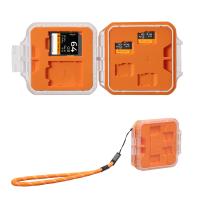
K&F Concept 28 Slots Micro SD Card Case,Water-Resistant Anti-Shock Anti-Dust TF Card Holder,Micro SD/Micro SDHC/Micro SDXC Card Box Organizer Storage
$18.99 $9.99
K&F Concept 36 Slots SD Micro SD Memory Card Case, Water-Resistant SD Card Holder, Anti-Shock Card Carrying Storage Box for 24 Micro SD SDXC SDHC TF Cards and 12 SD SDXC SDHC Cards
$18.99 $9.99
128GB MicroDrive Micro SD UHS-I Memory Card
2
$31.99
32GB Micro SD Card U3/V30/A1 with Adapter, Memory Card for Cameras, Borescopes,  Microscopes, Night Vision Goggles, Kentfaith
32GB Micro SD Card U3/V30/A1 with Adapter, Memory Card for Cameras, Borescopes, Microscopes, Night Vision Goggles, Kentfaith
$19.99 $15.99
64GB Micro SD Card U3/V30/A1 with Adapter, Memory Card for Cameras, Borescopes,  Microscopes, Night Vision Goggles, Kentfaith
64GB Micro SD Card U3/V30/A1 with Adapter, Memory Card for Cameras, Borescopes, Microscopes, Night Vision Goggles, Kentfaith
$23.75 $23.73
Memory Card Case with 25 Slots, Anti-Shock Carrying Case for 4 SD Cards, 4 CF Cards or 4XQDs, 4 CFexpress Cards, 12 Micro SD (TF) Cards, 2 Nano SIM, 2 Micro SIM and 1 SIM Card
$24.99 $12.99
K&F Concept 24 Slots SD Card Holder Memory Card Case, Water-Resistant Shockproof Memory Card Storage Carrying Case for 12 SD SDXC SDHC Cards, 12 CFexpress Type A Cards
$18.99 $9.99
4K 32MP Hunting Camera, 100° Wide Motion Sensor 0.2s Trigger IP67 Waterproof, 2.31" Display, with 64G SD Card +Card Reader
$114.99
Products You May Like
Minolta MD MC Mount Lens to Nikon Z6 Z7 Camera K&F Concept Lens Mount Adapter
26
$87.99 $49.99
43mm ND4-ND64 (2-6 Stop) Variable ND Filter and CPL Circular Polarizing Filter 2 in 1 with 28 Layers of Anti-reflection Green Film, Two Orange Levers, Imported White Cloth Nano-X Series
$104.99 $70.99
37mm UV CPL ND4 Neutral Density Len Accessory Filter Compatible with Canon Nikon DSLR Camera + Cleaning Pen + Flower Petal Lens Hood + Center Pinch Lens Cap +Filter Pouch
$28.99 $15.99
55mm True Color Ultra-Low Reflectivity CPL Filter Polarizer Lens Filter Circular Polarizing for Camera Lenses with 28 Multi-Coated Nano-Xcel Series
36
$74.99 $59.99
Portable WiFi HD Digital Microscope, 50X-1000X Magnification, Dual Led Light Source, Work with iOS, Android Smartphones, Computers
21
$64.99 $51.99
43mm Circular Polarizer Filter, Super Slim CPL Filter with 36 Multi-Layer Coatings, High Definition Nano-Xcel Pro Series
50
$97.99 $77.99
52mm Black mist filter 1/8 28 layers of anti-reflection green film waterproof and scratch-resistant with metal lens cover Nano-X series
32
$61.99 $39.99
Invisible Trail Camera
10
$162.99 $106.99
67mm  Black Mist Filter 1/4 Special Effects Filter Ultra-Clear Multi-layer Coated With Waterproof Scratch-Resistant and Anti-Reflection Nano-X Series
67mm Black Mist Filter 1/4 Special Effects Filter Ultra-Clear Multi-layer Coated With Waterproof Scratch-Resistant and Anti-Reflection Nano-X Series
$68.99 $44.99
PL Filter for DJI Flip, Polarizer Anti-Glare Filter, Top HD Optical Glass with Multi-Coated Filter, Reduce Glare and Reflections
20
$18.99
Related articles
How To Insert Micro Sd Card Into Pc?
How To Remove Read Only Sd Card?
How To Backup A Micro Sd Card?
How To Insert Micro Sd Card Switch?
How To Change Sd Card From Read Only?
What Is Largest Micro Sd Card?
How To Get A Micro Sd Card Out?
How To Transfer Photos From Micro Sd Card?
Micro Sd Card Where To Put In Computer?
How To Look Through A Telescope?
Blog You May Like
Camera Flash How It Works?
What Is A Lens Filter Size?
Who Makes Hidden Camera Detector?
Is There A Doorbell Camera That Works Without Wifi ?
How To Make A Baby Monitor With Iphone?
What Memory Card For Nikon D3400?
Dash Cam Can Connect To Phone?
What Are Best Shoulder Straps For Camera?
How Much Is A Smart Watch Charger?
When To Use A Lavalier Microphone?
Related categories
On-Dash Camera camera card memory C mount lens adapter black pro mist square filter
Popular products
portable sd card reader 64gb memory card micro surveillance memory card large memory card 4k video memory card speed driving recorder video camera battery powered wifi cameras micro sd surveillance camera 32gb memory card micro
Related searches
Micro To Sd Card Adapter Micro Sd Card Adapters Micro Sd Hd Card Micro Sd Camera Card Mobile Micro Sd Card Micro Sd Data Card Micro Extreme Sd Card Sd Card Micro Sdhc Micro Sd Card Storage Case Memory Card Micro Sd 128gb
Popular searches
Sony 10-18mm Wide-angle Zoom Lens E-mount Aps-c Pentax 645 Gfx Adapter Urth Lens Mount Adapter Canon 72mm Wide Angle Adapter Dji Osmo Pocket Nd Filter Set Bird Feeder With Video Camera Np Fw50 Battery Night Vision Binoculars With Infrared Pentax Kp Dc Adapter Pentax Pk Mount Lenses
Blog Category
  • Activities
  • Guide
    • Filter Guide
    • Lens Adapter
    • Product Review
  • News & Reviews
    • Camera Reviews
    • Sample Gallery
    • News
  • Tutorials
    • Solar eclipse photography
    • Photography Basics
    • Landscape Photography
  • Inspiration
    • Travel
    • Travel Stories
Search Article
Latest from the Blog
How To Fix The Straps On A Camera?
How To Place Cameras Around Your House?
Where Can I Find Hidden Cameras?
ND Filter: The Complete Guide to Neutral Density Filters for Photography and Video
How Do Cellular Trail Cameras Work? – The Complete Guide for Hunters and Wildlife Enthusiasts
Which Camera Is Best For Low Light Photography?
What Is The Best Camera To Record Videos?
How To Put Sd Card In Camera?
Can Security Cameras Detect Motion Through Glass?
What Is The Best Wireless Outdoor Security Camera?
  • Easy Payment Multilple Payment Options

  • Free Shipping Global WareHouse Shipment

  • No Risk 30-Day No Reason Return

  • Limited Deals Buy More, Save More

  • Tax Free No any surcharges or tax fee

Information
  • About us
  • Contact Us
  • Site Map
  • Blog
  • Video
  • Gallery
  • VIP Membership Rewards
Service
  • Privacy Policy
  • Terms & Conditions
  • Shipping & Delivery
  • Payment Info
  • Warranty, Return & Refund
  • Intellectual Property Rights
  • Ambassador
  • Affiliates
  • Wholesale
Support
  • My account
  • Order History
  • FAQs
  • Extend Warranty
  • Logistics Tracking
Follow us
NewsLetter

Get the latest product, K&F Concept respects your privacy.

Powered By KENTFAITH © 2025