How To Plug In Outdoor Security Camera?
How to Plug in an Outdoor Security Camera: A Step-By-Step Guide for Optimal Performance
Outdoor security cameras have become essential tools for ensuring the safety of homes and workplaces. They provide an extra set of eyes to monitor the surroundings, deter potential intruders, and collect valuable evidence in case of incidents. While wireless advancements have made installation more convenient in certain cases, wired cameras remain a popular choice for their reliability and consistent power supply. However, installing and plugging in an outdoor security camera might seem daunting for first-time users. In this guide, we’ll break down the process to make it easy and clear for you to set up your outdoor camera efficiently and safely.
Why Correct Installation Matters
Before diving into the setup process, it’s essential to understand the importance of properly plugging in outdoor security cameras:
1. Uninterrupted Surveillance: Wired cameras rely on an electrical connection for continuous operation, so a secure connection ensures that your camera doesn’t lose power unexpectedly.
2. Weather Resistance: Since outdoor cameras are exposed to the elements, a safe and weatherproof setup is critical to protecting both the camera and the power connections.
3. Minimized Downtime: Correct installation prevents issues like accidental disconnections or damage to cables due to harsh weather conditions or tampering.
With these points in mind, let us look at the steps to safely and effectively plug in your outdoor security camera.
Preparations for Installing Your Outdoor Camera
Before you begin the installation process, gather the necessary tools and ensure you’re prepared to handle the task. Here’s a checklist of what you need:
1. The Security Camera Unit: Your camera package should include the camera, power adapter, mounting brackets, screws, and any included instruction manuals.
2. Essential Tools: Drill, wall anchors, screwdriver, measuring tape, and ladder (if required).
3. Cables: Power cables and potentially a wired Ethernet cable (if your camera requires it).
4. Weatherproofing Supplies: Electrical tape, weatherproof boxes, and sealant.
5. Power Source: Identify an outdoor electrical outlet or an alternative power source close to the camera’s location.
Step-by-Step Guide to Plugging in an Outdoor Security Camera
Step 1: Choose the Optimal Location
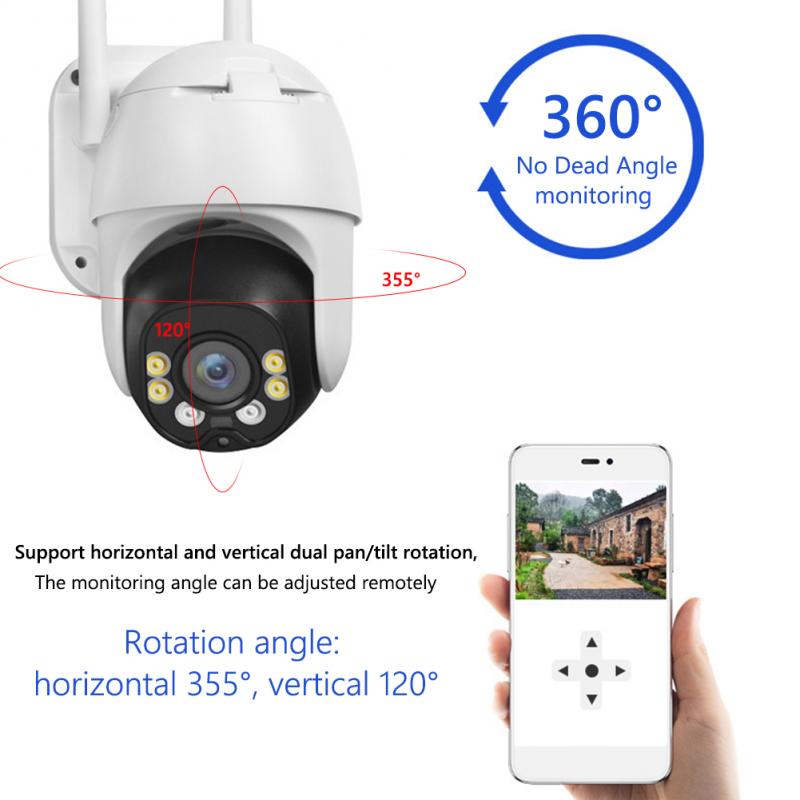
Selecting the right location is crucial for maximizing the effectiveness of your outdoor security camera. Here’s how to make the right choice:
- Install the camera at a height of 8-10 feet to avoid tampering, while still capturing a clear view of the area.
- Ensure the camera covers critical spots such as entryways, driveways, or backyards.
- Avoid positioning the camera directly under trees or near objects that may obstruct its view.
Step 2: Check Power Supply Feasibility
Most wired outdoor cameras rely on a local power outlet to operate. Once you've chosen the location:
- Locate the nearest power outlet. If there isn't one readily available, you may need to extend wiring or hire an electrician to install an outlet closer to your mounting spot.
- Confirm that the power outlet is in good working condition.
Step 3: Mount the Camera
1. Mark Drilling Points: Use the camera's mounting template (usually included in the package) to mark the drilling points.
2. Drill Holes: Use the drill to create the necessary holes in the surface.
3. Insert Wall Anchors: For improved stability and to avoid damage to the structure, insert wall anchors before mounting screws.
4. Secure the Mounting Bracket: Fasten the bracket to the wall with screws.
5. Attach the Camera: Once the bracket is in place, attach the camera tightly to ensure it doesn’t sag or fall.
Step 4: Connect the Power Supply
Now that the camera is mounted, it’s time to plug it in:
1. Route the Power Cable: Run the power cable from the camera to the nearest electrical outlet. Use cable clips or conduit to keep the cable organized and prevent it from dangling.
2. Protect the Cable: Since the cable will be exposed to outdoor elements, it’s essential to shield it. You can use waterproof conduit tubing or weatherproof cable covers for this purpose.
3. Plug in the Adapter: Insert the power adapter into the outlet. To enhance safety:
- Use a weatherproof outdoor cover for the outlet.
- Apply a weatherproof sealant to fill any gaps around the cables.
Step 5: Establish a Connection (For Internet Cameras)
If your outdoor security camera is a smart device that requires an internet connection:
Wired Connection: If the camera supports Ethernet, connect an outdoor Ethernet cable to the camera and run it to your router.
Wireless Connection: For Wi-Fi-enabled cameras, skip the Ethernet cable and instead use the app or software provided by the camera’s manufacturer to connect the camera to your home network.
Step 6: Test the Setup
Before you finalize the installation, test the camera to ensure it works correctly:
1. Power on the camera and verify that it receives a stable power supply.
2. Check the video feed via the app or your monitor to confirm the camera angles and field of view.
3. Adjust the placement if necessary for optimal coverage.
Step 7: Weatherproof and Secure the Setup
Finally, ensure the entire setup is safe from weather disturbances and tampering:
- Apply waterproof electrical tape to exposed cables where necessary.
- Use a weatherproof box to cover the power adapter and electrical outlet entirely.
- Secure the connection points using additional protective covers if provided.
Common Troubleshooting Tips
If you encounter issues with your outdoor security camera after installation, consider the following:
1. Power Supply Problems: Verify that the outlet has electricity and that the power adapter is functional.
2. Connectivity Issues: If the camera is connected to Wi-Fi, ensure your network signal reaches the camera. You may need a Wi-Fi extender for long distances.
3. Weather Problems: If extreme weather causes disconnections, double-check your cable shielding and weatherproofing measures.
Additional Considerations for Safe Camera Installation
Local Ordinances: Check your local regulations regarding outdoor surveillance cameras to ensure compliance, such as restrictions on pointing cameras at neighbors’ properties.
Lighting: Avoid placing the camera where it faces direct sunlight or strong sources of light, as this can affect the video quality.
Ongoing Maintenance: Regularly inspect the camera and power connections for wear and tear to ensure consistent performance.
Final Thoughts
Installing and plugging in an outdoor security camera doesn’t have to be intimidating with the right approach and preparation. By following the steps outlined in this guide and taking appropriate safety precautions, you can ensure your camera operates reliably and efficiently to safeguard your property. Keep in mind that routine maintenance and weatherproofing are essential for long-term durability. If you’re ever unsure about installation or wiring processes, don’t hesitate to seek professional help to ensure safety and compliance with electrical standards.
Your outdoor security camera is an investment in the protection of your property, so take the time to install it correctly for years of dependable service. Whether you’re a homeowner, a renter, or a business owner, the effort you put into setting up your system will pay off in the peace of mind it provides. Happy securing!