kfconcept

KENTFAITH
K&F Concept    Blog >

Enjoy Your Selected Digital Life

Recently Viewed
  • Recently Viewed
  • 127mm CPL Filter 28 Layer Super Slim Circular Polarizing Filter Multi-coated Polarized MRC Filter NANO-X Series
    127mm CPL Filter 28 Layer Super Slim Circular Polarizing Filter Multi-coated Polarized MRC Filter NANO-X Series
    $179.99
Compare (0) 0
  • Compare
  • You have not chosen any products to compare.

  • Compare
Currency: USD
  • Currency
Shop by Scene Shop by Rank

Log Into Your Account

Account

Order History

Wish List

Login

Forgotten Password?

or connect with

Register Account

Already have an Account?Log In

  • Shopping Cart
  • Your shopping cart is empty!

  • Register/Login to purchase, earn points
  • Favorite
  • Your wish list is empty.

  • Register/Login to like, earn points
  • Activities
  • Guide
    • Filter Guide
    • Lens Adapter
    • Product Review
  • News & Reviews
    • Camera Reviews
    • Sample Gallery
    • News
  • Tutorials
    • Solar eclipse photography
    • Photography Basics
    • Landscape Photography
  • Inspiration
    • Travel
    • Travel Stories
  • Home
  • Blog
  • How To Use Nikon Wifi Adapter?

How To Use Nikon Wifi Adapter?

Kentfaith 2024-08-27 01:06:42 0 Comments

In the modern age of photography, the ability to quickly and efficiently transfer images from your camera to other devices is invaluable. Nikon, a leading name in the world of cameras, offers a WiFi adapter that allows photographers to wirelessly transfer photos and videos. This article will guide you through the process of using a Nikon WiFi adapter, ensuring you can make the most of this technology to enhance your photography experience.

Understanding the Nikon WiFi Adapter
how to use nikon wifi adapter 1

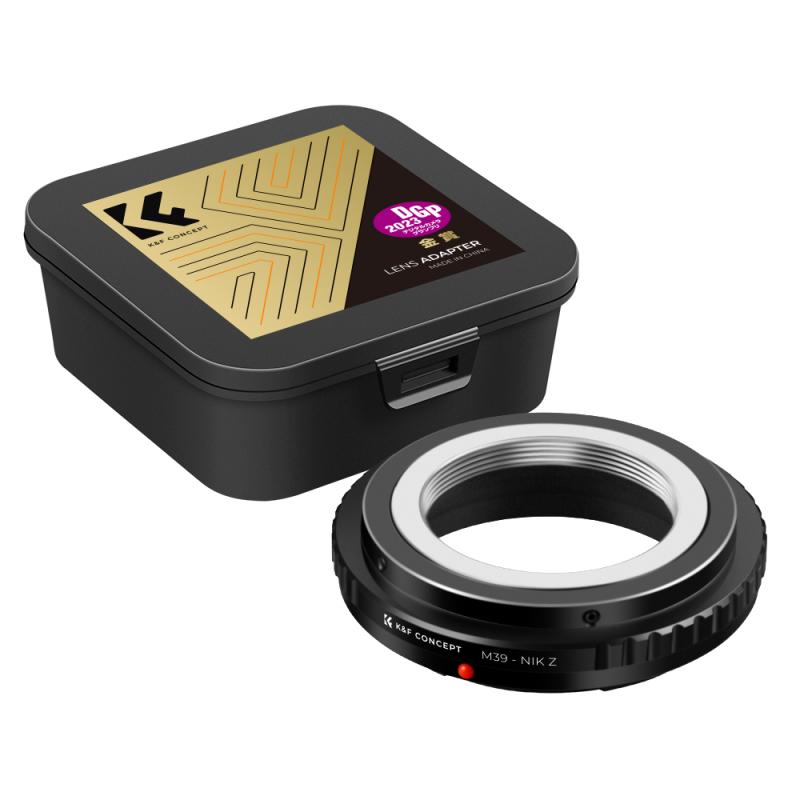
Before diving into the steps, it’s essential to understand what the Nikon WiFi adapter is and what it does. The Nikon WiFi adapter, such as the WU-1a or WU-1b, is a small device that plugs into your Nikon camera, enabling it to connect to a WiFi network. This connection allows you to transfer images and videos to a smartphone, tablet, or computer without the need for cables. Additionally, it can enable remote shooting, giving you more flexibility in how you capture your images.

Compatibility Check
how to use nikon wifi adapter 2

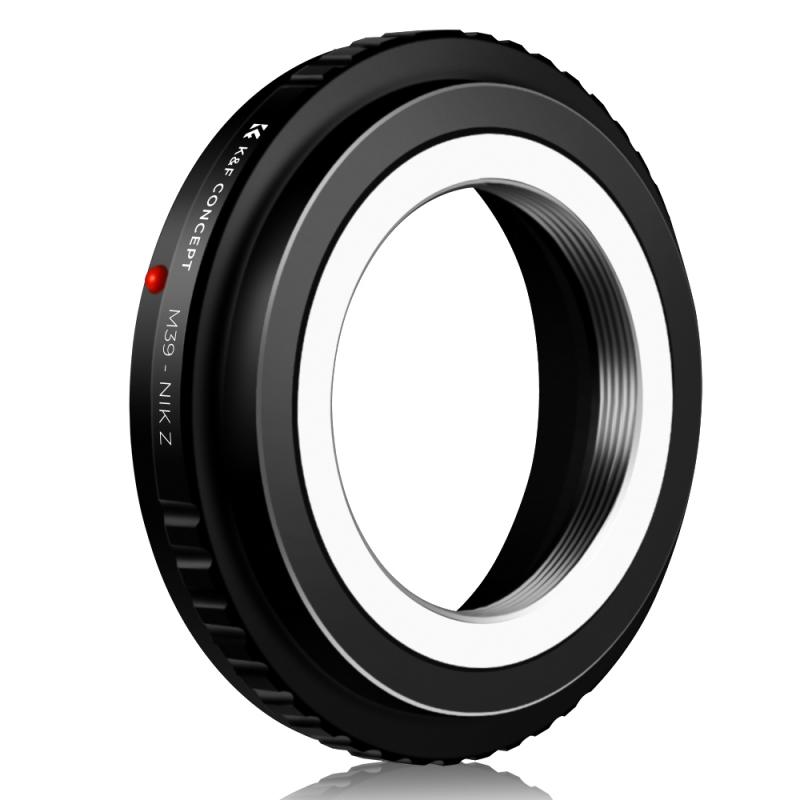
The first step in using a Nikon WiFi adapter is to ensure that your camera is compatible with the device. Not all Nikon cameras support WiFi adapters, so it’s crucial to check your camera’s manual or the Nikon website for compatibility information. Generally, the WU-1a is compatible with models like the Nikon D3200, D3300, and D5200, while the WU-1b works with cameras such as the Nikon D600 and D610.

Setting Up the Nikon WiFi Adapter
how to use nikon wifi adapter 3

Once you’ve confirmed compatibility, follow these steps to set up your Nikon WiFi adapter:

1. Insert the Adapter: Plug the WiFi adapter into the designated port on your camera. This port is usually located on the side of the camera and may be covered by a small flap.

2. Turn on the Camera: Power on your Nikon camera. The camera should recognize the adapter and display a WiFi icon on the screen.

3. Download the Nikon App: To connect your camera to a smartphone or tablet, you’ll need to download the Nikon Wireless Mobile Utility (WMU) app. This app is available for both iOS and Android devices and can be found in the App Store or Google Play Store.

4. Connect to the WiFi Network: On your smartphone or tablet, go to the WiFi settings and look for a network that starts with “Nikon.” Select this network and enter the password if prompted. The default password is usually “Nikon” or can be found in the camera’s manual.

5. Open the WMU App: Once connected to the WiFi network, open the WMU app on your device. The app should automatically detect your camera and establish a connection.

Transferring Images and Videos
how to use nikon wifi adapter 4

With the Nikon WiFi adapter set up and connected to your device, you can now transfer images and videos wirelessly. Here’s how:

1. Select Images: In the WMU app, navigate to the “View Photos” or “Download Photos” section. You’ll see thumbnails of the images stored on your camera’s memory card.

2. Choose Files: Select the images or videos you want to transfer. You can usually select multiple files at once by tapping on them.

3. Download: Tap the download button to transfer the selected files to your smartphone or tablet. The transfer speed will depend on the size of the files and the strength of the WiFi connection.

4. View and Edit: Once the files are transferred, you can view them in your device’s photo gallery or use photo editing apps to enhance your images.

Remote Shooting

One of the most exciting features of the Nikon WiFi adapter is the ability to use your smartphone or tablet as a remote control for your camera. This feature is particularly useful for group shots, self-portraits, or capturing images from difficult angles. Here’s how to use remote shooting:

1. Enable Remote Shooting: In the WMU app, navigate to the “Take Photos” or “Remote Shooting” section.

2. Adjust Settings: You can adjust various camera settings such as focus, exposure, and shutter speed directly from the app. This gives you full control over your camera without having to touch it.

3. Capture the Image: Once you’ve adjusted the settings, tap the shutter button in the app to take the photo. The image will be saved to your camera’s memory card and can also be transferred to your device.

Troubleshooting Common Issues

While using the Nikon WiFi adapter is generally straightforward, you may encounter some common issues. Here are a few troubleshooting tips:

1. Connection Problems: If your device is not connecting to the camera’s WiFi network, ensure that the adapter is properly inserted and the camera is turned on. Restarting both the camera and your device can also help resolve connection issues.

2. Slow Transfer Speeds: Slow transfer speeds can be caused by a weak WiFi signal or large file sizes. Try moving closer to the camera to improve the signal strength or transfer smaller batches of files.

3. App Crashes: If the WMU app crashes or freezes, make sure you have the latest version installed. Reinstalling the app can also help resolve any software issues.

Maximizing the Use of Your Nikon WiFi Adapter

To get the most out of your Nikon WiFi adapter, consider the following tips:

1. Regular Updates: Keep your camera’s firmware and the WMU app updated to ensure compatibility and access to the latest features.

2. Battery Management: Using the WiFi adapter can drain your camera’s battery more quickly. Carry extra batteries or a portable charger to avoid running out of power during a shoot.

3. Secure Your Connection: Change the default WiFi password to something more secure to prevent unauthorized access to your camera.

4. Explore Advanced Features: Take advantage of advanced features in the WMU app, such as geotagging, which adds location data to your photos, or interval shooting for time-lapse photography.

The Nikon WiFi adapter is a powerful tool that enhances the functionality of your camera, making it easier to transfer images and videos and offering the convenience of remote shooting. By following the steps outlined in this guide, you can set up and use your Nikon WiFi adapter effectively, allowing you to focus on capturing stunning images without the hassle of cables. Whether you’re a professional photographer or an enthusiast, the Nikon WiFi adapter is a valuable addition to your photography toolkit.
Leave your comment
Cancel reply
Note: HTML is not translated!
Related products
Olympus OM Lenses to Nikon 1 Camera Mount Adapter
69
$53.99 $27.99
Nikon F Lenses to M43 MFT Lens Mount Adapter Nikon AI Lens to Micro 4/3 Micro Four Thirds Mount Adapter for GF1 GF2 GF3 G2 G3
119
$53.99 $29.99
M42 Lenses to Nikon F Lens Mount Adapter K&F Concept M10171 Lens Adapter
8
$36.99 $18.99
Nikon G Lenses to Canon EF Lens Mount Adapter K&F Concept M18131 Lens Adapter
11
$53.99 $27.99
Nikon S Lenses to Fuji X Lens Mount Adapter K&F Concept M33111 Lens Adapter
$58.99 $30.99
Nikon F Lenses to Leica M Lens Mount Adapter K&F Concept M11151 Lens Adapter
39
$56.99 $32.99
Nikon S Lenses to M43 MFT Lens Mount Adapter K&F Concept M33121 Lens Adapter
104
$62.99 $32.99
Nikon F Mount Lens to Nikon 1-Series Camera, for Nikon V1, V2, J1, J2 Mirrorless Cameras K&F Concept Lens Mount Adapter
69
$45.99 $27.99
Nikon G Lens to Canon EOS R Camera Body Lens Mount Adapter
49
$100.99 $56.99
Tamron Adaptall II  Lenses to Nikon 1 Lens Mount Adapter K&F Concept M23201 Lens Adapter
Tamron Adaptall II Lenses to Nikon 1 Lens Mount Adapter K&F Concept M23201 Lens Adapter
69
$64.99 $33.99
Products You May Like
58mm Filter Set (UV, CPL, FLD)
2
$15.99 $8.99
WIFI Outdoor Security Camera Outdoor Camera 2K Ultra HD Picture Audible Alarm IP66 Waterproof Two-way Voice Night Vision Range 8m/26ft UK Version
$89.99 $59.99
72mm Black Mist 1/8 Filter with Brass Frame, Ultra Low Reflection, Mist Soft Glow Diffuser Lens Filters with 36 Multi-Layer Coatings - Nano-X Pro Series
NEW Arrival
72mm Black Mist 1/8 Filter with Brass Frame, Ultra Low Reflection, Mist Soft Glow Diffuser Lens Filters with 36 Multi-Layer Coatings - Nano-X Pro Series
41
$194.99 $129.99
Canon EOS EF Lenses to Sony E Lens Mount Adapter with Tripod Mount K&F Concept M12102 Lens Adapter (Shipped Only to the USA)
151
$53.99 $27.99
EN-EL14 Battery and Charger for Nikon EN-EL14 Battery, with Dual Charging Slot, Fit for Nikon D3500 D5600 D3200 D3300 D3400 D5500 Coolpix P7800 P7700 P7200 P7100 P7000 (1050mAh*2)
56
$29.99
62mm Variable ND Filter ND2-ND32 (1-5 Stops) Lens Filter Waterproof Scratch Resistant with 18 Layers of Nano-coating Nano-Klear Series
30
$41.99 $32.99
4G Solar Security Camera System Wireless LTE cctv Solar Camera PIR Motion Detection 2-Way Audio Built-in Battery 10400mAh 2K Infrared Night Vision 20m/65.6ft AU Version
118
$259.99 $157.99
Rollei QBM Lenses to Sony E Mount Camera Adapter
146
$53.99 $27.99
K&F CONCEPT Plastic Cold Shoe Mount Compatible with DJI Osmo Nano/Osmo Action 6, Action Camera Magnetic Quick Mount Holder, Tripod Adapter Hot Shoe Camera Connector
16
$16.99
4K 32MP Hunting Camera, 100° Wide Motion Sensor 0.2s Trigger IP67 Waterproof, 2.31" Display, with 64G SD Card +Card Reader
$114.99
Related articles
How To Protect Nikon Wifi Camera?
Which Hot Shoe Flash Adapter For Nikon F?
How To Use Wifi Endoscope?
Which Cameras Use Nikon Mount?
How To Use Security Cameras Without Wifi?
How To Use Ip Camera Without Wifi?
What Mounts Do Nikon Cameras Use?
How To Adjust Nikon Binoculars?
Can I Use Nikon Lens On Fujifilm Camera?
Camera Memory Card Locked How To Unlock?
Blog You May Like
Cpl Camera Filter What Does It Do?
How To Carry Tripod On Backpack?
How To Remove Waterproof Camera Case?
Why Uv Filter For Lens?
How Much Does Camera Lens Repair Cost?
How To Use Wifi Endoscope?
Which Camera For Wildlife Shots Under 500?
How Do You Watch Youtube On Smart Tv?
What Do You Use A Ring Light For?
How To Do Studio Lighting On Iphone?
Related categories
Nikon Z mount adapter m4/3 adapter C mount lens adapter nikon lens adapter Outdoor Security Camera Wifi Wifi Trail Cameras Baby Movement Monitor ring flash nikon
Popular products
nikon 1 j1 adapter nikon micro adapter nikon m42 adapter infinity focus M42 F Mount Adapter tripod adapter for camera nikon to hasselblad adapter nikon lens adapter c mount canon nikon lens mount k&f concept lens mount adapter fuji nikon lens adapter
Related searches
Adapter To Use Nikon Lens On Canon Outdoor Use Wifi Free Camera Outdoor Use No Wifi Security Camera Nikon D810 Wifi Adapter Adapter To Use Other Lens On Pentax Mirrorless Camera Adapter To Use Dslr Lens Easy To Use Fish Finder Outdoor Use Solar Powered Security Camera No Wifi Nikon Wu-1a Wifi Adapter Easy To Use Digital Slr Camera
Related Scenes
Best Easy To Use Compact Digital Camera Best Camera To Video Sports Best Camera To Capture Wildlife Best Tripod To Travel With Best Camera For Outdoor Use Best Borescope For Home Use Outdoor Use Best Security Camera Best Video Camera To Record Sports Best Digital Camera For Home Use Best Camera Bag For Everyday Use
Blog Category
  • Activities
  • Guide
    • Filter Guide
    • Lens Adapter
    • Product Review
  • News & Reviews
    • Camera Reviews
    • Sample Gallery
    • News
  • Tutorials
    • Solar eclipse photography
    • Photography Basics
    • Landscape Photography
  • Inspiration
    • Travel
    • Travel Stories
Search Article
Latest from the Blog
What Is The Range Of A Trail Camera?
Which Screen Color Is Best For Projector?
Smartwatch That You Can Call From?
How Does A Wireless Headphones Work?
How To Remove Lens Filter Canon?
How To Get Night Vision Goggles?
How To Insert Headphones In Ear?
What Is The Use Of A Compound Microscope?
Can You Wear A Smartwatch In The Shower?
Where To Buy Security Camera System?
  • Easy Payment Multilple Payment Options

  • Free Shipping Global WareHouse Shipment

  • No Risk 30-Day No Reason Return

  • Limited Deals Buy More, Save More

  • Tax Free No any surcharges or tax fee

Information
  • About us
  • Contact Us
  • Site Map
  • Blog
  • Video
  • Gallery
  • VIP Membership Rewards
Service
  • Privacy Policy
  • Terms & Conditions
  • Shipping & Delivery
  • Payment Info
  • Warranty, Return & Refund
  • Intellectual Property Rights
  • Ambassador
  • Affiliates
  • Wholesale
Support
  • My account
  • Order History
  • FAQs
  • Extend Warranty
  • Logistics Tracking
Follow us
NewsLetter

Get the latest product, K&F Concept respects your privacy.
Powered By KENTFAITH © 2026