kfconcept

KENTFAITH
K&F Concept    Blog >

Enjoy Your Selected Digital Life

Recently Viewed
  • Recently Viewed
  • Recently Viewed list is empty.

Compare (0) 0
  • Compare
  • You have not chosen any products to compare.

  • Compare
Currency: USD
  • Currency
Shop by Scene Shop by Rank

Log Into Your Account

Account

Order History

Wish List

Login

Forgotten Password?

Or connect with

Register Account

Already have an Account?Log In

  • Shopping Cart
  • Your shopping cart is empty!

  • Register/Login to purchase, earn points
  • Favorite
  • Your wish list is empty.

  • Register/Login to like, earn points
  • Activities
  • Guide
    • Filter Guide
    • Lens Adapter
    • Product Review
  • News & Reviews
    • Camera Reviews
    • Sample Gallery
    • News
  • Tutorials
    • Solar eclipse photography
    • Photography Basics
    • Landscape Photography
  • Inspiration
    • Travel
    • Travel Stories
  • Home
  • Blog
  • How To Turn On Microphone And Camera On Hp Laptop ?

How To Turn On Microphone And Camera On Hp Laptop ?

Kentfaith 2023-08-16 10:11:53 0 Comments

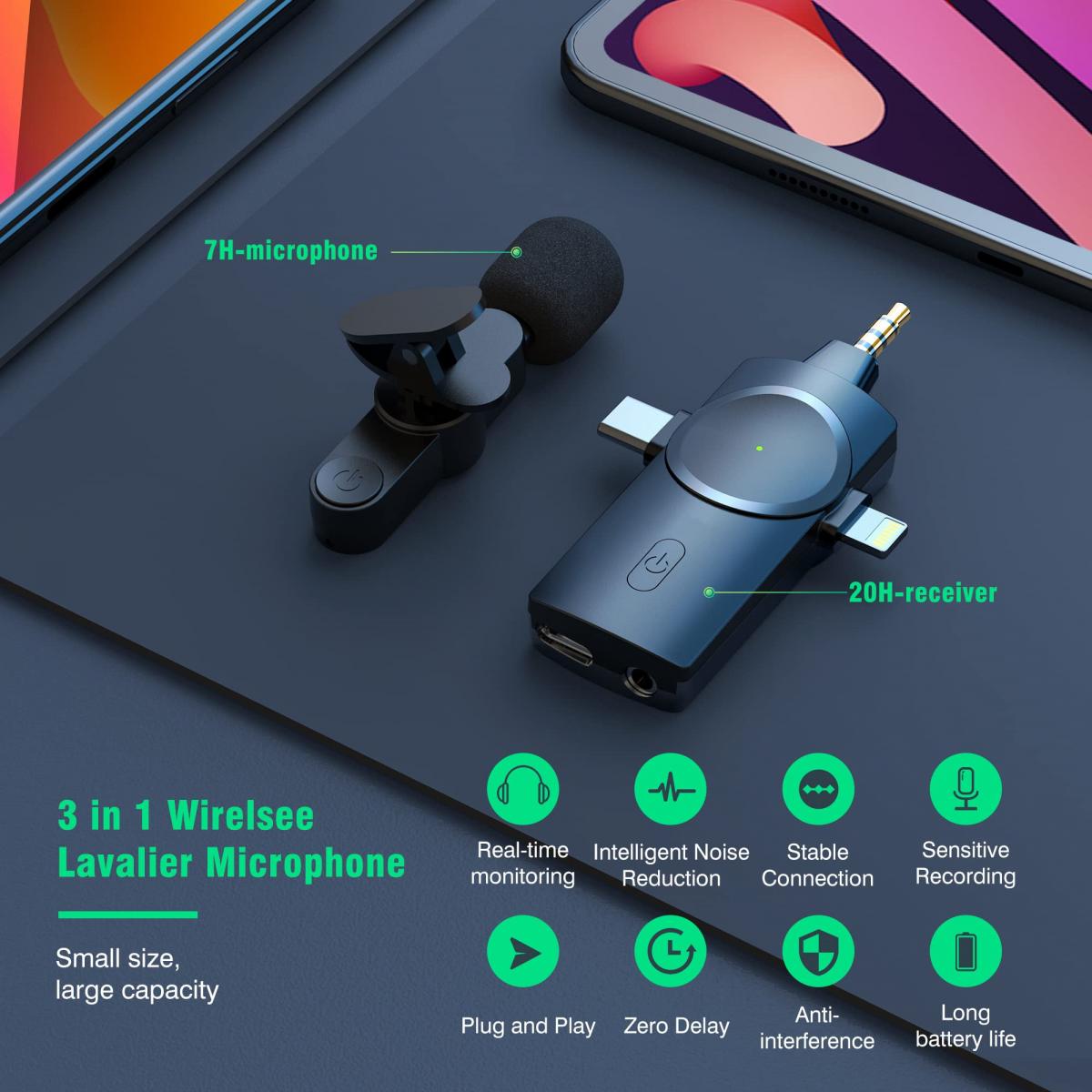
Whether you use them for online meetings, video chats or recording videos, it's important to know how to properly enable and set up these devices. This article will detail how to turn on the microphone and webcam on your HP laptop, set and adjust permissions, address common issues, and recommend some useful apps and tools.

Ways to turn on the microphone and webcam on your HP laptop

Open the microphone:

Step 1: Click the "Start" menu on the bottom left corner of your desktop, and select the "Settings" icon.

Step 2: In the Settings window, select the "System" option.

Step 3: Select "Sound" in the left menu.

Step 4: Under the "Input" section, select your microphone device and make sure the microphone volume is set to the appropriate level. If the microphone is disabled, click on "Device Properties" and enable the microphone.


Turn on your webcam:

Step 1: Click on the "Start" menu at the bottom left corner of your desktop and select the "Settings" icon.

Step 2: In the Settings window, select the "Privacy" option.

Step 3: Select "Camera" in the left menu.

Step 4: Under "Allow apps to use my camera hardware", make sure the camera switch is on. You can also enable or disable camera access for each app individually in the "Select apps that can access your camera" section.


Setting and adjusting microphone and camera permissions

Microphone permission settings:

Step 1: Go to the Settings window and select the Privacy option.

Step 2: Select "Microphone" in the left menu.

Step 3: Make sure the "Allow apps to access my microphone" switch is on. In the "Select apps that can access your microphone" section, you can set permissions for each app individually.


Camera Permission Setting:

Step 1: Follow the steps above to turn on the camera and enter the "Camera" settings.

Step 2: Make sure the "Allow apps to access my camera" switch is on. You can select specific apps from the list below and enable or disable their camera permissions.


Resolve microphone and camera not working issue

Driver updates:

Make sure the drivers for your microphone and camera are up to date. Go to "Device Manager", locate "Audio Input and Output" and "Graphics Devices", right-click on the corresponding device and select "Update driver".

Device Troubleshooting:

Use the Windows built-in troubleshooting tool. Go to Settings > Update and Security > Troubleshooting, select "Recorded Audio" or "Camera". "Camera" and follow the prompts to troubleshoot.

App settings check:

Some apps have separate audio and video settings. Check and make sure that the microphone and camera are enabled in the settings of these apps.


Recommended apps and tools

Zoom:

Zoom is a widely used video conferencing app that supports high quality video and audio calls. Microphone and camera settings can be easily adjusted in the in-app settings.

Skype:

Skype is a classic communication tool that supports video calls and voice calls. It also has easy audio and video setting options.

Microsoft Teams:

Teams is a team collaboration tool from Microsoft that integrates chat, video conferencing, and file sharing, making it ideal for corporate and educational environments.


Frequently Asked Questions and Maintenance Tips

Poor sound quality:

If the microphone sound quality is poor, try adjusting the microphone gain and volume settings. Go to Settings > System > Sound and adjust the gain and volume in the Input section.

Poor video quality:

Video quality problems may be due to an unstable internet connection or poor lighting. Ensure that you use the camera in a well-lit environment and try to use a wired network connection for more stable network performance.

Regular cleaning:

Clean the camera lens and microphone holes regularly to avoid dust and dirt affecting the performance of the device. Wipe gently with a soft cloth and appropriate cleaning solution.

Privacy:

Use the time when the camera and microphone are not needed, you can use the sliding cover or physical switch to protect privacy.


With these detailed steps and recommendations, you should be able to easily turn on and use the microphone and camera on your HP laptop. Whether it's setting up permissions, solving common problems, or choosing the right app, this article will provide you with valuable information and assistance. We hope these instructions will make your audio and video experience smoother and more efficient.


Leave your comment
Cancel reply
Note: HTML is not translated!
Related products
67mm Clip-on CPL Phone Camera Lens Filter Kit Applicable to All Mobile Phone Models
24
$18.99
67mm Clip-on ND2-32 Phone Camera Lens Filter Kit Applicable to All Mobile Phone Models
24
$37.99
67mm Clip-on Black Mist 1/4 Phone Camera Lens Filter Kit Applicable to All Mobile Phone Models
24
$29.99
52mm Clip-on CPL Phone Camera Lens Filter Kit, Circular Polarizer Polarizing Filter Applicable to All Mobile Phone Models
24
$16.99
67mm Clip-on CPL&Black Mist 1/4 2-in-1 Phone Camera Lens Filter Kit Applicable to All Mobile Phone Models
24
$29.99
63'' Magnetic Iphone Tripod Phone Selfie Stick Tripod And Clip-On ND Filter(1-9 stops) For All Phone Set
207
$113.99 $59.99
Camera Video Microphone Kit for YouTube, Vlog Windscreen 3.5mm for Phone and Camera
45
$34.99 $19.99
Variable ND2-32 Filter Compatible with DJI Osmo Action 5 Pro/Osmo Action 4/Osmo Action 3, Snap-on Installation, no need to remove the original filter
$24.99
Variable ND32-512 Filter Compatible with DJI Osmo Action 5 Pro//Osmo Action 4/Osmo Action 3, Snap-on Installation, no need to remove the original filter
$24.99
Wireless Lavalier Microphone System with 4 Transmitters and 1 Receiver
$434.99 $304.99
Products You May Like
Matte Box Kit+ND8 Square Filter Compatible with Two 4x5.65" Square Filters Includes 67/72/77/82/95mm Adapter Rings Nano-Xcel Series
42
$124.99 $99.99
77mm Lens ND Filter Kit ND4+ND8+ND64+ND1000 Neutral Density 2/3/6/10 Stops Set with 28 Layers Multi-Coated HD Optical Glass and 4-Filter Pouch Nano-Xcel Series
81
$137.99 $109.99
58mm Blue Streak Filter (2mm) Optical Glass Ultra-clear Waterproof Anti-Scratch Anti-Reflection Green Film Nano-X Series
$48.99 $29.99
Mavic 3 OTG Cable TYPE-C TO TYPE-C for DJI Mavic Mini 2/Air 2S/Air 2/Osmo Pocket 2/1 Remote Control, 11.8inch/30cm (Not for Mavic Air)
$9.99
49mm True Color Ultra-Low Reflectivity CPL Filter Polarizer Lens Filter Circular Polarizing for Camera Lenses with 28 Multi-Coated Nano-Xcel Series
36
$68.99 $49.49
72mm ND Filter ND1000 (10 Stop) Lens Filter 28 Multi-Layer Coatings Waterproof Scratch Resistant Super Slim for Camera Lens (Nano-Xcel Series)
93
$74.99 $59.99
77mm MCUV Lens Protection Filter with Filter Cap Ultra-Slim 24-Layer Coatings Waterproof for Camera Lens Nano-Dazzle Series
26
$58.99 $24.99
72mm CPL Filter 28 Layer Super Slim Circular Polarizing Filter Multi-coated Polarized MRC Filter NANO-X Series
$64.99 $59.99
10Pcs Double-Headed Cleaning Stick + 20ML Cleaning Solution, CMOS Full Frame 24mm Cleaning Cloth Sticks Set
1
$24.99
55mm ND2-ND400 (9 Stops) Variable ND Filter Neutral Density Filter for Camera Lens Ultra-Slim, Multi Coated Nano-Klear
63
$30.99 $24.29
Related articles
How To Turn On Camera And Microphone On Dell Laptop ?
How To Use Earphone Microphone On Laptop?
How To Enable Camera And Microphone On Instagram ?
How To Set Up Lavalier Microphone On Laptop?
How To Allow Access To Camera And Microphone On Android ?
Can You Turn The Microphone Off On Iphone?
How To Turn On Flip Video Camera?
How To Use Video Camera On Laptop?
How To Change Video Camera On Laptop?
F Stop Camera Bags Where To Buy?
Blog You May Like
Uv Filter Camera Why?
How To Use Microphone With Camera Windows 10?
What Is Monocular Camera?
Can You Track A Cellular Trail Camera?
What's A Good Lighting Budget Video?
Can You Use Headphones With Amazon Fire Tablet?
How To Make Wireless Camera Screen?
Where To Put Security Cameras In Home?
How To Put On Fuji Camera Strap?
When To Use Polarized Lens Filter?
Related categories
On-Dash Camera streaming video camera camera and lens cleaning kit C mount lens adapter lens adapters m4/3 adapter
Popular products
high quality condenser microphone wireless microphone transmitter receiver light with power bank Polarize Filter For Mobile Phone clip on phone camera lens travel tripod for iphone nd filter for dji osmo action sony lens on canon camera dslr camera lens cap 58mm snap on lens cap
Related searches
On Camera Wireless Microphone Clip On Lavalier Microphone Microphone On Iphone 11 Microphone On Ipad Air Clip On Mini Microphone Bluetooth Clip On Microphone Bluetooth Clip On Wireless Microphone Microphone For Recording On Iphone On Camera Flashes On Camera Microphones
Popular searches
Canon 50mm Uv Filter Sony Rx1 Lens Adapter Pentax Q D Mount Nikon 1 Adapter Ring 52mm Macro Reverse Adapter Ring For Nikon Fujifilm Floppy Disk Adapter Fd-a2 K&f Nd Cpl Filter Waterproof Noise Cancelling Earbuds Opteka Fisheye Lens Adapter Tamron 82mm Lens Cap
Blog Category
  • Activities
  • Guide
    • Filter Guide
    • Lens Adapter
    • Product Review
  • News & Reviews
    • Camera Reviews
    • Sample Gallery
    • News
  • Tutorials
    • Solar eclipse photography
    • Photography Basics
    • Landscape Photography
  • Inspiration
    • Travel
    • Travel Stories
Search Article
Latest from the Blog
Where Can I Buy Samsung Camera Battery?
How To Remove Memory Card From Nikon Camera?
Which Bluetooth Earphones?
Camera Use Which Lens?
What Is Nd Filter On Video Camera?
How Much Does It Cost For Security Cameras?
How Much Storage For Security Camera?
What Is The Difference Between Binoculars And Telescope?
Can You Zoom In With Binoculars?
What Is A Good Quality Dash Cam?
  • Easy Payment Multilple Payment Options

  • Free Shipping Global WareHouse Shipment

  • No Risk 30-Day No Reason Return

  • Limited Deals Buy More, Save More

  • Tax Free No any surcharges or tax fee

Information
  • About us
  • Contact Us
  • Site Map
  • Blog
  • Video
  • Gallery
  • VIP Membership Rewards
Service
  • Privacy Policy
  • Terms & Conditions
  • Shipping & Delivery
  • Payment Info
  • Warranty, Return & Refund
  • Intellectual Property Rights
  • Ambassador
  • Affiliates
  • Wholesale
Support
  • My account
  • Order History
  • FAQs
  • Extend Warranty
  • Logistics Tracking
Follow us
NewsLetter

Get the latest product, K&F Concept respects your privacy.

Powered By KENTFAITH © 2025