kfconcept

KENTFAITH
K&F Concept    Blog >

Enjoy Your Selected Digital Life

Recently Viewed
  • Recently Viewed
  • 72mm CPL Filter True Color Circular Polarizers Filter with 28 Multi-Layer Coatings for Camera Lens Nano-Xcel Series
    72mm CPL Filter True Color Circular Polarizers Filter with 28 Multi-Layer Coatings for Camera Lens Nano-Xcel Series
    $62.99 $49.99
    82mm Shimmer Diffusion 1 Filter Optical Glass Glimmer Effect Filter for Camera Lens Nano-Xcel Series
    82mm Shimmer Diffusion 1 Filter Optical Glass Glimmer Effect Filter for Camera Lens Nano-Xcel Series
    $99.99 $79.99
    72mm Magnetic Variable ND8-ND128(3-7 Stop) Lens Filters + Magnetic Filter Basic Ring Kit with 28 Multi-Layer Nano-Xcel Series (Compatible with 77mm magnetic cap)
    72mm Magnetic Variable ND8-ND128(3-7 Stop) Lens Filters + Magnetic Filter Basic Ring Kit with 28 Multi-Layer Nano-Xcel Series (Compatible with 77mm magnetic cap)
    $103.99 $82.99
    72mm Magnetic CPL Filter + Magnetic Basic Ring Kit Waterproof Scratch Resistant with 28 Multi-Coatings for Camera Lens (Nano-Xcel Series)
    72mm Magnetic CPL Filter + Magnetic Basic Ring Kit Waterproof Scratch Resistant with 28 Multi-Coatings for Camera Lens (Nano-Xcel Series)
    $69.99 $55.99
    Underwater Camera for Kids 4K 48MP, 3M Waterproof, Dual Screen, for Snorkeling Swimming, Includes EVA Storage Case, Tripod, Kentfaith
    Underwater Camera for Kids 4K 48MP, 3M Waterproof, Dual Screen, for Snorkeling Swimming, Includes EVA Storage Case, Tripod, Kentfaith
    $131.24 $104.99
    Underwater Camera for Kids 4K 48MP, 3M Waterproof, Dual Screen, for Snorkeling Swimming, Includes EVA Storage Case, Kentfaith
    Underwater Camera for Kids 4K 48MP, 3M Waterproof, Dual Screen, for Snorkeling Swimming, Includes EVA Storage Case, Kentfaith
    $112.49 $89.99
    72mm Empty Magnetic Base Ring (Works ONLY with K&F Concept Magnetic Filters / Quick Swap System)
    72mm Empty Magnetic Base Ring (Works ONLY with K&F Concept Magnetic Filters / Quick Swap System)
    $17.99
    72mm Black Diffusion Pro-Mist 1/4 + 1/8 Filter Kit Cinematic Effect Filter for Vlog/Video/Portrait Image with 28 Multi-Layer Coated-Nano-X
    72mm Black Diffusion Pro-Mist 1/4 + 1/8 Filter Kit Cinematic Effect Filter for Vlog/Video/Portrait Image with 28 Multi-Layer Coated-Nano-X
    $115.99 $92.49
    67mm Magnetic Black Mist Filter 1/8 Special Effects Filter HD Multi-layer Coated, Waterproof/Scratch-Resistant/ Anti-Reflection Nano-Xcel Series
    67mm Magnetic Black Mist Filter 1/8 Special Effects Filter HD Multi-layer Coated, Waterproof/Scratch-Resistant/ Anti-Reflection Nano-Xcel Series
    $73.99
    82mm Magnetic MCUV Filter,HD Waterproof Scratch-Resistant Anti-Reflection Green Film with Magnetic Metal Cover Nano-Xcel series
    82mm Magnetic MCUV Filter,HD Waterproof Scratch-Resistant Anti-Reflection Green Film with Magnetic Metal Cover Nano-Xcel series
    $66.99 $52.99
Compare (0) 0
  • Compare
  • You have not chosen any products to compare.

  • Compare
Currency: USD
  • Currency
Shop by Scene Shop by Rank

Log Into Your Account

Account

Order History

Wish List

Login

Forgotten Password?

Or connect with

Register Account

Already have an Account?Log In

  • Shopping Cart
  • Your shopping cart is empty!

  • Register/Login to purchase, earn points
  • Favorite
  • Your wish list is empty.

  • Register/Login to like, earn points
  • Activities
  • Guide
    • Filter Guide
    • Lens Adapter
    • Product Review
  • News & Reviews
    • Camera Reviews
    • Sample Gallery
    • News
  • Tutorials
    • Solar eclipse photography
    • Photography Basics
    • Landscape Photography
  • Inspiration
    • Travel
    • Travel Stories
  • Home
  • Blog
  • How To Format A Sd Card In Linux?

How To Format A Sd Card In Linux?

Kentfaith 2024-11-20 01:00:37 0 Comments

Formatting an SD card in Linux is a common task for many users, whether you are setting up storage for a Raspberry Pi, installing a new operating system, or simply clearing old data. While it might seem daunting if you're unfamiliar with command-line interfaces or Linux utilities, the process is actually straightforward. In this article, we'll guide you through several methods to format an SD card in Linux, ensuring you have all the information you need to perform this task confidently and efficiently.

Understanding the Basics
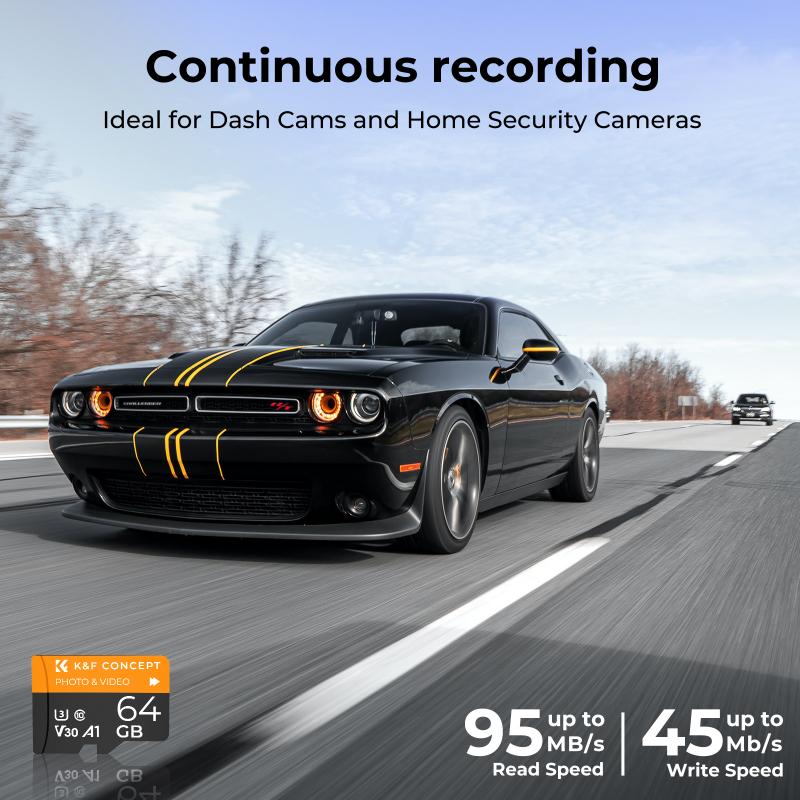
how to format a sd card in linux 1

Before diving into the steps, it is essential to understand a few basic concepts:

1. File Systems: These are ways to organize and store files on a storage device. Common file systems include FAT32, NTFS, ext4, and exFAT.

2. Partitions: These are segments of a storage device that you can format with different file systems. A single SD card can have multiple partitions.

3. Mounting: This is the process of making a file system accessible at a certain point in the directory tree.

Precautionary Steps

how to format a sd card in linux 2

Before formatting, remember that formatting an SD card will erase all data on it. Ensure you have backed up any important files. Additionally, be cautious with the command line inputs, as an incorrect command can lead to data loss on other storage devices.

Method 1: Using `fdisk` and `mkfs`

how to format a sd card in linux 3

`fdisk` is a powerful utility for disk partitioning available on Linux. The `mkfs` command is used to create a file system.

Step-by-Step Instructions:
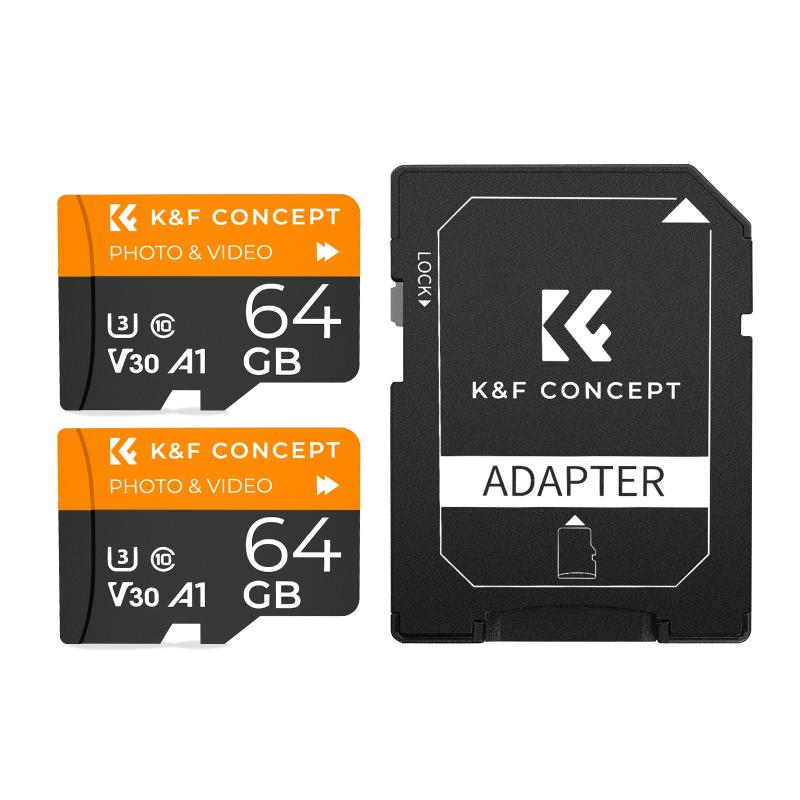
how to format a sd card in linux 4

1. Identify the Device: Open a terminal and use the `lsblk` command to list all block devices.

```

lsblk

```

Identify your SD card. It typically appears as `/dev/sdX` (where X is a letter).

2. Unmount the SD Card: Before formatting, unmount the SD card to ensure that no processes are using it.

```

sudo umount /dev/sdX1

```

3. Start `fdisk`: Use `fdisk` to partition the SD card.

```

sudo fdisk /dev/sdX

```

4. Delete Existing Partitions: In `fdisk`, you can view existing partitions by typing `p` and delete them by typing `d`. Repeat if there are multiple partitions.

5. Create a New Partition: Type `n` to create a new partition. Follow the prompts to accept the default settings.

6. Write Changes: Type `w` to write the changes to the SD card and exit `fdisk`.

7. Format the Partition: Use `mkfs` to format the partition. For a FAT32 file system, the command would be:

```

sudo mkfs.vfat -F 32 /dev/sdX1

```

For other file systems, replace `vfat` with `ext4` or `ntfs` as required.

Method 2: Using `GParted`

`GParted` provides a graphical interface for partitioning tasks and can be more intuitive for users who prefer not to use the command line.

Step-by-Step Instructions:

1. Install `GParted`: If not already installed, you can install it using your package manager.

```

sudo apt-get update

sudo apt-get install gparted

```

2. Launch `GParted`: Run GParted with superuser privileges.

```

sudo gparted

```

3. Select the SD Card: In GParted, select your SD card from the dropdown menu in the top right corner.

4. Unmount Partitions: Right-click on each partition and select `Unmount`.

5. Delete Partitions: Right-click on each partition and select `Delete`.

6. Create a New Partition: Right-click on the unallocated space and select `New`, then choose the file system you want (like FAT32, ext4).

7. Apply Changes: Click the green checkmark to apply the changes.

8. Close `GParted`: Safely eject your card once the process is complete.

Method 3: Using `Disks` Utility

For those who prefer a simpler, GUI-based method and are using GNOME or a similar desktop environment, the Disks utility is very effective.

Step-by-Step Instructions:

1. Open Disks: Search for `Disks` in your applications menu and open it.

2. Select the SD Card: Choose your SD card from the list on the left.

3. Unformat and Format: Click on the gear icon and select `Format`. Choose the desired file system and partition scheme.

4. Finalize: Follow the prompts to complete the formatting process and safely eject the SD card.

Troubleshooting Common Issues

1. Access Denied Errors: If you receive a permission error, ensure you are using `sudo` to provide superuser privileges.

2. Device or Resource Busy: If the SD card cannot be unmounted because it is busy, close any programs using it or use the `lsof` command to locate and terminate these processes.

Formatting an SD card in Linux can be done via several methods, ranging from command-line tools like `fdisk` and `mkfs`, to graphical utilities like `GParted` and `Disks`. Each method has its own advantages, and the choice depends on your comfort level with command-line operations versus graphical interfaces. Whichever method you choose, always ensure you’re working on the correct device and back up any crucial data to avoid unintended data loss.

By understanding these methods and tools, you can effortlessly format your SD card in Linux, making it ready for any application, from general storage to specialized tasks like running a Raspberry Pi.


Leave your comment
Cancel reply
Note: HTML is not translated!
Related products
SD Card Reader for iPhone/iPad/Android/Mac/Computer/Camera, 4 in 1 Micro SD Card Reader Tracking Camera Viewer, Portable Memory Card Reader SD Card Adapter Compatible with SD and Micro SD Card/TF Card ( black)
$14.99
K&F Concept 24 Slots SD Card Holder Memory Card Case, Water-Resistant Shockproof Memory Card Storage Carrying Case for 12 SD SDXC SDHC Cards, 12 CFexpress Type A Cards
$18.99 $9.99
K&F Concept 36 Slots SD Micro SD Memory Card Case, Water-Resistant SD Card Holder, Anti-Shock Card Carrying Storage Box for 24 Micro SD SDXC SDHC TF Cards and 12 SD SDXC SDHC Cards
$18.99 $9.99
K&F Concept 28 Slots Micro SD Card Case,Water-Resistant Anti-Shock Anti-Dust TF Card Holder,Micro SD/Micro SDHC/Micro SDXC Card Box Organizer Storage
$18.99 $9.99
128GB MicroDrive Micro SD UHS-I Memory Card
2
$31.99
32GB Micro SD Card U3/V30/A1 with Adapter, Memory Card for Cameras, Borescopes,  Microscopes, Night Vision Goggles, Kentfaith
32GB Micro SD Card U3/V30/A1 with Adapter, Memory Card for Cameras, Borescopes, Microscopes, Night Vision Goggles, Kentfaith
$19.99 $15.99
64GB Micro SD Card U3/V30/A1 with Adapter, Memory Card for Cameras, Borescopes,  Microscopes, Night Vision Goggles, Kentfaith
64GB Micro SD Card U3/V30/A1 with Adapter, Memory Card for Cameras, Borescopes, Microscopes, Night Vision Goggles, Kentfaith
$23.75 $23.73
4K 32MP Hunting Camera, 100° Wide Motion Sensor 0.2s Trigger IP67 Waterproof, 2.31" Display, with 64G SD Card +Card Reader
$114.99
Digital Mini Microscope for Kids, 100x-1000x Handheld Microscope with 32GB SD Card & Battery
32
$92.99 $65.99
Products You May Like
67"/1.7m Carbon Fiber Lightweight Camera Tripod with Hydraulic Video Tripod Head, Foldable, Detachable Single Leg, Metal Screw Lock, Omni Serie O255C4+FH-03
4
$159.99
Miniscope for Kids, Mini Portable Microscope with 4pcs Microscope Slides for Learning, Education, Exploring, Schools, White
$15.99
4K WiFi Trail Camera 48MP Game Camera with 0.2s Trigger 120° Detection Starlight Night Vision IP66 Waterproof for Wildlife Monitoring
89
$139.99 $105.99
Q8 1.69 Inch Bluetooth Talking Smart Watch for Android and iOS Phones, IP67 Waterproof Fitness Tracker Watch, Ultralight Smart Sports Watch with Heart Rate ECG Blood Pressure Blood Oxygen Monitoring Black
$69.99
DJI Mavic Air 2S Float Landing Gear, Buoyancy Waterproof Heighten Extender Holder for DJI Air 2S/Mavic Air 2 Drone Accessories Floating Holder
$37.49 $29.99
STARTRC DJI Avata Integrated Propeller Cover
29
$25.99
DSLR Camera Backpack for Travel Outdoor Photography 10.23*6.29*14.57 inches
234
$38.99
DJI Osmo Action 3 ND64 Filter with Single-sided Anti-reflection Green Film
21
$29.99 $15.99
Zoom Binoculars 10-30x70 High Power Zoom with Tripod Adapter BAK4 Prism Kentfaith
16
$168.74 $134.99
58mm CPL+MCUV+Lens Cap Circular Polarizing Filter MCUV Protection Lens Filters Kit with 28 Multi-Layer Coatings for Camera Lens Nano-Xcel Series
33
$96.99 $50.99
Related articles
How To Format Sd Card In Windows?
How To Format A New Sd Card?
How To Format Sd Card On Mobile?
How To Format Sd Card On Tablet?
How To Format Sd Card On My Phone?
How To Format Sd Card On Gopro 10?
How To Format External Memory Card In Android?
How To Change Sd Card In Switch?
How To Put Sd Card In Camera?
What Does Vr Mean In Camera Lens?
Blog You May Like
How Do I Get Ring Light On Snap?
Can I Use Earphones As Mic On Pc?
How To Connect Drone Camera To Android Phone ?
Can You Turn Your Iphone Into A Projector?
Where To Take Drone Test?
Can Camera Flash Damage Baby's Eyes?
How To Protect Camera In Bag?
Which Camera Is Good For Home Security?
How To Watch Cable On Vizio Smart Tv ?
How Camera Gimbal Works?
Related categories
A Mount Lens Adapter Sony A Mount Lens Adapters minolta a mount lenses 2 in 1 Filter camera card memory
Popular products
magnetic memory card portable sd card reader 64Gb Micro Sd Memory Card 32gb sd flash memory card 4k sd memory card Full Size Sd Memory Card sd memory card carrying case 64gb memory card micro surveillance memory card digital camera sd card speed
Related searches
Format Sd Card For Video Camera Micro To Sd Card Adapter Sd Card Cameras Sd Card Recorder Standard Sd Card Internal Sd Card Sd Card Security Cameras Camera Sd Card Holder Micro Sd Card Adapters Canon Sd Card Adapter
Popular searches
Halation Filter Wireless Camera For Car Security Ricoh K Mount Lens Capture Surveillance Camera Dxo One Optical Lens & Filter Adapter Waterproof Action Camera Without Case Exakta To Canon Fd Adapter Kiron 28mm F2 Nikon Ai Mount Sigma 50mm Canon Mount Night Vision Surveillance Camera
Blog Category
  • Activities
  • Guide
    • Filter Guide
    • Lens Adapter
    • Product Review
  • News & Reviews
    • Camera Reviews
    • Sample Gallery
    • News
  • Tutorials
    • Solar eclipse photography
    • Photography Basics
    • Landscape Photography
  • Inspiration
    • Travel
    • Travel Stories
Search Article
Latest from the Blog
How To Stream Live From Surveillance Camera?
How To Make A Camera Flash After Effects?
UV Filter: Everything You Need to Know About UV Protection Lens Filters
What Tripod To Buy?
Can I Charge Camera Battery With Power Bank?
How Many Stops Is An Nd 8 Filter?
How Do Trail Cameras Work? The Ultimate Guide to Trail Cameras
What To Look For In A Dash Cam?
Dash Cam That Can Connect To Phone?
How Do Cellular Trail Cameras Work? – The Complete Guide for Hunters and Wildlife Enthusiasts
  • Easy Payment Multilple Payment Options

  • Free Shipping Global WareHouse Shipment

  • No Risk 30-Day No Reason Return

  • Limited Deals Buy More, Save More

  • Tax Free No any surcharges or tax fee

Information
  • About us
  • Contact Us
  • Site Map
  • Blog
  • Video
  • Gallery
  • VIP Membership Rewards
Service
  • Privacy Policy
  • Terms & Conditions
  • Shipping & Delivery
  • Payment Info
  • Warranty, Return & Refund
  • Intellectual Property Rights
  • Ambassador
  • Affiliates
  • Wholesale
Support
  • My account
  • Order History
  • FAQs
  • Extend Warranty
  • Logistics Tracking
Follow us
NewsLetter

Get the latest product, K&F Concept respects your privacy.

Powered By KENTFAITH © 2025