kfconcept

KENTFAITH
K&F Concept    Blog >

Enjoy Your Selected Digital Life

Recently Viewed
  • Recently Viewed
  • Recently Viewed list is empty.

Compare (0) 0
  • Compare
  • You have not chosen any products to compare.

  • Compare
Currency: USD
  • Currency
Shop by Scene Shop by Rank

Log Into Your Account

Account

Order History

Wish List

Login

Forgotten Password?

Or connect with

Register Account

Already have an Account?Log In

  • Shopping Cart
  • Your shopping cart is empty!

  • Register/Login to purchase, earn points
  • Favorite
  • Your wish list is empty.

  • Register/Login to like, earn points
  • Activities
  • Guide
    • Filter Guide
    • Lens Adapter
    • Product Review
  • News & Reviews
    • Camera Reviews
    • Sample Gallery
    • News
  • Tutorials
    • Solar eclipse photography
    • Photography Basics
    • Landscape Photography
  • Inspiration
    • Travel
    • Travel Stories
  • Home
  • Blog
  • How To Fix A Camera Flash?

How To Fix A Camera Flash?

Kentfaith 2024-06-24 04:14:41 0 Comments

Fixing a camera flash can be a daunting task, especially for those who are not familiar with the inner workings of photography equipment. However, understanding the common issues and their solutions can help you troubleshoot and potentially fix the problem without needing professional assistance. In this article, we will explore various aspects of camera flash issues, including common problems, troubleshooting steps, and practical solutions.

Understanding Common Camera Flash Issues
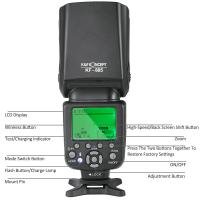
how to fix a camera flash 1

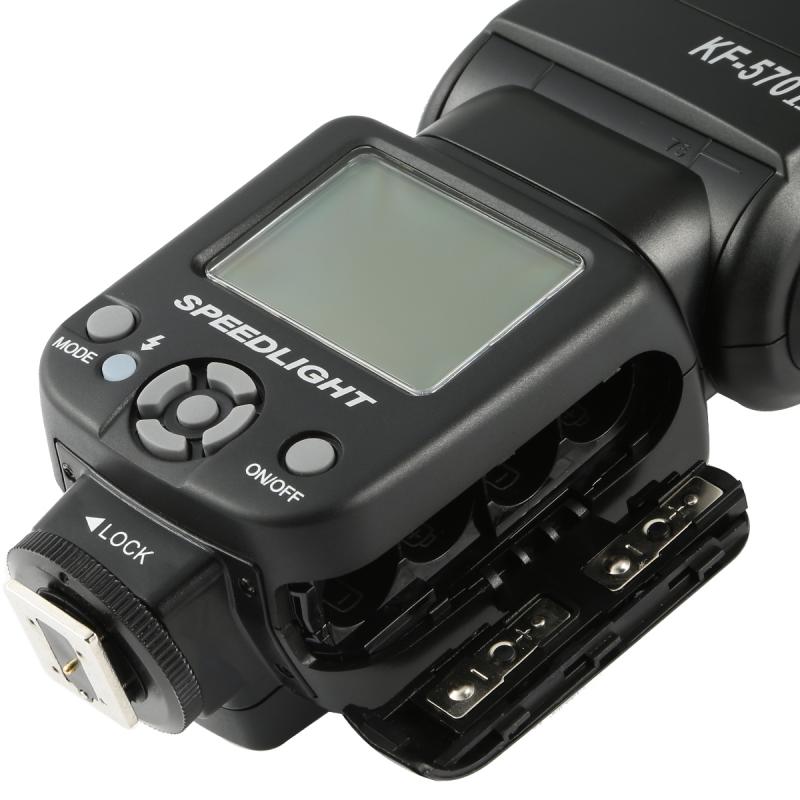
Before diving into the solutions, it is essential to understand the common problems that can occur with a camera flash. These issues can range from simple user errors to more complex technical malfunctions. Here are some of the most frequent problems:

1. Flash Not Firing: This is one of the most common issues where the flash does not go off when you take a picture.

2. Flash Overheating: Continuous use of the flash can cause it to overheat, leading to temporary malfunction.

3. Flash Sync Issues: The flash may not sync correctly with the camera's shutter, resulting in poorly lit photos.

4. Battery Problems: Low or dead batteries can prevent the flash from working correctly.

5. Dirty Contacts: Dust and grime on the flash contacts can interfere with the electrical connection.

6. Settings Misconfiguration: Incorrect camera settings can also cause the flash to malfunction.

Troubleshooting Steps
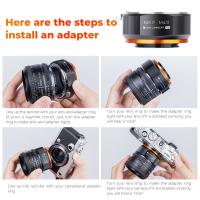
how to fix a camera flash 2

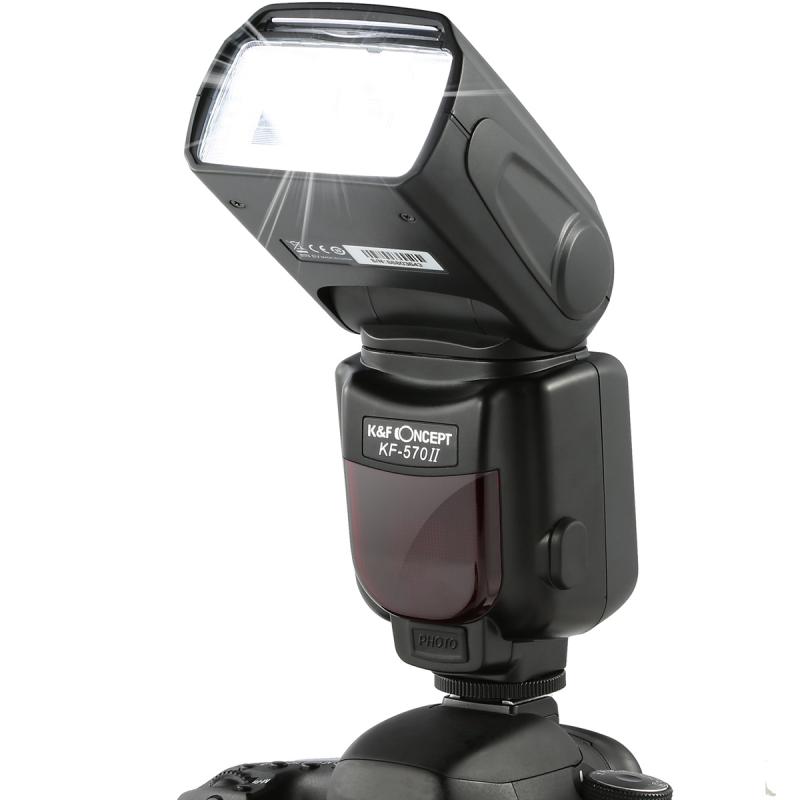
Now that we have identified the common issues, let's move on to the troubleshooting steps. These steps will help you diagnose the problem and determine the appropriate solution.

Step 1: Check the Batteries
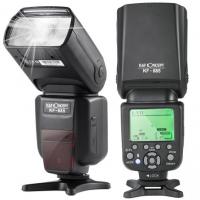
how to fix a camera flash 3

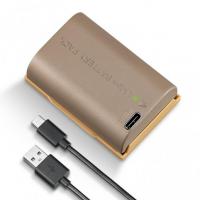
The first and simplest step is to check the batteries. Ensure that the batteries are fully charged and properly inserted. If you are using rechargeable batteries, make sure they are not worn out. Sometimes, simply replacing the batteries can resolve the issue.

Step 2: Inspect the Flash Unit
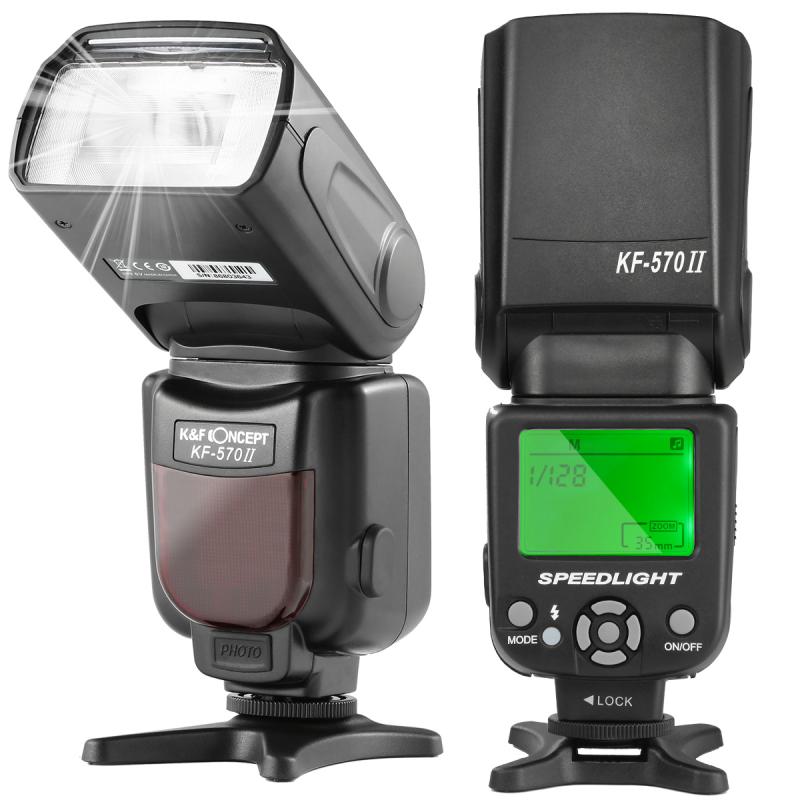
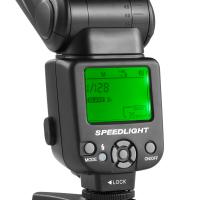
how to fix a camera flash 4

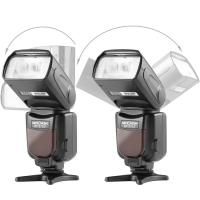
Examine the flash unit for any visible signs of damage. Look for cracks, loose parts, or any other physical damage that could be affecting its performance. If you find any damage, it may be best to consult a professional for repair or replacement.

Step 3: Clean the Contacts

Dirty contacts can prevent the flash from working correctly. Use a soft cloth or a cotton swab dipped in rubbing alcohol to clean the contacts on both the flash and the camera. Make sure to let the contacts dry completely before reattaching the flash.

Step 4: Check the Flash Settings

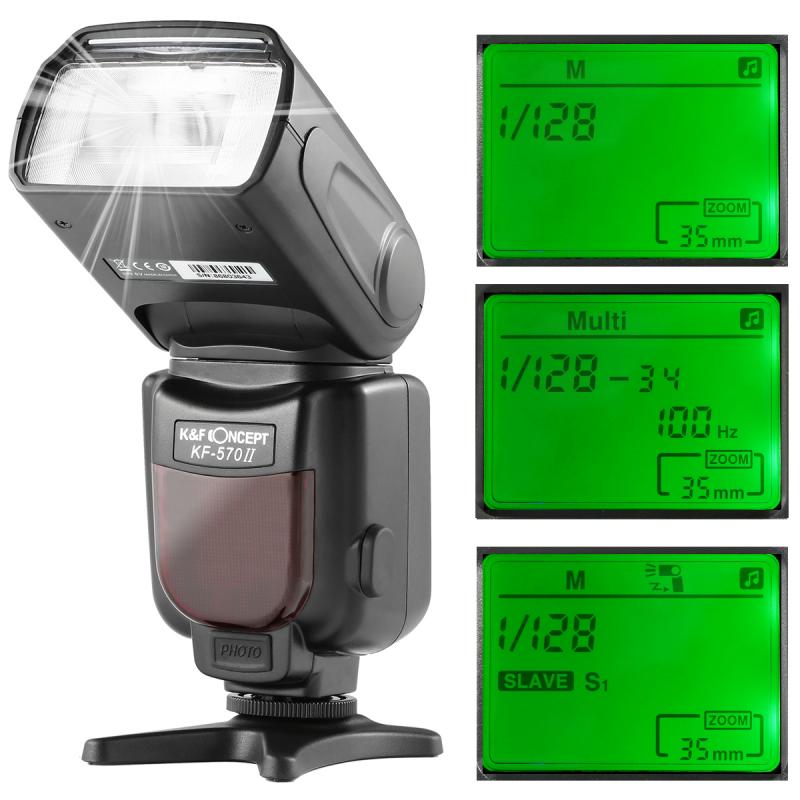
Ensure that the flash settings on your camera are correctly configured. Refer to your camera's manual to verify the settings. Common settings to check include the flash mode (e.g., auto, manual, off) and the flash compensation.

Step 5: Test the Flash Sync

If the flash is not syncing correctly with the camera's shutter, try testing it with different shutter speeds. Some cameras have a maximum sync speed, and using a faster shutter speed can cause sync issues. Refer to your camera's manual for the correct sync speed.

Step 6: Allow the Flash to Cool Down

If you have been using the flash continuously, it may have overheated. Turn off the flash and let it cool down for a few minutes before trying again. Some flashes have built-in thermal protection that temporarily disables the flash when it overheats.

Practical Solutions

After troubleshooting, you may have identified the problem. Here are some practical solutions based on the common issues discussed earlier:

Solution 1: Replace the Batteries

If the batteries are low or dead, replace them with new ones. For rechargeable batteries, ensure they are fully charged. Consider using high-quality batteries to ensure optimal performance.

Solution 2: Repair or Replace the Flash Unit

If you find any physical damage to the flash unit, it may need to be repaired or replaced. Consult a professional technician or contact the manufacturer for assistance. In some cases, it may be more cost-effective to purchase a new flash unit.

Solution 3: Clean the Contacts Regularly

Make it a habit to clean the contacts on your flash and camera regularly. This will help maintain a good electrical connection and prevent issues caused by dirt and grime.

Solution 4: Adjust the Flash Settings

Ensure that your camera's flash settings are correctly configured. If you are unsure about the settings, refer to the camera's manual or seek assistance from a knowledgeable friend or professional.

Solution 5: Use the Correct Sync Speed

Always use the correct sync speed for your camera. If you are experiencing sync issues, try using a slower shutter speed. Refer to your camera's manual for the maximum sync speed and adjust accordingly.

Solution 6: Avoid Overheating

To prevent overheating, avoid using the flash continuously for extended periods. Allow the flash to cool down between shots, especially if you are taking a large number of photos in a short time.

Preventive Measures

Taking preventive measures can help you avoid future flash issues. Here are some tips to keep your camera flash in good working condition:

1. Regular Maintenance: Clean the contacts and inspect the flash unit regularly to ensure it is in good condition.

2. Proper Storage: Store your camera and flash in a cool, dry place to prevent damage from moisture and extreme temperatures.

3. Use Quality Batteries: Invest in high-quality batteries to ensure reliable performance.

4. Follow Manufacturer Guidelines: Always follow the manufacturer's guidelines for using and maintaining your camera and flash.

Fixing a camera flash can be a straightforward process if you understand the common issues and follow the appropriate troubleshooting steps. By checking the batteries, inspecting the flash unit, cleaning the contacts, adjusting the settings, and allowing the flash to cool down, you can resolve most flash problems. Additionally, taking preventive measures can help you avoid future issues and ensure that your camera flash remains in good working condition.

Remember, if you encounter a problem that you cannot fix on your own, it is always best to consult a professional technician or contact the manufacturer for assistance. With the right knowledge and approach, you can keep your camera flash functioning properly and continue capturing beautiful photos.

Leave your comment
Cancel reply
Note: HTML is not translated!
Related products
Minolta A / Sony A Lenses to Leica M Lens Mount Adapter K&F Concept M47151 Lens Adapter
31
$75.99 $39.99
Minolta A / Sony A Lenses to Pentax Q Lens Mount Adapter K&F Concept M22161 Lens Adapter
$45.99 $23.99
Sony Alpha Minolta AF A-Type Lens to NEX E-Mount Mirrorless Camera with Matting Varnish Design
146
$64.99 $35.99
Minolta A / Sony A Lenses to Pentax Q Lens Mount Adapter with Tripod Mount K&F Concept M22162 Lens Adapter
$55.99 $28.99
K&F Concept Ring Flash Light KF-150C E-TTL Macro Flash Ring with 52 55 58 62 67 77mm Adapter for Canon DSLR Camera EOS 1300D 750D 200D 5D Mark 2 IV 80D 650D 600D 70D Macro Flash Ring,Ring Flash Canon
71
$119.99 $115.99
【$49.99 Flash Deal One order per customer】Camera Lens Backpack Beschoi Waterproof 26L for 15" Laptop with Tripod Strap and Rain Cover for DSLR/SLR Camera (Only Ship to US)
146
$69.99
Lens Mount Adapter Compatible with Sony Alpha Minolta AF A-Type Lens to NEX E-Mount Mirrorless Camera Body
155
$53.99 $27.99
Lens Mount Adapter for Pentax K/M/A/FA/DA Mount Lens to Sony NEX E-Mount Camera Body
146
$60.99 $34.99
MAF-L Manual Focus Compatible with Sony A (Minolta AF) Lens to L Mount Camera Body Lens Mount Adapter
80
$62.99 $34.99
Sony A Lenses to M43 MFT Lens Mount Adapter K&F Concept M22121 Lens Adapter
112
$53.99 $29.99
Products You May Like
Camera Backpack Camera Bags for Photographers Dslr Cameras Compatible for Canon Nikon Sony DJI Mavic Drone, 20L Large Capacity Bag Cover 15.6 Inch Laptop Camera Cases with Raincover - Backpack 20L Urban Wander 01 (Grey)
114
$140.99 $86.99
Pir Sensitivity Trail Camera
10
$162.99 $106.99
SanDisk Ultra 128GB SDXC UHS-I Card, C10 Up to 80MB/s SDSDUNC-0128G-ZN6IN
223
$34.99
72mm Kaleidoscope Filter Special Effects Filter with 3pcs Vacuum Cleaning Cloths Nano B Series
49
$37.99 $26.99
AI G AF-S Mount Lens to Fuji FX FIT Pro XT4 X-M1 X-A1 X-E1 Adapter K&F Concept Camera Lens Adapter Ring
128
$53.99 $29.99
67mm ND8 (3 Stop) Neutral Density Filter + CPL Circular Polarising Filter 2 in 1 for Camera Lens, Ultra Clear Super Slim Waterproof
25
$59.99 $35.99
DJI Drone Mini 3 Pro & Mini 3 Filter Set (CPL + ND8 + ND16 ) with Single-sided Anti-reflection Green Film and a Set of Paddles
121
$41.99 $26.99
Square Blue Streak Filter 4'' x 5.65'' Cinema Filter Compatible with Tilta Compatible with SmallRig and Other Matte Box, 4mm Slim/HD Optical Glass/Multi Layer Coating
64
$124.99 $99.99
Industrial Endoscope 360° Free Steering 0.24 Inch Ultra-fine Diameter with 6 Led Lights for Car Inspection Pilot Home Sewer Inspection 2 Meters
190
$551.99 $325.99
58mm Variable ND Filter ND32-512 (5-9 Stops) Neutral Density Lens Filter with 28 Multi-Layer Coatings Hydrophobic/Scratch Resistant Nano-Xcel
53
$56.99 $39.94
Related articles
How To Fix A Scratched Camera Lens?
How To Fix The Straps On A Camera?
How To Fix Camera Battery?
How To Make A Camera Flash?
How To Draw A Camera Flash?
Camera Lens Stuck How To Fix?
How To Operate A Camera Mounted Flash?
How To Fix A Selfie Stick Phone Holder?
When To Use A Camera Flash?
How To Make Sound In Screen Recording?
Blog You May Like
Best Magnetic Adapter Rings for Camera Filters
How To Find Cameras With Phone?
How To Unlock Memory Card On Nikon Camera?
How To Take Good Selfie Stick Photos?
How To Make Your Own Bluetooth Earphones?
What Do Indoor Security Cameras Look Like?
What Is Vr On A Camera Lens?
White Mist Filter: When and When Not To Use One
How To Change Video Camera On Laptop?
What Binoculars To Buy For Astronomy?
Related categories
detachable camera flash canon ring flash A Mount Lens Adapter C mount lens adapter Sony A Mount Lens Adapters ring flash nikon flash the camera minolta a mount lenses
Popular products
leica m sony e mount adapter sony minolta adapter black flash infrared trail camera black flash trail camera invisible flash trail camera no flash trail camera white flash trail camera sony a mount to minolta adapter ir trail camera no flash sony alpha a7r mirrorless digital camera
Related searches
Flash On A Digital Camera External Camera Flash Flip Flash Camera Camera Flash Filter Large Camera Flash Flash Photography Camera Speed Flash Camera Camera Flash Diffuser Small Camera Flash Camera Photo Flash
Popular searches
In Store Projector Screen Sony La Ea2 Adapter Filter For 14-150 Mm Lens Leica 16076 R Adapter L Pan And Tilt Tripod Head Tamron 28 75mm F 2.8 Len Filter Best Lightweight Camera Backpack Nikon As 10 Ttl Multi Flash Adapter 43mm Black Pro Mist Lens Adapter For Rb67
Blog Category
  • Activities
  • Guide
    • Filter Guide
    • Lens Adapter
    • Product Review
  • News & Reviews
    • Camera Reviews
    • Sample Gallery
    • News
  • Tutorials
    • Solar eclipse photography
    • Photography Basics
    • Landscape Photography
  • Inspiration
    • Travel
    • Travel Stories
Search Article
Latest from the Blog
What Tripod To Buy?
How Do Trail Cameras Work? The Ultimate Guide to Trail Cameras
How To Wear Monocular?
What Is The Difference Between Binoculars And Telescope?
What Is The Best Camera To Record Videos?
How Many Stops Is An Nd 8 Filter?
How Big A Memory Card For Camera?
What To Look For In A Dash Cam?
How To Stream Live From Surveillance Camera?
Can I Charge Camera Battery With Power Bank?
  • Easy Payment Multilple Payment Options

  • Free Shipping Global WareHouse Shipment

  • No Risk 30-Day No Reason Return

  • Limited Deals Buy More, Save More

  • Tax Free No any surcharges or tax fee

Information
  • About us
  • Contact Us
  • Site Map
  • Blog
  • Video
  • Gallery
  • VIP Membership Rewards
Service
  • Privacy Policy
  • Terms & Conditions
  • Shipping & Delivery
  • Payment Info
  • Warranty, Return & Refund
  • Intellectual Property Rights
  • Ambassador
  • Affiliates
  • Wholesale
Support
  • My account
  • Order History
  • FAQs
  • Extend Warranty
  • Logistics Tracking
Follow us
NewsLetter

Get the latest product, K&F Concept respects your privacy.
Powered By KENTFAITH © 2025