kfconcept

KENTFAITH
K&F Concept    Blog >

Enjoy Your Selected Digital Life

Recently Viewed
  • Recently Viewed
  • Recently Viewed list is empty.

Compare (0) 0
  • Compare
  • You have not chosen any products to compare.

  • Compare
Currency: USD
  • Currency
Shop by Scene Shop by Rank

Log Into Your Account

Account

Order History

Wish List

Login

Forgotten Password?

Or connect with

Register Account

Already have an Account?Log In

  • Shopping Cart
  • Your shopping cart is empty!

  • Register/Login to purchase, earn points
  • Favorite
  • Your wish list is empty.

  • Register/Login to like, earn points
  • Activities
  • Guide
    • Filter Guide
    • Lens Adapter
    • Product Review
  • News & Reviews
    • Camera Reviews
    • Sample Gallery
    • News
  • Tutorials
    • Solar eclipse photography
    • Photography Basics
    • Landscape Photography
  • Inspiration
    • Travel
    • Travel Stories
  • Home
  • Blog
  • How To Enable Camera And Microphone On Instagram ?

How To Enable Camera And Microphone On Instagram ?

Kentfaith 2023-06-21 10:14:30 0 Comments

To enable camera and microphone on Instagram, you need to follow these steps:

1. Open the Instagram app on your mobile device.

2. Tap on your profile icon located at the bottom right corner of the screen.

3. Tap on the three horizontal lines located at the top right corner of the screen.

4. Scroll down and tap on Settings.

5. Tap on Privacy.

6. Tap on Camera or Microphone.

7. Toggle on the switch next to Instagram to allow the app to access your camera or microphone.

Once you have enabled camera and microphone access, you can use Instagram's camera and video features to take photos and record videos, as well as use the app's video chat feature to make video calls with your friends and followers.

1、 Accessing Instagram's App Permissions

How to enable camera and microphone on Instagram:

To enable camera and microphone on Instagram, you need to grant the app permission to access them. Here's how to do it:

1. Open the Instagram app on your device.

2. Go to your profile by tapping on the profile icon in the bottom right corner.

3. Tap on the three horizontal lines in the top right corner to open the menu.

4. Scroll down and tap on Settings.

5. Tap on Privacy.

6. Tap on Camera or Microphone.

7. Toggle the switch to the right to enable access.

It's important to note that if you have denied access to the camera or microphone in the past, you will need to go to your device's settings and enable access for Instagram.

Accessing Instagram's App Permissions:

Instagram, like many other apps, requires certain permissions to function properly. These permissions include access to your camera, microphone, location, and contacts. While these permissions are necessary for the app to work, it's important to be aware of what information you are sharing and who has access to it.

In recent years, there has been growing concern over the privacy and security of personal data on social media platforms. Instagram has taken steps to address these concerns by implementing new features such as two-factor authentication and allowing users to control their data.

It's important to regularly review the app permissions for all of the apps on your device and only grant access to the information that is necessary for the app to function. By doing so, you can help protect your personal data and ensure that your privacy is maintained.


2、 Enabling Camera and Microphone Access on iOS

Enabling Camera and Microphone Access on iOS is a crucial step to take if you want to use Instagram's camera and video features. Here's how to do it:

1. Open the Settings app on your iOS device.

2. Scroll down and tap on Instagram.

3. Tap on Camera and then select "Allow."

4. Tap on Microphone and then select "Allow."

Once you've enabled camera and microphone access, you'll be able to use Instagram's camera and video features without any issues. However, it's important to note that Instagram has recently updated its privacy policy, which may affect how your data is collected and used.

Instagram now requires users to accept its updated terms of service and privacy policy in order to continue using the app. This includes allowing Instagram to collect data on your activity, including your camera and microphone usage.

If you're concerned about your privacy, you may want to review Instagram's updated policies and consider adjusting your settings accordingly. For example, you can limit the amount of data Instagram collects by adjusting your app permissions or using a third-party privacy tool.

Overall, enabling camera and microphone access on Instagram is a simple process that can enhance your experience on the app. However, it's important to stay informed about changes to Instagram's policies and take steps to protect your privacy online.


3、 Enabling Camera and Microphone Access on Android

Enabling Camera and Microphone Access on Instagram is essential if you want to use the app's features that require these functionalities. Here's how to do it on Android:

1. Open the Settings app on your Android device.

2. Scroll down and tap on "Apps & notifications."

3. Find and tap on "Instagram" from the list of apps.

4. Tap on "Permissions."

5. Toggle on the "Camera" and "Microphone" permissions.

Once you've enabled these permissions, you should be able to use Instagram's camera and microphone features without any issues.

It's worth noting that some Android devices may have slightly different settings menus, so the exact steps may vary slightly. Additionally, it's always a good idea to keep your device's operating system and apps up to date to ensure that you have the latest security features and bug fixes.

In recent years, there has been growing concern about the privacy implications of apps accessing users' cameras and microphones. As a result, many operating systems and apps now provide more granular control over these permissions, allowing users to choose which apps can access their cameras and microphones and when. It's important to be aware of these settings and to only grant permissions to apps that you trust and use regularly.


4、 Troubleshooting Camera and Microphone Issues on Instagram

How to enable camera and microphone on Instagram:

To enable camera and microphone on Instagram, follow these steps:

1. Open the Instagram app on your device.

2. Tap on your profile picture in the bottom right corner of the screen.

3. Tap on the three horizontal lines in the top right corner of the screen.

4. Scroll down and tap on Settings.

5. Tap on Privacy.

6. Tap on Camera or Microphone.

7. Make sure that Instagram has permission to access your camera and microphone.

If you are still experiencing issues with your camera or microphone on Instagram, try the following troubleshooting steps:

1. Restart your device and try again.

2. Update the Instagram app to the latest version.

3. Clear the cache and data of the Instagram app.

4. Uninstall and reinstall the Instagram app.

5. Check if your device's camera and microphone are working properly by testing them with other apps.

It is important to note that some users may experience camera and microphone issues on Instagram due to software or hardware limitations on their device. In such cases, it may be necessary to upgrade to a newer device or contact the manufacturer for support. Additionally, some users may experience issues with Instagram's camera and microphone features due to bugs or glitches in the app. In such cases, it is recommended to report the issue to Instagram's support team and wait for a fix to be released.

Leave your comment
Cancel reply
Note: HTML is not translated!
Related products
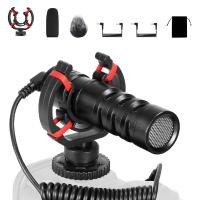
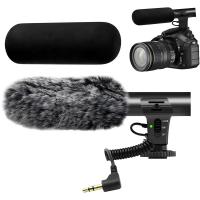
Camera Video Microphone Kit for YouTube, Vlog Windscreen 3.5mm for Phone and Camera
45
$34.99 $19.99
Wireless Lavalier Microphone System with 4 Transmitters and 1 Receiver
$434.99 $304.99
K3 One Drag Two Wireless Lavalier Microphone for iPhone 14 pro, 2.4G Noise Reduction, Plug and Play Wireless Lavalier Microphone for YouTube TikTok
33
$37.19 $31.99
67mm Clip-on CPL Phone Camera Lens Filter Kit Applicable to All Mobile Phone Models
24
$18.99
67mm Clip-on ND2-32 Phone Camera Lens Filter Kit Applicable to All Mobile Phone Models
24
$37.99
67mm Clip-on Black Mist 1/4 Phone Camera Lens Filter Kit Applicable to All Mobile Phone Models
24
$29.99
52mm Clip-on CPL Phone Camera Lens Filter Kit, Circular Polarizer Polarizing Filter Applicable to All Mobile Phone Models
24
$16.99
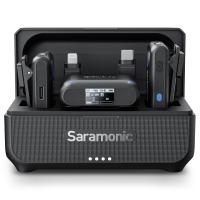
Saramonic Wireless Lavalier Microphone for Smartphone Camera 492ft Range 20h Battery Life
11
$224.99 $157.99
DJI Mic 2, Wireless Lavalier Microphone, Noise Cancelling, 48kHz 32-bit Float Internal Recording, 820 ft.(250m) Range, 18H Battery with Charging Case, Microphone for Camera/Phone, Vlog, Streaming
$704.99 $493.99
67mm Clip-on CPL&Black Mist 1/4 2-in-1 Phone Camera Lens Filter Kit Applicable to All Mobile Phone Models
24
$29.99
Products You May Like
46mm MCUV Protection Filter with 28 Multi-Layer Coatings HD/Hydrophobic/Scratch Resistant/Ultra-Slim UV Filter for 46mm Camera Lens Nano-X Series
$34.99 $24.95
67mm Clip-on ND2-32 Phone Camera Lens Filter Kit Applicable to All Mobile Phone Models
24
$37.99
37mm ND2-ND400 (9 Stops) Variable ND Filter Neutral Density Adjustable Filter for Canon Nikon DSLR Cameras + Lens Cleaning Cloth
86
$32.99 $25.99
49mm Snap-On Center Pinch Lens Cap 4 in 1 with Anti-Loss Keeper Leash Compatible with Nikon, Canon, Sony, Fujifilm Camera Lenses
$11.99 $5.99
43mm ND2-ND400 (9 Stops) Variable ND Filter Neutral Density Filter for Camera Lens Ultra-Slim, Multi Coated Nano-Klear
62
$25.99 $21.99
DJI Osmo Action 3 ND8&PL Filters with Single-sided Anti-reflection Green Film
21
$29.99 $17.99
67mm ND2-ND2000 Filter (1-11 Stops) with 3 Vacuum Cleaning Cloths Nano-Klear Series
56
$42.99 $33.99
40.5mm ND2-ND400 (9 Stops) Variable ND Filter Neutral Density Filter for Camera Lens Ultra-Slim, Multi Coated Nano-Klear
64
$24.99 $21.99
62mm ND4-ND64 (2-6 Stop) Variable ND Filter and CPL Circular Polarizing Filter 2 in 1 with 28 Layers of Anti-reflection Green Film, Two Orange Levers, Imported White Cloth Nano-X Series
$104.99 $76.99
Nikon DK-21 Camera Viewfinder Eyecup*2+Hot Shoe Level*2+Vacuum Cleaning Cloth*1 for Nikon D7000, D750, D610, D600, D300, D200, D100, D90, D80, D70, D70s
$15.99 $7.99
Related articles
How To Turn On Microphone And Camera On Hp Laptop ?
How To Turn On Camera And Microphone On Dell Laptop ?
How To Allow Access To Camera And Microphone On Android ?
No Sound When Recording On Instagram?
How To Allow Camera And Microphone In Fb Messendger ?
How To Enable Dell Monitor Speakers ?
How Does Lavalier Microphone And Recorder Work?
How To Use Microphone On Mac?
How To Clean Microphone On Iphone?
What Is A Webcam Business?
Blog You May Like
Where Do You Put Dash Cam?
Where To Buy Digital Cameras?
Android Phone How To Play Camera Videos?
What Does Tripod?
What Does Tripod?
How Take Pictures Nd Filter?
How To Stream Live From Surveillance Camera?
Which Bluetooth Earphone Is Best For Calling?
What Is The Purpose Of A Camera Filter?
What Smart Watches Will Work With Iphone?
How To Make Sound Recorder Record Computer?
Related categories
On-Dash Camera streaming video camera camera and lens cleaning kit C mount lens adapter lens adapters m4/3 adapter
Popular products
high quality condenser microphone wireless microphone transmitter receiver microphone with foam cover Polarize Filter For Mobile Phone mic bluetooth wireless microphone microphone kit for iphone iphone wireless microphone for video clip on phone camera lens 4 in 1 microphone travel tripod for iphone
Related searches
On Camera Wireless Microphone Best Camera And Microphone Bluetooth Camera And Microphone Pc Camera And Microphone Wireless Camera And Microphone Streaming Camera And Microphone Microphone To Camera Tripod And Microphone Webcam And Microphone Microphone And Headphones
Popular searches
Pk Eos Adapter Lens Stuck On Body Rokinson 16mm F2.0 Nikon Mount Panasonic Lumix G7 Lens Adapter Nikon D5200 To N50 Lens Adapter Phone Telescope For Stargazing K&f Vnd Cpl Security Cameras Compatible With Alexa Standard Sd Memory Card Sony Zv-1 Lens Mount Night Vision Cameras For Wildlife
Blog Category
  • Activities
  • Guide
    • Filter Guide
    • Lens Adapter
    • Product Review
  • News & Reviews
    • Camera Reviews
    • Sample Gallery
    • News
  • Tutorials
    • Solar eclipse photography
    • Photography Basics
    • Landscape Photography
  • Inspiration
    • Travel
    • Travel Stories
Search Article
Latest from the Blog
Where Can I Buy Samsung Camera Battery?
How To Place Cameras Around Your House?
ND Filter: The Complete Guide to Neutral Density Filters for Photography and Video
How To Wear Monocular?
Dash Cam That Can Connect To Phone?
Black Friday 2025 Special at Kentfaith
How Do Cellular Trail Cameras Work? – The Complete Guide for Hunters and Wildlife Enthusiasts
What Is A Good Quality Dash Cam?
How Much Does It Cost For Security Cameras?
How To Fix The Straps On A Camera?
  • Easy Payment Multilple Payment Options

  • Free Shipping Global WareHouse Shipment

  • No Risk 30-Day No Reason Return

  • Limited Deals Buy More, Save More

  • Tax Free No any surcharges or tax fee

Information
  • About us
  • Contact Us
  • Site Map
  • Blog
  • Video
  • Gallery
  • VIP Membership Rewards
Service
  • Privacy Policy
  • Terms & Conditions
  • Shipping & Delivery
  • Payment Info
  • Warranty, Return & Refund
  • Intellectual Property Rights
  • Ambassador
  • Affiliates
  • Wholesale
Support
  • My account
  • Order History
  • FAQs
  • Extend Warranty
  • Logistics Tracking
Follow us
NewsLetter

Get the latest product, K&F Concept respects your privacy.

Powered By KENTFAITH © 2025