kfconcept

KENTFAITH
K&F Concept    Blog >

Enjoy Your Selected Digital Life

Recently Viewed
  • Recently Viewed
  • Recently Viewed list is empty.

Compare (0) 0
  • Compare
  • You have not chosen any products to compare.

  • Compare
Currency: USD
  • Currency
Shop by Scene Shop by Rank

Log Into Your Account

Account

Order History

Wish List

Login

Forgotten Password?

Or connect with

Register Account

Already have an Account?Log In

  • Shopping Cart
  • Your shopping cart is empty!

  • Register/Login to purchase, earn points
  • Favorite
  • Your wish list is empty.

  • Register/Login to like, earn points
  • Activities
  • Guide
    • Filter Guide
    • Lens Adapter
    • Product Review
  • News & Reviews
    • Camera Reviews
    • Sample Gallery
    • News
  • Tutorials
    • Solar eclipse photography
    • Photography Basics
    • Landscape Photography
  • Inspiration
    • Travel
    • Travel Stories
  • Home
  • Blog
  • How To Check Wifi Signal For Cctv Camera?

How To Check Wifi Signal For Cctv Camera?

Kentfaith 2025-08-20 02:03:35 0 Comments

When setting up a CCTV camera, ensuring a strong and stable Wi-Fi signal is crucial for optimal performance. Weak Wi-Fi signals can lead to lagging video feeds, interrupted recordings, or even complete disconnection from the network. If you're experiencing issues with your CCTV camera or are in the process of installing one, checking the Wi-Fi signal strength is a critical step. In this article, we’ll explore practical methods to check the Wi-Fi signal for your CCTV camera, troubleshoot weak signals, and optimize your network for seamless surveillance.

Why Wi-Fi Signal Strength Matters for CCTV Cameras

how to check wifi signal for cctv camera 1

CCTV cameras, especially wireless ones, rely on a stable Wi-Fi connection to transmit video footage to your storage device or cloud service. A weak signal can result in:

- Pixelated or choppy video streams: Poor signal strength can cause video quality to degrade.

- Delayed notifications: If your camera is set to send alerts for motion detection, a weak connection may delay these notifications.

- Data loss: Inconsistent connectivity can lead to gaps in recorded footage.

- Inability to access live feeds: A weak signal may prevent you from viewing real-time footage remotely.

To avoid these issues, it’s essential to assess the Wi-Fi signal strength at the camera’s location and take corrective measures if needed.

---

Methods to Check Wi-Fi Signal Strength for CCTV Cameras
how to check wifi signal for cctv camera 2

1. Use the Camera’s Built-in Signal Indicator
how to check wifi signal for cctv camera 3

Many modern CCTV cameras come with a built-in Wi-Fi signal strength indicator in their companion apps or web interfaces. Here’s how you can check:

- Open the camera’s app or log in to its web interface.

- Navigate to the settings or network section.

- Look for a signal strength indicator, often displayed as a percentage or with bars (similar to a smartphone’s Wi-Fi icon).

If the signal strength is below 50%, it’s a sign that the camera may struggle to maintain a stable connection.

2. Use a Wi-Fi Analyzer App

how to check wifi signal for cctv camera 4

Wi-Fi analyzer apps are powerful tools for assessing signal strength and identifying potential issues. Popular apps include NetSpot, WiFi Analyzer (for Android), and AirPort Utility (for iOS). Here’s how to use one:

- Download and install a Wi-Fi analyzer app on your smartphone or laptop.

- Stand near the CCTV camera’s location.

- Check the signal strength, usually measured in decibels relative to one milliwatt (dBm). A signal strength of -30 dBm is excellent, while anything below -70 dBm is considered weak.

These apps can also help you identify interference from other devices or overlapping Wi-Fi channels.

3. Test with a Smartphone or Laptop

If you don’t have access to a Wi-Fi analyzer app, you can use your smartphone or laptop to gauge signal strength:

- Connect your device to the same Wi-Fi network as the CCTV camera.

- Stand near the camera’s location and check the Wi-Fi signal bars on your device.

- For a more precise measurement, go to your device’s Wi-Fi settings and look for the signal strength in dBm.

While this method isn’t as accurate as using a dedicated app, it can give you a general idea of the signal quality.

4. Monitor Camera Performance

Sometimes, the best way to assess Wi-Fi signal strength is to observe the camera’s performance:

- Check for delays or interruptions in the live feed.

- Look for gaps in recorded footage.

- Test the responsiveness of motion detection alerts.

If you notice consistent issues, it’s likely due to weak Wi-Fi at the camera’s location.

---

Troubleshooting Weak Wi-Fi Signals

If you find that the Wi-Fi signal at your CCTV camera’s location is weak, there are several steps you can take to improve it:

1. Reposition the Router

The placement of your Wi-Fi router plays a significant role in signal strength. To improve coverage:

- Place the router in a central location, away from walls and obstructions.

- Elevate the router to a higher position, such as on a shelf or wall mount.

- Ensure the router’s antennas (if any) are positioned correctly.

2. Move the Camera

If possible, try relocating the CCTV camera to a spot with better Wi-Fi coverage. Even a small change in position can make a significant difference in signal strength.

3. Use a Wi-Fi Extender or Mesh System

Wi-Fi extenders and mesh systems are excellent solutions for extending your network’s coverage:

- Wi-Fi extenders amplify the existing signal, making it stronger in areas with weak coverage.

- Mesh systems create a network of interconnected nodes, providing seamless coverage throughout your home or property.

Place the extender or mesh node between the router and the camera for optimal results.

4. Upgrade Your Router

If your router is outdated, it may struggle to provide adequate coverage for modern devices. Consider upgrading to a router that supports the latest Wi-Fi standards (e.g., Wi-Fi 6) and offers better range and speed.

5. Reduce Interference

Wi-Fi signals can be disrupted by other electronic devices, walls, and even neighboring networks. To minimize interference:

- Keep the router away from devices like microwaves, cordless phones, and baby monitors.

- Use a Wi-Fi analyzer app to identify and switch to a less congested channel.

6. Use a Wired Connection

If Wi-Fi issues persist, consider using a wired Ethernet connection for your CCTV camera. Many cameras support Power over Ethernet (PoE), which allows you to transmit both power and data through a single cable.

---

Optimizing Wi-Fi for CCTV Cameras

Once you’ve addressed any signal issues, take these additional steps to optimize your Wi-Fi network for CCTV cameras:

1. Prioritize the Camera on Your Network

Many modern routers allow you to prioritize specific devices for bandwidth allocation. Use this feature to ensure your CCTV camera gets the resources it needs for smooth operation.

2. Set Up a Dedicated Network

If you have multiple smart devices connected to your Wi-Fi, consider setting up a separate network for your CCTV cameras. This can reduce congestion and improve performance.

3. Enable Quality of Service (QoS)

Quality of Service (QoS) settings on your router allow you to prioritize certain types of traffic, such as video streaming. Enable QoS to ensure your CCTV camera’s video feed takes precedence over less critical activities.

4. Regularly Update Firmware

Keep your router and CCTV camera firmware up to date to benefit from the latest performance improvements and security patches.

---

Checking and optimizing Wi-Fi signal strength is a vital step in ensuring the reliable performance of your CCTV camera. By using tools like built-in signal indicators, Wi-Fi analyzer apps, or simply observing the camera’s performance, you can identify and address weak signals. Whether it’s repositioning your router, using a Wi-Fi extender, or upgrading your network equipment, there are plenty of solutions to improve connectivity.

A strong and stable Wi-Fi connection not only enhances the quality of your surveillance footage but also ensures that you can access live feeds and receive alerts without interruptions. By following the steps outlined in this article, you can create a robust network environment that supports your CCTV camera’s needs, giving you peace of mind and reliable security coverage.
Leave your comment
Cancel reply
Note: HTML is not translated!
Related products
Yagi UDA Antenna Booster for DJI Air 2S, 5.8 Ghz Remote Control Signal Range Extender for DJI mini 5/Mavic Air 8 /DJI Air 2S Accessories
$16.99
C-Mount CCTV/Cine Lens to M4/3 MFT Olympus Pen and Panasonic Lumix Mirrorless Camera Body Camera Mount Adapter
104
$36.99 $18.99
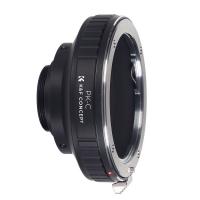
Pentax PK Lens to CCTV Industrial Monitoring Series C Mouth Thread Camera Body K&F Concept Mount Adapter
34
$53.99 $27.99
5K Digital Video Camera Camcorder WIFI IR Night Vision for Vlogging Youtube
95
$269.99 $189.99
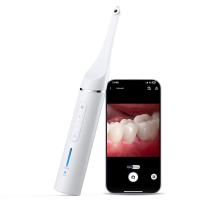
Dental Intraoral Camera WiFi 2MP Photo & Video 8 LEDs for Home Kentfaith
11
$99.99 $79.99
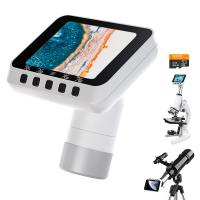
Microscope Eyepiece Camera 2.8" Screen WiFi Connection 1080P Photos Videos for Telescopes Kentfaith
12
$99.99 $79.99
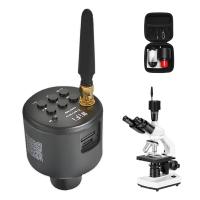
WiFi Electronic Eyepiece for Microscopes, 50 Meters WiFi Range, 2MP Microscope Imager, Capture 4K Photos Videos, Kentfaith
$112.49 $89.99
8K 88MP Digital Camera for Photography, WiFi Youtube Vlogging Camera with Autofocus & Dual Lens for Selfie, 3.2in Touchscreen Kentfaith
HOT Seller
8K 88MP Digital Camera for Photography, WiFi Youtube Vlogging Camera with Autofocus & Dual Lens for Selfie, 3.2in Touchscreen Kentfaith
90
$299.99 $229.99
75MP 4K Digital Camera for Photography, 12X Optical Zoom, 180° Flip Screen, WiFi Vlogging Camera for Video, YouTube, Kentfaith
15
$269.99 $229.99
Digital Camera for Teens, 4K Videos 48MP Photos, Auto Focus, WiFi Transfer, 32GB Card, Kentfaith
16
$96.24 $76.99
Products You May Like
82mm Magnetic UV Filter Ultra Slim with Multi Coated Ultraviolet Protection Lens Filter with Cleaning Cloth Nano-K Series
68
$24.99 $19.99
NP-FZ100 Battery with 2600mAh Capacity and Type-C Fast Charging for Sony A7iii, A7iv, A7C, ZV-E1, FX3, FX30, A9, A6600, A6700, Alpha 9, Alpha 9S, A9S, A7R III, A7R IV, A7R V
82
$34.99
Black Bear Trail Camera
9
$135.99 $74.99
55mm Shimmer Diffusion 1 Filter Optical Glass Glimmer Effect Filter for Camera Lens Nano-X Series
$56.99 $34.99
52mm Blue Streak Filter (2mm) Optical Glass Ultra-clear Waterproof Anti-Scratch Anti-Reflection Green Film Nano-Xcel Series
23
$41.99 $32.99
Kentfaith Industrial Endoscope Cleaning Hook Magnet Side View Mirror Set,Including lens set cleaning cloth alcohol cotton pad, suitable for 8.5mm AGC-430N model
82
$13.99
Leica R Lenses to Fuji X Lens Mount Adapter K&F Concept M21111 Lens Adapter
2
$53.99 $27.99
64"/1.6m Camera Tripod Lightweight Vlog Travel Tripod Compact Flexible & Portable 17.6lbs/8kg Load with Portable, for DSLR Cameras O234A1+BH-36 and 6" Magic Arm with Super Clamp
154
$69.99
67mm UV Filter Ultra Low Reflection Tempered Glass Protection Lens Filter, Slim Lens HD Optical Glass Scratch-resistant, Ultraviolet Filters for DSLR Cameras Nano-X Series
NEW Arrival
67mm UV Filter Ultra Low Reflection Tempered Glass Protection Lens Filter, Slim Lens HD Optical Glass Scratch-resistant, Ultraviolet Filters for DSLR Cameras Nano-X Series
19
$89.99 $66.99
95mm Snap-On Center Pinch Lens Cap 9 in 1 with Anti-Loss Keeper Leash Compatible with Nikon, Canon, Sony, Fujifilm Camera Lenses
$15.99
Related articles
How To Detect A Wireless Camera Signal?
How To Check For Cameras In House?
How To Repair Cctv Camera No Video?
How To Check Your House For Hidden Cameras?
Which Cctv Camera Record Voice?
How To Connect Wireless Cctv Cameras?
How To Search Wifi For Hidden Camera?
How To Check Filter Size Camera Lense?
How To Check If Camera Battery Is Bad?
K&F CONCEPT ND1000 FILTER - Capture Flowing Beauty
Blog You May Like
Can A Camera Flash Damage Your Eyes?
Baby Camera Monitor How Long Battery?
What Backpacks To Use For Cameras?
How Much Are Night Vision Goggles?
How To Find Cameras With Phone?
Can You Take A Tripod In Carry On?
Can I Micro Adjust Sony E Mount Lens?
Which Smart Watch Have Blood Pressure Monitor?
How To Backup A Micro Sd Card?
How Do Selfie Sticks Work With Cameras?
Related categories
Outdoor Security Camera Wifi C mount lens adapter Wifi Trail Cameras Baby Movement Monitor FUJIFILM Camera Battery m4/3 adapter phone camera lens battery for camera Nikon
Popular products
Hidden Camera Detector c mount camera adapter camera to microscope adapter canon camera adapter for microscope wireless signal hidden camera detector ring light strobe Canon EF C Mount Adapter drone Signal Extender remote wildlife camera wifi wifi trail camera
Related searches
Wifi Cctv Camera For Outdoor Solar Cctv Camera Wifi Cctv Camera Wireless Without Wifi Battery Powered Wifi Cctv Camera Outdoor Cctv Camera Without Wifi Cctv Camera Without Wifi Connection Wifi Cctv Camera With Battery Outdoor Cctv Camera With Wifi Wireless Wifi Cctv Camera Outdoor Cctv Camera With Wifi Connection
Popular searches
Projector Screen For Outdoor Movies Helios 44 2 Canon Mount Nikon F Mount Dslr Nikon Mount Adaptor Ftz Refurbished Canon Eos Rebel Lens Mount Canon Fd To Fuji X Canon To Pentax Lens Adapter Best Continuous Lighting Kit For Video Dji Mini Pro 4 Filters Iphone Holder For Ring Light
Blog Category
  • Activities
  • Guide
    • Filter Guide
    • Lens Adapter
    • Product Review
  • News & Reviews
    • Camera Reviews
    • Sample Gallery
    • News
  • Tutorials
    • Solar eclipse photography
    • Photography Basics
    • Landscape Photography
  • Inspiration
    • Travel
    • Travel Stories
Search Article
Latest from the Blog
What Is The Best Wireless Outdoor Security Camera?
Can I Charge Camera Battery With Power Bank?
How Do Metal Detectors Work? A Complete Guide for Beginners and Pros
How Do Night Vision Goggles Work?
Which Bluetooth Earphones?
Can You Save Facebook Videos To Camera Roll?
How To Remove Memory Card From Nikon Camera?
What Is The Best Camera To Record Videos?
Camera Use Which Lens?
What Does Tripod?
  • Easy Payment Multilple Payment Options

  • Free Shipping Global WareHouse Shipment

  • No Risk 30-Day No Reason Return

  • Limited Deals Buy More, Save More

  • Tax Free No any surcharges or tax fee

Information
  • About us
  • Contact Us
  • Site Map
  • Blog
  • Video
  • Gallery
  • VIP Membership Rewards
Service
  • Privacy Policy
  • Terms & Conditions
  • Shipping & Delivery
  • Payment Info
  • Warranty, Return & Refund
  • Intellectual Property Rights
  • Ambassador
  • Affiliates
  • Wholesale
Support
  • My account
  • Order History
  • FAQs
  • Extend Warranty
  • Logistics Tracking
Follow us
NewsLetter

Get the latest product, K&F Concept respects your privacy.

Powered By KENTFAITH © 2026