kfconcept

KENTFAITH
K&F Concept    Blog >

Enjoy Your Selected Digital Life

Recently Viewed
  • Recently Viewed
  • Recently Viewed list is empty.

Compare (0) 0
  • Compare
  • You have not chosen any products to compare.

  • Compare
Currency: USD
  • Currency
Shop by Scene Shop by Rank

Log Into Your Account

Account

Order History

Wish List

Login

Forgotten Password?

or connect with

Register Account

Already have an Account?Log In

  • Shopping Cart
  • Your shopping cart is empty!

  • Register/Login to purchase, earn points
  • Favorite
  • Your wish list is empty.

  • Register/Login to like, earn points
  • Activities
  • Guide
    • Filter Guide
    • Lens Adapter
    • Product Review
  • News & Reviews
    • Camera Reviews
    • Sample Gallery
    • News
  • Tutorials
    • Solar eclipse photography
    • Photography Basics
    • Landscape Photography
  • Inspiration
    • Travel
    • Travel Stories
  • Home
  • Blog
  • How To Reset Earbuds Without Buttons?

How To Reset Earbuds Without Buttons?

Kentfaith 2026-08-04 01:24:39 0 Comments

Use the Charging Case to Trigger a Factory Reset

For buttonless earbuds, the charging case is usually the control hub. Many models include hidden sensors or magnetic contact triggers that initiate a reset sequence when the earbuds are placed inside correctly.

  1. Place both earbuds in the charging case.
  2. Close the lid and leave them inside for at least 10-15 seconds.
  3. Open the lid and keep the earbuds inside.
  4. Look for indicators such as flashing LEDs, a color change, or a repeated blink pattern-these often signal a reset.
  5. Remove the earbuds and try pairing again.

Closing the lid forces the earbuds into a hard power cycle, which clears temporary pairing data and often resets the internal sync between left and right earbuds.

Resetting Bluetooth earbuds that lack physical buttons can feel counter-intuitive, especially when you are used to holding down a power key or tapping a reset switch. Many ultra-compact, touch-only, or minimalist earbuds hide their reset functions behind case-based triggers or automatic firmware behaviors.

Because each model handles this differently, users often end up stuck with issues like constant disconnections, pairing failures, or one earbud not syncing with the other.

These earbuds rely heavily on the charging case, touch sensors, and timed sequences to manage power and pairing states.

After any reset method, wait at least 10 seconds before removing the earbuds from the case. This gives the internal firmware time to complete the reset cycle and re-initialize the inter-earbud TWS bond.
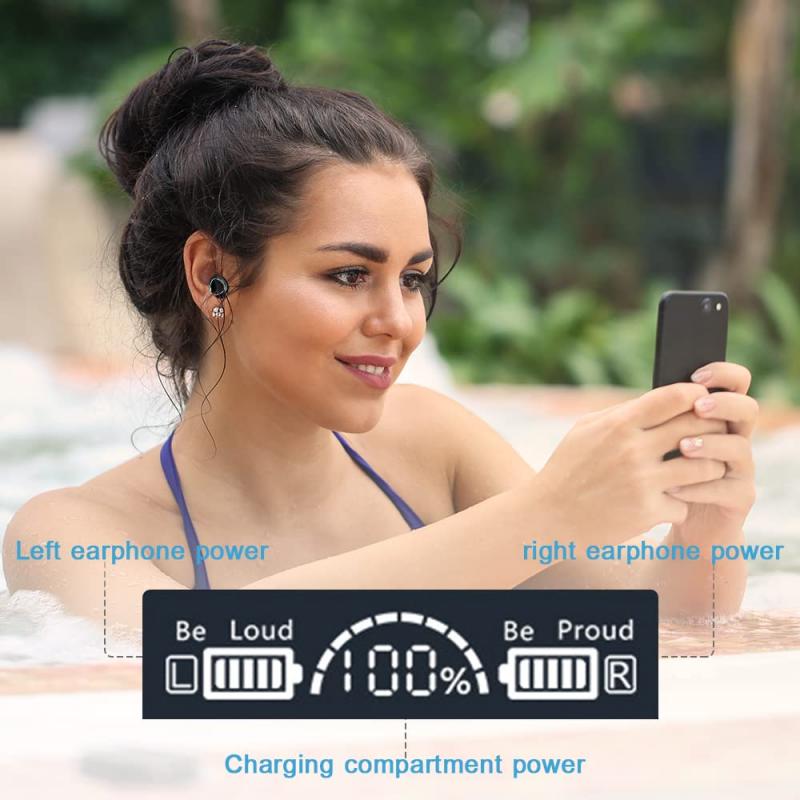
how to reset earbuds without buttons 1

Use Touch-Sensor Sequences

Even without buttons, many earbuds use capacitive touch controls to access hidden reset features.

Touch and hold both earbuds simultaneously for 8-15 seconds.
Touch controls can be sensitive.
Touch and hold one earbud until the LED turns off, then repeat on the other.
Make sure your fingers cover the touch area fully and avoid brushing motions.
Perform triple-tap or quadruple-tap sequences followed by a long hold.
Many modern earbuds offer companion apps that include a built-in "factory reset" option.

Some buttonless earbuds still include a button on the charging case-often tiny and recessed. This counts as a "no-earbud-button" reset.

  • Place earbuds inside and close the lid.
  • Hold the case button for 5-15 seconds until the LED indicator changes.
  • Release and reopen the lid to complete the reset.

Even though the earbuds have no buttons, the case may serve as the reset controller.

Many modern earbuds offer companion apps that include a built-in "factory reset" option. Even without physical buttons, the earbuds respond to software commands.

  1. Install the companion app (if available).
  2. Connect one or both earbuds (even if imperfectly).
  3. Navigate to device settings - reset factory reset.
  4. Confirm, then re-pair the earbuds.

Apps can trigger deep-level firmware commands-something touch sensors cannot always do.

how to reset earbuds without buttons 2

Reset Via Bluetooth Settings

Some earbuds automatically wipe their pairing memory when removed from all previously connected devices. This method works especially well when earbuds refuse to appear in scanning lists.

  1. On your phone or laptop, delete or "forget" the earbuds from Bluetooth settings.
  2. Turn Bluetooth off and then back on.
  3. Place earbuds back into their case for 30 seconds to force a memory refresh.
  4. Remove them and attempt pairing again.

Certain earbuds store pairing info only in volatile memory; removing the device from all host devices forces them to regenerate a fresh pairing identity.

Remove pairing info: go to your phone or device's Bluetooth settings and forget or remove your earbuds from the list of paired devices.

Turn off earbuds: make sure the earbuds are powered off. If they do not have a power button, place them in their charging case.

Re-pair: take the earbuds out of the case, put them in pairing mode, and reconnect them to your device.

  • Bluetooth reconnection: after a reset, remove old Bluetooth profiles from your device and initiate a fresh pairing to avoid connection conflicts.
  • Device restart: restart your smartphone, tablet, or computer to clear residual Bluetooth cache and improve pairing success.
  • Firmware update: open the brand's companion app and check for software updates to ensure compatibility and fix bugs.
  • Audio balance test: play audio and check if both earbuds produce sound equally. Adjust the balance in your device's sound settings if needed.
  • Try alternate devices: connect your earbuds to another device to determine whether the issue lies with the earbuds or your primary device.
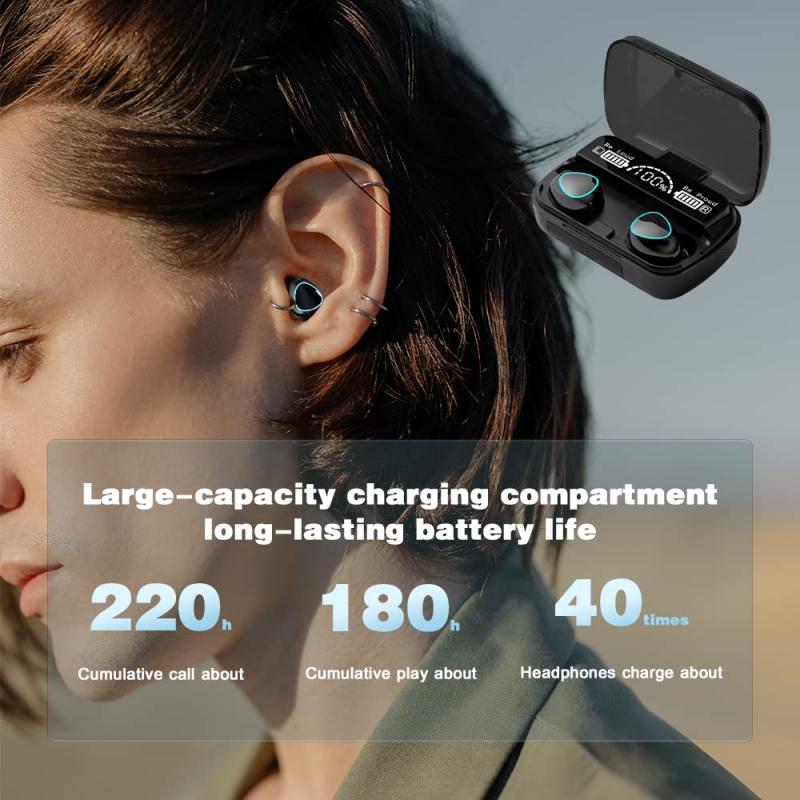
how to reset earbuds without buttons 3

Use the Automatic Desynchronization Fix

A common problem with buttonless earbuds is one earbud not working earbuds not pairing with each other. Fortunately, most models re-sync automatically after a short isolation cycle.

  1. Remove both earbuds from the case.
  2. Place only one earbud back into the case and close the lid.
  3. Wait 10 seconds.
  4. Take it out, then place the other earbud in and repeat.
  5. Put both earbuds into the case again and close the lid for 15 seconds.
  6. Remove them and check if they sync.

This isolates each earbud's internal processor, forcing them to renegotiate their stereo link when they are next removed from the case together.

You should reset your wireless earbuds when they stop working properly-like if they will not pair with your device, the audio keeps cutting out, one earbud is not responding, or settings seem stuck.

A reset can clear out glitches and restore default settings. It is also helpful if you are switching to a new phone or facing issues after a software update.

Touch/button responsiveness: test physical or touch controls to confirm they are functioning correctly. If not, consider repeating the reset process.

Re-pair individually (for TWS models): in rare cases, pair each earbud individually before syncing them together, as some models allow independent connections.

Resetting your earbuds can often fix pairing problems. It clears out old Bluetooth connections, software glitches, and sync issues that may be preventing a stable connection.

  • The earbuds return to factory settings.
  • Previous device pairings are erased.
  • You can re-pair them as if they were brand new.
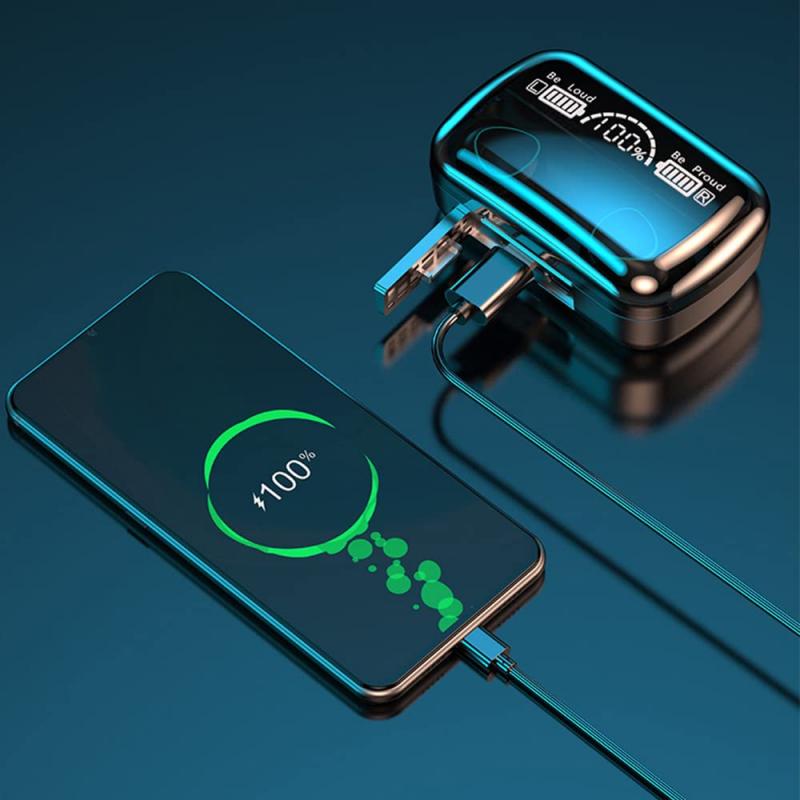
how to reset earbuds without buttons 4

Perform a Deep Discharge and Recharge Cycle

If the earbuds are glitching because of firmware loops, a complete power drain can initiate an automatic reset.

  1. Leave the earbuds outside the case until both fully discharge.
  2. Once dead, place them in the charging case and let them charge uninterrupted to 100%.
  3. After charging, open the case and try pairing again.

Disconnect your earbuds from every device and let the battery drain out.

When the battery is drained, it will automatically power off which will help to reset the internal settings.

Then recharge your earbuds and wait until they are fully charged.

Remove the earbud's name in the audio source device (i.e. smartphone) and then reconnect the earbuds.

Pair the earbuds with your device and enjoy your audio.

LEDs freeze
Deep discharge forces all volatile memory to clear, acting as a silent reset.
Touch controls stop responding
Deep discharge forces all volatile memory to clear, acting as a silent reset.
Earbuds refuse to power on
Deep discharge forces all volatile memory to clear, acting as a silent reset.
The charging case itself is not recognizing the earbuds correctly
Deep discharge forces all volatile memory to clear, acting as a silent reset.

These steps are general recommendations, and the exact procedure can vary depending on the brand and model of your earbuds.

If you are unsure about how to reset your specific earbuds, consult the user manual or visit the manufacturer's website for detailed instructions on performing a reset without a physical button.
Leave your comment
Cancel reply
Note: HTML is not translated!
Related products
4K Night Vision Goggles with 4.5in Large Display Backlit Buttons 1312FT(400M) Kentfaith
22
$171.00 $136.99
4K Night Vision Binoculars with Magnified 7" Display Backlit Buttons 32G Card Kentfaith
NEW Arrival
4K Night Vision Binoculars with Magnified 7" Display Backlit Buttons 32G Card Kentfaith
12
$209.99 $149.99
Translation Earbuds Real Time Online & Offline AI Language Translator Earbuds, 150 Languages 98% Accuracy, Audio & Video Calls Translation for Travel Business Learning
TOP Best
Translation Earbuds Real Time Online & Offline AI Language Translator Earbuds, 150 Languages 98% Accuracy, Audio & Video Calls Translation for Travel Business Learning
74
$209.99 $134.99
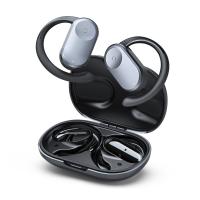
Wireless Earbuds Bluetooth Headphones TWS Waterproof with Microphone
66
$31.99
4K Night Vision Goggles, 1000m/3281ft Infrared, Full Color Night Vision, Built-in WiFi, Flashlight & Backlit Buttons, 5100mAh Battery, Kentfaith
12
$362.49 $289.99
Night Vision Goggles, 4K Video & 48MP Photo, 600m/1968ft IR, Starlight Full Color Night Vision, Dual Screen, Flashlight & Backlit Buttons, Kentfaith
10
$337.49 $269.99
112MP 4K Night Vision Goggles with 1200M/3937FT Rangefinder, Built-in WiFi, 400M/1312FT IR Night Vision, Flashlight & Backlit Buttons, 5000mAh Battery, Kentfaith
12
$212.49 $169.99
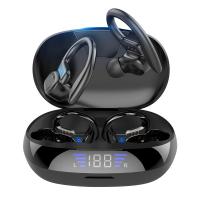
TWS Bluetooth Headset With Microphone Sports Ear Hook LED Display Earbuds
HOT Seller
TWS Bluetooth Headset With Microphone Sports Ear Hook LED Display Earbuds
211
$29.99
Wireless Translator Earbuds with 2-way 137 Languages, Live Transcription, Kentfaith
16
$77.49 $61.99
4K Night Vision Goggles with Holographic Display, Infrared Binoculars with 400m / 1314FT Range, 9000mAh Battery, Flashlight & Backlit Buttons, for Hunting, Camping, Wildlife Observation, Kentfaith
$187.49 $149.99
Products You May Like
Tripod Quick Release Mounting Plate for TC2834 TC2534T
$19.99
best wifi trail camera
10
$135.99 $106.99
Indoor TV Antenna Digital HDTV 4k 1080p ATSC Standard 20-50 miles with USB Amplifier 21*12cm
500
$11.99
71" Aluminum Compact Camera Tripod, Portable Travel Tripod Compatible with iPhone, 17.6lbs Capacity Arca Swiss Ball Head for DSLR Mirrorless O234A3+BH-36 K&F CONCEPT
3
$99.99 $64.99
C Mount Lenses to Pentax Q Lens Mount Adapter K&F Concept M25161 Lens Adapter
$29.99
Pir Trigger Trail Camera
10
$162.99 $106.99
11" Magic Arm with Super Clamp, Magic Arm Clamp Kit with 1/4" & 3/8" Thread Screw, Articulating Friction Arm with Cold Shoe Clamp Mount for Monitor, LED Light, Webcam, Action Camera
118
$45.99 $35.99
Retro Camera Shoulder Straps, Adjustable Neck Strap Suitable for All Slr Cameras (Nikon Canon Sony Pentax) Classic Black Woven
$0.00
M10 Wireless Microphone with Charging Case, Type-C, Apple Interface 2 in 1 Wireless Lavalier Microphone, 3 Levels of Noise Reduction, for Youtube, Recording, Video Blogging, Facebook Live Streaming
$30.99
K&F CONCEPT 2.0m Aluminum Foldable Light Stand with 1/4" Screw & Bag – for Ring Lights, Softboxes, etc.

NEW Arrival
K&F CONCEPT 2.0m Aluminum Foldable Light Stand with 1/4" Screw & Bag – for Ring Lights, Softboxes, etc.
39
$54.99
Related articles
How To Charge Wireless Earbuds Without A Case?
How To Reset Headphones?
How To Wear Earbuds?
How To Reset Your Smart Watch?
How To Set Up Earbuds?
How To Reset Battery Indicator On Blink Camera ?
How To Pair Tws Bluetooth Earbuds?
How To Turn On Wireless Earbuds?
Where To Get Wireless Earbuds?
Where Do You Put Dash Cam?
Blog You May Like
How To Record Wifi Security Camera?
Camcorder That Can Live Stream?
How To Remove Ring Light Reflection In Eyes?
How To Use A Graduated Nd Filter?
How To Use Nikon Wifi Adapter?
Which Camera Is Best For Low Light Photography?
What Lenses Are In A Microscope?
Which Car Dash Camera Is Best?
How To Pack Your Camera Bag?
Can Alexa Be A Security Camera?
Related categories
C mount lens adapter m4/3 adapter Leica M39 Mount Lens Adapters 4G Cameras led ring light with stand black pro mist 1 8 filter​ Exakta Mount Lens Adapters Action Camera Mount
Popular products
4K Night Vision Goggles long range binoculars with night vision prepaid sim unlimited data stealth night vision goggles true wireless earbuds with noise cancelling true wireless noise cancelling earbuds wireless earbuds for android bluetooth headphones for android wireless earbuds in ear Real Time Translator Earbuds
Related searches
Camera Without Lens Tripod Without Screw Security Camera That Connects To Phone Without Wifi Translation Earbuds Translator Earbuds Earbuds Wireless Digital Camera Without Video Tripod Without Quick Release Camera Without Wifi Needed Baby Monitors Without Wifi
Related Scenes
Best Earbuds For Music Best Outdoor Camera Without Wifi Best Surveillance Camera Without Wifi Best Trail Camera Without Cellular Best Earbuds For Music And Calls Best Camera To Video Sports Best Camera To Capture Wildlife Best Tripod To Travel With Best Video Camera To Record Sports Best Easy To Use Compact Digital Camera
Blog Category
  • Activities
  • Guide
    • Filter Guide
    • Lens Adapter
    • Product Review
  • News & Reviews
    • Camera Reviews
    • Sample Gallery
    • News
  • Tutorials
    • Solar eclipse photography
    • Photography Basics
    • Landscape Photography
  • Inspiration
    • Travel
    • Travel Stories
Search Article
Latest from the Blog
How To Make Your Headphones Have More Bass?
What Do You Use Your Smartwatch For?
What Sd Card For Drone?
What Type Of Battery In Power Bank?
Can Trail Cameras Record Video?
How To Take Off Camera Lens?
Smartwatch That You Can Call From?
How To Set Up Phone Without Tripod?
Which Screen Color Is Best For Projector?
How To Get Night Vision Goggles?
  • Easy Payment Multilple Payment Options

  • Free Shipping Global WareHouse Shipment

  • No Risk 30-Day No Reason Return

  • Limited Deals Buy More, Save More

  • Tax Free No any surcharges or tax fee

Information
  • About us
  • Contact Us
  • Site Map
  • Blog
  • Video
  • Gallery
  • VIP Membership Rewards
Service
  • Privacy Policy
  • Terms & Conditions
  • Shipping & Delivery
  • Payment Info
  • Warranty, Return & Refund
  • Intellectual Property Rights
  • Ambassador
  • Affiliates
  • Wholesale
Support
  • My account
  • Order History
  • FAQs
  • Extend Warranty
  • Logistics Tracking
Follow us
NewsLetter

Get the latest product, K&F Concept respects your privacy.

Powered By KENTFAITH © 2026