How To Charge Sony Battery With Camera?
Charging a Sony battery using the camera is a common practice, especially for those who prefer to simplify their equipment setup or don't have a standalone battery charger available. Sony cameras, particularly mirrorless models such as those in the Alpha series, often come with built-in charging capabilities via USB ports on the camera body. This feature enables you to charge your battery directly without needing a separate charger. In this guide, we’ll explore step-by-step instructions, tips for maximizing efficiency, and solutions to common concerns for charging your Sony battery while inside the camera.
Why Charge Your Sony Battery Using the Camera?

Before diving into the step-by-step process, it’s essential to understand why you might prefer charging a battery inside the camera versus using a standalone charger.
1. Convenience: Charging the battery directly in the camera eliminates the need to carry additional devices, such as a dedicated charging dock.
2. On-the-Go Charging: With portable USB power banks or adapters, you can charge your battery while traveling or away from power outlets.
3. Safety Features: Modern Sony cameras typically include safeguards to prevent overcharging, overheating, or battery damage.
While this method is not always the fastest way to recharge your battery, it can be incredibly useful when you have limited options available.
Step-by-Step Guide to Charging Your Sony Battery Inside the Camera

1. Prepare Your Equipment

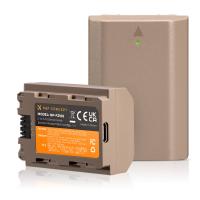
- Ensure you’re using a compatible battery. For example, many Sony cameras use NP-FZ100 or NP-FW50 rechargeable batteries.
- Confirm your camera supports charging through its USB port. This information can be found in the user manual or product specifications for your model.
2. Insert the Battery into the Camera

- Open the battery compartment on your Sony camera.
- Place the battery securely into its slot, ensuring it clicks into place. Double-check that the battery is properly oriented according to the markings on the compartment.
3. Power Off the Camera
- Most Sony cameras require the power to be turned off before charging begins. Charging while the camera is powered on may interrupt the process or slow down charging.
4. Connect the USB Cable
- Use the USB cable that came with your camera, or ensure you’re using a high-quality replacement cable compatible with Sony devices.
- Plug one end of the USB cable into your camera’s charging port, usually labeled with a USB icon and often located on the side or bottom panel.
- Connect the other end to a power source. This could be a USB wall adapter, a computer, or a portable power bank.
5. Monitor Charging Status
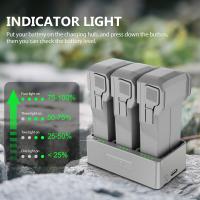
- Many Sony cameras feature a light indicator that signals battery charging. Typically, an orange light will illuminate near the charging port or the battery compartment while charging is active. Once the battery is fully charged, this light turns off.
- Alternatively, some models may display charging information on the LCD screen when the camera is off or connected to power.
6. Unplug and Test
- Once the charging light shuts off or the camera indicates a full charge, unplug the USB cable.
- Power on the camera and verify the battery level to confirm the charge was successful.
7. Proper Storage and Maintenance
- If you’re not planning to use the camera immediately, remove the battery and store it in a cool, dry place. A fully charged battery will retain its charge longer when stored outside the camera.
Tips for Efficiency and Prolonging Battery Life
Use a Wall Adapter for Faster Charging
Charging via a computer or low-power USB port may take longer due to restricted power output. To maximize speed, use a USB wall adapter capable of delivering higher amperage—at least 5V/1A or higher if supported by your camera.
Charge with a Portable Power Bank
For outdoor photographers or travelers, a portable power bank is a game-changer. Just make sure it’s capable of delivering adequate voltage for your camera model. High-capacity power banks can even charge multiple batteries before needing a recharge themselves.
Keep the Cable and Ports Clean
Dust and debris on the USB port or cable can interfere with the charging process. Periodically check both components for damage or wear and clean them gently with a soft cloth.
Temperature Considerations
Lithium-ion batteries are sensitive to extreme temperatures. Charging the battery while the camera is exposed to direct sunlight, excessive heat, or cold environments may reduce efficiency and shorten the battery’s lifespan. Aim to charge in a moderate-temperature environment to optimize performance.
Avoid Continuous Charging
Overcharging can degrade the health of your battery over time. Although most Sony cameras feature protection against overcharging, it’s good practice to unplug the power source once the battery reaches full charge.
Troubleshooting Common Issues with Charging Inside the Camera
Problem: Charging Indicator Light Does Not Turn On
- Ensure the USB cable is properly connected to both the camera and the power source.
- Check that the power source is active. Try switching to a different USB adapter or port.
- Confirm the battery is seated correctly in the compartment.
- If none of these solutions work, try using a separate charger to see if the battery is defective.
Problem: Charging is Slow
- Verify the power output of your USB source. Low-powered sources like older computer ports may slow charging.
- Inspect your USB cable for damage or low-quality materials that could impede power transmission.
Problem: Camera Turns On Instead of Charging
- Some USB cables may accidentally trigger data mode when plugged into a computer. Ensure your cable is specifically designed for charging or switch to another charging source.
Problem: Battery Does Not Hold a Charge
- If your battery loses its charge rapidly after supposedly being fully charged, it may be nearing the end of its life cycle. Sony batteries typically last a few hundred charge cycles, depending on usage patterns.
When to Consider a Dedicated Charger
While charging your battery with the camera is convenient, there are scenarios where a standalone charger might be a better choice:
Speed: Many standalone chargers can recharge batteries faster than the camera’s internal system.
Parallel Charging: A dedicated charger allows you to charge one battery while using another in the camera, minimizing downtime.
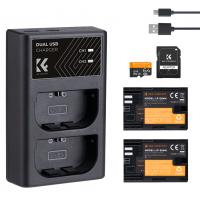
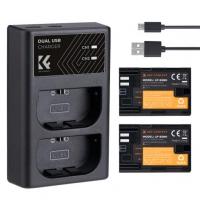
Advanced Features: Some third-party chargers offer advanced options such as dual-battery slots or display screens for battery diagnostics.
If you frequently use your Sony camera for professional work or extended shooting sessions, investing in a dedicated battery charging solution ensures you’re always prepared.
Charging your Sony battery inside your camera is an accessible and practical solution, especially for users who value convenience or find themselves on the go. By following these straightforward steps and tips, you can maintain reliable battery performance and optimize your workflow. However, it’s crucial to pair this method with good battery care habits to maximize its longevity and effectiveness. Whether you’re a casual photographer or a seasoned professional, understanding the nuances of battery management can greatly enhance your shooting experience.