kfconcept

KENTFAITH
K&F Concept    Blog >

Enjoy Your Selected Digital Life

Recently Viewed
  • Recently Viewed
  • 67mm Clip-on CPL Phone Camera Lens Filter Kit Applicable to All Mobile Phone Models
    67mm Clip-on CPL Phone Camera Lens Filter Kit Applicable to All Mobile Phone Models
    $18.99
Compare (0) 0
  • Compare
  • You have not chosen any products to compare.

  • Compare
Currency: USD
  • Currency
Shop by Scene Shop by Rank

Log Into Your Account

Account

Order History

Wish List

Login

Forgotten Password?

Or connect with

Register Account

Already have an Account?Log In

  • Shopping Cart
  • Your shopping cart is empty!

  • Register/Login to purchase, earn points
  • Favorite
  • Your wish list is empty.

  • Register/Login to like, earn points
  • Activities
  • Guide
    • Filter Guide
    • Lens Adapter
    • Product Review
  • News & Reviews
    • Camera Reviews
    • Sample Gallery
    • News
  • Tutorials
    • Solar eclipse photography
    • Photography Basics
    • Landscape Photography
  • Inspiration
    • Travel
    • Travel Stories
  • Home
  • Blog
  • How To Put Bluetooth Speakers In Motorcycle Helmet?

How To Put Bluetooth Speakers In Motorcycle Helmet?

Kentfaith 2024-09-02 07:50:14 0 Comments

Integrating Bluetooth speakers into a motorcycle helmet can significantly enhance your riding experience by allowing you to listen to music, take calls, or receive GPS directions without compromising safety. This article will guide you through the process of installing Bluetooth speakers in your motorcycle helmet, ensuring a seamless and enjoyable ride.

Understanding the Basics

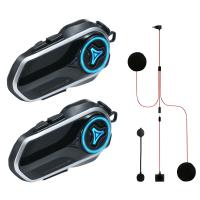
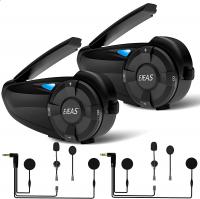
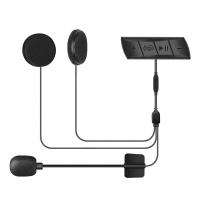
Before diving into the installation process, it's essential to understand the components and tools you'll need. Typically, a Bluetooth speaker system for a motorcycle helmet includes:

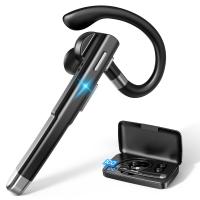
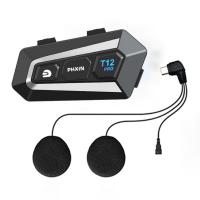
1. Bluetooth Speakers: These are small, compact speakers designed to fit inside the helmet.

2. Microphone: For making and receiving calls.

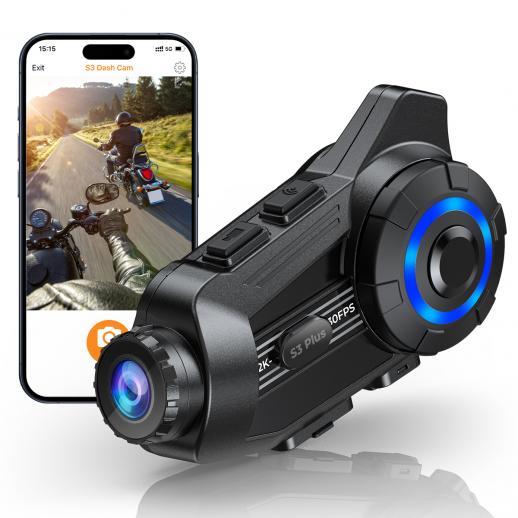
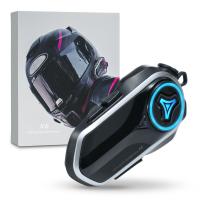
3. Bluetooth Module: This is the control unit that connects to your smartphone or other Bluetooth-enabled devices.

4. Wiring and Mounting Accessories: These include adhesive pads, Velcro strips, and clips to secure the components inside the helmet.

Step-by-Step Installation Guide

Step 1: Choose the Right Bluetooth System

There are various Bluetooth systems available on the market, ranging from basic models to advanced ones with noise-cancellation features. Some popular brands include Sena, Cardo, and UClear. Choose a system that fits your budget and meets your requirements.

Step 2: Prepare Your Helmet

Before installing the Bluetooth speakers, ensure your helmet is clean and dry. Remove any removable padding or liners to make the installation process easier. Familiarize yourself with the interior layout of your helmet to determine the best placement for the speakers and microphone.

Step 3: Position the Speakers

Most helmets have designated ear pockets or cutouts for speaker placement. If your helmet lacks these, you can create space by slightly modifying the padding. Position the speakers in these pockets, ensuring they align with your ears for optimal sound quality. Use the provided adhesive pads or Velcro strips to secure the speakers in place.

Step 4: Install the Microphone

The microphone should be positioned near your mouth for clear communication. Depending on your helmet type (full-face, modular, or open-face), you may need to adjust the microphone's placement. For full-face helmets, the microphone is usually mounted inside the chin bar. Use the provided mounting accessories to secure the microphone.

Step 5: Route the Wires

Carefully route the wires from the speakers and microphone to the Bluetooth module. Ensure the wires are tucked away neatly to avoid any discomfort or interference while wearing the helmet. Use adhesive clips or Velcro strips to secure the wires along the helmet's interior.

Step 6: Mount the Bluetooth Module

The Bluetooth module is typically mounted on the exterior of the helmet, usually on the left side for easy access. Use the provided mounting bracket or adhesive pad to secure the module. Ensure the module is easily accessible but does not interfere with your helmet's functionality.

Step 7: Test the System

Once all components are installed, test the Bluetooth system to ensure everything is working correctly. Pair the Bluetooth module with your smartphone or other devices and check the sound quality, microphone clarity, and overall functionality. Make any necessary adjustments to the speaker or microphone placement for optimal performance.

Tips for Optimal Performance

1. Sound Quality: Ensure the speakers are correctly aligned with your ears. Misalignment can result in poor sound quality and discomfort.

2. Microphone Placement: Position the microphone close to your mouth but not directly in front of it to avoid wind noise and distortion.

3. Wire Management: Keep the wires neatly tucked away to prevent any discomfort or interference while wearing the helmet.

4. Battery Life: Regularly charge the Bluetooth module to ensure it doesn't run out of power during your rides.

Safety Considerations

While Bluetooth speakers can enhance your riding experience, it's crucial to prioritize safety. Here are some safety tips to keep in mind:

1. Volume Control: Keep the volume at a reasonable level to ensure you can still hear surrounding traffic and emergency signals.

2. Distraction: Avoid getting too engrossed in music or phone calls. Stay focused on the road and your surroundings.

3. Legal Compliance: Check local laws and regulations regarding the use of Bluetooth devices while riding. Some regions may have restrictions or specific requirements.

Troubleshooting Common Issues

1. Poor Sound Quality: If you experience poor sound quality, check the speaker alignment and ensure they are securely positioned. Also, verify that the Bluetooth connection is stable.

2. Microphone Issues: If the microphone is not picking up your voice clearly, adjust its placement and ensure it's not obstructed by the helmet padding.

3. Connection Problems: If the Bluetooth module is not connecting to your device, ensure it's fully charged and within range. Restart both the module and your device if necessary.

Installing Bluetooth speakers in your motorcycle helmet can significantly enhance your riding experience by providing entertainment and communication capabilities. By following this step-by-step guide, you can ensure a seamless installation process and enjoy the benefits of a Bluetooth-enabled helmet. Remember to prioritize safety and stay focused on the road while using your Bluetooth system. Happy riding!
Leave your comment
Cancel reply
Note: HTML is not translated!
Related products
32 Riders Intercom Motorcycle Helmet Bluetooth Headset Mesh 3.0 Audio Multitasking
12
$209.99 $146.99
Dual-Rider Intercom Motorcycle Helmet Bluetooth Headset with Audio Multitasking Music Sharing
12
$134.99 $94.99
Motorcycle Helmet Bluetooth Intercom, Bluetooth 5.1 with CVC Noise Reduction & FM Radio Function, 7 Riders System, for Snowmobile/ATV/Off-Road Vehicles 2pcs
12
$212.99 $149.99
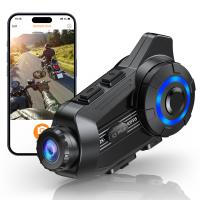
Motorcycle Bluetooth Headset with 2K Camera 6 Riders Intercom 2000m Range Kentfaith
57
$232.49 $162.99
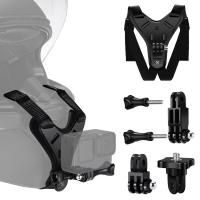
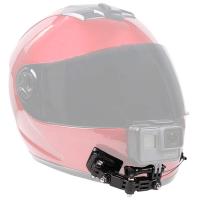
Motorcycle Helmet Chin Mount Kit Compatible with GoPro Hero 10 9 8 7 6 5 Black, DJI Osmo Action 2/AKASO/Campark/YI Action Camera, Insta360 Camera, etc.
$15.99
Infrared Night Vision Goggles for Helmet 4K 8X Digital Zoom Flashlight 32GB
13
$284.99 $199.99
CarPlay for Motorcycle Android Auto Dash Cam Front and Rear GPS Navigation
12
$299.99 $209.99
23.6‘’/60cm 3 in 1 selfie stick desktop stand with ball head + mobile phone holder + GoPro adapter + Bluetooth remote control MS11
45
$37.99 $23.99
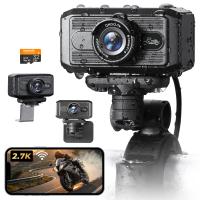
Motorcycle Dash Cam with 2K Resolution 140° Wide Angle WiFi Control USB Power Kentfaith
10
$84.99 $67.99
Bike Camera with 15W LED Light 1080P Video 140° Wide Angle WiFi for Bicycle Motorcycle Kentfaith
10
$99.99 $79.99
Products You May Like
Autel Robotics EVO Nano+ 3 Standard Edition - 249g Mini Drone with 4K Camera, 3-Way Obstacle Avoidance Quadcopter Drone, 50MP Photo 10KM HD Video Transmission, PDAF + CDAF RYYB HDR, Nano Plus Drone (White European gauge plug
$999.99 $679.99
52mm Black Mist Filter 1/8 + 3pcs Cleaning Cloth with 18 Multi-Layer Coatings Nano-Klear Series
212
$29.99 $23.99
68''/1.7m Carbon Fiber Tripod Professional Camera Tripod Capacity 12KG/26.2lbs with 30mm Metal Ball Head Load X254C4+BH-30
24
$259.99 $139.99
70”/1.7m Carbon Fiber Travel Tripod Max Height,lightweight tripod 15kg/33.07lbs Load for DSLR Cameras A254C4+BH-35L (old model SA254C2)
65
$349.99 $179.99
5 in 1 Oval Light Reflector 24 x 35 inch (60 x 90cm) Portable Collapsible Photography Studio Camera Lighting Reflectors/Diffuser Kit with Carrying Case
4
$17.99
K&F Concept RGB Video Light, 360° Full Color Portable Photography Light, LED Camera Light w 21 Light Effects, 2500K-9900K CRI 96+, 2000mAh Rechargeable Photography Lighting for Vlogging, Selfie (Blue)
121
$35.99
82mm Black Mist 1/4 + 1/8 Filters Kit Black Diffusion Cinematic Effect Filters Set with Multi-Layer Coated for Camera Lens Nano-Klear Series
68
$68.99 $56.99
Adult metal detector, with LCD display, 5 detection modes, 10 inch waterproof detection panel
8
$169.99 $135.99
Gift Certificate: $50 Value - Can Use with Any Discounts
$50.00
Camera Video Microphone Kit for YouTube, Vlog Windscreen 3.5mm for Phone and Camera
45
$34.99 $19.99
Related articles
Where To Put Speakers In A Room?
Can You Hook Up Alexa To Bluetooth Speakers?
How To Put Headphones In Pc?
How To Put Memory Card In Pc?
How To Put Earbuds In Your Ear?
How To Put Sd Card In Camera?
How To Put Sd Card In Iphone 14?
How To Put The Battery In My Camera?
How To Put Sony Headphones In Pairing Mode?
What Does Vr Mean In Camera Lens?
Blog You May Like
How Do I Find Hidden Cameras?
Photography Camera Bag What Colour?
Where Can I Find My Camera In Laptop?
Which Smart Lock Works With Alexa?
What Are Fixed Focus Binoculars?
How Long After Speed Camera Flash?
How Long Does A Digital Camera Last?
What Is 4g Camera?
What Is 4g Camera?
Why Isn't My Camera Flash Working?
How Do You Use A Digital Camera?
Related categories
2 in 1 Filter Screw-In Filter C mount lens adapter m4/3 adapter DJI Mavic 3 classic filter Baby Movement Monitor
Popular products
earphones for motorcycle helmet headset with radio built in waterproof motorcycle bluetooth headset Bluetooth mesh intercom bluetooth phone headset stereo motorcycle helmet with speakers bluetooth earphones for motorcycle riding bluetooth walkie talkie headset motorcycle bluetooth music system motorcycle helmet with camera
Related searches
Bluetooth Speakers For Motorcycle Helmet Speakers For Motorcycle Helmet Best Bluetooth Motorcycle Helmet Speakers For Music Motorcycle Helmet With Built In Bluetooth Headset Motorcycle Helmet Bluetooth Device Motorcycle Helmet Bluetooth Radio Bluetooth Motorcycle Helmet Headphones Motorcycle Helmet Bluetooth Microphone Motorcycle Helmet Bluetooth Earbuds Motorcycle Helmet Phone Bluetooth
Popular searches
3 Z-mount Mirrorless Lens Old Sony Micro M2 Memory Card Adapter Nikon Base Adapters Steel Weatherby Mark V Lee Filters Sw150 Mark Ii Lens Adapter Best Wireless Studio Headphones Weather Monitoring Station Nikon Adapter Cord For Israel Voltage Leica M8 Lens Mount Tamron 18-200 Pentax Mount Diy Home Security Cameras
Blog Category
  • Activities
  • Guide
    • Filter Guide
    • Lens Adapter
    • Product Review
  • News & Reviews
    • Camera Reviews
    • Sample Gallery
    • News
  • Tutorials
    • Solar eclipse photography
    • Photography Basics
    • Landscape Photography
  • Inspiration
    • Travel
    • Travel Stories
Search Article
Latest from the Blog
How Much Does It Cost For Security Cameras?
How Do Cellular Trail Cameras Work? – The Complete Guide for Hunters and Wildlife Enthusiasts
What Is Nd Filter On Video Camera?
Where Can I Buy Samsung Camera Battery?
How Many Stops Is An Nd 8 Filter?
Can I Charge Camera Battery With Power Bank?
Can You Save Facebook Videos To Camera Roll?
What Is Surveillance Camera Control System?
How Do Trail Cameras Work? The Ultimate Guide to Trail Cameras
What is A Variable ND Filter? The Complete Guide to Mastering Exposure Control
  • Easy Payment Multilple Payment Options

  • Free Shipping Global WareHouse Shipment

  • No Risk 30-Day No Reason Return

  • Limited Deals Buy More, Save More

  • Tax Free No any surcharges or tax fee

Information
  • About us
  • Contact Us
  • Site Map
  • Blog
  • Video
  • Gallery
  • VIP Membership Rewards
Service
  • Privacy Policy
  • Terms & Conditions
  • Shipping & Delivery
  • Payment Info
  • Warranty, Return & Refund
  • Intellectual Property Rights
  • Ambassador
  • Affiliates
  • Wholesale
Support
  • My account
  • Order History
  • FAQs
  • Extend Warranty
  • Logistics Tracking
Follow us
NewsLetter

Get the latest product, K&F Concept respects your privacy.

Powered By KENTFAITH © 2025