How To Protect Camera Lens From Scratches?
Smartphone cameras have become one of the most important features of modern devices. Many people rely on their phone as their primary camera for photos, videos, and everyday memories. Because of this, protecting the camera lens is just as important as protecting the screen. Even small scratches or dirt can reduce image quality and permanently affect performance.
Why Camera Lenses Are Vulnerable
Smartphone camera lenses are constantly exposed. Every time a phone is placed on a table, carried in a pocket, or stored in a bag, the camera module is at risk of contact with hard surfaces. Dust, sand, and small particles can cause micro-scratches that gradually affect photo clarity.
Modern smartphones often feature raised camera modules. While this improves camera performance, it also increases exposure to impact and abrasion. Without protection, everyday use can slowly damage the lens.
Contact from soft objects might not seem like a problem, but dust can contain particles of metal or minerals that are harder than the lens. This can result in microscopic scratches, which can accumulate over time. You may see streaks or spots begin to appear in the same places on your photos. This isn't even accounting for scratches you can get from contact with sharp objects like your keys, sand, and even dirt.
How Scratches Affect Photo Quality
Many users underestimate how sensitive camera lenses are. Even minor scratches can scatter light and create blurry spots, glare, or reduced sharpness in photos. Dirt and fingerprints can also interfere with image clarity.
A damaged camera lens affects every photo and video taken afterward. Scratched camera lenses on your phone can do more than compromise your photos — they can interfere with apps like facial recognition or QR scans. Because camera repair can be expensive, prevention is far more practical than replacement.
Use a Protective Case with Raised Edges
One of the easiest ways to protect your phone camera lens is by using a protective phone case. They not only keep your phone safe in general but they may help protect your camera lens.
- Look for a case with a raised bezel, which essentially means the case has a sort of ridge that surrounds the camera lens. These cases provide a buffer between your lens and hard surfaces so the case is what's making contact — not the lens.
- Shock-absorbing cases also protect the camera during drops. Impact protection prevents internal damage that could affect camera alignment or performance.
- Cases with a raised camera cover also help keep dust out.
- If your case has a raised bevel, you don't necessarily need a lens protector, but it's still beneficial for an extra layer of protection against sand, dirt, and sharp objects.
Use a Camera Lens Protector
For users who want maximum protection, camera lens protectors add another defensive layer. Lens protectors are small, removable, and made of high-quality materials like tempered glass or polyurethane. They're designed to prevent cracks and scratches from forming on your lens.
- Fit and compatibility
- Lens protectors fit over the front or back lenses of your phone and are designed for specific models.
- Transparency
- High-quality lens protectors are designed to remain transparent and maintain accurate light transmission, so your pictures have the same clarity they'd have without a lens protector.
- Image quality impact
- Lesser-quality lens protectors can cause light diffraction, which reduces overall image quality, clarity, and sharpness. High-quality phone camera lens protectors are designed to reduce this diffraction and distortion.
- Combined protection
- When combined with a protective case, lens protectors create a complete camera protection system. You don't have to choose between protecting your smartphone camera lens and using a phone case — you can use both.
Try Using a Screen Protector
Need to know how to protect your phone camera lens when you already have a case? Try using a screen protector. While it's true that their primary function is to protect your screen from damage, they're helpful for front phone camera lenses, too. Some screen protectors also come with covers specifically for the cameras.
Use a Lens Hood for DSLR and Interchangeable Lens Cameras
In addition to reducing glare to improve image quality, lens hoods can help protect your lens from accidental damage. The lens hood can operate as a barrier against knocks, scratches, and other types of impact when it reaches past the front element of the lens. This can be especially useful when shooting in crowded or chaotic settings, where your camera gear might be jostled or knocked around.
Use a Protective Filter at the Beach
The beach is one setting where a protective clear filter makes particular sense, especially if the wind comes up and the sand is blowing. An ocean beach adds the hazards of salt water, and even just salty breeze. In industrial settings there can be corrosive micro-globules in the air to damage the coating on a lens. These are situations when it makes sense to use a clear filter — better the filter gets sandblasted than the lens.
- For lenses with threaded ends, like for interchangeable lens systems, screw a UV filter on the lens. If it gets scratched, no big deal.
- Try not to remove the filter while you are on the beach. If you do need to change your lens, blow off any sand that might be on the new lens and change lenses with the camera pointing downwards.
- Adding another glass-to-air surface in front of the front element can lead to subtle distortions and may induce flare. Never double filters up — one at a time.
Use a Camera Bag and Skins
Investing in a good-quality camera bag will protect your camera and lens with enough padding. Things to look for in a camera bag include:
- Water-resistant material with a rain cover as an add-on
- Thick padding to protect your gear from impacts and accidental drops
- Adequate capacity to comfortably accommodate your camera, lenses, and other accessories
- Accessibility, comfort, and material quality
Camera and lens skins are precisely cut self-adhesive thin textured sheets designed to fit your camera and lens. Skins act as an extra layer of protective cover and help to protect your camera and lens against scratches, dust, and weathering. A camera skin can also help to improve grip and better hold onto the camera.
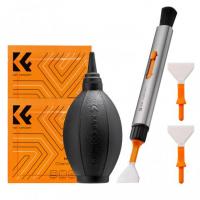
Clean Your Camera Lens Regularly
Just like with SLR and DSLR cameras, smudges and other imperfections on phone camera lenses can impact image quality or even cause permanent damage if they're never cleaned.
- Use a soft microfiber cloth to gently wipe your camera lens.
- Never use any harsh cleaners or chemicals, which can ruin your lens.
- Don't use tissues or paper towels — tissue can leave dust particles on your lens and paper towels can scratch your lens.
- While you can clean your lens with household wipes, you should be cautious with this method — it can leave streaks on your lens.
Avoid Contact with Sand, Dirt, and Sharp Objects
Accidental drops and bumps aren't the only things that can damage your phone camera lens. Sand and dirt can scratch your lens, leaving you with distorted photos. If you're taking pictures or using your phone outdoors, try to avoid getting sand or dirt anywhere near your lens.
You also want to be careful where you put your phone when it's not in use. Small items in your pocket or bag, like keys, can scratch your lens without you even realizing it. Try to avoid having your keys or something else that can scratch the camera in the same pocket as your phone. Placing your phone gently on clean surfaces and storing the device carefully reduces long-term wear.