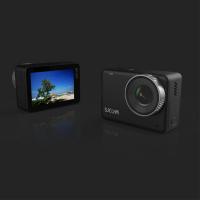
How To Clean Digital Camera Screen?
To clean the LCD screen of a digital camera, wipe the screen using a microfiber cleaning or soft damped cloth. Do not use any solvents or liquid-based cleaners. Using these substances may cause the LCD screen coating to peel off. A microfiber cleaning cloth will remove dust, dirt and fingerprints from the LCD screen without scratching or streaking and without the use of harmful chemicals.
Recommended Cleaning Materials
- Microfiber cleaning cloth — the safest and most effective material for cleaning camera LCD screens
- Eyeglass cloth — a common eyeglass cloth will do the job for light smudges
- Distilled water — for tougher stains, lightly dampen the cloth with distilled water
- LensPen — available at electronics stores, it has two ends: one end with a soft brush to brush off dirt first, then the other end has a soft material on a round concave surface to wipe off smudges, fingerprints, and smears
- Fisher brand microscope lens cleaning paper — works well on LCD screens
- Scotch tape — works great for removing fingerprints and other small smudges from LCD
What Not to Use
- Alcohol wipes or isopropyl alcohol directly on the screen — some alcohol may cause coating delamination
- Household cleaning solutions or window cleaners
- Ammonia-based solutions or any harsh chemicals
- Paper towels, tissues, or abrasive cloths — they can scratch the screen
- Any solvents or liquid-based cleaners — these substances may cause the LCD screen coating to peel off
- Eyeglass cleaner — some eyeglass cleaners contain chemicals that may harm the screen coatings
- Vinegar — vinegar is acidic and may damage the screen's protective layers or anti-glare coating

Step-by-Step Cleaning Process
- Turn off and unplug or power down your camera before cleaning.
- Use a soft brush or blow off all the dirt off the screen first to remove any loose particles that might cause scratches.
- Use a dry microfiber cloth to gently remove dust and light smudges.
- Make sure the cloth is free of dirt before wiping the screen.
- For stubborn marks such as oil smudges or fingerprints, lightly dampen the cloth with distilled water.
- Gently wipe the screen in circular motions. Do not put too much pressure on the screen.
- Allow the screen to air dry completely before turning the camera back on.
Alcohol Use on Camera LCD Screens
It is generally not recommended to use isopropyl alcohol directly on the screen, as some alcohol may cause coating delamination. The safest approach is a microfiber cloth for dust and distilled water on a microfiber cloth to clean and then dry. A 10:1 distilled water to medical grade isopropyl alcohol ratio has been used on some camera models and was effective with no screen or eyepiece issues. If necessary, dampen a microfiber cloth with a small amount of isopropyl alcohol and water mixture and use it sparingly. Excessive alcohol can harm the screen coatings.

Handling Stubborn Smudges and Fingerprints
- Oil smudges from nose or face contact
- The manual suggestions may not always remove oil smudges. Try scotch tape for removing fingerprints and other small smudges, or use a damp cloth with some mild soap. A LensPen with its carbon-based cleaner is also effective for oil smudges on LCD screens.
- Stubborn fingerprints
- Slightly dampen a microfiber cloth with distilled water. Gently wipe the affected areas in a circular motion until the marks disappear. Make sure not to apply excessive pressure to prevent damaging the screen.
- Stubborn smudges that resist normal cleaning
- Try using a small amount of isopropyl alcohol (90% or higher concentration) on a microfiber cloth. Dampen the cloth slightly and gently rub the affected areas in a circular motion. Be careful not to overdo it; using too much alcohol can harm the screen, so use it sparingly and always with caution.
Preventative Measures
- Tape a transparency film on the LCD screen to reduce how often cleaning is necessary.
- Store your camera in a sealed camera bag when not in use to prevent dust buildup.
- Consider using a dust cover when the camera is not in use.
- Place your camera away from direct airflow or vents that may carry dust particles.
- Clean the screen once every one to two weeks to maintain optimal clarity and performance. If you notice significant dust or smudges, clean it as needed.
Using the LensPen
The LensPen has two ends: one end with a soft brush that is used to brush off the dirt first, and the other end has a soft material on a round concave surface that can be used to wipe off smudges, fingerprints, and smears. The LensPen is always dry — it uses a carbon-based cleaner. When you place it back in the cap and give it a half-twist, it cleans the pad and re-applies a bit more cleaning formula. Every time you close the cap, make sure that you give it a half twist so that the chemical inside the cap can get onto the foam end.