kfconcept

KENTFAITH
K&F Concept    Blog >

Enjoy Your Selected Digital Life

Recently Viewed
  • Recently Viewed
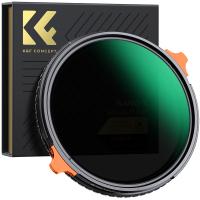
  • 40.5mm ND2-ND400 (9 Stops) Variable ND Filter Neutral Density Adjustable Filter for Canon Nikon DSLR Cameras + Lens Cleaning Cloth
    40.5mm ND2-ND400 (9 Stops) Variable ND Filter Neutral Density Adjustable Filter for Canon Nikon DSLR Cameras + Lens Cleaning Cloth
    $32.99 $25.99
Compare (0) 0
  • Compare
  • You have not chosen any products to compare.

  • Compare
Currency: USD
  • Currency
Shop by Scene Shop by Rank

Log Into Your Account

Account

Order History

Wish List

Login

Forgotten Password?

Or connect with

Register Account

Already have an Account?Log In

  • Shopping Cart
  • Your shopping cart is empty!

  • Register/Login to purchase, earn points
  • Favorite
  • Your wish list is empty.

  • Register/Login to like, earn points
  • Activities
  • Guide
    • Filter Guide
    • Lens Adapter
    • Product Review
  • News & Reviews
    • Camera Reviews
    • Sample Gallery
    • News
  • Tutorials
    • Solar eclipse photography
    • Photography Basics
    • Landscape Photography
  • Inspiration
    • Travel
    • Travel Stories
  • Home
  • Blog
  • Can T Find Camera On Samsung Phone?

Can T Find Camera On Samsung Phone?

Kentfaith 2025-08-08 01:02:48 0 Comments

How to Locate the Camera App on Your Samsung Phone: A Comprehensive Guide

Smartphones have become indispensable tools in our daily lives, and one of their most frequently used features is the camera. Whether you're capturing memories, scanning documents, or participating in video calls, the camera app is essential. However, it can be frustrating when you can't find the camera app on your Samsung phone. If you're facing this issue, don't worry—you're not alone. In this article, we'll explore the possible reasons why the camera app might be missing and provide step-by-step solutions to help you locate or restore it.

Why Can't You Find the Camera App?

can t find camera on samsung phone 1

Before diving into solutions, it's important to understand why the camera app might not be visible on your Samsung phone. Here are some common reasons:

1. Accidental Removal from the Home Screen: The camera app may have been unintentionally removed from your home screen, but it’s still installed on your phone.

2. App Hidden in a Folder: The app might be tucked away in a folder, making it harder to locate.

3. Disabled App: The camera app could have been disabled in your phone's settings, rendering it inaccessible.

4. Software Glitch: A temporary software issue might cause the app to disappear or become unresponsive.

5. Third-Party Launcher: If you're using a custom launcher, it might have altered the layout of your apps, making the camera app harder to find.

6. Factory Reset or Software Update: A recent reset or update might have changed the app's location or visibility.

Now that we’ve identified the potential causes, let’s move on to the solutions.

---

Step-by-Step Solutions to Find or Restore the Camera App
can t find camera on samsung phone 2

1. Search for the Camera App

can t find camera on samsung phone 3

The quickest way to locate the camera app is by using the search function on your Samsung phone. Here’s how:

- Swipe down on the home screen to open the search bar.

- Type "Camera" into the search field.

- If the app appears in the search results, tap it to open the camera. You can also long-press the app icon and drag it back to your home screen for easier access.

2. Check the App Drawer
can t find camera on samsung phone 4

If the camera app isn’t on your home screen, it might still be in the app drawer. Follow these steps:

- Swipe up or tap the app drawer icon (usually a grid of dots) to open the app drawer.

- Scroll through the list of apps to find the camera icon.

- If you locate it, long-press the icon and drag it to your home screen.

3. Look Inside Folders

Sometimes, apps are accidentally moved into folders. To check:

- Open any folders on your home screen or app drawer.

- Look for the camera app inside these folders.

- If you find it, you can drag it out of the folder for easier access.

4. Check if the App is Disabled

If the camera app is disabled, it won’t appear on your home screen or app drawer. To re-enable it:

- Open the Settings app.

- Navigate to Apps or Applications.

- Scroll through the list of apps or use the search bar to find "Camera."

- If the app is disabled, you’ll see an option to enable it. Tap Enable to restore the app.

5. Reset the Home Screen Layout

If you suspect the app is misplaced or hidden, resetting the home screen layout can help:

- Go to Settings > Display > Home Screen.

- Look for an option like Reset Home Screen Layout and select it.

- This will restore the default layout, including the camera app’s original position.

6. Check for Software Updates

A missing or malfunctioning camera app could be due to a software glitch. Updating your phone’s software might resolve the issue:

- Open Settings > Software Update.

- Tap Download and Install to check for updates.

- If an update is available, install it and restart your phone.

7. Use a Shortcut or Widget

Samsung phones often come with camera shortcuts or widgets. To add one:

- Long-press on an empty area of your home screen.

- Select Widgets from the menu.

- Look for a camera widget and drag it to your home screen.

8. Check for Third-Party Launchers

If you’re using a custom launcher, it might have altered the app layout. To troubleshoot:

- Switch back to the default Samsung launcher by going to Settings > Apps > Default Apps > Home App.

- Select the default Samsung launcher and check if the camera app reappears.

9. Factory Reset as a Last Resort

If none of the above methods work, a factory reset might be necessary. This will erase all data on your phone, so make sure to back up your important files first. To perform a factory reset:

- Go to Settings > General Management > Reset > Factory Data Reset.

- Follow the on-screen instructions to reset your phone.

- After the reset, the camera app should be restored to its default location.

---

Preventing the Issue in the Future

To avoid losing track of the camera app in the future, consider these tips:

1. Organize Your Apps: Keep essential apps like the camera on your home screen or in a dedicated folder for easy access.

2. Avoid Disabling System Apps: Be cautious when disabling apps in your settings, as this can make them inaccessible.

3. Regular Backups: Use Samsung Cloud or Google Drive to back up your phone’s settings and layout. This makes it easier to restore your setup if something goes wrong.

4. Familiarize Yourself with Your Launcher: If you use a third-party launcher, take some time to learn its features and settings to avoid accidental changes.

---

When to Seek Professional Help

If you’ve tried all the solutions above and still can’t find the camera app, it might be time to seek professional assistance. Visit a Samsung service center or contact Samsung support for further help. They can diagnose and resolve any hardware or software issues that might be causing the problem.

---

Losing access to the camera app on your Samsung phone can be inconvenient, but it’s usually a fixable issue. By following the steps outlined in this guide, you should be able to locate or restore the app in no time. Whether the app was accidentally removed, hidden, or disabled, these solutions cover all the bases to ensure you can get back to capturing photos and videos without hassle.

Remember, technology is here to make our lives easier, and understanding how to troubleshoot common issues is a valuable skill. With this guide, you’re now equipped to handle one of the most common smartphone problems with confidence. Happy snapping!


Leave your comment
Cancel reply
Note: HTML is not translated!

Related products
67mm Clip-on CPL Phone Camera Lens Filter Kit Applicable to All Mobile Phone Models
40
$18.99
67mm Clip-on ND2-32 Phone Camera Lens Filter Kit Applicable to All Mobile Phone Models
NEW Arrival
67mm Clip-on ND2-32 Phone Camera Lens Filter Kit Applicable to All Mobile Phone Models
13
$37.99
67mm Clip-on Black Mist 1/4 Phone Camera Lens Filter Kit Applicable to All Mobile Phone Models
7
$29.99
52mm Clip-on CPL Phone Camera Lens Filter Kit, Circular Polarizer Polarizing Filter Applicable to All Mobile Phone Models
24
$19.99
67mm Clip-on CPL&Black Mist 1/4 2-in-1 Phone Camera Lens Filter Kit Applicable to All Mobile Phone Models
3
$29.99
Phone Chest Strap Harness Fixing Headband Bracket Kit for POV/VLOG, Phone Clip Compatible with iPhone, Samsung, GoPro Hero 10 9, 8, 7, 6, 5, 4, 3, 2, 1, AKASO, DJI Osmo, and action camera
$20.99
63'' Magnetic Iphone Tripod Phone Selfie Stick Tripod And Clip-On ND Filter(1-9 stops) For All Phone Set
207
$113.99 $59.99
K&F CONCEPT Neck Phone Holder, 2-in-1 Magnetic & Clip-on Phone Neck Holder, POV Phone Holder, Hand Free Chest Stand Compatible with iPhone 17-12 Seires Android Phones
63
$29.99
Anti-Spy Detector Scan & Disconnect for 24/7 Protection Find Bugs Hidden Cams
15
$89.99 $59.99
K&F Concept Metal Phone Tripod Mount,Universal Smartphone Stand with 2 Cold Shoe Mount, Adjustable Cellphone Holder for Horizontal and Vertical Shooting, Compatible with iPhone/Samsung and All Phones
23
$36.99 $25.99
Products You May Like
52-82mm Step Up Ring Aviation-grade Aluminum Filter Adapter Ring 2-pack with a Cleaning Cloth
99
$6.99
77mm Black Mist 1/4 Filter + Lens Cap, Mist Cinematic Effect Filter with 18 Multi-Layer Coatings for Video, Vlog, Portrait Photography Nano-Klear Series
NEW Arrival
77mm Black Mist 1/4 Filter + Lens Cap, Mist Cinematic Effect Filter with 18 Multi-Layer Coatings for Video, Vlog, Portrait Photography Nano-Klear Series
17
$53.99 $39.99
55mm MCUV+CPL+ND1000+Adapter Ring Magnetic 4 in 1 Lens Filter Kit Waterproof Scratch-Resistant Anti-Reflection with Filter Pouch
46
$99.99 $79.99
62mm MCUV+CPL+ND1000+Adapter Ring Magnetic 4 in 1 Lens Filter Kit Waterproof Scratch-Resistant Anti-Reflection with Filter Pouch
51
$118.99 $94.99
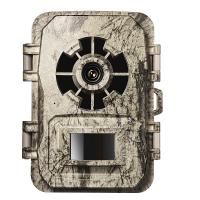
1296P 24MP Wildlife CameraTrail Camera With 120°Wide Angle Motion Latest Sensor View 0.2s Trigger Time IP66 Waterproof | Bark
92
$99.99 $65.99
72mm ND4-64 (2-6 Stop) Variable ND Filter and CPL Circular Polarizing Filter 2 in 1,28 Layers Coated Nano-Xcel Series
68
$119.99 $95.99
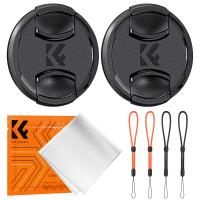
72mm Snap-On Center Pinch Lens Cap 7 in 1 with Anti-Loss Keeper Leash Compatible with Nikon, Canon, Sony, Fujifilm Camera Lenses
$7.49
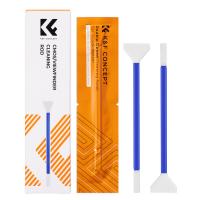
K&F Concept 2-in-1 16mm APS-C Sensor Cleaning Swab & Viewfinder Cleaning Swab, DSLR SLR Digital Camera CMOS and CCD Sensor Cleaning Swab Kits for Nikon Sony Canon Camera Clean
$8.49
K&F CONCEPT Magnetic Quick Release Foldable Selfie Stick Compatible with Insta360 X5, 89cm/35inch Aluminum Alloy Extension Rod Invisible Pole, Adjustable Handle Grip with Safety Lock
80
$34.99
Lowest Price Trail Camera
10
$162.99 $106.99
Related articles
Can T Find Camera On Ipad?
Can T Find Camera On Windows 10?
Skype Can T Find Video Camera?
Can T Access Microphone On Iphone?
Samsung Galaxy Flashing Light When Phone Rings?
How To Watch Movies On Samsung Smart Tv?
Can I Record My Voice On This Phone?
How To Find Hidden Camera Using Cell Phone?
How Does Smart Phone Find Remote Wireless Camera?
360 Degree Video Camera How Does It Work?
Blog You May Like
Can Mirrorless Camera Change Lens?
How Do You Use A Bluetooth Selfie Stick?
How To Put Voice Recording Over Video?
What Baby Monitors Connect To Iphone?
Which Security Camera Has The Best App?
What Nd Filter To Photograph The Sun?
How To Speed Up Sound Recordings?
How To Record Music Videos With Good Sound?
How To Remove Outdoor Camera From Base?
Best waterproof camera bag for 2024
Related categories
On-Dash Camera phone camera lens cell phone tripods Samsung NX M Mount Adapter iphone lens filter Camera Parts | Studio Camera Accessories streaming video camera digital camera for beginner Solar Cellular Trail Camera Non Cellular Trail Camera
Popular products
Polarize Filter For Mobile Phone clip on phone camera lens t mobile compatible trail camera t post trail camera holder t-post trail camera holder travel tripod for iphone canon rp lens adapter Nikon camera Lens Adapter no spy hidden camera detector t mobile trail cameras
Related searches
4 Lens Camera Phone Samsung Microscope On Phone Clip On Mobile Phone Camera Lens Best Video Camera On A Phone Metal Detector Find Bag Phone Holder On Tripod Stand Microphone For Recording Music On Phone Clip On Ring Light For Phone Amscope Ca-can-slr Canon Slr Dslr Camera Adapter Samsung Camera Lens Adapter
Popular searches
Canon Ex Lens Mount Polaroid 600se Lens Mount Dji Mavic 3 Nd Filters 5 In 1 Reflector Kit Leica M-mount Canon 50mm F 0.95 62mm Lens Cap Panoramic Gimbal Tripod Head Ir Vision Binoculars Moment 67mm Lens Filter Mount Old Canon Lens Mounts
Blog Category
  • Activities
  • Guide
    • Filter Guide
    • Lens Adapter
    • Product Review
  • News & Reviews
    • Camera Reviews
    • Sample Gallery
    • News
  • Tutorials
    • Solar eclipse photography
    • Photography Basics
    • Landscape Photography
  • Inspiration
    • Travel
    • Travel Stories
Search Article
Latest from the Blog
Kentfaith x Citadel Season 2
how to clean microfiber cloth?
Kentfaith x ANACONDA: Capturing the Wild, Frame by Frame
How To Setup A Tripod?
Can A Tripod Fit Any Camera?
How To Take Pictures Through A Telescope?
What Is The Best Trail Camera With Wifi?
How Do Metal Detectors Work? A Complete Guide for Beginners and Pros
What Is The Difference Between Binoculars And Telescope?
Which Night Vision Monocular Is Best?
  • Easy Payment Multilple Payment Options

  • Free Shipping Global WareHouse Shipment

  • No Risk 30-Day No Reason Return

  • Limited Deals Buy More, Save More

  • Tax Free No any surcharges or tax fee

Information
  • About us
  • Contact Us
  • Site Map
  • Blog
  • Video
  • Gallery
  • VIP Membership Rewards
Service
  • Privacy Policy
  • Terms & Conditions
  • Shipping & Delivery
  • Payment Info
  • Warranty, Return & Refund
  • Intellectual Property Rights
  • Ambassador
  • Affiliates
  • Wholesale
Support
  • My account
  • Order History
  • FAQs
  • Extend Warranty
  • Logistics Tracking
Follow us
NewsLetter

Get the latest product, K&F Concept respects your privacy.

Powered By KENTFAITH © 2026